The best PS5 cooling stand with controller charging for most owners is the Tokluck PS5 Cooling Station, because its listing combines a vertical stand, an automatic turbofan with three speed levels, and a built-in controller charger in one unit, which covers the three jobs people actually buy these stands to do. If you want colored lighting, the RGB stand with a built-in three-level and auto fan is the more eye-catching alternative. If you lay your console flat, the horizontal cooling and charging stand fits that layout instead. One honest caveat applies to every product here: Sony engineered the console to manage its own heat, so an add-on fan is a nice-to-have for warm rooms and tight shelves, not a repair for a poorly ventilated cabinet. The real value of these stands is stability, tidy storage and a place to charge two controllers. This guide compares all ten products and explains how to choose without overpaying for features you will not use.
Our Top Picks

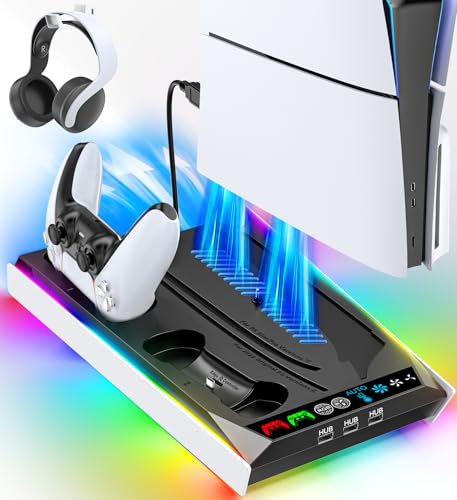


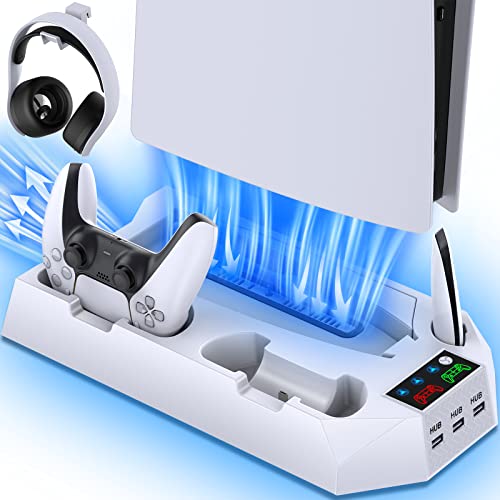

Top 3 picks at a glance
Top 3 Picks
Best Overall: Tokluck PS5 Cooling Station with Auto Turbofan
Tokluck is the one product in the group that names its fan type as well as its control scheme: an automatic turbofan with three speed levels. Add a vertical stand and a controller charger and you have a complete setup that suits both disc and digital consoles, in a form that is easy to understand.
Best Value Pick: Cooling Stand for PS5 with Dual Controller Charging Station
The dual-charging cooling stand keeps the feature list focused on what matters: cooling, two charge bays and a stable base for disc and digital consoles. It is the straightforward option for anyone who does not need lighting or novelty features.
Best for Horizontal Placement: PS5 Horizontal Stand and Cooling Station
If your console lives flat on a shelf or under a television, the horizontal stand with three-level cooling and a controller charger is the only option here designed for that orientation. It also suits cabinet setups where vertical height is limited.
Quick Comparison
| Product | Best for | Key specs |
|---|---|---|
| PS5/Slim/Pro Stand and Cooling Station with LED Charging | Basic all-in-one setup with indicator lights | Stand plus cooling plus LED controller charging, Slim/Pro/standard listed |
| PS5 Stand with RGB Lights, Built-In 3-Level and Auto Fan | Lighting fans, adjustable airflow | RGB lighting, three fan levels plus auto mode, controller charger, disc and digital |
| PS5 Pro Stand Cooler with Controller Charging | PS5 Pro owners | Slim, standard and Pro listed, disc and digital, controller charging |
| Cooling Station with Controller Charger, Vertical Stand | Tidy vertical placement | Vertical stand, dual controller charging, disc and digital |
| Stand and Cooling Station with Dual Controller Charging | Households with two controllers | Dual charging, cooling, PS5 accessories bundle listed |
| Tokluck Cooling Station with Auto Turbofan | Overall balance of cooling and control | Auto turbofan, three speed levels, vertical stand, controller charger |
| Cooling Stand with Dual Controller Charging | Straightforward value setup | Disc and digital, cooling, dual charging |
| Cooling Station with Controller Charging (PS5/Slim/Pro) | Simple one-box solution | Cooling plus charging for all listed console variants |
| PowerA Twin Charging Station | Charging only, pair with a plain stand | Officially licensed twin dock, no cooling |
| PS5 Horizontal Stand and Cooling Station | Flat console layouts | Horizontal stand, scalable design, three-level cooling, controller charging |
How We Chose
This ranking is based on desk research of listings and established product facts. We started with each listing name, which states the console variants, the fan features and the charging provisions, then compared those claims with what is well established about the console: its dimensions, its side vents and the power available from its USB ports. We weighed six criteria. First, stability and fit for the console variant you own. Second, how clearly the product describes its fan, such as speed levels or an auto mode. Third, the charging approach and whether it covers two controllers. Fourth, clearance for the console’s vents, since an obstructed vent defeats the purpose of cooling. Fifth, noise and dust control, which are the usual complaints with fan stands. Sixth, how clear the listing is about what you are buying. We treated cooling performance claims cautiously, because no listing gives independent temperature data.
1. PS5/Slim/Pro Stand and Cooling Station with LED Controller Charging – Best for a Simple All-in-One Setup
As an Amazon Associate we earn from qualifying purchases at no extra cost to you.

This is the plain all-in-one: a stand, a cooling station and a controller charging station with LED indicators, listed for the PS5, Slim and Pro. It suits owners who want one box that handles console placement and controller charging without having to think about separate accessories. The LED mention implies charge status lights for the controllers, which saves you from guessing whether a pad is ready.
- Stand with cooling fan and controller charging, as the listing name describes.
- LED indicators for charging status.
- Listed compatibility with the PS5, Slim and Pro, including the stand and the cooling elements.
- Confirm the number of controller bays, fan speed controls and the power source on the product page.
The main question with any all-in-one is power. A cooling fan and two controller chargers all need electricity, and most of these stands draw it from the console’s USB ports through one or more cables. Your console’s USB ports supply limited current, so a stand with a fan and two charging bays may charge controllers more slowly while the fan runs. If the stand has its own adapter, power is less of an issue. Read the description to see how it is powered, and consider using a wall adapter if one is supported.
Stability is the second question. Vertical stands put a tall, narrow console on a small base, so the base must be wide enough to prevent tipping. Check for rubber feet and a snug cradle. If you have pets or young children, test the stand’s stability by gently pushing the console at shoulder height. Keep the console clear of walls so that the side and rear vents can breathe, and avoid sealed cabinets where warm air has nowhere to go.
Because the listing covers several console variants, check how the cradle adjusts. Original, Slim and Pro consoles differ in size and shape, so look for adjustable inserts or an included set of spacers. A cradle that fits the Slim snugly may leave the original console loose, and vice versa.
A final practical point is cable length. Stands that connect to the console need a cable that reaches a USB port without pulling on the connector, and a cable that is too short can lift the stand slightly or loosen the plug. Leave a small loop of slack, secure it with a clip, and check after a few days that nothing has shifted.
Pros
- Stand, cooling and charging in one product.
- LED indicators for charge status.
- Broad console compatibility in the listing name.
Cons
- Power draw from console USB ports may limit performance.
- Fan noise and speed control details are not in the name.
- Fit across console variants needs checking.
Compared with the Tokluck, this stand is the less specific one: it does not name its fan type or speed levels. Compared with the RGB stand, it keeps the look restrained, but it also offers fewer adjustable features.
2. PS5 Stand with RGB Lights, Built-In 3-Level and Auto Fan – Best for Lighting and Adjustable Airflow
This listing is for a PS5/Slim/Pro stand for disc and digital consoles that combines a cooling and charging station with RGB lights and a controller charger, with a built-in three-level fan plus an auto mode. It suits owners who like a lit-up setup and want to choose the fan intensity. The auto mode implies the fan adjusts itself, possibly based on temperature, though the listing name alone does not say how.
- Stand for disc and digital PS5, Slim and Pro, per the listing name.
- Cooling and charging station with RGB lights.
- Controller charger built in.
- Three fan levels plus auto mode; confirm what triggers the auto mode and how loud each level is.
Fan modes deserve attention because noise is the most common complaint about cooling stands. The lowest level should be quiet enough that you forget it is on; the highest level is often loud and best reserved for hot rooms. Auto mode is attractive if it lowers the speed when the console is idle. If the stand lacks temperature sensing, auto might simply mean it turns on when the console does. Check the description for any mention of a sensor.
RGB lighting is purely cosmetic. It can look striking in a dark room but it adds a small power draw and can be distracting while you watch movies. Look for a way to switch the lights off or set a steady color. Keep an eye on cable routing too: a stand with lights, a fan and a charger can have several wires, and a tangle behind the console is a snag hazard.
As with every fan stand, dust is a factor. Fans pull in room dust and can deposit it on the stand’s vents and the console’s intake areas. Wipe the stand regularly with a dry cloth and clear the fan grille with a soft brush. Never insert objects into a spinning fan, and unplug the stand before cleaning it.
If you share the room with a partner who dislikes bright lights, agree on a setting first. Many RGB accessories default to a color-cycling mode, which can be tiring when you are watching a film. A static color or an off setting is easier on the eyes, and it will also keep the stand’s glow from reflecting on the television.
Pros
- Three fan levels plus auto give control over noise and airflow.
- RGB lighting suits lit desks and shelves.
- Controller charging is built in.
Cons
- More electronics means more things to verify.
- Lighting may be unwelcome in dark rooms unless it can be turned off.
- Auto mode behavior is not explained in the name.
Compared with the Tokluck, the RGB stand adds lights; the Tokluck is the cleaner pick with a named turbofan. Compared with the basic LED stand, it offers more control at the cost of complexity.
3. PS5 Pro Stand Cooler with Controller Charging – Best for PS5 Pro Owners

This cooling station with controller charging is listed for the PS5 Slim, standard and Pro, disc and digital, and the name specifically mentions a PS5 Pro stand cooler. It suits Pro owners who want a stand explicitly labeled for their console, plus a built-in cooler and charging area. The PS5 Pro is larger in some dimensions than the Slim, so a stand that names it is reassuring.
- Cooling station with controller charging, per the listing name.
- Listed for PS5 Slim, standard and Pro, both disc and digital.
- Pro stand and cooler mentioned in the name.
- Check whether the cradle fits the Pro securely and whether the fan speed is adjustable.
The PS5 Pro measures about 388 mm tall, 89 mm wide and 216 mm deep without a stand, so a vertical stand adds a few centimeters to the overall height. Before you buy, measure the shelf opening: add the stand’s height to the console height and leave at least a few centimeters above for air to move. Vertical stands are a good fit for shelves that are tall but narrow, while horizontal layouts need more width and less height.
Pro owners often use the console on a media shelf with soundbars and receivers nearby, and heat from those devices can warm the area. A cooler can help move air, but the best step is to keep a clear gap around the console and avoid stacking items on top. If you notice the console fan running loudly, check for dust on the vents, improve the airflow around the shelf, and consider a stand only after those steps.
Treat Pro-specific wording with a little care. A stand that lists the Pro should have a cradle that fits it, but confirm with the product page whether any parts, such as a base plate or spacers, must be swapped. Check also that the charger bays do not conflict with the console’s front USB ports, since a bulky connector can hit the console’s front panel.
Warm climates raise the stakes. In a hot room, even a well-ventilated console runs its fan harder, so a stand that nudges extra air across the vents may be noticeable in fan noise. If your room regularly reaches high temperatures, a fan in a stand should be one part of a plan that also includes air conditioning, open shelving and regular dusting.
Pros
- Explicit mention of the Pro in the listing name.
- Cooling and charging in one unit.
- Broad console compatibility.
Cons
- Fan control details are not specified.
- Fit with the Pro should be confirmed on the product page.
- Power setup may rely on console USB ports.
Compared with the Tokluck, this model is more specific about the Pro but less specific about its fan features. Compared with the vertical-stand cooling station that follows it, the two are similar in function, so decide based on which listing gives the more convincing detail about fit.
4. Cooling Station with Controller Charger, Vertical Stand for Disc and Digital – Best for Tidy Vertical Placement

This listing describes a cooling station with a controller charger for the PS5, Slim and Pro, built as a vertical stand for disc and digital consoles with dual PS5 controller charging. It suits owners who want a console standing upright beside a television with their two controllers parked on the stand. Think of it as a furniture upgrade with a fan and chargers attached.
- Vertical stand with cooling fan, per the listing name.
- Dual PS5 controller charging.
- Disc and digital compatible, with PS5, Slim and Pro listed.
- Confirm the fan speed range, charging connectors and whether it works with the DualSense Edge.
Vertical orientation has a few practical benefits. It saves horizontal shelf space, it keeps the console’s side vents facing outward, and it makes it easier to reach the front ports. The trade-off is a smaller footprint, which means stability depends on the base and the cradle. A well-designed stand uses a wide base, rubber feet and a snug locking mechanism so that a bump does not send the console tumbling. Test it by nudging the console with a finger before you rely on it.
Dual charging deserves a careful look. Controllers sit in cradles on either side, and the charging contacts or plugs must line up with the controllers’ ports. Some stands use plug-in connectors that go into the controller’s USB-C port, others use contact pins. Plug-in connectors can strain the port if the controller is bumped, so avoid placing the console where it can be knocked. If you use controller covers or skins, test them in the cradle before assuming they fit.
Ventilation is the heart of cooling. The console’s primary intake sits at the sides, with exhaust at the rear, so a stand should leave those areas open. Keep the rear of the console at least a few centimeters from walls or cabinet backs. If the stand includes a fan, direct airflow should assist rather than fight the console’s own airflow, which you can check by feeling the air movement around the vents with your hand.
The vertical stand also changes how you reach the console. The front panel faces sideways or forward depending on how you place it, so check that the power button and ports remain easy to reach and that the disc slot, if you have a disc edition, is not blocked by the stand’s chargers. A neat layout is worthless if you cannot insert a disc.
Pros
- Saves shelf space with an upright layout.
- Combines cooling, stand and dual charging.
- Works with both disc and digital consoles.
Cons
- Stability depends on base design.
- Charging connectors may strain controller ports if knocked.
- Fan details are not specified in the name.
Compared with the Pro-specific cooler, this stand is a generic vertical option; both give you the same basic functions. Compared with the PowerA twin dock, it offers cooling and a stand, but the PowerA is a more specialized charger and may be a better solution if you only need the charging part.
5. PS5 Stand and Cooling Station with Dual Controller Charging – Best for Households with Two Controllers

This product is listed for the PS5, PS5 Slim and PS5 Pro as a stand and cooling station with a dual controller charging station, with PS5 accessories and a controller-related inclusion mentioned in the title. It suits families or couples who always have two controllers in play and want a docking spot for both. The listing leans on the accessory-bundle idea, so check what extras come in the box.
- Stand and cooling station for the PS5, Slim and Pro.
- Dual controller charging station.
- Accessories mentioned in the listing; confirm which items are included.
- Check cable type, fan control and whether the charging bays support covers.
A two-controller setup works best when both docks charge at the same time without slowing each other. Because the stand likely draws power from the console, the fan and both controllers share a limited supply. Real-world charging may therefore be slower than a wall-powered dock. If you often start a session with a controller at low charge, use a wall-powered dock as a second option or plug a cable into the controller directly while you play.
The phrase “accessories” in a listing should be treated as a prompt to read the item list. Typical add-ons include cables, silicone caps or a cleaning cloth. They are fine but should not decide the purchase. Instead, assess the stand itself: stability, fan quality, ventilation clearance and the way the charging bays hold controllers. A stand that wobbles or leaves a controller leaning at an angle will frustrate you daily.
Think about the layout of your cabinet. If the console sits near a wall, the cable from the stand to the console’s USB ports needs space to bend without strain. Choose a cable-friendly position, and consider clipping cables to the back of the cabinet so that nothing dangles into the fan.
Because several listings in this category use the same generic photos, look for evidence in the product images that the dual bays are separate and that the controllers sit upright. If the images show a single cradle or a cluttered layout, ask the seller or read the questions and answers section before committing. It is also worth confirming how the unit handles the controller’s light bar, since a bar that reflects off the stand can look distracting at night.
Pros
- Dual charging suits shared households.
- Accessory extras add convenience.
- Broad console compatibility.
Cons
- Shared power can slow charging.
- Accessory quality is hard to judge from the name.
- Fit with controller covers needs checking.
Compared with the generic dual-charging cooling stand that appears later, this one leans more on bundled extras. Compared with the Tokluck, it gives you fewer details on the fan, so it makes sense only if the dual charging bays and included extras appeal to you.
6. Tokluck PS5 Cooling Station with Auto Turbofan and 3-Level Speed – Best Overall Balance

Tokluck’s listing names a PS5, Slim and Pro cooling station with an automatic turbofan and three-level speed control, a vertical stand and a controller charger. It is the most specific listing in the group about the fan, which is the part buyers most want to understand. It suits owners who want control over noise and airflow, and a stand that does not need constant adjustment.
- Cooling station with auto turbofan and three speed levels, per the listing.
- Vertical stand for the PS5, Slim and Pro.
- Controller charger built in; confirm the number of bays.
- Check what the auto mode responds to and how the speeds are selected.
A turbofan is a fan style designed to move air with higher pressure than a standard axial fan, which can help push air through the narrow gaps around a console. The practical value of this depends on how the stand is built. A turbofan that blows air at the console’s vents can help in a tight, warm cabinet. In an open room, the console’s own fan already has plenty of airflow, and a stand fan adds little.
Three speed levels let you match noise to context. Use the low setting for quiet evenings and the highest only in hot weather or after long sessions. Auto mode, if it is based on temperature or activity, saves you from adjusting manually. If it is simply on when the console is on, it still provides convenience. Either way, a fan that runs constantly will collect dust, so plan a cleaning routine every few weeks with a soft brush and a dry cloth.
The stand’s charger is the second half of its appeal. A dock built into the stand keeps controllers visible and ready, and you do not need a separate dock on the shelf. Check that the charging bays accommodate your controllers with their covers, and that the status lights are bright enough to see but not distracting.
For households with children or pets, a fan with an exposed grille is a point of concern. Choose a stand where the fan sits under the console or behind a guard, and keep small hands and paws away. A stand that sits behind a television may be out of reach anyway, but loose cables are still a hazard, so run them neatly behind the furniture.
Pros
- Names its fan type and speed control.
- Vertical stand, cooling and charging in one product.
- Compatible with multiple console variants in the listing.
Cons
- Cooling benefit varies with room and cabinet conditions.
- Auto mode behavior needs confirming.
- Fan noise at high speed may be noticeable.
Compared with the RGB stand, the Tokluck is the more understated and the better value if you do not care about lights. Compared with the basic LED stand, it gives you more control, and compared with the horizontal stand, it is the better pick if your console stands upright.
7. Cooling Stand for PS5 with Dual Controller Charging Station – Best Straightforward Value
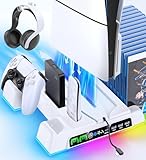
This listing is for a cooling stand for the PS5, Slim and Pro, disc and digital, with a cooling station and a dual controller charging station. It suits buyers who want the core features without extras like lighting. It is the plainest product in the group, and for many people plain is good: fewer parts to fail, fewer modes to learn and a simple set of jobs.
- Cooling stand for disc and digital versions, per the listing.
- Dual controller charging station.
- Compatible with the PS5, Slim and Pro as listed.
- Check fan speed controls, noise and the exact charging connectors.
When a listing is simple, apply a short checklist. Is the base wide enough to stand on its own? Does the cradle hold the console snugly? Are the controller bays shaped for DualSense pads? Is the fan guarded so that fingers and cables cannot touch the blades? Is there a clear statement about power input? A product that answers these questions in its description or images is more trustworthy than one that only lists features.
Think about longevity. Fans are the part most likely to wear out, so check whether the stand can still function as a stand and charger if the fan fails. A design with a separate switch for the fan lets you turn it off and keep the rest running. That also helps if you find the noise annoying, because you can disable it without losing charging.
Keep realistic expectations about cooling. The PS5 handles heat by pulling air through its sides and out the back; a stand fan can add airflow but cannot remove the need for open space around the console. The best cooling accessory is a clear shelf, a clean vent and a cool room, and the second best is a stand that improves airflow without blocking anything.
If the stand arrives and the base feels light or the cradle wobbles, return it rather than adapting your shelf to the product. A wobbling stand is a bigger risk to the console than heat is. Test it by placing the console and gently pushing from the front, back and sides, and watch for rocking or sliding before you connect any cables.
Pros
- Simple feature set with core functions covered.
- Dual charging and cooling in one unit.
- Suitable for both disc and digital consoles.
Cons
- Few details about the fan in the name.
- No lighting or advanced controls.
- Quality signals are limited.
Compared with the Tokluck, it offers a similar function set with less detail, which makes it a value choice rather than a feature choice. Compared with the dual-charging stand before it, the two are close; read the listings and choose the one with clearer power and fit information.
8. Cooling Station with Controller Charging Station for PS5/Slim/Pro – Best Simple One-Box Solution

This listing gives the shortest description in the group: a cooling station with a controller charging station for the PS5, Slim and Pro console. It suits buyers who want the basic job done and are willing to check the product page for details. Because the name carries so little information, treat it as a candidate to be verified rather than a blind buy.
- Cooling station with controller charging, per the listing name.
- Compatible with the PS5, Slim and Pro as stated.
- Stand type, number of charging bays, fan speed and power input are not in the name, so confirm each.
- Check for photos showing how the console sits and how controllers dock.
With a minimal description, the product images and the questions-and-answers section become your best sources. Look for pictures of the console mounted on the stand from several angles, close-ups of the charging contacts and the fan grille, and an image showing the cable that connects to the console. If the images show a flimsy base or a console that leans, move on. If they show a thick, wide base and firm cradle, it is a good sign.
Also confirm which console variants fit. The listing names the original, Slim and Pro, but each has a different shape. A single stand that fits all three usually has adjustable parts, and the fit can be a little loose on one of them. If you own the original console, which is thicker and has a different base footprint, take extra care to confirm that the cradle fits snugly.
Power is the last check. Look for a statement about whether the stand uses a USB connection to the console or a separate adapter. If it connects to the console, make sure the cable is long enough to reach a front or rear USB port without tension, and know that console ports may switch off in rest mode depending on your power settings. A stand that loses power in rest mode will not charge controllers overnight.
One more reminder: a short listing name often means the seller has used the same title across several variants. Make sure you are selecting the version for your console from the variant menu, and check the included-items list. A mismatch between the version you ordered and the console you own is a common reason for returns in this category.
Pros
- Covers cooling and charging in one product.
- Compatible with multiple console variants.
- Simple concept with little to learn.
Cons
- Almost no specifics in the listing name.
- Fit and power details must be verified.
- Few differentiating features.
Compared with the Tokluck and the RGB stand, this is the least informative and therefore the riskiest purchase. Compared with the dual-charging cooling stand, it offers the same basic idea with fewer promises; pick whichever listing gives you the clearest answers.
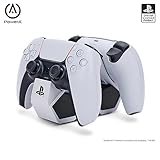
9. PowerA Twin Charging Station for DualSense – Best Charging-Only Companion

This product is not a cooling stand. It is an officially licensed twin charging station for DualSense wireless controllers, and it belongs in this guide as the alternative for people who decide they only want the charging part. It suits owners who already have a plain console stand or who place the console horizontally, and who prefer to keep cooling and charging separate.
- Officially licensed twin charging station, per the listing name.
- Two charging positions for DualSense controllers.
- No cooling function and no console stand.
- Check the power source and cable included, and whether Edge controllers are supported.
The argument for separating the jobs is reliability. A combined stand has to share limited USB power among a fan and two charging bays, and a failure in one part can affect the others. A dedicated dock only needs to charge. It can sit anywhere there is an outlet, and you can place it near the sofa rather than behind the television. That flexibility helps if your console is in a cabinet but you play from a distance.
The trade-off is clutter. You will have one more device, one more cable and one more power outlet. If your shelf is crowded, the combined stands are neater. But if you have a spare outlet and a surface in reach, a separate dock keeps the charging convenient and the console free to breathe.
Because it does no cooling, it also removes a noise source. If you find fans distracting, pairing a quiet stand with this dock gives you a silent setup. Your console’s own fan remains the only moving air, which is how the system was designed to run.
For a combined setup, you can place this dock on a side table next to the sofa and keep the console and stand behind the television. That way the controllers dock where you sit, which makes it far more likely you will return them after play. It also means the console area needs one fewer cable, which helps with airflow behind the cabinet and keeps the back of the stand cleaner.
Pros
- Official license and simple dual-bay design.
- Works regardless of how the console is placed.
- No fan noise or dust-pulling.
Cons
- No cooling or stand function.
- Needs its own power source and space.
- Edge support is not stated in the listing name.
Compared with the cooling stands, this is the minimalist option; compared with Sony’s own dock, which is not in this list, it is a similar idea from a licensed accessory brand. Choose it if you value simplicity and quiet over an all-in-one design.
10. PS5 Horizontal Stand and Cooling Station with Controller Charging – Best for Flat Placement

The final product is a horizontal stand and cooling station with controller charging for the PS5, Slim and Pro, with a scalable design and a three-level fan. It suits owners whose console lies flat, whether on a shelf, in a media cabinet or beneath a television. Most stands in this list are vertical, so this is the pick for layouts where an upright console would not fit.
- Horizontal stand with cooling and controller charging, per the listing name.
- Scalable design, meaning adjustable to different console sizes.
- Three-level fan control.
- Check the stand height, how much clearance it gives under the console and how the cables run.
Horizontal placement affects heat in a different way. Lying flat, the console’s intake and exhaust vents face the sides and rear, and the underside rests on the surface. A stand that raises the console off the shelf allows air to move beneath it, and a fan under the console can push air through the gap. This is a more natural fit for a fan than a vertical stand, because the stand sits directly under the console.
The cabinet matters more than the stand. If you place a horizontal console in a closed cabinet with the doors shut, no stand will fix the heat. Leave the doors open or use a cabinet with ventilation, and keep the rear clear. Remember also that heat rises, so avoid stacking a receiver or streaming box directly on top.
The scalable design is a useful feature if you swap consoles or own a Pro, which is wider than the Slim. Make sure the adjustment locks firmly, because a loose slider lets the console shift. Test the fit with the console on top and nudge it gently before relying on the stand.
If you choose a horizontal stand, think about the cabinet’s front opening too. Some stands are wider than the console, and the charging bays may protrude toward the front of the shelf. Measure the opening, check the depth, and confirm that the stand does not push the console so far forward that it overhangs. Overhanging consoles are easy to knock, and the controller cradles add to that risk.
Pros
- Designed for flat placement, which suits many cabinets.
- Scalable design adapts to console sizes.
- Three fan levels and controller charging included.
Cons
- Takes more horizontal shelf space.
- Added stand height can matter in low cabinets.
- Fan benefit depends on cabinet conditions.
Compared with the vertical stands, this is the choice when height is limited and width is available. Compared with the PowerA dock, it provides an all-in-one solution with a fan, but it cannot match the simplicity of a charging-only dock.
How to Choose a PS5 Cooling Stand with Controller Charging
Decide on the orientation first
Vertical or horizontal is the first decision. Vertical stands save width and suit tall, narrow shelves. Horizontal stands save height and suit wide, low cabinets. The console supports both orientations, so choose based on your furniture, then buy a stand designed for that layout.
Worked example: does it fit your shelf?
Take a PS5 Pro, which measures about 388 mm long, 89 mm thick and 216 mm deep, and suppose you want a horizontal stand. If the stand adds roughly 30 mm of height, the console occupies 89 + 30 = 119 mm. Add at least 50 mm of clearance above for airflow, giving 169 mm of required opening height, roughly 6.7 inches. For width, allow the 388 mm console plus 50 mm on each side: 388 + 100 = 488 mm, roughly 19.2 inches. Check these numbers against your shelf, and swap in the stand’s real height from the product page. For a vertical stand, the console stands about 388 mm tall plus the stand base, so you would need an opening of about 450 mm, which is roughly 17.7 inches.
Check the power arrangement
Cooling stands that charge controllers usually draw power from the console’s USB ports. A fan and two controllers can add up to more current than a single port is meant to supply. Look for a stand that states its power input, or that has its own adapter. Remember that console USB ports can turn off in rest mode, which stops charging overnight. Adjust the power setting in the console’s menu if you want charging to continue.
Be realistic about cooling
Sony designed the console to manage heat with a large fan and heat sink. A stand fan can help in a warm room or a tight space, but it is not required for normal use. The best approach is to keep vents clear, dust the console and its surroundings, and give it space. Treat the fan on a stand as a supplement rather than a necessity.
Decision matrix
| Your situation | Best pick | Reason |
|---|---|---|
| Balanced all-rounder, vertical | Tokluck Cooling Station | Named turbofan, three speeds, charger |
| Want lights and fan modes | RGB stand with 3-level and auto fan | Lighting plus adjustable airflow |
| Own a PS5 Pro | PS5 Pro Stand Cooler | Pro named in the listing |
| Two controllers in daily use | Dual controller charging stands | Two charging bays on the stand |
| Console lies flat | Horizontal Stand and Cooling Station | Designed for flat layouts |
| Prefer silence and simplicity | PowerA Twin Charging Station | Charging only, no fan |
| Want basics on a budget | Cooling Stand with Dual Charging | Core features, no extras |
Match the stand to your console edition
Disc and digital editions differ in thickness, and the Slim and the Pro differ from the original in both footprint and shape. A cradle that is designed for the Slim disc edition may leave a digital edition loose, since it is thinner. Look for stands that mention both editions, include spacers or an adjustable base, and show the console seated securely in the photos. If you ever change consoles, a scalable design is easier to adapt than a fixed one.
Think about noise and dust
Fans make noise and attract dust. Choose a stand with a speed control or a switch so that you can turn the fan down or off. Plan to clean the fan grille and vents every month or two with a soft brush, with the power off. Dust that builds up on fan blades reduces airflow and increases noise.
Read the listing for trust signals
Several of these products share similar names and photos, so the signals that separate a careful seller from a careless one matter. Look for clear statements of input voltage and current, a specific description of the fan type and speed range, photos of the product with a console actually seated on it, and a named warranty or return policy. Be cautious when a listing makes dramatic temperature claims without saying how they were measured, because a number without a method tells you nothing. A seller who answers questions in the product page, with details rather than slogans, is usually a better bet.
Safety basics
Use stands on a stable, level surface. Do not cover the console or the stand. Keep cables away from fan blades. If the stand or the console feels unusually hot, or if you smell burning, unplug everything and stop using the stand. Charge controllers on a hard surface rather than under blankets, and avoid using damaged cables.
Frequently Asked Questions
Do PS5 cooling stands really lower temperatures?
The console is designed to manage its own heat, so a stand fan mainly helps in warm rooms or cramped spaces. Listings rarely provide independent temperature data, so treat cooling claims as modest. Clear space around the console is usually more important than an extra fan.
Will a cooling stand fit my PS5 Pro or Slim?
Many stands list the original, Slim and Pro, but the fit depends on the cradle design. Check the listing for adjustable inserts, and confirm that the stand names your exact console variant.
Why does my controller stop charging overnight?
Many stands take power from the console’s USB ports, and those ports may switch off in rest mode. Change the console’s power settings to supply power in rest mode, or use a stand or dock with its own adapter.
Are cooling stand fans loud?
It depends on the fan and the speed setting. Lower speeds are usually quiet, and higher speeds can be noticeable in a silent room. A stand with speed levels or a switch lets you choose.
Can I use a stand with a DualSense Edge?
Some stands support the Edge, and some do not. The Edge has different dimensions and attachments, so confirm compatibility on the product page before you buy.
Is a vertical or horizontal stand better?
Neither is better in every case. Vertical saves width and suits narrow shelves, while horizontal saves height and suits wide cabinets. Pick the layout that matches your furniture and has the clearest airflow.
How often should I clean the stand?
Every month or two is reasonable for most homes, more often if you have pets or a dusty room. Unplug the stand, brush the grille and wipe the base with a dry cloth.
Our Recommendation by Situation
If you are still unsure, start with your shelf. Measure it, decide on vertical or horizontal, and then choose between a simple stand and one with a fan.
For most owners with an upright console, the Tokluck is the balanced choice. Lighting fans should look at the RGB stand, Pro owners at the Pro-specific cooler, and flat-layout owners at the horizontal stand. If you only want charging, the PowerA dock does the job quietly. Whichever you choose, leave space around the console, confirm the power arrangement and verify the fit before you rely on it.