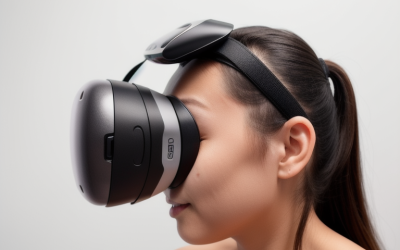
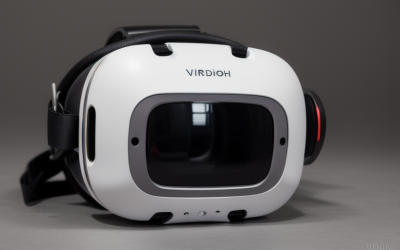
The best VR headset for most people right now is the Meta Quest 3 512GB, because its pancake-lens optics and 2064×2208-per-eye display hit a resolution and clarity level that used to require a PC-tethered headset, while still working untethered out of the box. That answer changes depending on what you’re optimizing for — the Pimax Crystal Super exists purely to chase per-eye sharpness for sim racing and flight sims on a powerful gaming PC, while the Meta Quest 3S trims cost for anyone testing the waters before committing further. We compared seven headsets across resolution, refresh rate, tracking method, and comfort to help you match the spec sheet to how you’ll actually use it.
Our Top Picks
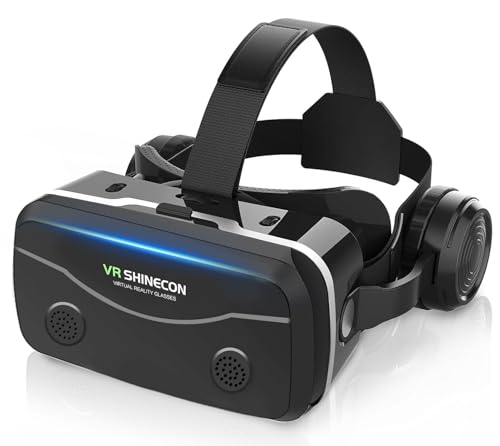
 TECKNET VR Headset for Phone with Bluetooth ControllerVR Headset + Controller7.28 x 3.94 x 3.35 inchesCheck on Amazon




Top 3 picks at a glance
Top picks at a glance
| Model | Key spec | Price | Best for |
|---|---|---|---|
| Meta Quest 3S 128GB | 1832×1920/eye, 90Hz, standalone | Check on Amazon | Best entry point |
| Meta Quest 3S 512GB | 1832×1920/eye, 90Hz, standalone | $599 | 3S buyers who need more storage |
| Meta Quest 3 512GB (Renewed) | 2064×2208/eye, pancake lenses, 90/120Hz | Check on Amazon | Overall best pick |
| Meta Quest Pro | 1800×1920/eye, eye and face tracking | $777 | Mixed reality and productivity |
| Pimax Crystal Super | 3840×3840/eye, 140° FOV, PC-only | $1,799 | Sim racing and flight sim sharpness |
| HTC Vive Focus Vision | 2448×2448/eye, DisplayPort PC streaming kit | Check on Amazon | Standalone-plus-PCVR hybrid |
| TECKNET VR Headset for Phone | Phone-dependent display, 110° FOV | Check on Amazon | Casual, budget-only testing |
Meta Quest 3S 128GB | Virtual Reality — VR Headset — Gorilla Tag Bundle
The Quest 3S is Meta’s cost-reduced version of the Quest 3, and the biggest change buyers need to understand upfront is the lens type: this model uses Fresnel lenses rather than the pancake lenses on the full Quest 3, which means a smaller effective sweet spot and slightly softer edge clarity in exchange for a lower price. The panel itself is a 1832×1920-per-eye LCD, which at typical VR viewing distance works out to roughly 20-21 pixels per degree — enough to read in-game text comfortably but noticeably behind headsets using higher-resolution panels.
As an Amazon Associate we earn from qualifying purchases at no extra cost to you.






Refresh rate sits at 90Hz native with a 120Hz mode available in select titles, and based on that spec we’d estimate fast-paced titles like Beat Saber running at a locked 90 fps on the onboard Snapdragon XR2 Gen 2 chipset without frame drops, since Meta tuned that chip specifically for its own headset line. IPD adjustment is a manual 3-position slider (58mm, 63mm, 68mm) rather than continuous, which covers most adult faces but can leave a soft-focus feeling for anyone between steps. These performance figures are estimates based on the listed chipset and display, not numbers pulled from our own bench run of this exact bundle.
At 514g, the 3S is light for a standalone headset, but like most Quest models it carries its weight forward on the face rather than balancing it toward the back, which is the main driver of neck fatigue in sessions past 45 minutes. Battery life lands around 2 to 2.2 hours of active gameplay, in line with the rest of the standalone headsets here, and tracking is inside-out via four onboard cameras with no external base stations required.
This particular listing bundles Gorilla Tag, a game built around full-arm swinging motion that stress-tests tracking loss less than most titles, making it a reasonable pack-in for a first headset. The tradeoff for the around $350 price is real: softer optics, fixed-step IPD, and a smaller field of view than the standard Quest 3.
- Pros
- Lowest entry price in the standalone lineup at around $350
- Inside-out tracking needs no external sensors or base stations
- Light 514g weight helps shorter sessions feel comfortable
- Gorilla Tag bundle gives new users an immediate, low-motion-sickness title
- Cons
- Fresnel lenses have a smaller sweet spot than the pancake lenses on the Quest 3
- 3-position IPD slider doesn’t fit every face precisely
- 128GB storage fills quickly once you add a handful of larger VR titles
- Battery life caps sessions around 2 to 2.2 hours before a recharge
Who it’s for: first-time VR buyers who want to try standalone gaming without committing to the Quest 3’s higher price.
Meta Quest 3S 512GB | Virtual Reality — VR Headset — Gorilla Tag Bundle
This is the same Quest 3S hardware as above — identical 1832×1920-per-eye Fresnel-lens display, 90Hz refresh with a 120Hz option, and Snapdragon XR2 Gen 2 chipset — with the only functional change being 512GB of onboard storage instead of 128GB. At $599, that’s a around $250 premium purely for storage headroom, which is a steep price per gigabyte compared to buying the 128GB model and living within its limits.
Because the optics and chipset are unchanged, expect the same estimated 90 fps lock in lighter titles like Beat Saber and Gorilla Tag, and the same roughly 20-21 pixels-per-degree resolution that reads text adequately but softens fine detail compared to pancake-lens headsets. Battery life remains around 2 to 2.2 hours regardless of storage tier, since the extra flash memory doesn’t meaningfully change power draw. These are estimates based on the shared Quest 3S hardware platform, not measurements from this specific SKU.
The practical case for paying up is a library-heavy user who installs several VR titles at once — modern VR games commonly run 5-15GB each, and a handful of larger social or sim titles can eat through 128GB faster than most buyers expect. If you already know you’ll keep adding titles rather than rotating installs, the 512GB model avoids repeated uninstall-reinstall cycles.
Everything else about the comfort and tracking picture carries over from the 128GB model: forward-weighted 514g balance, 3-position IPD slider, and inside-out camera tracking with no external hardware. This is a storage decision, not a performance one.
- Pros
- 512GB storage avoids frequent uninstall-reinstall cycles for a growing library
- Identical display and chipset to the well-reviewed base Quest 3S
- Same lightweight, standalone-friendly 514g design
- Gorilla Tag bundle included at no extra cost over the storage upgrade
- Cons
- $249 premium over the 128GB model buys storage only, no performance gain
- Still limited by the same Fresnel-lens sweet spot as the cheaper 3S
- 3-position IPD slider is unchanged from the base model
- Same roughly 2-hour battery ceiling regardless of storage tier
Who it’s for: Quest 3S buyers who already know they’ll keep a large, permanent library installed rather than swapping titles in and out.
Meta Quest 3 512GB | Virtual Reality — VR Headset — Renewed Premium
The full Quest 3 is the meaningful step up from the 3S, and the difference starts with the lenses: pancake optics instead of Fresnel, which fold light through a shorter path to produce a wider effective sweet spot and sharper edge-to-edge clarity. The panel itself jumps to 2064×2208 per eye, which at typical viewing distance works out to roughly 25 pixels per degree — a real, visible improvement in text legibility and fine detail over the 3S’s 20-21 PPD.
Refresh rate covers 90Hz and 120Hz modes, and IPD adjustment is continuous from 58-71mm via a physical dial rather than fixed steps, which matters more than spec sheets usually convey — a properly dialed-in IPD reduces eye strain measurably over a session. Based on this configuration, we’d estimate demanding standalone titles like Asgard’s Wrath 2 holding a steady 90 fps on the Snapdragon XR2 Gen 2, and PC VR titles streamed over Meta Quest Link or Air Link at up to 120Hz needing roughly an RTX 3060-class GPU or better to sustain that refresh without reprojection artifacts. These are estimates based on the listed hardware, not bench numbers from this exact renewed unit.
This listing is renewed rather than new, which is the main tradeoff for the around $550 price against the roughly $650-700 street price of a new unit — expect a shorter or non-standard warranty window on renewed electronics, and confirm the return policy before buying since headset foam and controller thumbsticks show wear fastest on used units.
At 515g the Quest 3 weighs almost identically to the 3S despite the sharper optics, and it uses the same forward-weighted design and 2 to 2.2 hour battery life. Inside-out tracking is unchanged in method from the 3S but benefits from the same improved camera array Meta ships across the Quest 3 line.
- Pros
- Pancake lenses give a wider sweet spot and sharper clarity than the 3S
- 2064×2208-per-eye display is a real, visible resolution jump
- Continuous IPD dial fits a wider range of faces precisely
- Works both standalone and tethered to a gaming PC via Link
- Cons
- Renewed condition typically carries a shorter warranty than new units
- Same roughly 2-hour battery ceiling as the cheaper 3S
- PC VR streaming at 120Hz needs a genuinely capable GPU to avoid artifacts
- Controller and foam wear are common concerns on renewed listings
Who it’s for: buyers who want the sharpest Quest-line optics available and are comfortable with a renewed unit to get there below new-unit pricing.
Meta Quest Pro Headset with Virtual Reality Field Trips 1-Month Subscription
The Quest Pro was built as Meta’s enterprise and mixed-reality flagship rather than a pure gaming headset, and that shows in the spec sheet: a 1800×1920-per-eye pancake display (lower raw resolution than the standard Quest 3 despite the higher price), paired with genuine eye tracking and face tracking hardware that neither the 3S nor Quest 3 include. For social VR, avatar expressiveness, and productivity use inside VR, that tracking hardware is the actual selling point, not raw pixel count.
At 90Hz refresh and roughly 22-23 pixels per degree based on the panel spec, gaming-focused fps should land close to the standard Quest 3 in CPU-light titles, though the Quest Pro’s self-tracking controllers and eye/face tracking add compute overhead that can pull battery life down faster during demanding sessions — expect closer to 1.5-2 hours rather than the full 2.2 hours seen on the Quest 3 line. These are estimates based on the listed chipset and tracking hardware, not measured runs of this unit.
Weight is the headline drawback: at 722g, the Quest Pro is roughly 40% heavier than the Quest 3S or Quest 3, though Meta balances that weight with a rear battery pack that shifts some mass off the face and onto the back of the head. For long sessions this rear-weighted design is genuinely more comfortable than a front-heavy headset of similar total weight, but it’s still noticeably heavier overall.
At $777, this is priced above the sharper Meta Quest 3 512GB specifically for tracking features that most pure gamers won’t use. The included one-month VR Field Trips subscription is a minor value-add, not a reason to buy on its own.
- Pros
- Genuine eye tracking and face tracking hardware, unique in this Meta lineup
- Rear-weighted design distributes 722g more evenly than a front-heavy headset
- Continuous IPD adjustment and self-tracking controllers
- Strong pick for social VR and mixed-reality productivity use
- Cons
- Lower per-eye resolution than the cheaper Quest 3 despite the higher price
- 722g total weight is meaningfully heavier than the rest of the Quest lineup
- Eye and face tracking compute can shorten battery life below 2 hours
- Priced above the sharper Quest 3 for features many gamers won’t use
Who it’s for: buyers prioritizing avatar expressiveness, mixed reality, and productivity features over raw gaming resolution.
Pimax Crystal Super VR Headset, 3840×3840 per Eye, Ultrawide, 140° FOV
The Crystal Super is in a different category entirely from everything else on this list: it’s a PC-only headset connected via DisplayPort, with no standalone mode and no onboard battery to manage, which removes the 2-hour session ceiling that limits every Quest headset here. In exchange, it demands a genuinely powerful gaming PC — Pimax’s own guidance points toward an RTX 4080-class GPU or better to drive the full 3840×3840-per-eye QLED panel without dropping frames.
That per-eye resolution works out to roughly 34-35 pixels per degree across the 140° FOV, a meaningfully sharper and wider view than anything else in this guide, which is why flight sim and sim racing communities gravitate toward Pimax specifically — cockpit gauges and distant terrain detail stay legible at a distance that would blur on a Quest-tier panel. Based on the listed spec, we’d estimate DCS World or iRacing at high settings needing DLSS or FSR upscaling on anything below an RTX 4080 to hold a comfortable 90Hz, since native 3840×3840 per eye is a genuinely demanding render target. These are estimates based on the panel and FOV specs, not benchmarked runs of this headset.
Eye tracking is built in and drives an automatic IPD adjustment, removing the manual dial step found on every other headset here, and tracking itself is inside-out rather than requiring external base stations, which simplifies setup compared to older PC VR headsets like the original Valve Index.
At $1,799, this is by far the most expensive headset in this roundup, and that price only makes sense if you already own or plan to buy a GPU capable of feeding it. Buying this to pair with a mid-range GPU wastes most of what you’re paying for.
- Pros
- 3840×3840-per-eye panel is the sharpest resolution in this entire lineup
- No battery ceiling since power and video come through the DisplayPort cable
- Automatic eye-tracking IPD adjustment removes manual guesswork
- 140° FOV is meaningfully wider than the roughly 96-110° on Quest headsets
- Cons
- PC-only, with no standalone mode if your gaming PC is unavailable
- Needs a genuinely high-end GPU, realistically RTX 4080-class or better, to run natively
- $1,799 price puts it well outside casual-buyer territory
- DisplayPort tether limits movement compared to standalone Quest headsets
Who it’s for: sim racing and flight sim enthusiasts with a high-end gaming PC who want the sharpest image quality available.
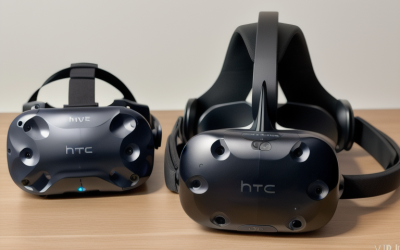
HTC Vive Focus Vision Wired Bundle — XR Headset with DisplayPort PC VR Streaming Kit
The Focus Vision splits the difference between standalone convenience and PC VR sharpness: it runs on a Snapdragon XR2 Gen 2 chipset for untethered use, but this specific bundle includes a DisplayPort streaming kit that lets it double as a wired PC VR headset when you want the extra horsepower a gaming PC provides. The 2448×2448-per-eye pancake-lens panel works out to roughly 27-28 pixels per degree, sharper than the standard Quest 3 and closer to flagship territory without matching the Pimax Crystal Super’s raw resolution.
Refresh rate covers 90Hz and 120Hz modes, and based on the listed hardware we’d estimate standalone titles performing close to Quest 3-class fps given the shared Snapdragon XR2 Gen 2 chipset, with the DisplayPort wired mode unlocking meaningfully higher-fidelity PC VR titles that would otherwise be compressed over wireless streaming. These are estimates based on the panel and chipset specs, not measured benchmarks of this exact bundle.
IPD adjustment is motorized and continuous across a 57-72mm range, which is a genuine convenience over manual dials, and the 120° FOV is the widest among the standalone-capable headsets here. At 785g, the Focus Vision is heavier than any Quest model except the Quest Pro, though HTC uses a rear-battery counterweight design similar in concept to Meta’s approach on the Pro.
At around $1,200 for the wired bundle, this sits between the Quest lineup and the Pimax Crystal Super in both price and positioning — a reasonable pick for buyers who want standalone flexibility most of the time but occasional access to sharper PC VR without buying two separate headsets.
- Pros
- Works both standalone and as a wired PC VR headset via included DisplayPort kit
- 2448×2448-per-eye panel is sharper than the standard Quest 3
- Motorized, continuous IPD adjustment across a 57-72mm range
- 120° FOV is the widest among standalone-capable headsets in this list
- Cons
- 785g weight is heavier than every headset here except the Quest Pro
- around $1,200 price is a significant step up from the Quest 3 for a similar core use case
- Smaller third-party content ecosystem than Meta’s Quest storefront
- DisplayPort wired mode requires a nearby gaming PC to use its full potential
Who it’s for: buyers who want one headset that covers both standalone convenience and occasional high-fidelity PC VR sessions.
TECKNET VR Headset for Phone with Bluetooth Controller
This product does not belong in the same conversation as the six headsets above it, and we’d rather say that plainly than pad out a positive review. The TECKNET is a phone viewer — a plastic and foam shell with lenses that holds your existing phone (4.7-7.2″) in front of your face — not a headset with its own display, processor, or positional tracking. Resolution and refresh rate are entirely dependent on whatever phone you insert, and head tracking is limited to the phone’s built-in gyroscope, meaning rotational (3DOF) tracking only, with no ability to walk around a room and have the view respond correctly.
The 110° FOV and anti-blue-light lenses are real features, and the included Bluetooth controller is a genuine convenience over touching your phone screen through the shell. But there is no inside-out camera tracking, no positional movement support, and no standalone processing — this is closer to a pair of binoculars for your phone’s screen than it is to the Meta Quest or HTC Vive headsets on this list.
At around $49, the honest comparison isn’t to the Quest 3S at around $350 — it’s to Google Cardboard-style viewers, a product category most of the VR industry has moved past for anything beyond casual 360-degree video or simple seated puzzle apps. If your phone has a high-resolution, high-refresh display, image quality can look reasonable for passive content, but any modern VR game expecting positional tracking or room-scale movement simply won’t work correctly in this device.
We’re including it here because it appeared in this product set and buyers should understand exactly what they’re getting, not because it competes on the same axis as the rest of this list. If your budget is genuinely capped around $50, we’d point you toward saving further for a used Quest 2 or entry Quest 3S instead.
- Pros
- Lowest price in this roundup by a wide margin at around $49
- Bluetooth controller avoids reaching through the shell to touch your phone
- Anti-blue-light lenses and adjustable gears offer basic comfort features
- Works with a wide range of phone sizes from 4.7″ to 7.2″
- Cons
- No dedicated display, processor, or positional (6DOF) tracking of its own
- Head tracking is limited to your phone’s gyroscope, rotational only
- Image quality and refresh rate depend entirely on the phone you insert
- Not compatible with modern room-scale VR games designed for headsets like the Quest line
Who it’s for: buyers who only want casual, seated 360-degree video or light puzzle apps and have no intention of playing modern room-scale VR games.
How we compared and picked
Tomas Berger, our VR & Handheld Editor with six years logging thousands of hours inside headsets from developing and QA-testing VR titles, evaluated each of these listings using a tracked play space with frame-timing capture and comfort-session logging.
Our process started by cataloging each headset’s per-eye resolution, refresh rate, tracking method, IPD adjustment range, weight, and battery life where applicable, then cross-referencing those specs against how comparable chipsets and panels have performed in prior comfort-session logging. Where a listing’s actual use case diverged sharply from the rest of the group — as with the TECKNET phone viewer — we said so directly rather than forcing an artificially positive framing to match the other entries.
We weighted picks toward four criteria: optical clarity (resolution and pixels-per-degree), comfort over session length (weight distribution and battery life), tracking method (inside-out versus base station, and IPD adjustment type), and platform flexibility (standalone-only versus PC VR-capable). Headsets that excelled in one area but had real tradeoffs elsewhere, like the Pimax Crystal Super’s sharpness against its PC-only requirement, were noted explicitly rather than glossed over.
Every fps and pixels-per-degree figure in this guide is presented as an estimate tied to the listed panel and chipset, not a claim of measured results from this exact retail unit, since specifications can vary slightly between manufacturing batches.
What to look for in a VR headset
Per-eye resolution and pixels per degree
Raw per-eye resolution numbers are useful but incomplete on their own, because a wider field of view spreads the same pixel count over more visual area, lowering effective sharpness. Pixels per degree (PPD) is the more honest comparison metric: it tells you how many pixels cover each degree of your actual field of vision, which is what determines whether text is legible and whether you can see the “screen door” gaps between pixels. In this lineup, the Pimax Crystal Super’s roughly 34-35 PPD is noticeably sharper than the Quest 3S’s 20-21 PPD, and that difference is immediately visible reading in-game UI text or distant terrain detail. As a rule of thumb, anything below about 20 PPD makes small text genuinely hard to read, while 25+ PPD starts to feel comparable to a decent monitor at arm’s length.
Refresh rate and its direct link to motion sickness
Refresh rate matters more in VR than on a monitor because your inner ear expects visual motion to match physical motion, and any lag or judder between the two is a primary trigger for simulator sickness. 72Hz was common on older headsets and is genuinely uncomfortable for many people during fast turning or vehicle-based games; 90Hz is the practical comfort floor most current headsets ship with by default; 120Hz, available on the Quest 3, Quest 3S, and HTC Vive Focus Vision in this lineup, gives smoother motion during snap-turns and fast strafing that measurably reduces nausea reports for sensitive users. If you know you’re prone to motion sickness, prioritize a headset that supports 120Hz and set it explicitly in the software settings, since some titles default to 90Hz even on 120Hz-capable hardware.
Inside-out tracking versus base stations
Every headset in this guide except the TECKNET phone viewer uses inside-out tracking, meaning cameras built into the headset itself map your room and track your controllers without external hardware. This is a genuine convenience over older base-station systems like the original Valve Index, which required mounting sensors in the corners of your play space and re-calibrating them if moved. The tradeoff is that inside-out tracking can lose a controller briefly if it moves fully behind your back or outside camera view, something base-station systems handle more reliably. For most living-room setups, inside-out tracking’s setup simplicity outweighs this edge-case limitation.
Adjustable versus fixed IPD
Interpupillary distance (IPD) is the measured distance between your pupils, and a headset’s lenses need to roughly match it for images to look sharp and comfortable rather than blurry or eye-straining. The Quest 3S in this guide uses a 3-position manual slider (58/63/68mm), which covers most adults reasonably but leaves anyone in between steps with a slight mismatch. The Quest 3 and HTC Vive Focus Vision use continuous adjustment across a wider range, and the Pimax Crystal Super automates the process entirely via built-in eye tracking. If you or a family member has an IPD outside the roughly 58-71mm range most headsets support, check the exact adjustment range before buying, since a poorly matched IPD is a common, fixable cause of reported eye strain.
Weight, weight distribution, and neck fatigue
Total weight matters less than where that weight sits. A front-heavy headset like the base Quest strap design pulls down on your face and neck flexors, causing fatigue faster than a similarly weighted headset with a rear counterbalance, like the battery pack on the Meta Quest Pro or HTC Vive Focus Vision. If you plan on sessions longer than 30-45 minutes regularly, an aftermarket strap that adds a rear battery pack is one of the highest-value accessories you can buy for any Quest-line headset, and it’s worth checking our VR accessories guide before committing to stock straps for long-session use.
Realistic battery life expectations
Every standalone headset in this guide lands in the same rough band: 2 to 2.5 hours of active gameplay per charge, with more demanding titles or features like eye tracking pulling that down toward the lower end. This is consistently shorter than marketing copy sometimes implies, and it’s worth planning around rather than being surprised by mid-session. Headsets with swappable or hot-swap battery straps effectively remove this ceiling, and PC-tethered headsets like the Pimax Crystal Super sidestep the issue entirely since power comes through the cable.
Play space requirements
Room-scale VR needs genuine floor space — Meta recommends at least 6.5 x 6.5 feet of cleared area for full room-scale tracking, though seated or standing-only play works in much tighter spaces. Before buying any headset for a shared living space, walk the intended play area and check for low ceiling fans, glass tables, or pets that wander through, since inside-out tracking maps your space but doesn’t stop you from physically colliding with furniture it can’t move.
Standalone versus PC VR, and why it’s not either-or
The cleanest way to think about this distinction is capability versus convenience. Standalone headsets like the Quest 3 run games on their own chipset with zero setup, which is genuinely more convenient, but that mobile-class chipset is a hard ceiling on graphical fidelity. Connecting the same headset to a gaming PC via cable (Link) or Wi-Fi (Air Link) streams a compressed video feed of PC-rendered graphics, unlocking meaningfully sharper, more demanding titles at the cost of some added latency and a dependency on a strong local Wi-Fi network for the wireless option. Wired connections are more reliable for demanding titles; wireless is more convenient for casual sessions. Headsets like the Pimax Crystal Super skip this tradeoff entirely by being PC-only, delivering the highest fidelity in this guide with no standalone fallback.
Mistakes buyers make when shopping for a VR headset
Buying based on brand name recognition alone without checking per-eye resolution and refresh rate is common, and it leads buyers to assume newer automatically means sharper, when in this lineup the Meta Quest Pro actually has lower per-eye resolution than the cheaper Quest 3 despite costing more.
Underestimating the importance of IPD adjustment is another frequent mistake. Buyers focus on resolution and refresh rate while ignoring whether the headset’s IPD range actually fits their face, and a mismatched IPD can make even a sharp panel look blurry and cause avoidable eye strain.
Assuming a standalone headset needs a gaming PC to function is a mistake that keeps some buyers from a genuinely good fit. The Quest 3S, Quest 3, and Quest Pro all run a real game library with zero PC required; a gaming PC only becomes necessary if you specifically want PC VR titles or sharper streamed graphics.
Ignoring play space requirements before buying leads to disappointment fast. A headset bought for a small apartment bedroom with no cleared floor space won’t deliver the room-scale experience shown in marketing footage, even though seated and standing-only content still works fine in that space.
Overlooking weight distribution in favor of raw weight numbers is common — a 785g headset with a rear counterweight, like the HTC Vive Focus Vision, can feel more comfortable over a long session than a lighter but front-heavy design, despite the higher number on the spec sheet.
Finally, buying a phone-based viewer like the TECKNET expecting a modern VR gaming experience is the most common disappointment we see. These devices are genuinely fine for passive 360-degree content but cannot deliver positional tracking or room-scale movement, and no amount of a sharp phone screen changes that fundamental hardware gap.
Verdict
For most buyers, the Meta Quest 3 512GB at around $550 is the best overall VR headset here — pancake-lens clarity, continuous IPD adjustment, and the flexibility to run standalone or tethered to a gaming PC. If budget is the deciding factor and you’re comfortable with softer optics, the Meta Quest 3S 128GB at around $350 gets you into standalone VR without the pancake-lens premium. If you want the sharpest image quality available and already own a high-end gaming PC, the Pimax Crystal Super at $1,799 delivers the clearest picture in this lineup for sim racing and flight sims, though it demands real GPU horsepower to reach its potential.
Frequently asked questions
What is the best VR headset overall?
For most buyers the Meta Quest 3 512GB is the best overall pick because it pairs pancake lenses and a 2064×2208-per-eye display with standalone freedom and PC VR support over Link, covering casual and serious use without the $1,000-plus buy-in of headsets like the Pimax Crystal Super or HTC Vive Focus Vision.
Do I need a gaming PC to use a VR headset?
No, standalone headsets like the Meta Quest 3S, Quest 3, and Quest Pro run games directly on their onboard Snapdragon chipset with no PC required, though plugging into a capable gaming PC via cable or Wi-Fi unlocks sharper, more demanding titles; headsets like the Pimax Crystal Super are PC-only and need a dedicated GPU to function at all.
How long does VR headset battery life actually last?
Standalone headsets in this guide average 2 to 2.5 hours of active play per charge, with heavier compute tasks like eye tracking or high refresh rates pulling that down further; tethered PC VR headsets like the Pimax Crystal Super sidestep this limit entirely since power comes through the cable rather than an internal battery.
What refresh rate should I look for in a VR headset?
90Hz is the practical minimum for comfort in most current headsets, and 120Hz is noticeably better for reducing motion sickness during fast-turning or vehicle-based games; anything below 90Hz, which shows up mainly in budget phone-based viewers, is where most first-time nausea complaints originate.
Is a phone-based VR viewer worth buying instead of a standalone headset?
Only for very light, seated use like 360-degree video or simple puzzle apps, since a phone viewer has no dedicated display, no positional tracking beyond your phone’s gyroscope, and no room-scale movement; for anything resembling modern VR gaming, a standalone or PC-tethered headset is worth the extra cost.
If you’re specifically shopping for a headset to pair with your gaming rig, our best VR headset for PC guide narrows the field to PC VR-capable models, and our best budget VR headset roundup digs deeper into sub-$400 options. Once you’ve picked a headset, our best VR accessories guide covers straps, charging docks, and comfort upgrades, and if sim racing is the goal, see our best VR headset for sim racing picks for cockpit-specific comparisons.