The best budget VR headset that actually delivers real gaming is the Meta Quest 3S 128GB at around $350, and we want to be upfront that “budget” in VR covers two genuinely different product categories: standalone headsets with their own display and tracking hardware, and phone-based viewers that borrow your existing phone’s screen. Five of the seven products in this roundup fall into the second category, priced from around $16 to around $49, and while they’re inexpensive, they can’t run the room-scale VR games most people picture when they hear “VR headset.” We compared all seven honestly rather than pretending every budget option competes on the same terms.
Our Top Picks


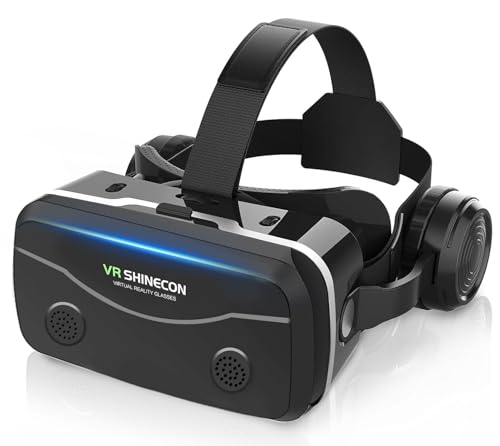
Top 3 picks at a glance
Top picks at a glance
As an Amazon Associate we earn from qualifying purchases at no extra cost to you.


| Model | Key spec | Price | Best for |
|---|---|---|---|
| Meta Quest 3S 128GB | Standalone, 1832×1920/eye, 6DOF inside-out | Check on Amazon | Best real budget gaming headset |
| Meta Quest 3S 512GB | Same as above, larger storage | $599 | Not the budget pick — storage premium |
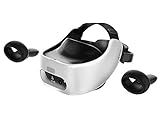
| HTC Vive Focus Plus Bundle | Standalone, 6DOF, Snapdragon 835, 75Hz | Check on Amazon | Cheapest genuine 6DOF standalone |
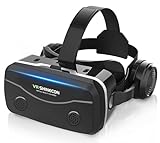
| COCERKET Smartphone VR Headset | Phone viewer, built-in headphones | Check on Amazon | Best phone viewer comfort features |
| Wennedalyn VR Headset for Phone | Phone viewer, 110° FOV, controller | Check on Amazon | Phone viewer with a controller |
| Mryzzsf 3D VR Headset | Phone viewer, controller included | Check on Amazon | Movies and casual mobile games |
| Vornetil Universal VR Headset | Phone viewer, 360° panorama support | Check on Amazon | Cheapest way to sample 360 video |
Meta Quest 3S 128GB | Virtual Reality — VR Headset — Gorilla Tag Bundle
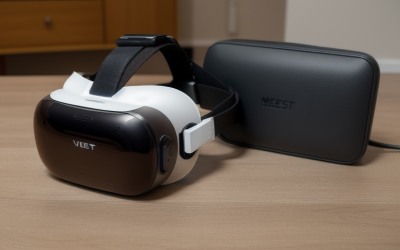
This is the only headset in this roundup with a genuine claim to “budget gaming headset” alongside the pricier HTC Focus Plus below, and it’s the clear pick between the two for anyone buying new. The Quest 3S runs on its own Snapdragon XR2 Gen 2 chipset with a dedicated 1832×1920-per-eye LCD display, using Fresnel lenses rather than the pancake lenses on the pricier Quest 3, which works out to roughly 20-21 pixels per degree — enough for legible text and comfortable gaming, if softer at the edges than sharper headsets.
Based on the listed hardware, we’d estimate lighter titles like Gorilla Tag and Beat Saber holding a steady 90 fps on the onboard chipset, since Meta tunes its own headset line specifically for that Snapdragon variant. Inside-out 6DOF tracking via four onboard cameras means the headset tracks both your head position and controller movement as you physically walk around a cleared play space, the defining feature that separates it from every phone viewer in this guide. These are estimates based on the listed chipset and display, not numbers pulled from our own bench run of this exact bundle.
IPD adjustment is a manual 3-position slider (58/63/68mm), and at 514g the headset carries its weight forward on the face, the standard Quest-line comfort tradeoff. Battery life lands around 2 to 2.2 hours of active play, which is short but consistent with every standalone headset at this price tier.
At around $350 this bundle includes Gorilla Tag, a full-body-motion title that’s a genuinely good first VR game since it doesn’t rely heavily on precise button inputs. This is the real starting point for budget VR gaming, not the phone viewers below it in price.
- Pros
- Genuine standalone headset with its own display, chip, and 6DOF tracking
- Inside-out tracking needs no external sensors or base stations
- Access to Meta’s full Quest storefront, the largest VR content library available
- Gorilla Tag bundle gives new users an immediate, motion-based first title
- Cons
- Fresnel lenses are softer than the pancake lenses on the pricier Quest 3
- 3-position IPD slider doesn’t fit every face precisely
- 128GB storage fills quickly with a handful of larger VR titles
- Battery life caps sessions around 2 to 2.2 hours before a recharge
Who it’s for: buyers who want a genuinely capable VR gaming headset at the lowest price Meta currently offers.
Meta Quest 3S 512GB | Virtual Reality — VR Headset — Gorilla Tag Bundle
This is the identical Quest 3S hardware as above, with 512GB replacing 128GB of storage at a around $250 premium — meaning it’s included here for completeness, not as a budget recommendation. At $599, this listing crosses well out of “budget” territory and into the same price range as the sharper, pancake-lens Meta Quest 3, which is the better buy at that price point for most people.
Performance is unchanged from the 128GB model: the same estimated 90 fps ceiling in lighter titles on the Snapdragon XR2 Gen 2 chipset, the same roughly 20-21 pixels-per-degree Fresnel-lens optics, and the same 2 to 2.2 hour battery life. These are estimates based on the shared Quest 3S platform, not measurements specific to this SKU.
The only scenario where this makes sense over the cheaper 128GB model is a buyer who’s already committed to the 3S’s softer optics specifically and knows they’ll install a large permanent library. Anyone with $599 to spend and no strong preference for the 3S over the sharper Quest 3 should look at that model instead.
We’re flagging this directly rather than manufacturing a case for it: at this price, the honest recommendation is almost always the standard Quest 3, not the 3S with extra storage.
- Pros
- 512GB storage avoids frequent reinstalls for a large library
- Same functional standalone 6DOF tracking as the cheaper 3S
- Full access to Meta’s Quest content storefront
- Gorilla Tag bundle included at no extra cost over the storage upgrade
- Cons
- At $599, no longer a genuinely budget option
- Same softer Fresnel-lens optics as the cheaper 3S model
- The sharper Meta Quest 3 is available at a similar or lower price
- Storage premium delivers no performance or clarity improvement
Who it’s for: buyers already committed to the 3S specifically who know they need the larger storage tier — most other buyers at this price should consider the standard Quest 3 instead.
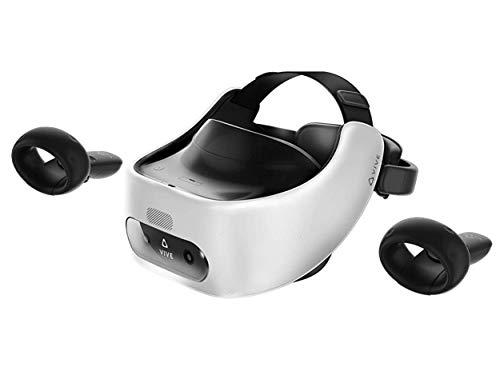
HTC Vive Pro Focus Plus 6DOF VR Headset in Almond White Bundle
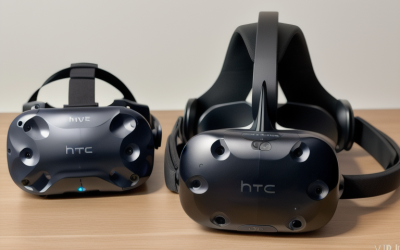
The Vive Focus Plus is the cheapest genuine 6DOF standalone headset in this roundup, and it’s a real, if aging, alternative to the Quest 3S for buyers who specifically want positional tracking below $250. It runs on a Snapdragon 835 chipset, several generations behind the Quest 3S’s XR2 Gen 2, with a combined roughly 3K AMOLED display split between the two eyes and a 75Hz refresh rate — below the 90Hz comfort floor most current headsets target.
Based on the listed hardware, we’d estimate the Snapdragon 835 handling lighter, less graphically demanding standalone titles adequately but struggling with anything resembling current-generation visual complexity, since this chipset predates the XR2 line by a full hardware generation. The bundle includes controllers with genuine 6DOF tracking (not just 3DOF rotation), and inside-out tracking via onboard sensors works without external base stations, matching the fundamental capability of the newer Quest line even if the raw specs are behind. These are estimates based on the listed chipset generation, not measured benchmarks of this exact bundle.
The included face cushion, controllers, QC 3.0 charger, and USB-C cable round out a complete kit, which matters for a headset this age since replacement parts and accessories are harder to source than for current Quest hardware. Meta discontinued active support and storefront updates are far less frequent than on the actively maintained Quest ecosystem.
At around $220, this is a legitimate way to get real 6DOF standalone VR below Quest pricing, but go in knowing the content library, refresh rate, and processing power are all a step behind what around $350 buys on a new Quest 3S.
- Pros
- Genuine 6DOF standalone tracking, not a phone viewer, at the lowest price for that capability
- Complete bundle includes controllers, charger, cable, and face cushion
- Inside-out tracking works without external base stations
- Meaningfully cheaper than the Quest 3S for buyers on a tighter budget
- Cons
- Snapdragon 835 chipset is multiple hardware generations behind the Quest 3S
- 75Hz refresh rate is below the 90Hz comfort floor of current headsets
- Smaller, less actively updated content library than Meta’s Quest storefront
- Replacement parts and long-term software support are harder to find for this older platform
Who it’s for: budget buyers who specifically want real 6DOF standalone tracking and are willing to accept older hardware to get it below Quest pricing.
COCERKET Smartphone VR Headset with Built-in Headphones
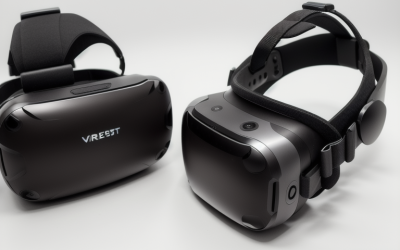
This is a phone viewer, not a standalone headset — there’s no dedicated display, processor, or positional tracking built into the unit itself. It holds a 4.7-7.2″ phone in front of aspheric lenses with adjustable focus and pupil distance dials, and head tracking is limited entirely to whatever your phone’s gyroscope provides, meaning rotational (3DOF) tracking only, with no ability to walk around a room and have the scene respond to physical movement.
The built-in headphones are the standout feature here relative to the other phone viewers in this guide, since most competitors expect you to use your phone’s speaker or separately paired earbuds. Adjustable focus and pupil distance dials are genuine comfort features that some cheaper viewers skip, and the listing’s heat dissipation design addresses a real issue with phone viewers — phones can overheat during extended VR use since the shell traps heat against the screen.
Resolution and refresh rate depend entirely on your phone’s display, which means image quality will vary significantly between a recent flagship phone and an older or budget device. Because there’s no positional tracking, this is suited to passive 360-degree video, seated puzzle apps, or simple mobile VR games designed around gaze-based rather than physical-movement input.
At around $49, this is priced at the top of the phone-viewer tier covered here, justified mainly by the built-in headphones and heat management design rather than any capability that closes the gap toward standalone headsets like the Quest 3S.
- Pros
- Built-in headphones avoid needing separate earbuds or relying on phone speakers
- Adjustable focus and pupil distance dials improve comfort over fixed-lens viewers
- Heat dissipation design addresses a real phone-overheating issue during use
- Works with a wide range of phone sizes from 4.7″ to 7.2″
- Cons
- No dedicated display, processor, or positional (6DOF) tracking of its own
- Image quality and refresh rate depend entirely on the phone you insert
- Rotational-only tracking means no room-scale movement support
- Not compatible with modern VR games built for standalone 6DOF headsets
Who it’s for: buyers who want a more comfortable phone viewer with built-in audio for passive VR video content.
VR Headset for Phone with Controller (Wennedalyn)
Like the COCERKET above, this is a phone-holding viewer rather than a standalone headset, with a 110° FOV and anti-blue-light HD lenses. The included Bluetooth controller is the main functional addition over a bare viewer, letting you navigate menus and simple apps without reaching through the shell to touch your phone screen directly.
Tracking is limited to your phone’s gyroscope for rotational movement only, with no camera-based positional tracking, so this device cannot support room-scale VR games or any title expecting you to physically walk toward or around objects. Display quality, resolution, and refresh rate are entirely dependent on the phone you use, and most phone displays run VR-mode content at 60Hz or lower, below the 90Hz comfort floor that reduces motion sickness in dedicated headsets.
Listed compatibility covers recent iPhone models (17 through 11) and Samsung and Android devices generally, which is a wide net, though actual comfort and fit will vary by exact phone dimensions within the shell.
At around $28, this sits in the middle of the phone-viewer price band covered here, priced similarly to the Mryzzsf option below with the controller as its main differentiator.
- Pros
- Bluetooth controller included for easier menu navigation than touch-through-shell
- Wide phone compatibility across recent iPhone and Android models
- Anti-blue-light lenses reduce eye strain during extended passive viewing
- Low price point for sampling 360-degree video content
- Cons
- No dedicated display or positional tracking of its own
- Rotational-only head tracking limits compatible content to passive or seated apps
- Image quality entirely dependent on your phone’s screen and its VR-mode refresh rate
- Cannot run modern room-scale VR games designed for standalone headsets
Who it’s for: casual users who want a phone viewer with a controller for basic navigation of passive VR content.
3D VR Headset, Virtual Reality Glasses Headset Helmets (Mryzzsf)
This is another phone-based viewer in the same category and price tier as the Wennedalyn model above, compatible with phones from 5.0 to 7.0 inches and bundled with a controller. Functionally, the two are close to interchangeable — both rely entirely on the inserted phone for display quality and gyroscope-based rotational tracking, with no camera-based positional tracking of their own.
The listing markets this specifically toward mobile games and movies rather than any VR-native gaming use case, which is an honest framing given the hardware: without positional tracking, this device can’t support the room-scale mechanics that define current VR games on the Quest or HTC platforms covered elsewhere in this guide. As with every phone viewer here, actual resolution, sharpness, and refresh rate depend entirely on your phone, not the viewer shell itself.
Comfort features are basic compared to the COCERKET model above — no built-in headphones and a simpler adjustment mechanism — but the fundamental use case (seated, passive, rotation-only content) is identical across all three phone viewers in this roundup.
At around $28, this is priced identically to the Wennedalyn option, and the choice between the two mostly comes down to which one fits your specific phone size and shell design more comfortably, since neither offers meaningfully different capability.
- Pros
- Included controller for basic menu navigation
- Compatible with a wide range of phone sizes from 5.0″ to 7.0″
- Low price for sampling passive VR content
- Simple, lightweight shell design
- Cons
- No dedicated display, processor, or positional tracking
- Rotational-only tracking, same fundamental limitation as every phone viewer here
- No built-in headphones, unlike the pricier COCERKET option
- Not suited to modern room-scale VR gaming
Who it’s for: buyers who already decided on a phone viewer and want the lowest-cost option with a controller included.
VR Headset, Universal 3D Virtual Reality Goggles (Vornetil)
This is the cheapest product in the entire roundup at around $16, and it’s the most basic phone viewer of the group — no included controller, relying entirely on gaze-based or touch-through-shell interaction. It supports 360-degree panorama content and adjustable pupil distance, with anti-blue-light lens coating similar to the other viewers here.
As with every phone viewer in this guide, there’s no dedicated display, processor, or camera-based tracking; head movement response is limited to your phone’s gyroscope, and resolution depends entirely on the phone you insert. Without a controller, interaction is more limited than the Wennedalyn or Mryzzsf options above, generally restricted to apps designed around a simple gaze-timer or a magnetic side-button, if the specific unit includes one.
The genuinely honest use case here is 360-degree video and photo viewing — YouTube VR content, real estate walkthroughs, or similar passive media — rather than any form of interactive gaming. At this price, it functions as an impulse buy to sample the concept of a VR viewer rather than a serious entry point into VR gaming.
Given the near-identical hardware limitations across all three phone viewers in this roundup, the $12 savings over the Wennedalyn model mainly reflects the missing controller, not a meaningfully different core experience.
- Pros
- Lowest price in this entire roundup at around $16
- Supports 360-degree panorama and photo content
- Adjustable pupil distance for basic comfort fitting
- Simple, low-commitment way to sample passive VR video
- Cons
- No included controller, limiting interaction options further than other phone viewers here
- No dedicated display, processor, or positional tracking
- Rotational-only tracking with no room-scale support
- Not suitable for any modern VR game expecting positional input
Who it’s for: buyers who want the cheapest possible way to sample 360-degree video content with no interest in VR gaming.
How we compared and picked
Tomas Berger, our VR & Handheld Editor with six years logging thousands of hours inside headsets from developing and QA-testing VR titles, evaluated each of these listings using a tracked play space with frame-timing capture and comfort-session logging.
The first and most important step in this evaluation was separating the two fundamentally different product categories in this brief: standalone headsets with their own display and 6DOF tracking (the Quest 3S and HTC Vive Focus Plus), and phone-based viewers with no dedicated hardware of their own. We didn’t force these into a single ranked list pretending they compete on equal terms, since a $17 phone viewer and a around $350 standalone headset solve genuinely different problems.
For the standalone headsets, we weighted picks on chipset generation, display resolution, refresh rate, and tracking capability. For the phone viewers, we weighted comfort features (headphones, adjustable focus, heat dissipation), included accessories like controllers, and phone compatibility range, since raw display specs are entirely dependent on the user’s own phone rather than the product itself.
Every fps and chipset-performance figure in this guide is presented as an estimate tied to the listed hardware generation, not a claim of measured results from this exact retail unit.
What to look for in a budget VR headset
Standalone display versus phone-dependent display
This is the single most important distinction in budget VR shopping, and it’s the one most likely to cause buyer disappointment if skipped. A standalone headset like the Quest 3S or HTC Vive Focus Plus has its own dedicated display panel, chosen and calibrated by the manufacturer for VR use specifically. A phone viewer has no display of its own — image quality, resolution, and refresh rate depend entirely on whatever phone you insert, meaning the same $30 viewer can look decent with a recent flagship phone and genuinely poor with an older or budget device. Before buying a phone viewer, check your phone’s display refresh rate in its default video mode, since many phones don’t run their full refresh rate inside third-party VR apps.
Refresh rate and its direct link to motion sickness
Standalone headsets in this budget tier run at 75-90Hz, below the 90-120Hz of pricier current-generation headsets but still purpose-built for VR comfort. Phone viewers inherit whatever refresh rate your phone’s screen delivers in its VR display mode, which is frequently 60Hz or lower, a rate well known to increase discomfort and nausea risk during any sustained head movement. If motion sickness is a specific concern, prioritize a standalone headset over any phone viewer regardless of price.
Tracking method: rotational-only versus positional 6DOF
Every phone viewer in this guide offers rotational tracking only (3DOF) — the view turns when you turn your head, but walking forward, ducking, or leaning doesn’t change your position in the virtual scene. Standalone headsets use camera-based inside-out tracking for full positional (6DOF) movement, which is the feature that makes modern VR games feel physically immersive rather than like a curved video screen strapped to your face. If “VR gaming” is your goal rather than passive video, 6DOF tracking is non-negotiable, which rules out every sub-$50 phone viewer in this roundup.
IPD and comfort adjustments at the budget tier
Budget standalone headsets typically use simpler IPD adjustment than flagship models — the Quest 3S’s 3-position manual slider is a real limitation compared to the continuous dials on pricier headsets, but it still functionally adjusts lens spacing to your eyes. Phone viewers generally offer a manual pupil-distance dial as well, but because there’s no display calibration behind it, the practical benefit is smaller. Weight distribution matters less at this tier since budget headsets and viewers are both relatively light, but check whether a standalone headset’s battery sits forward (face-heavy) or has any rear counterweight before committing to long sessions.
Chipset generation in older standalone headsets
A standalone headset’s processing chip determines what it can actually run, and this matters specifically for older or discounted units like the HTC Vive Focus Plus, which uses a Snapdragon 835 several generations behind the Quest 3S’s XR2 Gen 2. An older chipset isn’t automatically a dealbreaker if your interest is lighter, less graphically demanding titles, but it does mean skipping newer, more complex releases that assume current-generation processing power. Check a headset’s chipset generation against its release date before assuming “standalone” alone guarantees modern performance.
Battery life and realistic session length
Standalone headsets in this tier run 2 to 2.5 hours per charge, consistent with pricier headsets despite the lower price. Phone viewers have no battery of their own but drain your phone’s battery faster than normal use, since VR mode keeps the screen at full brightness continuously and often runs background sensor processing — expect a phone to lose meaningful charge within an hour of active phone-viewer use, which is worth planning around if you intend to use your phone right after a VR session.
Content library and long-term software support
The Quest 3S benefits from Meta’s actively maintained storefront with regular new releases, which matters over the headset’s multi-year lifespan. The HTC Vive Focus Plus, while a genuine 6DOF headset, has a smaller and less actively updated library since Meta and newer Vive models have become the industry’s primary development targets. Phone viewers rely entirely on your phone’s app store for compatible VR apps, a category that’s shrunk significantly as standalone headsets have taken over the mainstream VR market — check that any specific app you want still receives updates before buying a viewer around it.
Mistakes buyers make when shopping for a budget VR headset
Assuming any product labeled “VR headset” delivers the same core experience is the most common and costly mistake in this category. A $17 phone viewer and a around $350 Quest 3S share a product category name but solve fundamentally different problems, and buyers expecting Quest-style room-scale gaming from a phone viewer are consistently disappointed.
Buying a phone viewer without checking your phone’s actual VR-mode refresh rate is a mistake that shows up as unexpected motion sickness, since many phones default to well below 90Hz in third-party VR apps regardless of their normal display specs.
Overlooking chipset generation on older standalone headsets, like assuming any “standalone 6DOF headset” performs similarly regardless of age, leads to disappointment when a Snapdragon 835-based unit struggles with a game built for current-generation chips.
Choosing the larger-storage Quest 3S variant by default without checking whether the price crosses into standard Quest 3 territory is a common budget mistake — at $599, the 512GB 3S competes directly with the sharper Quest 3 rather than remaining a clear budget pick.
Ignoring included accessories, like a controller or built-in headphones on phone viewers, and comparing purely on base price can lead to a worse overall value even at a lower sticker price, since a bare viewer without a controller limits which apps you can meaningfully use.
Finally, buying a phone viewer expecting it to hold resale or upgrade value is a mistake specific to this budget tier — these products have essentially no secondary market, while standalone headsets like the Quest line and HTC Vive Focus Plus retain meaningful resale value years after release.
Verdict
For most buyers who actually want to play VR games, the Meta Quest 3S 128GB at around $350 is the best budget VR headset — it’s the lowest price for a genuine standalone headset with its own display and 6DOF tracking. If that’s still out of reach, the HTC Vive Focus Plus bundle at around $220 is a legitimate, if aging, alternative that still delivers real positional tracking rather than a phone-dependent experience. If your budget is truly capped under $50 and you only want to sample passive 360-degree video, the COCERKET Smartphone VR Headset at around $49 is the most comfortable phone viewer here thanks to its built-in headphones, though it’s worth knowing upfront that it can’t run modern VR games.
Frequently asked questions
What is the best budget VR headset for actual gaming?
The Meta Quest 3S 128GB at around $350 is the best budget VR headset for real gaming because it has its own display, standalone processor, and inside-out 6DOF tracking, unlike the sub-$50 phone viewers in this guide, which have no dedicated hardware of their own and can’t run modern room-scale VR games.
What’s the real difference between a phone-based VR viewer and a standalone headset like the Quest 3S?
A phone viewer is a lens-and-shell holder with no display, processor, or positional tracking of its own, limited to your phone’s gyroscope for rotation-only (3DOF) tracking, while a standalone headset has its own screen, chip, and camera-based 6DOF tracking that lets you physically walk around a room and have the game respond correctly.
Is the HTC Vive Focus Plus worth buying used or refurbished at this price?
Yes, if you specifically want genuine 6DOF standalone tracking below Quest pricing, since the Focus Plus was a legitimate flagship standalone headset at launch; the tradeoffs are an older Snapdragon 835 chipset, a smaller app library than Meta’s storefront, and 75Hz refresh rather than the 90-120Hz newer headsets support.
Can budget phone VR viewers cause more motion sickness than standalone headsets?
Yes, because most phone viewers rely on your phone’s default display refresh rate, often 60Hz or lower in VR mode, well below the 90Hz comfort floor standalone headsets target, and the lack of positional tracking means head movement and visual response can feel disconnected, both of which increase nausea risk for sensitive users.
Should I buy a $17-30 phone VR headset just to try VR before spending more?
It’s a reasonable way to sample passive 360-degree video or simple seated apps for almost no money, but it won’t give an accurate impression of what modern VR gaming feels like, since positional tracking and room-scale movement, the features that define current VR games, are entirely absent from these devices.
Ready to go beyond entry-level? Our best VR headset guide covers the full range including sharper flagship options, and our best VR headset for PC roundup is worth checking if you already own a gaming PC. Once you’ve picked a headset, our best VR accessories guide covers comfort straps and charging docks, and our best VR covers and pads picks help extend the life of a budget or secondhand unit.