Our Top Picks
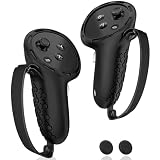
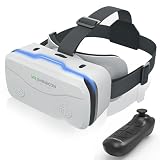
 CoCerKet VR Headset for Smartphones with Bluetooth Controller7.26 x 5.35 x 3.9 InchesCheck on Amazon

The Short Answer
To determine what size IPD (interpupillary distance) adjustment you need for VR, you must match your headset’s optical range to the exact physical distance between the centers of your pupils. For the vast majority of adults, the ideal IPD range falls between 58 mm and 68 mm (2.28 to 2.68 inches), with the global average sitting at approximately 63 mm (2.48 inches). If your eyes are set closer together or farther apart than average, you will need a headset featuring a physical mechanical slider that spans from 55 mm up to 74 mm (2.17 to 2.91 inches).
Choosing a headset with the correct IPD adjustment prevents optical distortion, eliminates the blurriness known as the “sweet spot” falloff, and significantly reduces the eye strain, headaches, and motion sickness caused by optical misalignment. Whether you choose an entry-level mobile casing or a premium micro-OLED personal cinema system, matching your hardware to your facial anatomy is essential for long-term comfort.
As an Amazon Associate we earn from qualifying purchases at no extra cost to you.

Standard Sizes
VR headset hardware generally falls into three optical adjustment categories: fixed lenses (which rely strictly on digital shifting), discrete 3-stage mechanical presets, and continuous physical sliders. Below is a comprehensive optical sizing guide showing standard facial ranges in millimeters, centimeters, and inches alongside corresponding headset hardware profiles.
| IPD Sizing Category | Measurement (Millimeters) | Measurement (Centimeters) | Measurement (Inches) | Headset Hardware Compatibility |
|---|---|---|---|---|
| Narrow / Pediatric | 52 mm – 57 mm | 5.2 cm – 5.7 cm | 2.05 in – 2.24 in | Ultra-wide manual sliders; dual-lens micro-displays; specialized small-frame headsets |
| Standard Average (Low) | 58 mm – 61 mm | 5.8 cm – 6.1 cm | 2.28 in – 2.40 in | Fixed preset Position 1; continuous mechanical sliders (58–74 mm range) |
| Standard Average (Medium) | 62 mm – 65 mm | 6.2 cm – 6.5 cm | 2.44 in – 2.56 in | Preset Position 2; all standard fixed-lens headsets; universal smartphone VR viewers |
| Standard Average (High) | 66 mm – 69 mm | 6.6 cm – 6.9 cm | 2.60 in – 2.72 in | Preset Position 3; continuous physical gear systems; high-end media viewers |
| Wide / Broad Frame | 70 mm – 74 mm | 7.0 cm – 7.4 cm | 2.76 in – 2.91 in | Extended-range mechanical sliders; premium micro-OLED personal theater headsets |
| Extra Wide | 75 mm – 78 mm | 7.5 cm – 7.8 cm | 2.95 in – 3.07 in | Custom optical mod brackets; specialized enterprise headsets with independent left/right adjustment |
How to Measure Your Space
Measuring your interpupillary distance accurately ensures you choose hardware that accommodates your exact facial dimensions. Follow this direct millimetric method using a standard millimeter ruler and a bathroom mirror:
- Stand directly in front of a well-lit mirror: Position your face roughly 8 to 12 inches (20 to 30 cm) away from the glass to avoid parallax distortion.
- Position the millimeter ruler: Rest the straight edge of a millimeter ruler horizontally across the bridge of your nose, holding it steady right underneath your eyes.
- Align the zero mark with your left eye: Close your right eye. While looking straight forward at your own reflection with your left eye, slide the ruler until the 0 mm mark lines up directly with the center of your left pupil.
- Read the measurement at your right eye: Keep the ruler completely still. Close your left eye and open your right eye. Look straight ahead into the reflection of your right eye, and note the exact millimeter graduation mark aligned with the center of your right pupil.
- Double-check your result: Repeat the process three times to ensure consistency. The resulting figure—typically between 58 mm and 68 mm—is your baseline physical IPD measurement.
By Room or Use Case
Dedicated Home VR & Active Gaming Rooms
In a dedicated active gaming setup where players make rapid head turns and engage in room-scale motion, physical IPD stability is critical. Headsets designed for room-scale gaming weigh between 450 g and 650 g (0.99 to 1.43 lbs) and require dynamic focal clarity. For these spaces, choose hardware that utilizes a physical continuous gear slider with an adjustment width of 58 mm to 72 mm. Hardware with stepped mechanical toggles (like 58 mm, 63 mm, and 68 mm positions) works well if your measurement lands within 1 mm of a preset, but continuous adjustment ensures you do not lose peripheral tracking or visual acuity mid-game.
Home Office & Personal Cinema Theaters
Home offices and spatial productivity hubs require micro-precision to read fine text on virtual desktop monitors for hours at a time. In this environment, advanced wearable displays and micro-OLED personal cinema systems—such as the GOOVIS G3 MAX class of devices (priced around $900 to $1,200)—excel by offering comprehensive manual adjustment. These cinema headsets feature an expansive physical IPD range of 58 mm to 74 mm (2.28 to 2.91 in) alongside built-in diopter adjustments ranging from +2.0D down to -7.0D. This dual-axis optical fine-tuning lets desktop users work comfortably without wearing prescription glasses inside the compact 300 g to 400 g chassis.
Shared Living Rooms & Multi-User Spaces
When a virtual reality headset lives in a communal family room, it must accommodate a wide variety of facial structures, from teenagers to adults. Modern hardware trends leading into 2026 prioritize motorized or smooth-sliding manual hardware that can instantly shift across a wide gamut (56 mm to 72 mm). For multi-user living rooms, avoid fixed-lens hardware with single-display panels, as users on the outer edges of the IPD bell curve will experience persistent nausea and eye fatigue during shared entertainment sessions.
Casual Media Viewing & Entry-Level Smartphone Shells
For budget-friendly media viewing in bedrooms or guest spaces, universal smartphone-based headsets—such as the CoCerKet VR Headset and similar viewers priced between $20 and $45—provide an accessible entry point. These lightweight units (weighing roughly 250 g to 380 g) feature independent top-mounted dial controls that move individual aspheric lenses forward, backward, left, and right. This dual-axis mechanical control accommodates phone screens from 4.7 to 7.0 inches while offering physical lens spacing adjustments from roughly 56 mm to 70 mm, ensuring crisp video playback without complex electronic setups.
Common Sizing Mistakes
- Relying Exclusively on Software IPD: Software-only adjustments shift the rendered digital image on a single screen without moving the physical glass lenses. If your eyes are wider or narrower than the lens centers, software adjustments cannot fix optical aberration or light blur.
- Ignoring Asymmetrical Pupillary Distance: Many faces are slightly asymmetrical (e.g., left pupil is 31 mm from nose center, right is 33 mm). Standard headsets center both lenses uniformly; if you experience one-sided eye strain, look for headsets that offer independent per-eye lens calibration.
- Confusing Diopter Focus with IPD Spacing: IPD controls the horizontal width between pupils, while diopter focus controls lens focal depth (correcting nearsightedness or farsightedness). Adjusting one does not compensate for an error in the other.
- Misaligned Facial Straps: Wearing a headset too low or tilted alters your eye’s vertical entry point through the lens sweet spot, creating the illusion of an incorrect IPD measurement when the actual problem is vertical strap tension.
FAQ
What happens if your VR IPD is set incorrectly?
When the physical distance between headset lenses does not match your pupils, your eyes must unnaturally strain their convergence muscles to fuse the twin stereo images into one picture. This mismatch results in visual blurriness, loss of 3D depth perception, rapid onset of eye fatigue, severe headaches, and motion sickness within 15 to 30 minutes of use.
Can kids use adult VR headsets with fixed IPD?
Most fixed-lens headsets are calibrated to adult averages between 62 mm and 64 mm (2.44 to 2.52 in). Children and young teenagers often have narrower interpupillary distances between 50 mm and 56 mm (1.97 to 2.20 in). Using a fixed adult headset causes extreme visual distortion for children; only headsets with physical sliders that narrow down to 54 mm or below should be used.
How do I find my IPD from an eyeglass prescription?
Optometrists measure your interpupillary distance during routine eye exams. On your optical prescription chart, look for the box labeled “IPD”, “PD”, or “Pupillary Distance.” It will be listed either as a single binocular number (e.g., “63”) or as two monocular numbers (e.g., “31.5 / 31.5” or “31 / 32”), which you add together to get your total hardware target in millimeters.
What is the difference between physical IPD and software IPD?
Physical IPD adjustment uses mechanical gears, toggles, or motors to physically shift the glass lenses and their accompanying displays closer together or farther apart. Software IPD leaves the physical optics stationary on a shared panel and merely shifts the rendered camera viewpoints within the game engine, which cannot correct physical optical sweet-spot misalignment.