
Many gamers shopping for a new setup make a critical mistake: they buy a desk designed for PC players and assume it will work perfectly for a console setup. PC setups prioritize close-proximity monitor mounts, deep desktop space for mechanical keyboards, and massive mousepads. Console gaming is a different beast entirely.
When you are figuring out what to look for in a console gaming desk, you have to account for different physical realities. You are likely sitting further back with a controller in hand. You might be using a larger 32-inch monitor or even a 43-inch television rather than a standard 24-inch PC display. Most importantly, you are housing bulky, high-heat consoles like the PlayStation 5 or Xbox Series X, which pull up to 200 watts of power and require massive amounts of thermal breathing room. Buying a flimsy, enclosed desk is a fast track to hardware throttling, tangled cords, and an uncomfortable viewing angle.
As an Amazon Associate we earn from qualifying purchases at no extra cost to you.


To help you cut through the marketing fluff of RGB lights and cup holders, this guide focuses on the structural, thermal, and spatial realities of console gaming.
Our Top Picks
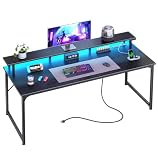
 DUMOS 52” Reversible Gaming Computer Desk with Drawers52 Inches51.9 x 3.7 x 23.4 inches41.7 PoundsCheck on Amazon
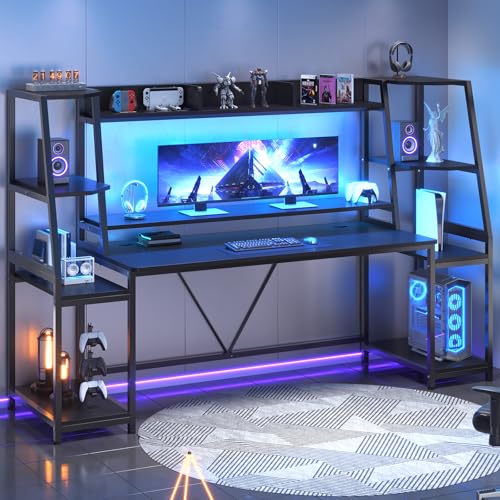 SEDETA 79'' Gaming Desk with LED Lights78.8 inches21.6 x 21.6 x 60 Inches88.66 PoundsCheck on Amazon


Top 3 picks at a glance
Decide These 3 Things First
Before you start browsing dimensions and finishes, you need to establish the baseline parameters of your gaming environment. Answering these three questions will instantly filter out 80% of the desks on the market that will not work for your space.
- Your Primary Display Size and Mounting Strategy: Are you placing a 43-inch TV directly on the desktop, using a 32-inch gaming monitor on a built-in riser, or mounting your screen to the wall above the desk? If the screen sits on the desk, you need a depth of at least 24 to 30 inches to maintain a safe, comfortable viewing distance. If you use a wall mount, you can opt for a shallower desk to save floor space.
- Your Console Housing and Ventilation Plan: Will your consoles sit vertically on top of the desk, or do you want them tucked away on lower shelves? The PlayStation 5 stands over 15.3 inches tall vertically, and the Xbox Series X is a chunky 11.8 inches. If you plan to store them on shelves beneath or beside the main desktop, those shelves must have open backs and at least 4 to 6 inches of clearance on all sides to prevent heat buildup.
- Single-Use vs. Hybrid Functionality: Is this desk strictly a console gaming station, or must it double as a remote-work or homework desk? Hybrid spaces require cleaner desktop surfaces, meaning you will need integrated drawers, keyboard trays, or L-shaped configurations to keep your console, controllers, and charging docks from cluttering your workspace.
1. Dimensions and Desktop Real Estate
Size is the most critical factor when evaluating what to look for in a console gaming desk. Unlike PC gamers who need depth for their keyboards, console gamers need width to accommodate consoles, controllers, headsets, and charging stations alongside their screens.
- Width (47 to 79 inches): A 47-inch to 52-inch desk (such as standard compact reversible desks) is the absolute minimum for a single-screen setup with a console placed horizontally. If you plan to run dual screens, house multiple consoles (e.g., a PS5 and a Nintendo Switch), or want a dedicated workspace, you must look at desks measuring 55 inches to 79 inches in width.
- Depth (20 to 30 inches): Budget desks often cut costs by offering a shallow 20-inch depth. While this works if your screen is wall-mounted, it is highly restrictive if you use a desktop stand for a large screen. Aim for a depth of 24 inches for standard monitors, and 28 to 30 inches if you are using a TV larger than 32 inches.
- Height (29 to 30 inches): This is the industry standard for fixed-height desks. It allows for comfortable seating with standard gaming or office chairs. Ensure any lower shelving or crossbeams leave at least 25 inches of vertical clearance for your legs.
2. Console Ventilation and Storage Layout
Modern gaming consoles are essentially compact, high-performance computers. They generate significant heat under load. Placing a console in a closed cabinet or a tight, unventilated shelf will cause the internal fans to run at maximum speed, eventually leading to system crashes or permanent hardware degradation.
When analyzing desk storage, look for open-frame shelving. If a desk features a hutch or a lower CPU shelf, check the vertical clearance. A quality console desk should offer adjustable shelving heights so you can set a minimum of 5 inches of clearance above the top exhaust vents of your console. If the desk features a fabric or wooden drawer unit, ensure it is positioned on the opposite side of where your console’s primary heat exhaust is directed.
3. Construction, Materials, and Weight Capacity
A console gaming desk must be rock-solid. A shaky desk will transfer every movement of your body—or the vibration of your console’s optical drive—directly to your expensive screen.
- Frame Material: Look for powder-coated steel frames. The steel tubing should be at least 1.2mm thick. Avoid desks that use plastic connectors or ultra-thin metal legs without cross-bracing. Heavy-duty K-leg, Z-leg, or T-leg designs offer excellent lateral stability.
- Desktop Material: Most desks under $200 use engineered wood, such as MDF (Medium-Density Fiberboard) or particle board, wrapped in a protective laminate or carbon fiber texture. Look for a desktop thickness of at least 15mm (0.6 inches). Desks with 18mm to 25mm tops are significantly more rigid and less prone to sagging under the weight of heavy screens.
- Weight Capacity: A quality console gaming desk should support a static weight load of at least 150 pounds on the main desktop. Premium and large L-shaped models should support 200 to 300 pounds. This ensures you can safely place a 30-pound television, a 10-pound console, heavy audio speakers, and multiple accessories without structural worry.
4. Integrated Power and Cable Management
Console gaming setups require a surprising number of power plugs: one for the screen, one for the console, one for a soundbar or speakers, and others for controller charging docks or LED lighting accessories. Managing these cords is crucial for both safety and aesthetics.
As we design our spaces for 2026 and beyond, integrated power strips are no longer a luxury—they are a necessity. Look for desks that feature a built-in power strip directly on the desktop or recessed into a back channel. These strips should offer at least two or three standard AC outlets (rated for 125V/12A or up to 1500W) and at least two USB-A or USB-C ports for charging controllers and headsets.
Additionally, check for built-in cable management features. A rear-mounted wire basket, under-desk cable trays, or pre-drilled desktop grommets will allow you to route power bricks and HDMI cables cleanly, keeping them off the floor and away from dust.
5. Ergonomics and Specialty Configurations
How you interact with your gaming desk depends heavily on its layout. There are three primary configurations to consider:
- Straight Desks with Hutches: These desks feature a raised shelf (hutch) running along the back. This is highly beneficial for console gamers because it lifts your monitor to eye level, reducing neck strain. It also frees up valuable desktop space directly underneath the monitor for your console, soundbar, or controller docks.
- L-Shaped Desks: Perfect for corner placements, L-shaped desks provide two distinct zones. You can dedicate one side of the “L” to your console gaming station and the other side to a laptop, schoolwork, or PC setup. This layout keeps your gaming gear plugged in and ready without interfering with your daily productivity.
- Reversible Layouts: Many modern desks allow you to assemble the shelves, drawers, or L-shape extensions on either the left or the right side. This flexibility is incredibly helpful if you move to a new room or need to position your console setup near specific wall outlets.
Spec Checklist
Use this quick-reference table to compare feature expectations across different price tiers when shopping for a console gaming desk.
| Feature | Budget ($70 – $100) | Mid-Range ($100 – $180) | Premium ($180+) |
|---|---|---|---|
| Typical Width | 47″ to 55″ | 55″ to 79″ (or medium L-shape) | 60″ to 80″+ (or large L-shape / Sit-Stand) |
| Desktop Thickness | 15mm particle board | 15mm to 18mm MDF / Carbon fiber wrap | 18mm to 25mm+ solid wood or high-grade MDF |
| Weight Capacity | 100 – 150 lbs | 150 – 250 lbs | 250 – 400 lbs |
| Power Integration | Basic power strip (2 AC, 2 USB) | Upgraded power strip with surge protection | Recessed smart power centers with USB-C PD |
| Storage Options | 1-2 open shelves or fabric drawers | Multi-tier hutch, metal shelves, grid boards | Integrated wooden drawers, pegboards, CPU cabinets |
| Lighting | None or basic single-color LED strip | Multi-mode RGB LED strip with remote/app | Smart, sound-reactive ARGB system integration |
Red Flags to Avoid
When shopping online, do not get distracted by stylized product renders. Keep an eye out for these structural and functional red flags:
- No Center Support Frame: Avoid desks where the desktop is supported only by legs at the extreme outer corners without a steel support rail running directly underneath the center of the wood. Over time, the weight of a monitor or TV will cause the center of the desk to sag and eventually crack.
- Enclosed Cabinets Without Vent Holes: If a desk features a cabinet door meant to hide your console or PC, but has a solid wooden back panel without grommets or ventilation cutouts, do not buy it. Your console will overheat within an hour of intensive gaming.
- Fabric Drawers Rated for Heavy Storage: While fabric drawers are excellent for lightweight items like controller grips, cables, and instruction manuals, they cannot support heavy items. If a listing claims a fabric drawer can hold heavy game collections or consoles, be highly skeptical.
- Lack of Adjustable Leveling Feet: Cheap desks with flat plastic caps on the bottom of the legs cannot be adjusted. If your floor is slightly uneven or if the desk sits half-on and half-off a rug, the desk will wobble. Always look for screw-in adjustable leveling feet.
FAQ
Can I use a regular office desk for console gaming?
Yes, you can use a standard office desk, but you may need to make modifications. Standard office desks often lack built-in power strips, monitor risers, and open-air shelving designed for high-heat electronics. If you use a standard desk, ensure it has a weight capacity of at least 150 pounds and that you invest in external cable management trays to handle your console’s power bricks.
Is a carbon fiber texture desktop better than a smooth wood finish?
Carbon fiber textures look modern and offer excellent grip, which prevents controller docks and consoles from sliding around. They are also highly resistant to scratches and water spills. However, they can be harder to wipe completely clean than smooth laminates, and optical computer mice sometimes struggle to track on highly textured carbon fiber surfaces without a mousepad.
How much space does a PS5 or Xbox Series X actually need for ventilation on a desk shelf?
Both consoles require a minimum of 4 inches of clearance on all sides, particularly near their main exhaust vents (the back of both consoles, and the top of the Xbox Series X). If you are placing your console on a lower shelf of a gaming desk, ensure the shelf has an open back and sides so hot air can escape rather than pooling around the intake vents.
Are L-shaped desks better than straight desks for console gaming?
L-shaped desks are superior if you have the floor space and need a multi-functional setup. They allow you to place your console and screen on one wing of the desk, leaving the other wing completely clear for a laptop, writing space, or homework. If your gaming setup is strictly for entertainment, a straight desk with a built-in hutch is usually more space-efficient and cost-effective.
Related guides
- Best Free MMOs on Steam: Subscription Limits, Pay-to-Win and Time Cost (2026)
- Best Free Horror Games on Steam: How to Pick One That Fits Your PC and Your Nerves (2026)
- Black Frame Insertion vs VRR: Which Smoothness Feature Should You Use?
- Best Webcams for Streaming: 11 Listings Compared by Resolution, Focus and Light (2026)








