Our Top Picks
 Fun Sport Kids Rugs Nylon Carpet Soccer Baseball52" x 75" (Rectangular)10 x 8 x 3 Inches4.9 poundsCheck on Amazon


Top 3 picks at a glance
The Short Answer
If you want comfortable room scale VR without constantly hitting a desk or wall, you need a clear, unobstructed floor area of at least 6.5 x 5 feet (78 x 60 inches / 198 x 152 cm). That is the widely supported minimum for true room scale tracking for headsets like Meta Quest 3, Quest 2, HTC Vive, and PlayStation VR2. The ideal target for most adults is 8 x 8 feet (96 x 96 inches / 244 x 244 cm) or larger, which lets you take two full steps in any direction and swing your arms without worry.
Your desk still matters. A standard desk for this kind of setup is 48 to 60 inches wide and 24 to 30 inches deep, and it should sit completely outside your play boundary with at least 24 inches (61 cm) of buffer between the desk edge and the edge of your guardian boundary. If you are working with a smaller room, choose a compact 42 x 24 inch desk and push it against the wall to maximize the central floor space. In 2026, most standalone headsets can map a guardian in under 30 seconds, so you can test different desk positions quickly before you commit to a layout.
As an Amazon Associate we earn from qualifying purchases at no extra cost to you.



Standard Sizes
VR hardware does not require a lab-perfect square, but it does need consistent minimums. Use this table to plan your total room footprint, including both the open play area and the desk that serves as your PC or charging station.
| Configuration | Clear Play Area (in / cm) | Total Room Needed Including Desk & Buffer (in / cm) | Best For |
|---|---|---|---|
| Minimum Room Scale (Seated to Standing Plus Small Steps) | 78 x 60 in / 198 x 152 cm | 108 x 84 in / 274 x 213 cm | Small bedrooms, apartments where the desk stays against one wall |
| Recommended Standard (Most Games) | 84 x 84 in / 213 x 213 cm (7 x 7 ft) | 114 x 108 in / 290 x 274 cm | Most dedicated VR games, fitness apps, and general use |
| Ideal / Enthusiast | 96 x 96 in / 244 x 244 cm (8 x 8 ft) | 126 x 120 in / 320 x 305 cm | Active games like Blade & Sorcery, Superhot, or multiplayer shooters |
| Maximum Tracked Area (Inside-Out & Lighthouse) | 120 x 120 in / 305 x 305 cm (10 x 10 ft) to 144 x 144 in / 366 x 366 cm (12 x 12 ft) | 150 x 144 in / 381 x 366 cm to 174 x 168 in / 442 x 427 cm | Large living rooms, basements, or converted garages |
| Standing / Stationary Only | 42 x 42 in / 107 x 107 cm (3.5 x 3.5 ft) | 72 x 66 in / 183 x 168 cm | Desks in tight offices where you only lean and reach, not walk |
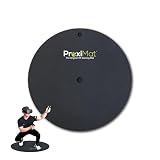
| VR Mat Reference (Common Retail Sizes) | 35 in diameter / 89 cm and 42 in diameter / 107 cm | Add 24 in / 61 cm buffer around mat | Centering your position without looking down |
Common desk sizes to factor in:
| Desk Type | Typical Dimensions (in / cm) | Weight Range | Power Needs if Sit-Stand |
|---|---|---|---|
| Compact / Writing Desk | 42 x 24 in / 107 x 61 cm | 35 – 55 lbs | Not applicable |
| Standard Office Desk | 48 x 24 in / 122 x 61 cm to 60 x 30 in / 152 x 76 cm | 55 – 90 lbs | 120V, motors draw 150 – 300 watts during adjustment |
| L-Shaped / Corner Desk | 60 x 60 in / 152 x 152 cm (per side) | 85 – 140 lbs | 200 – 350 watts if height-adjustable |
| Standing Desk Converter on Top of Desk | Adds 8 – 12 in / 20 – 30 cm height | 25 – 45 lbs added | Not applicable |
Typical retail prices you will see right now: VR centering mats from $35 to $75 depending on diameter and thickness (35-inch mats around $49, 42-inch mats around $68), area rugs for playrooms from $50 to $120 for a 51 x 75 inch size, and infrared illuminators for low-light tracking from $22 to $32.
How to Measure Your Space
Do this before you move any furniture. You need a tape measure, painter’s tape, and your headset.
- Clear the floor. Move chairs, floor lamps, and cables out of the intended play area. Your VR boundary should never overlap a desk leg or chair base.
- Mark the desk footprint. Tape the exact desk dimensions on the floor where you plan to place it. Include chair pull-out space: add 36 inches (91 cm) behind the desk for the chair to slide back.
- Measure the remaining open rectangle. Measure wall to desk edge, not wall to wall. This is your true usable play space. Record length and width in inches and then convert to feet.
- Add the safety buffer. From the taped desk edge, measure 24 to 30 inches (61 to 76 cm) outward and lay a second line of tape. This is your no-enter zone. Your guardian boundary should be inside this line.
- Check height. Measure floor to ceiling – you need at least 84 inches (213 cm) clear for overhead swings. Lower your guardian if you have a ceiling fan or pendant light; add 12 inches below the lowest fixture.
- Test with the headset. Put on the headset and draw the guardian at floor level, then walk the perimeter with arms extended. If your controllers come within 6 inches of the desk or wall at any point, shrink the boundary or move the desk.
- Mark the center. Place a 35-inch or 42-inch VR mat in the center of the clear area. When both feet are on the mat, you should be able to extend both arms without touching anything. The mat gives you tactile feedback so you stay centered without lifting the headset.
By Room or Use Case
Small Bedroom or Home Office: 10 x 10 Feet (120 x 120 in / 305 x 305 cm)
This is the most common constraint. Choose a 42 x 24 inch compact desk placed flat against the shortest wall with the monitor facing the wall, not the room. That leaves a clear area of roughly 78 x 60 inches if you use a desk chair that tucks fully under the desk. Skip an L-shaped desk here; it eats the corner you need for diagonal movement. Use a wall-mounted monitor arm to reclaim 6 to 8 inches of desk depth and keep cables off the floor. A 35-inch round mat fits perfectly in this layout without crowding the door swing.
Living Room or Open-Plan Apartment
You can usually hit the ideal 8 x 8 feet if you treat the desk as a console against the wall rather than an island. Use a 48 to 60 inch standard desk and keep the sofa and coffee table outside the buffer. If you cannot move the coffee table, define a 7 x 7 foot boundary and play with the guardian set to show the floor grid early. Rugs larger than 51 x 75 inches can help define the play zone visually for others in the household and reduce slipping on hardwood. Expect to need 126 inches of wall length to accommodate both the play square and the desk plus buffer.
Dedicated Office or Basement: 12 x 12 Feet and Larger
With this space, you can run a 60 x 30 inch sit-stand desk on one wall and still keep a full 10 x 10 foot tracking area. Position the desk so your PC or link cable runs along the wall, not across the floor. Keep at least 36 inches between the desk edge and the guardian. This is also where a 42-inch X-large VR mat makes sense, giving you more foot movement before you hit the edge. Basements often have low ceilings or exposed joists at 84 to 96 inches – measure carefully and avoid placing the play area under ductwork or light fixtures.
Kids’ Playroom or Shared Family Space
Kids need extra buffer because they move unpredictably and often play with others watching nearby. Plan for the recommended 7 x 7 foot minimum plus a 36-inch safety lane around it, especially if a low kids’ table or toy storage is in the same room. A colorful nylon play rug in the 51 x 75 inch range works well to mark the zone and adds cushioning, but still draw the digital guardian inside the rug edges so feet do not slip off the rug during fast movement. Keep the desk at standing height or locked so children cannot pull chairs into the play area mid-session.
Standing-Only or Desk-Adjacent VR (No Walking)
If you genuinely have no floor space – for example, a studio apartment where the desk fills most of one wall – you can still use VR in stationary mode. You need a 42 x 42 inch clear pad directly behind your desk chair. Push the chair completely under the desk, stand on the mat, and set the guardian to stationary. You will be able to turn, lean, and reach, but games that require stepping will be uncomfortable. Do not try to force a room scale boundary into this footprint; you will hit the desk.
Common Sizing Mistakes
Measuring wall-to-wall instead of usable floor: Curtains, baseboard heaters, and desk legs reduce usable space by 4 to 8 inches per side. Always measure to the obstruction, not the drywall.
Forgetting chair space: An office chair needs 36 inches to roll back, and if left inside the guardian it becomes a trip hazard. Either remove the chair during VR or choose a stool that stores fully under the desk.
Setting the guardian to the furniture edge: The guardian is a warning line, not a wall. If you draw it right against the desk, your controller will hit the desk before the warning appears. Leave that 24-inch real-world buffer and treat the guardian as a secondary alert.
Ignoring overhead clearance: People size the floor but forget the ceiling. A controller swung overhead needs the same clearance as your height plus 12 to 16 inches. Move the play area away from ceiling fans, low-hanging lights, and shelves.
Choosing a mat that is too small and using it as the boundary: A 35-inch or 42-inch mat is a center marker, not the play area. Do not set your guardian to the mat edge and assume you are safe to swing outside it. The mat tells you where center is; the guardian tells you where the walls and desk are.
Running cables across the play area: PCVR link cables, power strips, and charging cables across the floor effectively shrink your safe area. Route power from the desk along the wall perimeter and use cable clips to keep the central rectangle truly clear.
FAQ
How much desk space do I actually need to keep while doing room scale VR?
Keep the entire desk outside the guardian with a 24 to 30 inch physical buffer. For a 48 x 30 inch desk, that means the total floor used by the workstation is closer to 72 x 54 inches once you include the chair tuck zone and safety gap. If you must reduce the desk, go narrower (42 inches wide) rather than shallower than 24 inches, so you still have stable space for a monitor, headset stand, and keyboard without stacking items where they can be knocked over.
Is a 6.5 x 5 foot play area enough, or will I hit my desk?
At 6.5 x 5 feet (78 x 60 inches), you can play most room scale titles if you keep the desk outside the boundary and use standing-scale movement rather than walking across the space. You will need to rely on thumbstick movement in games instead of physical walking. It feels tight for fitness games or anything that asks you to lunge or step quickly. If you can expand to 7 x 7 feet or 8 x 8 feet by switching to a smaller desk or moving it to another wall, the experience is noticeably more comfortable and you will trigger the guardian far less often.
Do I need a VR mat, and what size should I buy?
You do not need one, but a mat helps you stay centered without looking down. A 35-inch round mat is sufficient for minimum and standard areas up to 7 x 7 feet; a 42-inch mat is more comfortable for 8 x 8 foot and larger areas and for taller users with a wider stance. Both typically weigh 4 to 7 lbs, are 0.5 to 0.75 inches thick, and cost between $35 and $75. Place the mat in the exact center of your guardian and keep the guardian at least 24 inches away from the desk and walls, not at the mat edge.
What if my room is too small for the minimum?
Switch the headset to stationary boundary and play seated or standing in place. You still get head tracking and hand tracking for many games, just without walking. Other practical steps are to fold or remove the desk chair during sessions, use a wall-mounted folding desk that collapses to 10 to 12 inches deep when not in use, or relocate the desk to a different wall to create a longer clear rectangle. An infrared illuminator ($22 to $32, typically 5V 2A power, under 5 watts) can help tracking in dim rooms, but it does not create more floor space – only careful furniture placement does.