VR headset comfort mods fall into four categories that address the four physical causes of discomfort: rigid straps and counterweights fix pressure and forward torque, facial interface swaps fix face contact and glasses clearance, and cable or battery relocations fix pull and weight distribution during movement. Most players only need one or two of these to go from 20-minute sessions to well over an hour.
Tomas Berger tracks comfort complaints across every headset he tests using session-length logging rather than subjective impressions alone, and the pattern is consistent: stock elastic straps and thin foam interfaces are the two components manufacturers cut cost on most aggressively, which is exactly where aftermarket mods deliver the largest return. This guide breaks down each mod category, what it actually fixes, and which combinations make sense for different headset types.
As an Amazon Associate we earn from qualifying purchases at no extra cost to you.



Our Top Picks
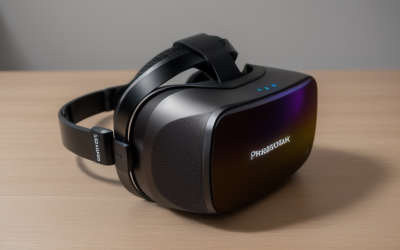
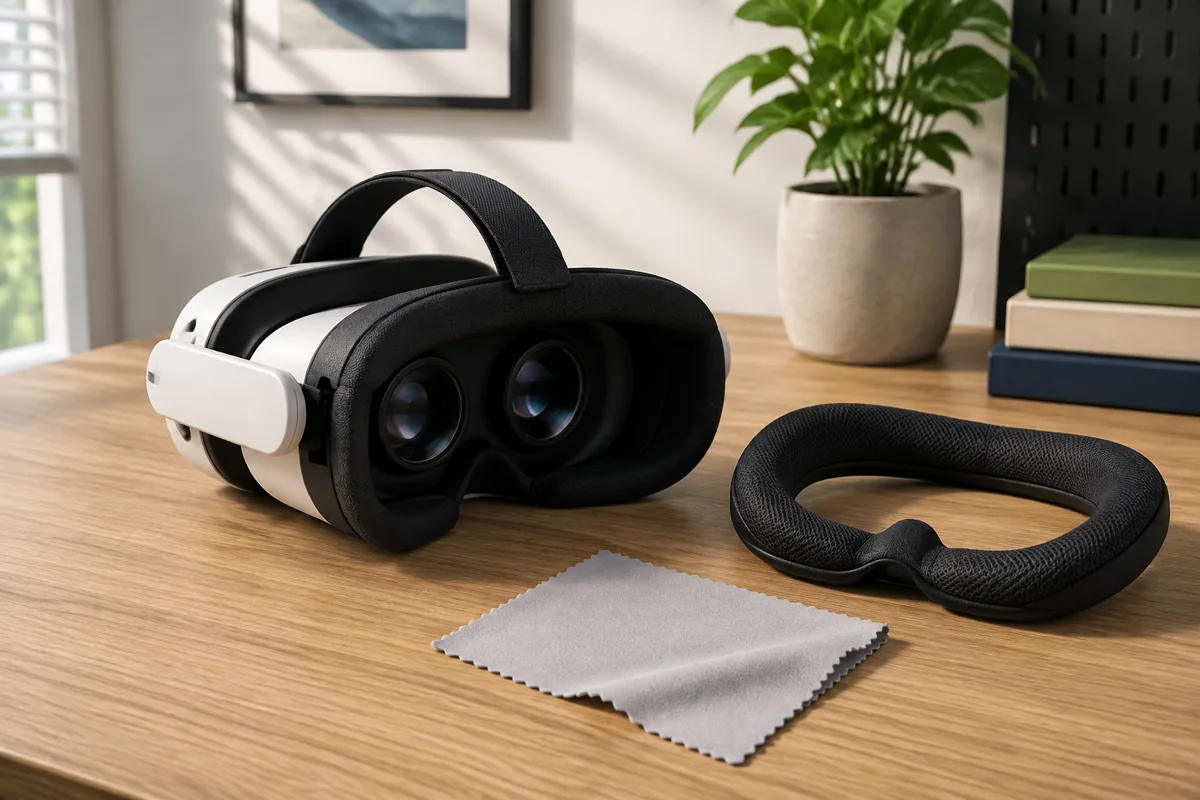
 TECKNET VR Headset for Phone with Bluetooth ControllerVR Headset + Controller7.28 x 3.94 x 3.35 inchesCheck on Amazon




Top 3 picks at a glance
Why Stock Straps And Facial Interfaces Fall Short For Long Sessions
Most headsets in the sub-$500 range, including the Meta Quest 3, Quest 3S, and the original Quest 2, ship with a simple elastic strap design that relies on face pressure rather than head-top support to hold the headset in place. This design keeps manufacturing cost down and box weight low, but it concentrates the entire weight of the headset, plus any forward torque from front-heavy components, onto a narrow band of skin around the eyes and cheekbones.
The physics problem compounds over time rather than being immediately obvious. In the first five minutes, an elastic strap headset often feels perfectly comfortable, since the initial pressure is spread across fresh skin and muscle. By the 20 to 30 minute mark, localized pressure points around the nose bridge and temples begin causing the sensation most players describe as “VR fatigue,” which is frequently a strap problem rather than a display or motion sickness problem.
Facial interface foam, the cushion that contacts your face directly, is typically 1 to 2cm thick on stock configurations and made from a relatively firm open-cell foam that compresses unevenly under sustained pressure. Firmer foam distributes weight less evenly than a properly designed dual-density foam, meaning pressure concentrates at whichever points first make contact rather than spreading across the full contact area.
Headset weight distribution is the third structural issue. Nearly every all-in-one VR headset places its battery, most of the compute, and the lenses all in the front housing, creating a center of gravity well forward of where the head naturally balances. This forward bias means neck muscles are working continuously just to hold the head level, a low-grade isometric load that’s rarely noticed consciously but contributes heavily to end-of-session fatigue.
Understanding which of these three factors (face pressure, foam quality, or forward weight) is the dominant cause of discomfort for a specific person determines which mod to prioritize first, since buying a counterweight when the real problem is foam pressure, or vice versa, wastes money without solving the actual issue.
Counterweights: Rebalancing Front-Heavy Headsets
A counterweight is a mass, typically 100 to 250 grams, mounted at the rear of the head strap to shift the headset’s overall center of gravity backward, closer to the natural balance point at the base of the skull. This reduces the constant forward-pulling torque that stock front-loaded headsets create, which is felt as neck and upper trapezius fatigue after extended sessions.
Dedicated counterweight accessories exist as standalone clip-on attachments for headsets that already use a rigid or semi-rigid strap, and as integrated designs where the counterweight is built directly into a replacement strap’s rear arc. The integrated approach tends to produce a more predictable, evenly distributed balance point since the weight and strap geometry were engineered together, while clip-on add-ons offer more flexibility to adjust weight incrementally.
Overcorrecting is a real risk with counterweights. Adding too much rear weight shifts strain from the front of the neck to the back, which can feel like an improvement initially but introduces its own fatigue pattern over a long session. The general guidance from headset accessory makers and community testing is to start with the lightest available counterweight option and add incrementally only if forward pull is still noticeable after a full session.
Battery-integrated straps, covered in more detail later in this guide, effectively double as counterweights since the battery pack’s mass sits at the rear of the head. For players who also want the runtime extension a battery strap provides, this is often the more efficient single purchase compared to buying a counterweight and a separate battery pack independently.
Counterweights matter more for headsets with heavier front housings, such as the Meta Quest 3 at roughly 515 grams, than for lighter headsets like the PSVR2 at around 560 grams paired with a wired, less front-loaded design, or PC VR headsets that offload compute to an external PC and therefore carry a lighter front housing.
Halo And Rigid Strap Replacements
Halo-style straps, popularized by third-party accessory makers and now included stock on some higher-end headsets like the Valve Index, replace the elastic band with a rigid ring that wraps around the crown of the head and tightens via a rear dial, similar to a bicycle helmet’s fit system. This design moves the primary support point from the face to the top and back of the skull, which can bear significantly more sustained pressure without discomfort than the soft tissue around the eyes.
The dial-adjustment mechanism common to most halo straps, sometimes called a boa-style closure, allows for fine, incremental tightening that’s far more precise than pulling an elastic band to a rough tension. This matters because the ideal fit for a halo strap is snug enough to fully support the headset’s weight without needing any face contact at all, a level of precision elastic straps can’t reliably achieve.
For the Meta Quest line specifically, official Elite Strap options and numerous third-party alternatives are available at multiple price points, with higher-end versions adding integrated battery packs. For PC VR headsets like the Valve Index, which already ships with a halo-style design, the aftermarket market focuses more on foam and padding upgrades than full strap replacement, since the core mechanism is already sound.
Fit adjustment takes longer with a halo strap than with elastic on the first few uses, since finding the right dial tension and vertical positioning requires some trial and error specific to head shape. Once dialed in, most players find the setting stays consistent session to session, unlike elastic straps that need re-tightening as the material relaxes with wear.
One tradeoff worth noting is that rigid halo straps typically add bulk and don’t fold flat, making them slightly less convenient for storage and travel compared to a stock elastic strap. For players who primarily use VR at home rather than transporting the headset regularly, this tradeoff rarely matters in practice.
Facial Interface Foam Swaps And Material Choices
Replacement facial interfaces range from simple foam-only swaps to full silicone or hybrid designs, each addressing slightly different comfort issues. Silicone interfaces, which have largely replaced foam as the premium option across the aftermarket market, resist sweat absorption and wipe clean easily, addressing hygiene alongside comfort, though some players find silicone less breathable during intense physical sessions.
Dual-density foam interfaces use a firmer foam layer against the headset housing for structural support and a softer layer against the skin for pressure distribution, a design borrowed from athletic padding and cycling helmet liners. This combination spreads contact pressure more evenly than the single-density foam most headsets ship with stock, directly addressing the pressure-point fatigue described earlier in this guide.
Glasses-compatible interfaces add extra standoff depth, typically 3 to 5mm more than stock, specifically to create clearance for eyeglass frames without the frame arms pressing into the temples or the lenses fogging against the frame. Players who wear glasses in VR and experience persistent discomfort at the temples are frequently dealing with a standoff depth problem that a standard interface swap, not a strap change, actually solves.
Width and depth also vary by face shape in ways stock, one-size interfaces don’t account for well. Narrower interfaces reduce light leakage and improve seal for smaller face shapes, while wider variants prevent the interface from digging into cheekbones on broader face shapes. Several third-party makers now offer multiple width options specifically for this reason, and checking fit reviews from users with a similar face shape is more useful than relying on a single generic size chart.
Interface material choice also affects heat buildup during active sessions. Silicone traps more heat against the skin than an open-cell foam, which matters specifically for VR fitness applications where sweat and heat management already push comfort limits; a breathable foam interface is often the better choice for high-intensity use even though silicone wins on hygiene and cleaning ease for casual seated play.
Deluxe Head Straps With Integrated Battery Packs
Battery-integrated straps solve two problems simultaneously: they act as a rear counterweight as described earlier, and they extend total runtime by adding external battery capacity beyond the headset’s internal cell. For standalone headsets like the Quest 3, where internal battery life runs roughly 2 to 2.5 hours in typical gameplay, a battery strap can extend a session past 4 hours depending on the added pack’s capacity.
Most battery strap designs use a pass-through USB-C connection that continuously trickle-charges the headset’s internal battery from the external pack, meaning the headset never actually drops below full charge as long as the external pack has capacity remaining. This differs from simply plugging a power bank into the headset’s charging port during play, which works but doesn’t provide the counterweight and improved fit benefits of an integrated strap design.
Capacity ranges widely across available battery straps, from smaller 5,000mAh options adding roughly 1.5 to 2 hours, up to larger 10,000mAh+ options that can more than double total session length. Heavier battery packs provide more runtime but also add more rear weight, which circles back to the overcorrection risk discussed in the counterweight section, so matching pack size to actual session length needs rather than buying the largest available capacity by default is usually the better approach.
Heat is a secondary consideration with battery straps, since the pack itself generates some warmth during discharge, positioned directly against the back of the head. Well-ventilated pack housings and a fabric strap material rather than solid plastic against the skin reduce this effect, and it’s worth checking user reviews specifically for heat complaints before buying a given model for hot climates or intense physical sessions.
For PC VR headsets that are tethered rather than standalone, battery straps are less relevant since the headset draws power through the PC connection rather than an internal battery, though the counterweight and rigid strap benefits still apply independently of the battery feature.
Cable Management For Tethered PC VR Headsets
Tethered PC VR headsets like the Valve Index, HP Reverb G2, and PC-connected Quest headsets running Link or Air Link cables introduce a comfort factor standalone headsets don’t have: cable drag and pull during movement, particularly in room-scale games involving turning, crouching, or reaching. An unmanaged cable catching on a chair or pulling taut mid-turn is both a comfort and a safety issue.
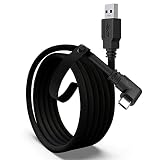
Overhead cable management systems, typically a pulley or elastic cord suspended from the ceiling that the headset cable clips into, keep the cable’s weight off the headset itself and out of the play space’s floor area. This is the single most effective cable mod for room-scale games, removing both the physical drag on the headset and the tripping hazard of loose cable on the floor.
Cable extension and swivel adapters address a related but distinct problem: cables twisting during repeated 360-degree turns in games that support full rotation. A swivel or slip-ring adapter placed between the headset cable and the PC or Link box allows the cable to rotate freely without transmitting torque back to the headset, preventing the sensation of the cable “tugging” during spins.
For headsets using Meta’s wireless Air Link or Virtual Desktop instead of a physical cable, cable management is a non-issue, though these wireless streaming methods introduce their own tradeoffs around compression artifacts and added latency that some players find noticeable in fast-paced or precision-dependent games, a different kind of comfort and usability tradeoff worth weighing against the convenience gained.
Route management at the PC end also matters for comfort indirectly, since a cable that’s taut from PC to play space area forces players to stay closer to the PC than the room otherwise allows. Using the full rated length of an extension cable, positioned to give maximum usable play space radius, reduces how often players bump into the cable’s practical limit mid-session.
Cushioning Options Compared By Session Length And Use Case
The table below summarizes which cushioning approach tends to suit different session lengths and use cases, based on the pressure-distribution and heat-management tradeoffs covered throughout this guide.
| Cushioning Type | Best For | Tradeoff |
|---|---|---|
| Stock single-density foam | Sessions under 20 minutes | Pressure points build quickly past 30 minutes |
| Dual-density foam interface | Seated sessions, 30-90 minutes | Absorbs sweat, needs periodic cleaning |
| Silicone interface | Shared or multi-user headsets | Less breathable, can feel warm during long play |
| Halo/rigid strap + stock foam | Long seated or standing sessions, 60+ minutes | Bulkier, less packable for travel |
| Breathable foam + halo strap | VR fitness, high-intensity movement | Higher cost combining two upgrades |
Most players landing in the “sessions under 20 minutes” row upgrade first to a dual-density foam interface before investing in a full strap replacement, since it’s the lower-cost change and often resolves the majority of early discomfort on its own. Only after confirming foam alone isn’t enough does a rigid strap purchase typically make sense.
Combining a halo strap with an unmatched stock foam interface is a common mistake, since the improved weight distribution from the strap doesn’t fix face-contact pressure from the same old foam. The two mods address different problems and generally deliver the best result when addressed together rather than one at a time for players already sure they want to invest in comfort upgrades.
DIY Versus Aftermarket Mods: What’s Actually Worth Buying
DIY comfort fixes, such as adding a strip of self-adhesive foam padding to a pressure point or using a soft headband underneath a stock strap, can meaningfully help for very little money and are worth trying before spending on aftermarket accessories, particularly for players unsure whether they’ll use VR heavily enough to justify a $30-80 strap purchase.
Aftermarket rigid straps and battery packs from established accessory brands generally outperform DIY approaches for players who already know VR is a regular part of their routine, since purpose-built products account for weight distribution, adjustment range, and material durability in ways a home fix can’t easily replicate. The price gap between a basic and premium strap option is usually justified by adjustment precision and long-term durability rather than dramatic day-one comfort differences.
Facial interface swaps sit in a middle ground: quality third-party interfaces are inexpensive enough (commonly under $25-30) that the DIY-versus-aftermarket calculation almost always favors buying a purpose-made replacement rather than modifying stock foam, since the material and shaping precision matter more here than with straps.
For players on a tight budget prioritizing a single purchase, a rigid strap replacement typically delivers the largest comfort improvement per dollar spent, addressing both face pressure and, if it includes any rear weighting, some of the forward-torque problem simultaneously. Facial interface and battery pack upgrades are worthwhile second and third purchases once the core strap issue is resolved.
It’s worth trying mods incrementally rather than buying a full comfort bundle all at once, both to manage cost and because it’s easier to identify which specific change fixed a specific discomfort symptom, useful information if returns or exchanges become necessary with any individual component.
Troubleshooting: What To Do If A Mod Creates New Discomfort
If a new rigid strap introduces pressure headaches or pain at the temples that weren’t present with the stock elastic strap, the most common cause is over-tightening the dial to compensate for a headset that still feels front-heavy, rather than pairing the strap with a counterweight to actually fix the balance issue. Loosen the strap slightly and reassess whether a counterweight addition resolves the remaining forward pull.
If a facial interface swap introduces light leakage around the nose or cheeks that wasn’t present before, check that the interface’s width and depth match your face shape rather than assuming a universal fit, since most interface fit issues stem from sizing mismatch rather than a defective product. Several manufacturers publish face-width measurement guides specifically to help choose between available sizes before purchase.
Battery straps that create discomfort at the back of the head, distinct from the general forward-torque relief they’re meant to provide, usually indicate the pack’s own weight has overcorrected the balance point; trying a lower-capacity pack or repositioning the pack slightly higher on the rear arc, where supported by the design, often resolves this without needing to return the product entirely.
New skin irritation or breakouts after switching to a silicone facial interface can result from reduced breathability trapping heat and sweat against the skin; switching to a breathable foam alternative or increasing cleaning frequency, covered in our lens and interface hygiene guidance elsewhere, typically resolves this without needing to abandon the mod altogether.
If discomfort persists across multiple mod combinations, it’s worth ruling out IPD misalignment or an underlying motion sickness sensitivity as the actual root cause rather than continuing to chase a physical fit solution, since headache and fatigue symptoms from optical or vestibular mismatch can closely resemble strap or foam discomfort but require an entirely different fix.
Frequently Asked Questions
What’s the single best first comfort mod to buy for a VR headset?
A rigid halo-style strap replacement is usually the highest-impact single upgrade because it moves clamping pressure from the face to the forehead and crown, which is the root cause of most short-session discomfort with stock elastic straps.
Do counterweights actually make a measurable difference?
Yes, because front-heavy headsets create a forward torque that the neck has to constantly resist even when sitting still, and a rear counterweight of roughly 100 to 200 grams shifts the center of gravity back toward the base of the skull, reducing that sustained muscular load.
Are foam facial interface swaps worth it for glasses wearers?
Yes, glasses-compatible facial interfaces add extra standoff depth and wider eye relief specifically so frame arms and lenses don’t press into the face or fog against the headset’s own lenses, which stock interfaces on several headsets don’t reliably provide.
Will a deluxe strap with a built-in battery void my headset’s warranty?
Reputable third-party strap mods attach externally without modifying the headset’s internal electronics, so they generally don’t void warranty, but always check the specific manufacturer’s warranty terms since some explicitly exclude damage caused by non-official accessories.
How long should I expect a modded headset to be comfortable for in one sitting?
A well-fitted combination of rigid strap, counterweight and correctly sized facial interface commonly extends comfortable sessions from 20 to 30 minutes stock up to 60 to 90 minutes, though individual tolerance and game intensity still play a large role.
Once fit is dialed in, our best VR headset strap roundup covers specific rigid and battery-integrated models worth buying, and best VR covers and pads goes deeper on facial interface and hygiene options. For fitness-focused sessions where sweat and movement raise the comfort stakes further, see best VR headset for fitness. General accessory shopping across categories is covered in best VR accessories.