
For most gamers, a Ryzen 9 chip with 3D V-Cache, such as the Ryzen 9 9950X3D, is the stronger gaming pick, while Intel Core Ultra 9 chips from the Core Ultra 200S family are competitive for mixed workloads and tend to appeal to buyers who value platform features and efficiency in some tasks. The best choice depends on whether you prioritize frame rates, content creation, or a particular platform.
As an Amazon Associate we earn from qualifying purchases at no extra cost to you.


Our Top Picks


Top 3 picks at a glance
What Each Family Is
Ryzen 9 is AMD’s top desktop tier. The current Ryzen 9000 series uses the Zen 5 architecture on the AM5 socket and supports DDR5 memory and PCIe 5.0. Models include the Ryzen 9 9900X and Ryzen 9 9950X, both with a standard cache design, and the Ryzen 9 9900X3D and Ryzen 9 9950X3D, which add AMD’s 3D V-Cache on one of the chiplets for extra gaming performance. The maker lists the 9950X and 9950X3D as 16-core, 32-thread processors.
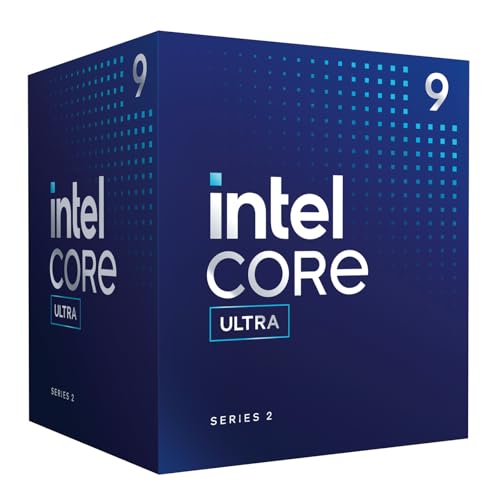
Intel Core Ultra processors in the Core Ultra 200S desktop family use the LGA 1851 socket, support DDR5, and combine performance cores with efficiency cores. The Core Ultra 9 285K is the flagship, listed by Intel with 24 cores (8 performance and 16 efficiency) and no Hyper-Threading. The family includes Core Ultra 7 and Core Ultra 5 models for lower tiers, and the chips include an integrated NPU for AI features, though that matters little for gaming.
Side-by-Side Comparison
| Factor | Ryzen 9 (9000 series) | Core Ultra 9 (200S) |
|---|---|---|
| Socket | AM5 | LGA 1851 |
| Memory | DDR5 | DDR5 |
| Core layout | 16 cores with SMT on 9950X and 9950X3D | 8 performance plus 16 efficiency cores on 285K, no Hyper-Threading |
| Gaming focus | X3D models are widely reported as leading | Competitive, usually behind top X3D parts in games |
| Productivity | Strong multi-thread performance | Strong multi-thread performance, good in many creator apps |
| Power and heat | Varies by model; X3D parts are often efficient in games | Improved efficiency versus the previous generation, per Intel |
| Platform longevity | AMD has a history of long socket support | Check Intel’s roadmap for the socket’s future |
| Integrated graphics | Basic graphics for display output | Integrated graphics included on most models |
Gaming Performance
Reviewers have consistently reported that AMD’s X3D chips lead in many games, because the large cache keeps game data close to the cores. The Ryzen 9 9950X3D and the Ryzen 7 9800X3D are often cited as top gaming processors. A non-X3D Ryzen 9 is strong but does not have the same gaming edge.
The Core Ultra 9 285K performs well in games, but outlets have generally reported it trailing the best X3D parts in many titles, with the gap depending on the game and resolution. At 1440p and 4K, where the graphics card is the main limit, the difference between modern CPUs becomes small. Pairing a high-end GPU such as a GeForce RTX 50-series or Radeon RX 9000-series card with any of these CPUs will produce a smooth experience.
If your goal is the highest frame rate at 1080p or in esports titles, an X3D chip is the safer pick. If you play at 4K and mostly care about graphics, a cheaper CPU often performs about the same, and a Ryzen 9 or Core Ultra 9 may be more than you need.
Creator and Productivity Work
Both families are strong for rendering, video editing, compiling, and streaming while gaming. Ryzen 9 chips offer 16 full cores with simultaneous multithreading, which helps in highly threaded workloads. Core Ultra 9 uses a hybrid design with many efficiency cores to handle background tasks. Results vary by application; some tools favor one design, so check reviews for the programs you use. Intel’s integrated graphics and media engines can help with some video tasks, such as hardware-assisted encoding, through supported software.
Platform and Upgrade Path
AM5 boards are available in many tiers, and AMD has said it intends to support the socket for multiple generations, so a board you buy now may accept future Ryzen chips. Intel’s LGA 1851 boards use the 800-series chipsets and offer current features such as PCIe 5.0 and Thunderbolt on some models. Check the board maker’s CPU support list before buying, and update the BIOS if a board needs it to recognize a new processor. BIOS updates carry some risk and should follow the maker’s instructions.
Cooling matters for both. Top-end chips from either company benefit from a large air cooler or a 280 mm or 360 mm liquid cooler. Power limits and boost behavior depend on the motherboard settings, and aggressive overclocking can reduce stability and may void warranties, so keep settings conservative unless you know what you are doing.
Who Should Pick Which
- Gaming first: an X3D-equipped chip, either the Ryzen 9 9950X3D or, for a lower tier, the Ryzen 7 9800X3D if you do not need 16 cores.
- Gaming plus heavy creator work: a Ryzen 9 9950X3D or a Core Ultra 9 285K, depending on the apps you use and the price tier of the boards you prefer.
- Creator first, gaming secondary: either family works; a Ryzen 9 9950X or Core Ultra 9 285K are both reasonable.
- Mid-range builders: consider Ryzen 7, Ryzen 5, Core Ultra 7, or Core Ultra 5 chips, which often deliver most of the gaming performance at a lower tier.
- Upgrade-minded builders: AM5 is often chosen for its upgrade path.
Common Myths
- “More cores means better gaming.” Most games use a handful of cores, so cache and clock behavior matter more than core count.
- “AI features make Core Ultra better for games.” The NPU does not boost game frame rates.
- “One brand is always better.” The lead changes with each generation and with the specific game or app.
- “You need the flagship.” Lower-tier chips from either family often come close in gaming.
Practical Recommendation
Pick the chip that matches your main use, then match the rest of the build to it. For a gaming-first PC, choose an X3D model. For a mixed workstation, compare the benchmarks for your specific programs. Read recent reviews from independent outlets, because BIOS and driver updates change results over time, and confirm that your motherboard’s BIOS supports the CPU you choose.
Frequently Asked Questions
Is Ryzen 9 better than Core Ultra 9 for gaming?
The X3D versions of Ryzen 9 are generally reported to lead in gaming, while the standard Ryzen 9 and Core Ultra 9 are closer. At higher resolutions the graphics card matters more, which narrows the gap.
Does Core Ultra 9 have Hyper-Threading?
The Intel Core Ultra 200S family does not use Hyper-Threading on its performance cores, according to Intel’s listings. It makes up for this with additional efficiency cores.
Which platform has a better upgrade path?
AMD has said AM5 will be supported for several generations, which favors upgrades. Check each maker’s current statements and your board’s CPU support list before planning an upgrade.
Do I need a Ryzen 9 for 4K gaming?
Usually not. At 4K, most games are limited by the graphics card, so a mid-range CPU often performs close to a flagship.
Which is easier to cool?
It depends on the model and settings. Both families run hot at full load, and a good cooler is advised. Power limits in the BIOS can lower heat at some cost in performance.


