
For gaming and VR, Ethernet is the better choice in almost every case because it gives lower and steadier latency and does not suffer from radio interference. WiFi, especially WiFi 6E and WiFi 7, is good enough for many players, and it is the practical pick when running a cable is not possible.
As an Amazon Associate we earn from qualifying purchases at no extra cost to you.
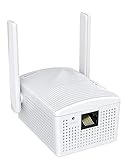


Our Top Picks
 BrosTrend AX1500 WiFi 6 Universal WiFi to Ethernet3.5 x 2.6 x 8.4 Inches3.5 x 2.6 x 8.4 Inches0.5 PoundsCheck on Amazon
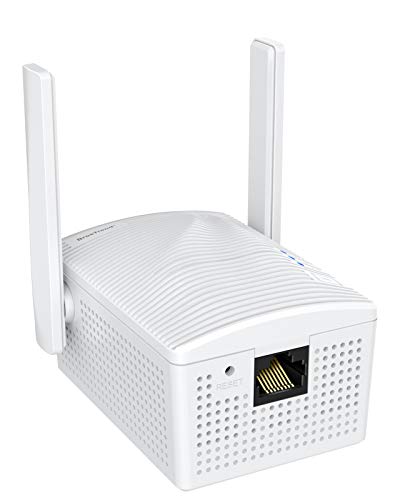
Top 3 picks at a glance
The Two Options in Brief
Ethernet is a wired connection from the PC’s LAN port to a router or switch. Most current motherboards include a gigabit or 2.5 Gb Ethernet port, and some higher-end boards offer 5 Gb or 10 Gb. The cable carries data directly, so the speed you get depends mostly on the cable, the ports, and your internet service.
WiFi is a wireless connection over radio. Current standards include WiFi 6 (802.11ax), WiFi 6E, which adds the 6 GHz band, and WiFi 7 (802.11be), which adds wider channels and multi-link operation. Many recent motherboards ship with built-in WiFi 6E or WiFi 7 modules. Real-world speed depends on distance, walls, interference, the router, and how many devices share the airtime.
Key Differences
| Factor | Ethernet | WiFi (6E and 7) |
|---|---|---|
| Latency | Low and consistent | Low on a clean connection but can spike |
| Stability | Very high | Varies with interference and distance |
| Peak speed | Set by port and cable, commonly 1 to 10 Gb | High on paper, often lower in practice |
| Setup | Requires a cable run | No cabling needed |
| Interference | Not affected by neighbors or microwaves | Affected by walls, other networks, and devices |
| Flexibility | Fixed position | Move the PC anywhere in range |
| Cost of upgrade | Cheap cable, optional switch | Needs a capable router and a compatible adapter |
| Best for | Competitive gaming, streaming, large downloads | Casual use, rooms without cable access |
Latency and Stability
Online games care less about raw bandwidth than about steady, low latency and few lost packets. A wired link gives a predictable path. WiFi has to share a medium, retransmit lost frames, and deal with other networks, which can introduce small delays that show up as rubber-banding or inconsistent ping in fast shooters and fighting games.
WiFi 7 and WiFi 6E improve things. The 6 GHz band is less crowded than 2.4 GHz and 5 GHz, and WiFi 7’s multi-link operation lets a compatible client use more than one band at once. Reviewers generally report that a good WiFi 6E or 7 setup in the same room as the router can feel close to wired for casual play, although the wired connection still tends to be the more consistent of the two. The benefit depends on having both a compatible router and a compatible adapter.
Speed in Practice
Your internet plan usually limits you before the local link does. If your plan is gigabit or slower, a gigabit Ethernet port is enough. A 2.5 Gb port is useful for fast plans or for moving files between a PC and a network storage device. WiFi marketing speeds are theoretical maximums shared across all devices, and real speed falls with distance and obstacles.
For large game downloads, a wired connection is more dependable, since a download can run for hours without interruption. For VR streaming, where a headset connects wirelessly to the PC, the PC should be wired to the router while the headset uses a dedicated or high-quality WiFi link. That way only one hop is wireless.
Who Should Pick Which
Competitive gamers
Ethernet. Consistent latency and no interference matter most. If the router is in another room, powerline adapters or running a cable along a baseboard are options, with powerline results depending on household wiring.
Streamers and creators
Ethernet. Uploading video and streaming live both benefit from a link that does not fluctuate. Large project files moved to network storage are faster over a wired 2.5 Gb or faster link.
Budget builders
A Ethernet cable is the cheapest upgrade, and nearly every motherboard has the port already. If a board lacks built-in WiFi, a basic cable avoids the need for a separate card. Budget tiers that include onboard WiFi are convenient for dorms and shared spaces.
Casual players and mixed-use homes
WiFi is fine for single-player games, downloads, and general use, especially with a recent router. Place the router close or in line of sight where possible, and use the 5 GHz or 6 GHz band for the PC.
VR players
Wire the PC and use a good WiFi 6E or WiFi 7 router dedicated to the headset if you stream wirelessly. Check the headset maker’s guidance for recommended router setups.
Common Myths
- “WiFi 7 makes Ethernet obsolete.” It narrows the gap, but wired links still avoid interference and tend to be steadier.
- “A longer Ethernet cable is slower.” Within the standard length limit of 100 meters, length does not reduce speed in any way a gamer would notice.
- “Cat 8 cables are needed for gaming.” Home gaming does not need them; Cat 5e or Cat 6 handles gigabit and 2.5 Gb links, and Cat 6a is a safe choice for 10 Gb.
- “More bars means a better connection.” Signal strength is only one factor; congestion and interference matter as well.
- “Bandwidth equals low ping.” Ping depends on latency and routing, not on how fast your plan is.
Practical Recommendation
If you can run a cable, use it. Plug the PC into the router or a switch with a Cat 6 cable and use the motherboard’s LAN port. If you cannot, choose a WiFi 6E or WiFi 7 router and a PC with a matching adapter, place the PC where signal is strong, and use the 5 GHz or 6 GHz band. Many motherboards include both Ethernet and WiFi, so you can keep WiFi as a backup and switch if the cable fails. Disable unused adapters in Windows if both are active and you see odd network behavior, though Windows normally prefers the wired link automatically.
If a wired connection misbehaves, the cause is usually a cable, port, or driver. If WiFi is slow, moving the router, changing channels, or switching bands often helps before you consider replacing hardware.
Frequently Asked Questions
Is Ethernet always faster than WiFi?
Not always in peak speed, but it is almost always more consistent. A fast WiFi 7 link close to the router can match or exceed a gigabit port in short tests, while Ethernet delivers the same speed all day without interference.
Does WiFi 7 reduce ping for games?
It can reduce latency spikes through wider channels and multi-link operation, according to the standard’s goals, but it needs a compatible router and adapter. Game ping also depends on your internet provider and the game server.
Can I use Ethernet and WiFi at the same time?
Windows can have both connected, and it generally prefers the wired link. If you see unexpected behavior, disable WiFi while you are plugged in.
Do I need a 2.5 Gb Ethernet port for gaming?
Not for online play. Games use very little bandwidth, so gigabit is enough. A 2.5 Gb port helps with fast internet plans and large file transfers on a home network.
What if I cannot run a cable to my PC?
Consider a mesh system with a wired backhaul, a powerline adapter, or moving the router closer. If you rely on WiFi, use a modern router and keep the PC in range of the 5 GHz or 6 GHz band.


