
Our Top Picks


Top 3 picks at a glance
The Short Answer
To set up three monitors side-by-side, you need a desk that is at least 55 to 75 inches wide, depending on the diagonal size of your screens and how you angle them. For a setup using three standard 24-inch monitors, a 60-inch wide desk is the absolute sweet spot. If you are stepping up to three 27-inch displays, you will need a desk that is at least 72 inches wide to keep the screens from hanging off the left and right edges.
Beyond width, desk depth is the most overlooked factor. A triple monitor setup requires a desk depth of at least 24 to 30 inches. If your desk is too shallow, the screens will sit too close to your face, causing severe eye strain and leaving no room for your keyboard, mouse, and wrists. Using space-saving mounting accessories can help mitigate depth issues, but physical desk surface remains the foundation of a comfortable multi-display workstation.
As an Amazon Associate we earn from qualifying purchases at no extra cost to you.


Standard Sizes
When planning your desk layout, you cannot rely solely on the diagonal screen sizes advertised by manufacturers. A “27-inch monitor” refers to the diagonal measurement of the glass; the actual physical width of the monitor frame (including the bezels) is usually around 24 inches. The table below outlines the actual desk dimensions required for the most common triple-monitor configurations.
| Monitor Size (Diagonal) | Configuration Style | Minimum Desk Width (Inches) | Minimum Desk Width (cm) | Recommended Desk Depth (Inches) | Recommended Desk Depth (cm) |
|---|---|---|---|---|---|
| Three 22″ to 24″ Screens | Flat (Straight Line) | 60″ | 152 cm | 24″ | 61 cm |
| Three 22″ to 24″ Screens | Curved / Angled Wings | 55″ | 140 cm | 24″ to 30″ | 61 to 76 cm |
| Three 27″ Screens | Flat (Straight Line) | 72″ | 183 cm | 30″ | 76 cm |
| Three 27″ Screens | Curved / Angled Wings | 65″ | 165 cm | 30″ | 76 cm |
| Three 32″ Screens | Flat (Straight Line) | 84″ | 213 cm | 30″ to 36″ | 76 to 91 cm |
| Three 32″ Screens | Curved / Angled Wings | 75″ | 191 cm | 36″ | 91 cm |
As shown above, angling your outer monitors inward (creating a cockpit or “winged” shape) reduces the overall horizontal width you need. However, this configuration pushes the outer corners of the displays forward, requiring a deeper desk to maintain comfortable viewing distances.
How to Measure Your Space
To avoid buying a desk that is too small or a mounting system that does not fit, follow these four steps to measure your space accurately:
-
Measure the Actual Outer Width of Your Monitors:
Take a tape measure and measure the physical horizontal width of one monitor from the far-left plastic bezel to the far-right plastic bezel. Multiply this number by three. This gives you the maximum width your screens will occupy if placed in a perfectly flat, straight line. -
Calculate the Cockpit Angle Reduction:
Most users do not position three monitors in a straight line because looking at the outer screens would require turning your neck too far. If you plan to angle the left and right monitors inward at a 30-degree to 45-degree angle, you can subtract roughly 10% to 15% from the total flat width calculated in Step 1. -
Determine Your Mounting Footprint:
Decide how you will support the monitors. If you use individual factory stands, you will need a massive amount of open desk surface. Using a clamp-on arm, such as the WALI Triple Monitor Mount for 13-32 inch Screens (priced around $79), frees up desktop space but requires about 3 to 4 inches of clear desk overhang at the back edge to secure the heavy-duty C-clamp or grommet base. -
Map Out Your Peripheral Zone:
Measure your keyboard, mousepad, and PC tower if you plan to keep the computer on top of the desk. A standard full-sized keyboard and mouse setup needs at least 30 inches of horizontal space. If your monitors take up 65 inches of space and your PC tower takes up another 10 inches, a 72-inch desk will leave you with very little breathing room.
By Room or Use Case
The Dedicated Home Office
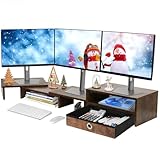
For remote professionals, financial traders, and software developers, a triple-monitor desk must balance productivity with clean aesthetics. In a dedicated home office, a sit-stand desk measuring 72 inches by 30 inches is ideal. To maximize usable surface area for paperwork and notebooks, consider using an Angle Adjustable Monitor Riser with Drawer (priced around $39). This type of wooden or metal riser elevates all three screens to eye level, provides built-in storage drawers for office supplies, and allows you to tuck your keyboard and mouse underneath when they are not in use.
The Gaming Station
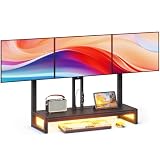
Immersive gaming setups prioritize wide, panoramic views and heavy-duty hardware. Gamers often use three 27-inch or 32-inch high-refresh-rate screens angled sharply to create a wrap-around field of view. Because gaming desks frequently hold heavy computer towers, large mousepads, and audio equipment, a desk with a minimum size of 74 inches by 30 inches is recommended. To elevate the gaming aesthetic and handle dynamic movement, a specialized arm like the YAOHUOO Monitor Arm with LED (priced around $69) is highly effective. This clamp-mounted system features built-in LED lighting, integrated storage shelves, and fully adjustable arms that allow you to tilt, swivel, and rotate your screens while keeping your desk completely clear of bulky monitor feet.
The Small Bedroom Corner
If you are squeezing a triple-monitor setup into a small bedroom or studio apartment, you likely do not have room for a massive 72-inch desk. In tight spaces, your best option is to stack your monitors vertically (two on the bottom, one on top) or use a highly compact, free-standing base. The WALI Triple Monitor Stand (Free Standing) (priced around $65) is designed for 13-27 inch screens and features a heavy-duty, freestanding V-shape base. Because it does not clamp to the edge, you can push your desk completely flush against the bedroom wall, saving valuable floor space while keeping three screens securely supported on a modest 55-inch desk.
Common Sizing Mistakes
-
The “In-Your-Face” Depth Trap:
Many buyers focus entirely on desk width and buy a wide but shallow desk (such as 72 inches wide by 20 inches deep). When you mount three monitors on a shallow desk, the screens sit less than 18 inches from your eyes. This causes eye strain, headaches, and leaves no physical room for your hands to rest comfortably on your desk. -
Underestimating the Weight Load:
Three 27-inch monitors combined with a heavy-duty triple steel mount can easily weigh between 45 and 60 pounds. If you clamp this massive amount of weight to a cheap, hollow-core desk (like those made of paper-filled cardboard or thin particleboard), the clamp will slowly crush the desk surface, causing the monitors to sag or tip forward. -
Ignoring Cable Routing Footprints:
Three monitors mean at least six thick cables (three power cables and three display cables) running down the back of your desk. If your desk sits tight against a wall without a cable management tray or grommet holes, these cables will pinch, preventing you from pushing your desk flush against the wall. -
Forgetting Bezel Overlap:
If you purchase three monitors of different brands or models, the bezels will likely be of different thicknesses and heights. Trying to align mismatched monitors in a straight line on standard stands is nearly impossible without adjustable mechanical arms that let you fine-tune the height of each individual screen.
FAQ
Can I fit three 27-inch monitors on a 55-inch desk?
Technically yes, but only if you use a vertical stacking configuration or angle the two outer monitors inward at an extreme 60-degree angle. If you try to mount them in a traditional, slightly curved layout, the outer edges of the left and right monitors will hang off the sides of the desk by several inches, exposing them to accidental bumps and damage.
Is a clamp mount or a free-standing stand better for saving desk space?
A clamp mount is significantly better for saving desk space because it elevates the entire mounting structure off your desktop, leaving only a small 4-inch by 4-inch footprint at the very back edge of your desk. A free-standing stand requires a large, heavy steel base (often shaped like a wide ‘V’ or ‘U’) to prevent the heavy outer monitors from tipping forward, which consumes a large portion of your central desk surface.
What is the ideal desk depth for a triple monitor setup?
As we look at modern ergonomic workstation standards in 2026, the ideal desk depth for a triple-monitor setup is 30 inches (76 cm). This depth provides a safe viewing distance of 20 to 30 inches from the screens, allows you to rest your forearms fully on the desk surface, and leaves ample room for a wrist rest, keyboard, and mousepad.
How much weight must my desk support for three monitors?
Your desk must be able to support between 50 and 80 pounds of concentrated weight. While a single modern 24-inch LED monitor only weighs about 7 to 10 pounds, a high-quality triple-arm steel mount weighs an additional 15 to 20 pounds. Because all of this weight is concentrated on a single small clamp or grommet hole at the back edge of the desk, the desk frame must be made of solid wood, thick plywood, or heavy-duty metal.
Related guides
- Best Free MMOs on Steam: Subscription Limits, Pay-to-Win and Time Cost (2026)
- Best Free Horror Games on Steam: How to Pick One That Fits Your PC and Your Nerves (2026)
- Black Frame Insertion vs VRR: Which Smoothness Feature Should You Use?
- Best Webcams for Streaming: 11 Listings Compared by Resolution, Focus and Light (2026)








