A spare pad for the couch, a replacement after a cracked stick, a second controller so a sibling stops borrowing yours: the search for a cheap Xbox One controller wireless usually starts with a very practical problem and a firm ceiling on what you want to spend. The tricky part is that “wireless” covers three different things in this category. Some pads pair over Bluetooth, some ship with a 2.4GHz USB adapter, and some lean on a first-party wireless protocol. Which one you need depends on whether the pad will live next to a console, a PC, or both.
This guide is written for shoppers who want a working wireless gamepad for an Xbox One, an Xbox Series X|S, or a Windows PC without paying first-party money for every extra. It sorts seven listings by the connection style and extras stated in each product title, so you can match a pad to your setup instead of guessing from a photo. Entering 2026 with a mixed pile of console generations at home is common, and the compatibility lines in a title matter more than the color.
Our Top Picks


Top 3 picks at a glance
Quick Picks
As an Amazon Associate we earn from qualifying purchases at no extra cost to you.


| Product | Best for | Key spec from the title |
|---|---|---|
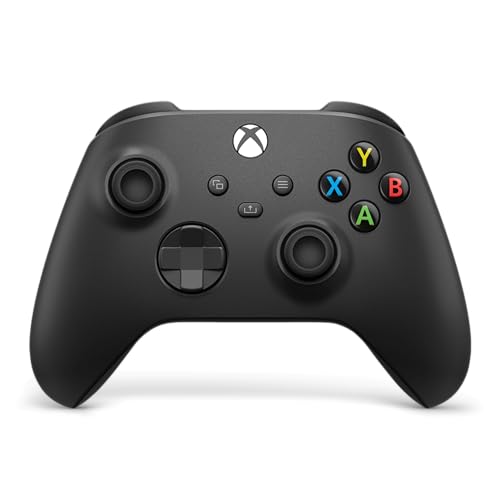
| Xbox Wireless Controller (Carbon Black) | Buyers who want the first-party layout | Bluetooth, USB-C, textured triggers and bumpers, hybrid D-pad |
| ZHCWM Wireless Controller (Black) | A plain, understated spare | Works with Xbox One, Series X|S, and Windows PC |
| NINIFEI Wireless Controller (Red) | Players who want a color other than black | Compatible with Series X|S, Xbox One, and Windows PC |
| Generic 2.4GHz Controller (Purple) | Headset users who want a wired audio port | 2.4GHz wireless with a 3.5mm headphone jack |
| HaeBorl RGB Controller | Players who like lighting | RGB LED light, 2.4GHz, 3.5mm audio headphone jack |
| W&O Wireless Controller | Tinkerers who remap buttons | Mappable buttons, RGB LED light, 2.4GHz adapter |
| GMVOX Controller (Blue Camo) | Players who want a patterned shell | Dual vibration, 2.4G adapter, 3.5mm audio jack |
How to Choose
Match the wireless method to your setup
Look at the connection words in the title first. A 2.4GHz adapter plugs into a USB-A port and works like a dongle, which is handy on a PC but means you give up one port. Bluetooth pairing avoids the dongle on a laptop that supports it, yet it usually needs a pad built for the Xbox Bluetooth profile. If a listing says only “wireless” and names no method, treat that as a question to answer before you buy, not after the box arrives.
Read the compatibility line like a checklist
Every title in this group names at least one console generation. Count the items on the list: Xbox One, Xbox One S and One X, Series S and Series X, and Windows PC are separate entries, and a pad that names only some of them leaves you guessing. If you own a Series console and an older One, pick a title that lists both. Buyers who plan to use the pad on a PC should confirm that Windows is named explicitly rather than implied.
Decide whether a 3.5mm headphone jack matters
A 3.5mm jack on the pad lets you plug a wired headset straight into the controller, which saves a separate audio adapter. Several third-party listings advertise it up front. If you play with a wireless headset or through speakers, this feature is irrelevant, and you can ignore it when comparing. If you do voice chat on a wired headset, make it a requirement.
Where budget pads cut corners
Extras such as RGB lighting, camo shells, and mappable buttons are cheap to add and easy to advertise, so they appear on the lowest tier. What tends to be trimmed is the hard-to-photograph part: trigger texture, D-pad feel, shell tolerances, and long-term stick durability. Ignore the lighting count and the number of colors. Weight your decision toward the layout and connection details the title actually states, and accept that a budget pad is a convenience purchase, not a heirloom.
One more habit helps: write down the three things your setup requires before you open any listing, such as “Series X plus a Windows laptop, wired headset, no dongle fuss.” Then eliminate titles that fail even one line. This quick filter usually cuts a long shortlist down to two or three candidates, and it keeps color, lighting, and shell patterns in their proper place as tie-breakers instead of deciding factors. Buyers who skip this step often end up with a pad that looks great and lacks the one connection they needed.
The 7 Best Options
Xbox Wireless Controller (Carbon Black)
This is the first-party option in the group, and the title lists the features that define it: textured triggers and bumpers, a hybrid D-pad, Bluetooth, and USB-C, with play across console and PC. It suits buyers who want the familiar shape and do not want to wonder about compatibility.
- Strength: the title names Bluetooth and USB-C, so PC pairing and wired use are both covered.
- Strength: textured triggers and bumpers plus a hybrid D-pad are listed as standard features.
- Trade-off: it sits at the top of this list’s price tier, and it carries no RGB lighting or remapping extras in its title.
Skip it if the goal is the lowest possible outlay or if you specifically want an included adapter and audio jack.
ZHCWM Wireless Controller (Black)
The ZHCWM pad is described as a wireless gamepad compatible with Xbox One, Series X|S, and Windows PC. That three-part compatibility statement makes it a straightforward spare for a mixed household.
- Strength: broad compatibility across two console generations and Windows.
- Strength: a plain black finish that blends in next to an existing pad.
- Trade-off: the title does not name a connection method or an audio jack, so check the full listing for those details.
Skip it if you need a headphone jack or remappable buttons, because neither is stated in the title.
NINIFEI Wireless Controller (Red)
NINIFEI targets players who want a red pad that works across Series X|S, Xbox One, and Windows PC, according to its title. It reads as a simple, color-forward replacement.
- Strength: the red color helps tell two identical-looking pads apart in a shared room.
- Strength: the compatibility list covers Series X|S, Xbox One, and Windows PC.
- Trade-off: no extras such as lighting, an audio jack, or button mapping are stated.
Skip it if you want a feature-heavy pad. It is a basic option and the title keeps it that way.
Generic 2.4GHz Controller (Purple)
This listing leads with 2.4GHz wireless and a 3.5mm headphone jack, and names Xbox One S, One X, Series S and X, and PC. That makes it a sensible pick for someone who games with a wired headset and wants the pad to handle audio.
- Strength: a 3.5mm headphone jack is stated, so a wired headset plugs in directly.
- Strength: the purple finish stands out, and the compatibility list is specific about console variants.
- Trade-off: it is an unbranded listing, so there is little brand-level information to lean on.
Skip it if you want a recognizable maker or a Bluetooth-only setup with no dongle.
HaeBorl RGB Controller
HaeBorl pairs 2.4GHz wireless with an RGB LED light and a 3.5mm audio headphone jack, and it names Xbox One X/S and Series X/S compatibility. It is aimed at players who want a visual flourish alongside the practical features.
- Strength: RGB lighting and a headphone jack are both in the title.
- Strength: compatibility with One X/S and Series X/S covers both generations.
- Trade-off: lighting adds to the look, not the feel, so it should not drive the decision.
Skip it if you prefer a low-key shell or play in a dark room where the glow would distract.
W&O Wireless Controller
The W&O pad stacks the most customization into its title: mappable buttons, an RGB LED light, and a 2.4GHz wireless adapter, with Xbox One, Series X/S, One X/S, and PC all named. It fits tinkerers who want to move functions around.
- Strength: mappable buttons let you reassign inputs to suit your hands.
- Strength: a 2.4GHz adapter plus a long compatibility list covers console and PC.
- Trade-off: the adapter takes a USB port, and the title does not state an audio jack.
Skip it if you want a plug-and-play spare with no configuration to learn.
GMVOX Controller (Blue Camo)
GMVOX offers a blue camo shell with dual vibration, a 2.4G adapter, and support for a 3.5mm audio jack, and it lists Series S/X and PC compatibility. It appeals to buyers who want a pattern that is hard to mistake for anyone else’s pad.
- Strength: dual vibration and a 3.5mm audio jack are both stated.
- Strength: the camo finish makes it easy to spot on a crowded shelf.
- Trade-off: the title spells the console name unusually, which makes it worth confirming the exact model compatibility on the listing.
Skip it if you prefer a conventional black pad or want the first-party feel.
Which One Fits Your Situation
You want a safe, no-surprises spare
Go with the Xbox Wireless Controller. Its title states Bluetooth, USB-C, and cross-platform play, which removes the usual compatibility questions for a second pad on a console and a laptop.
You play with a wired headset
Pick the purple 2.4GHz controller or the HaeBorl pad. Both advertise a 3.5mm headphone jack, so the headset plugs into the pad and you skip a separate adapter.
You want to remap buttons
The W&O controller is the one that names mappable buttons. Players who find the default layout awkward, or who want a different arrangement for a particular game, will get the most from it.
You share a couch with identical pads
Choose the NINIFEI red pad or the GMVOX blue camo. A distinct color or pattern keeps two players from grabbing the wrong controller in the middle of a match.
Common Mistakes
- Assuming “wireless” means Bluetooth. Read for 2.4GHz or Bluetooth and plan for the dongle if one is needed.
- Ignoring console generation. A pad that names only Series X|S may not be what an older Xbox One needs.
- Paying extra for RGB lighting that you will turn off after a week.
- Skipping the headphone jack requirement and then discovering your wired headset has nowhere to plug in.
- Buying the cheapest listing without reading the compatibility line, then finding Windows is not supported.
Wireless Terms Explained
Xbox Wireless protocol
This is the built-in radio standard used by current Xbox consoles. A controller that supports it pairs directly with the console and normally keeps working with sleep, wake, and headset features. Official pads such as the Xbox Wireless Controller (Carbon Black) fall in this group, so it is the reference point for everything else on the list.
2.4GHz dongle
Many budget pads ship with a small USB receiver instead. It tends to give a stable link on a PC, but a console may not accept it the same way, so a listing must state that the console is supported, not just “Xbox style.” A dongle is also one more small part to lose.
Bluetooth
Bluetooth pairs with phones, tablets, and many PCs without extra hardware. It is convenient for mobile and handheld play, yet it is a poor assumption for older consoles, which often cannot pair with it at all. Read the compatibility line for the exact console generation.
Turbo and macro
Turbo repeats a button press automatically, and macro stores a sequence. They are common on low-cost third-party pads. Some online games disallow them, so enjoy them in single-player and check the game’s rules before relying on them elsewhere.
Rumble and dead zone
Rumble describes the vibration motors inside the grips, and dead zone is the small stick movement ignored near the center. Cheaper pads sometimes have weaker rumble and a larger dead zone, which is noticeable in aiming. These traits are rarely listed, so owner feedback is the best clue.
Compatibility Checklist Before You Order
- Write down your console model and generation, then compare it with the exact wording on the listing.
- Decide whether the pad must also work on a PC, a phone, or both, and confirm each one is named.
- Look for a stated power source: a built-in rechargeable cell, or AA batteries you supply.
- Confirm how the pad powers on the console, if that convenience matters to you.
- See whether a charging cable and receiver are in the box or sold separately.
- Read the return terms, since budget pads from lesser-known sellers sometimes arrive with drifting sticks.
Who Should Skip These
Skip the lowest-cost third-party pads if the controller will be your main one for competitive play. Latency, dead zones, and stick consistency are less predictable in this tier, and budget listings rarely publish detailed sensor information. That applies to names like ZHCWM, NINIFEI, HaeBorl, W&O, and GMVOX alike. Also skip them if you rely on console headset chat through the pad’s jack, since not every budget model supports it. For a spare or a younger player’s controller, the simpler pads are a sensible fit.
Related guides
- How To Check Motherboard Vrm Temperature In Hwinfo
- How To Clean Quest 3 Lenses And Facial Interface
- Vr Facial Interfaces For Glasses Wearers
Frequently Asked Questions
Do these pads work on both Xbox One and Series X|S?
Most titles here name both generations, but the exact lists differ. The ZHCWM and NINIFEI titles name Xbox One, Series X|S, and Windows PC, while the GMVOX title names Series S/X and PC. Match the list to your hardware before ordering.
What is the difference between 2.4GHz and Bluetooth?
A 2.4GHz pad uses a small USB adapter, while a Bluetooth pad pairs directly with devices that support it. The adapter route is common on third-party pads, and Bluetooth is stated in the Xbox Wireless Controller title.
Is the 3.5mm jack worth having?
Yes, if you use a wired headset, because it plugs straight into the controller. If you use a wireless headset or speakers, you can ignore it.
Should I buy a third-party pad or the first-party one?
The first-party pad gives the most clearly stated feature set, including Bluetooth and USB-C. Third-party pads trade that for extras such as lighting and button mapping at a lower tier, so decide which side of that trade matters more to you.