
A VR link cable is more than a USB-C charging lead. It must carry a continuous stream of headset data between your PC and a standalone headset, so the cable’s data standard, connector design, length, and compatibility all matter. A cable that charges a phone reliably may still be a poor choice for PCVR if it uses slower data transfer or has a connector that works loose during movement.
For most users, the Syntech Link Cable 16FT is the strongest starting point. Its listed USB 3.0 support, 16-foot length, right-angle USB-C connector, included Velcro strap, and compatibility with Meta Quest and Pico headsets cover the practical requirements of a typical wired PCVR setup. If maintaining headset battery life during longer sessions is a higher priority, the INIU 16ft VR Link Cable with Separate Charging Port adds a dedicated charging connection while retaining USB 3.0 data support.
The other options are worth considering when a different factor matters more, such as a nylon-braided exterior, an included adapter, a particular headset family, or a preference for a specific brand. The key is to compare confirmed specifications rather than assuming every long USB-C cable offers the same PCVR performance.
As an Amazon Associate we earn from qualifying purchases at no extra cost to you.

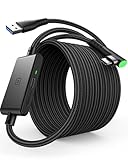


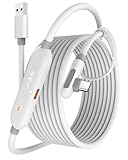
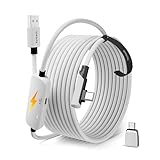


Our Top Picks

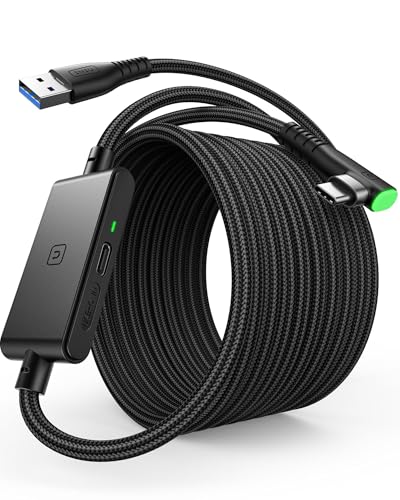


Top 3 picks at a glance
Quick Answer: Top VR Link Cable Picks
- Best overall for most users: Syntech Link Cable 16FT — USB 3.0 data support, a 16-foot reach, a right-angle connector, and broad Meta Quest and Pico compatibility.
- Best for charging during PCVR: INIU 16ft VR Link Cable with Separate Charging Port — adds a separate USB-C charging port and SmartProtect2.0 current management.
- Best for buyers prioritizing braided construction: AMVR 16FT VR Charging Link Cable — listed as a USB 3.0 nylon-braided cable with an A-to-C adapter.
- Best-known official option: Meta Quest Link Cable — designed for Quest 3, Quest 3S, Quest 2, Quest Pro, and PC VR gaming.
- Best one to investigate for charging support: Maxonar VR Charging Link Cable 16FT — listed as a 16-foot USB 3.0 cable for Meta Quest and Pico 4.
- Best adapter-included Syntech option: Syntech 16FT VR Link Cable with USB 3.0 to C Adapter — useful when the PC’s available USB port type is part of the buying decision.
- Best INIU alternative to compare: INIU Link Cable with Charging — an upgraded-version listing that combines USB 3.0 data and charging support for several Quest models, Pico 4, and PC VR.
- Another Syntech 16-foot option: Syntech VR Link Cable 16FT — a USB 3.0 adapter-equipped listing for Quest 3, Quest 3S, and Quest 2.
How We Compared This Guide
This guide is based on the specifications and compatibility information on each listing, along with the practical requirements of wired PCVR. The comparison emphasizes data capability, headset compatibility, connector layout, charging behavior, cable length, and features intended to keep a connection secure during movement.
Where a listing gives detailed information, those details shape the recommendation. For example, Syntech’s first-listed cable specifies USB 3.0 support, up to 5Gbps transfer capability, a right-angle USB-C connector, a Velcro strap, an 18-month warranty, and compatibility with several Meta Quest and Pico headsets. INIU’s detailed listing specifies USB 3.0 data support, a separate USB-C charging port, a 3A power-delivery claim, a right-angle connector, and a three-year support commitment.
Several products in the ranking did not include feature details on their listings. Those products remain comparison candidates, but this guide does not assume their exact data rates, charging behavior, materials, warranty terms, or connector design. Buyers should verify those points on the current product page before ordering.
1. Start With the USB Data Standard
The most important specification for a PCVR link cable is data capability. PCVR streaming sends headset video, tracking information, and control data continuously between the computer and headset. A cable designed mainly for charging can connect physically while still failing to provide the data performance needed for a stable wired experience.
Look for an explicit USB 3.0 specification rather than a vague phrase such as “high speed” or “fast charging.” The detailed Syntech listing identifies USB 3.0 support and states a maximum transfer rate of up to 5Gbps, while also noting that typical real-world VR use can be lower. The detailed INIU listing likewise identifies USB 3.0 data support.
USB naming can be confusing because manufacturers and retailers may use USB 3.0, USB 3.1, or USB 3.2 terminology for related generations and implementations. The practical buying rule is simple: the listing should clearly state a suitable USB 3 data mode for PCVR, not merely USB-C. USB-C describes the connector shape; it does not guarantee a particular transfer speed.
- Look for: USB 3.0 or a clearly stated equivalent data specification.
- Do not assume: every USB-C cable supports PCVR data speeds.
- Check on the PC: use a compatible USB 3.0, USB 3.1, or USB 3.2 port where the product instructions recommend one.
2. Match the Cable to the Headset and PC
Compatibility has two sides: the headset connection and the computer connection. Most of these products use a USB-C connection at the headset, but the PC end may be USB-A, USB-C, or USB-A with an adapter. Confirm both before buying.
The first Syntech cable explicitly lists Meta Quest 3S, Quest 3, Quest 2, Quest Pro, and Pico 4. The INIU cable is identified for Quest 3, Quest 2, and Quest Pro. Other listings name different combinations, including Quest 3S, Quest 3, Quest 2, Quest Pro, and Pico 4. Compatibility language can vary between product revisions, so the headset model shown on the current listing should take priority.
PC ports deserve equal attention. A USB-A cable will not directly connect to a PC that has only USB-C ports unless the required adapter is included or purchased separately. Conversely, an adapter can introduce another connection point that must remain secure during play. The AMVR listing includes an A-to-C adapter, and several Syntech listings identify an adapter in the product name or description.
Compatibility checklist
- Identify the exact headset model, including whether it is a Quest 3S rather than a Quest 3.
- Check whether the PC has an available USB-A or USB-C port that meets the cable’s requirements.
- Confirm that any included adapter supports the intended data connection, not only charging.
- Review the listing after selecting the correct product variation, if variations are offered.
3. Choose a Length That Fits the Play Space
A 16-foot cable is common among the products in this ranking because it can provide useful room-scale reach without requiring an extension cable. It still may not suit every room. Measure the distance from the PC’s port to the center or active edge of the play area, then add enough slack for head movement and cable routing.
Too little length pulls on the headset port or restricts turning. Too much loose cable can become a trip hazard, catch on furniture, or create extra loops underfoot. A longer cable is not automatically better, particularly if it encourages careless floor routing.
INIU’s listing notes that cable length can slightly affect transfer speed. That does not mean a 16-foot cable is unsuitable; it means buyers should consider the complete design rather than choosing by length alone. Keep the PC end supported where possible, route the cable away from sharp edges, and avoid adding an unverified extension to gain extra distance.
4. Pay Attention to Connector Shape and Strain Relief
The headset connector is exposed to repeated movement, twisting, and accidental pulls. A right-angle or L-shaped USB-C connector can sit closer to the headset and direct the cable along the strap instead of projecting straight outward. Syntech’s detailed listing identifies an L-shaped connector, while INIU’s listing specifies a 90-degree USB-C connector.
Connector shape is not just a comfort feature. It can reduce the amount of leverage applied to the headset port when the cable is routed over a shoulder or along the head strap. A securing strap or buckle can help keep the cable from tugging directly on the connector. Syntech includes a Velcro strap, and INIU lists a sticky buckle for securing the connection.
Inspect the cable’s stress-relief area as well as the plug itself. A strong-looking jacket does not guarantee that the transition between cable and connector will tolerate repeated bending. Product descriptions that identify reinforced stress points, bend testing, or a flexible joint provide more useful evidence than generic “durable” wording.
5. Decide Whether You Need Charging During Link Play
PCVR can use the headset battery while the headset is connected to a computer. Charging support is therefore a meaningful differentiator, but it should not be confused with data performance. A cable can support USB 3.0 data without providing the charging arrangement or power level a particular headset needs.
INIU’s detailed cable uses a separate USB-C charging port and is described as supporting rapid 3A power delivery when paired with a suitable PD/QC adapter. Its SmartProtect2.0 system is described as managing current for a battery range around 78%. This design is aimed at users who want to connect a charger while maintaining the PC data link.
Read charging instructions carefully. The listing specifically says the cable is for VR link use and should not be used to charge phones, tablets, laptops, or other devices. Similarly, Syntech’s detailed cable says it is not for charging and should not be used to charge the headset. Those warnings are easy to overlook when a cable has a USB-C connector.
- Choose a charging-capable model if sessions regularly outlast the headset battery.
- Check whether a wall adapter is required or included; do not assume the cable supplies power by itself.
- Do not use a VR-specific charging arrangement for unrelated devices unless the manufacturer explicitly allows it.
- Confirm that charging support does not replace or limit the USB 3 data connection.
6. Balance Durability With Flexibility
A VR cable is repeatedly bent, dragged, coiled, and uncoiled. Construction matters, but the most heavily reinforced option is not automatically the most comfortable. Braided nylon can help resist abrasion, while a smoother or more flexible jacket may be easier to route around the body and store.
AMVR’s product name identifies a nylon-braided design, and INIU identifies an anti-wear FLYWEAVE coating. Syntech describes flexible, abrasion-resistant materials and reinforced stress points for its detailed model. These are useful construction clues, but they do not remove the need for sensible cable handling.
Consider how the cable will be used. A clean desk-to-play-area route may not need an especially rugged exterior. A cable that crosses furniture edges or is regularly packed away may benefit from additional abrasion protection. In either case, avoid tight bends at the headset connector and do not coil the cable around the headset itself.
7. Reduce Disconnects Through Secure Routing
Even a capable cable can disconnect if it is allowed to hang from the headset port. Look for a retention strap, buckle, or another way to anchor the cable to the headset strap. The Syntech and INIU detailed listings both include features intended to keep the connector secure.
Route the cable behind the player rather than across the front of the body, and leave a small amount of slack near the headset. Keep the PC end in a position where it cannot be yanked out when the player turns. Avoid running the cable across a doorway or under a rolling chair.
Software and port selection also matter. Syntech recommends using a USB 3.0, USB 3.1, or USB 3.2 port and keeping the headset and PC Link software updated. If connection quality is inconsistent, test another compatible USB port, remove unnecessary adapters, and inspect the plugs for debris before assuming the cable itself has failed.
8. Check Warranty and Support Details
Warranty coverage is useful because VR cables experience more movement than ordinary desk cables. Syntech’s detailed listing includes an 18-month warranty and customer support. INIU’s detailed listing includes three-year iNiu Care and technical support. The listings do not specify warranty terms for every other product in the ranking.
Do not treat a warranty as proof of higher data performance, but do consider it when two cables have similar confirmed specifications. Save the order information and review the manufacturer’s support process. Also check what the warranty covers, since damage from misuse, incompatible charging, or physical accidents may be excluded.
Common Buying Mistakes to Avoid
- Buying by connector shape alone: USB-C does not identify the cable’s data speed.
- Choosing a charging-only cable: PCVR requires a suitable data connection, not just power delivery.
- Ignoring the PC port: Verify whether the computer needs USB-A, USB-C, or an included adapter.
- Assuming every cable supports charging: Some VR link cables explicitly warn against using them for charging.
- Using an unnecessarily long extension: Extra connections can complicate stability and cable management.
- Leaving the cable unsupported: Secure it to reduce stress on the headset connector.
- Overlooking missing specifications: If the listing does not state data speed, compatibility, or charging behavior, verify those details before ordering.
Bottom Line
For a straightforward wired PCVR setup, prioritize an explicitly stated USB 3.0 data connection, confirmed headset compatibility, a suitable PC connector, and enough length for the play space. The Syntech Link Cable 16FT is the most broadly specified choice in this group for users who want a 16-foot USB 3.0 cable with a right-angle connector and retention strap. The INIU 16ft model is the more specialized choice for users who want a separate charging connection during longer sessions.
Beyond those two, choose according to the evidence that matters to your setup: AMVR for its listed nylon-braided construction and adapter, adapter-equipped Syntech models for port flexibility, or another option only after confirming the product page’s current data, charging, and compatibility details.
Detailed product breakdowns
1. Syntech Link Cable 16FT
The Syntech Link Cable 16FT is the strongest all-around choice in this group for users who want a wired connection between a gaming PC and a supported VR headset. Its stated compatibility includes Meta Quest 3S, Quest 3, Quest 2, Quest Pro, and Pico 4. When connected to a gaming PC, it is intended to provide access to SteamVR and other PC VR content through a stable wired connection.
The main reason to consider this model is its clear focus on PCVR data transfer rather than general-purpose charging. Syntech specifies USB 3.0 support with transfer rates of up to 5Gbps, while noting that typical real-world VR use is more commonly in the 2–3Gbps range. Those figures are more useful than a generic “high-speed” label because PCVR requires sustained data movement, not merely a cable that fits a USB-C port.
- Key specifications: 16-foot length; USB-A to USB-C connection; USB 3.0 support; compatibility with Meta Quest 3S, Quest 3, Quest 2, Quest Pro, and Pico 4.
- Connection details: An L-shaped USB-C connector is designed to reduce strain at the headset port, and a Velcro strap helps secure the cable.
- Construction: Flexible, abrasion-resistant materials with reinforced stress points.
- Included support: User guide, 18-month warranty, and Syntech customer support.
- Owner feedback: Check recent owner reviews on the product page.
Strengths: The 16-foot length gives players useful room for seated, standing, and room-scale play. The angled headset connector can help keep the cable from projecting awkwardly from the headset, while the included strap provides a way to manage slack near the connection point. The cable is also explicitly described as flexible and tangle-free, which matters when it must be stored between sessions. Its compatibility list covers several of the most relevant Meta and Pico headsets.
Trade-offs: Syntech specifically says this cable is not for charging. Buyers should treat it as a PCVR link cable rather than a replacement charging lead. Its performance also depends on the computer’s port: Syntech recommends a USB 3.0, USB 3.1, or USB 3.2 port, along with current headset and PC Link software. A cable alone cannot correct an unsuitable PC port, outdated software, or an unreliable adapter.
Best for: Most Quest or Pico owners who want a long, purpose-built wired PCVR cable with an angled connector and straightforward USB 3.0 data support.
Skip it if: You specifically need the cable to replenish the headset during play, or if your PC lacks a suitable high-speed USB port. Buyers should also verify the exact port type and PCVR compatibility before ordering.
Check the Syntech Link Cable 16FT on Amazon
2. INIU 16ft VR Link Cable with Separate Charging Port
The INIU 16ft VR Link Cable is aimed at players who want PCVR data transfer while also having a dedicated way to supply power during a session. Its most distinctive feature is a separate USB-C charging port, which separates charging from the primary data connection. That design makes it different from a conventional single-connection link cable and may be especially useful for longer play sessions.
INIU lists compatibility with the Oculus Quest 3, Quest 2, and Quest Pro. The listing describes a USB 3.0 USB-A-to-USB-C link cable and states that the separate charging connection can support rapid 3A power delivery when used with a suitable PD or QC fast adapter. The charging arrangement is therefore not entirely self-contained: buyers need an appropriate power adapter if they want to use that capability.
- Key specifications: 16-foot or 5-meter length; USB 3.0 data connection; USB-A-to-USB-C design; separate USB-C charging port.
- Charging features: Rated for up to 3A power delivery with a compatible PD or QC fast adapter.
- Power management: SmartProtect2.0 is described as balancing power and data synchronization and controlling current for a battery range of around 78%.
- Physical design: 90-degree USB-C connector, anti-wear FLYWEAVE coating, and a sticky buckle for cable retention.
- Durability claim: The flexible joint is described as having passed more than 45,000 bend tests.
- Included support: Quick-start guide, user manual, and three-year iNiu Care and technical support.
- Owner feedback: Check recent owner reviews on the product page.
Strengths: The separate charging port is the central advantage. It gives users an additional power option instead of requiring the main data connection to handle every function. The 90-degree plug can sit more naturally against a headset, and the retention buckle may reduce accidental disconnections as the player moves. The long cable, reinforced outer coating, and stated bend-test claim also address common wear points in active play spaces.
Trade-offs: The charging feature requires a compatible PD or QC adapter, so buyers should confirm that their existing charger meets the necessary requirements. INIU also notes that cable length can slightly affect transfer speed. This cable is described as a VR link cable and should not be used to charge phones, tablets, laptops, or other devices. The separate charging arrangement may add more cable management than a basic data-only lead.
Best for: Players who regularly use PCVR for extended sessions and want a dedicated charging option alongside the data connection.
Skip it if: You only play short sessions, do not need simultaneous charging, or want a simple cable with no additional power lead to route. Verify the exact headset compatibility and the specifications of the power adapter before relying on the charging function.
Check the INIU 16ft VR Link Cable with Separate Charging Port on Amazon
3. AMVR 16FT VR Charging Link Cable
The AMVR 16FT VR Charging Link Cable is listed as a USB 3.0 nylon-braided cable with an A-to-C adapter. Beyond those details, the listing does not provide a confirmed compatibility list, connector angle, charging behavior, warranty information, or stated transfer rate. Buyers should therefore treat this option as a candidate requiring additional verification rather than assuming that its product title answers every PCVR question.
- Key specifications provided: 16-foot length; USB 3.0 designation; nylon-braided construction; A-to-C adapter.
- Connection flexibility: The included adapter may help with a setup that requires a different USB connector arrangement, but buyers should verify exactly which ends are included and how the adapter is intended to be used.
- Missing details to verify: Supported headset models, whether the cable is USB-A to USB-C before using the adapter, charging behavior, connector orientation, warranty coverage, and manufacturer-rated data performance.
Strengths: The 16-foot length is suitable for buyers who need more reach than a short desktop cable. Nylon braiding can be appealing where the lead will be repeatedly coiled, moved across a play area, or exposed to rubbing. The adapter also suggests an effort to support more than one PC port arrangement, although its precise compatibility should be confirmed from the current listing.
Trade-offs: The available data does not establish which Meta or Pico headsets are supported, nor does it explain whether charging is intended as a primary feature or simply part of the product title. A braided exterior may offer useful abrasion resistance but can also be less easy to route than a smooth jacket. USB 3.0 labeling alone does not guarantee identical results across every PC port, adapter, and headset.
Best for: Buyers who value braided construction and need a longer cable with an A-to-C adapter, provided the current listing confirms compatibility with their headset and computer.
Skip it if: You want a fully documented compatibility list, clearly stated charging specifications, or a known connector design before purchasing. Verify the supported headsets, port requirements, cable direction, and return or warranty terms first.
Check the AMVR 16FT VR Charging Link Cable on Amazon
4. Meta Quest Link Cable
The Meta Quest Link Cable is the official option in this ranking and is listed as working with Quest 3, Quest 3S, Quest 2, and Quest Pro. Because the listing does not provide additional technical details for this product, buyers should confirm the current page for length, connector type, construction, charging behavior, and PC port requirements before ordering.
- Key specifications provided: Official Meta Quest Link Cable; compatibility with Meta Quest 3, Quest 3S, Quest 2, and Quest Pro; intended for PC VR gaming.
- Details requiring verification: USB generation, cable length, whether the construction is fiber optic or copper, included accessories, charging limitations, warranty terms, and the exact PC port requirements.
Strengths: The official branding may appeal to buyers who want a cable specifically associated with Meta’s Quest Link ecosystem. The listed headset coverage includes four major Quest models, which reduces uncertainty for owners of those devices. For troubleshooting, using an official accessory can also make it easier to separate cable-related questions from issues involving software, PC ports, or headset settings.
Trade-offs: The listing does not establish performance beyond its intended PCVR use. Buyers should not infer a particular bandwidth rating, power-delivery capability, or physical construction solely from the product name. Official status also does not remove the need to check whether the computer has the required port and whether the cable’s length suits the play space.
Best for: Quest owners who prioritize an official Meta-branded accessory and want the broadest clearly stated compatibility among the Quest models listed for this product.
Skip it if: You need a specific length, a separate charging port, or a confirmed construction and data specification that is not shown on the listing. Check the current listing carefully for those details before making a decision.
Check the Meta Quest Link Cable on Amazon
5. Maxonar VR Charging Link Cable 16FT
The Maxonar VR Charging Link Cable is identified as a 16-foot USB 3.0 cable for Meta Quest 3, Quest 3S, Quest 2, and Pico 4. The listing title also identifies it as a charging link cable, but the listing does not explain how charging is implemented, what power level is supported, or whether charging can continue during PCVR use. Those are important distinctions for buyers comparing it with cables that explicitly include a separate charging port.
- Key specifications provided: 16-foot length; USB 3.0 designation; compatibility with Meta Quest 3, Quest 3S, Quest 2, and Pico 4; charging-oriented product description.
- Details requiring verification: USB connector arrangement, charging power, whether a power adapter is required, connector angle, cable material, included accessories, warranty coverage, and manufacturer-rated data performance.
Strengths: The stated headset compatibility covers both current and previous Quest models as well as Pico 4. A 16-foot lead can provide useful reach for room-scale play without immediately requiring an extension. USB 3.0 labeling also indicates that this is intended for high-speed PCVR data rather than basic USB charging alone.
Trade-offs: The available information does not confirm whether “charging” means power passthrough during Link use, charging from the PC, or a separate charging arrangement. Those approaches can produce different results. Buyers should also verify whether their computer has the necessary USB port and whether the cable is designed for USB-A or USB-C at the PC end. Without construction details, it is not possible to compare its flexibility or wear resistance fairly with the documented Syntech and INIU models.
Best for: Quest 3, Quest 3S, Quest 2, and Pico 4 owners seeking a long USB 3.0 cable and who are willing to confirm the charging implementation before buying.
Skip it if: You require a clearly documented power-delivery design, a specified connector angle, or detailed durability information. Verify the charging method and included accessories on the current product page.
Check the Maxonar VR Charging Link Cable 16FT on Amazon
6. Syntech 16FT VR Link Cable with USB 3.0 to C Adapter
This Syntech model is a 16-foot VR link cable identified as USB 3.0 and supplied with a USB 3.0-to-C adapter. Its product title specifically names Meta Quest 3S, Quest 3, and Quest 2 compatibility. The listing does not provide the cable’s jacket material, connector orientation, charging limitations, warranty, or stated transfer rate beyond the USB 3.0 designation.
- Key specifications provided: 16-foot length; USB 3.0 link cable; USB 3.0-to-C adapter; compatibility with Meta Quest 3S, Quest 3, and Quest 2.
- Connection flexibility: The adapter may be useful for computers whose available port does not match the cable’s native connector, but buyers should confirm the exact adapter configuration.
- Details requiring verification: Whether the cable is intended only for data or also for charging, connector angle, construction, supported Pico or Quest Pro models, warranty, and port requirements.
Strengths: Its length is appropriate for many home PCVR layouts, and the included adapter can broaden connection options. The stated compatibility covers three important Quest headsets. The USB 3.0 designation also places it in the appropriate general category for wired PCVR rather than ordinary low-speed charging cables.
Trade-offs: Adapter use introduces another connection point, so buyers should ensure it is firmly seated and compatible with the computer’s port. The available data does not confirm whether the cable can help maintain headset battery level during gameplay. It also does not provide enough construction information to assess flexibility, strain relief, or resistance to repeated coiling.
Best for: Quest 3S, Quest 3, and Quest 2 owners who need a 16-foot cable and want an included adapter for PC port flexibility.
Skip it if: Your setup requires a separate charging connection, a documented angled headset plug, or a confirmed compatibility list that includes Pico or Quest Pro. Verify those points before ordering.
Check the Syntech 16FT VR Link Cable with USB 3.0 to C Adapter on Amazon
7. INIU Link Cable with Charging, 16ft
This INIU model is described as an upgraded 16-foot link cable for Meta Quest 3, Quest 3S, Quest 2, Quest Pro, and Pico 4. Its title and listing description identify both USB 3.0 high-speed data and charging, making it a candidate for players who want one long cable for PCVR while retaining charging functionality. However, the listing does not specify whether its charging design matches the separate-port arrangement described for the other INIU model in this ranking.
- Key specifications provided: 16-foot length; USB 3.0 high-speed data; charging support; compatibility with Meta Quest 3, Quest 3S, Quest 2, Quest Pro, and Pico 4.
- Product positioning: Listed as an upgraded version and described as a USB-C charger cord for VR headset accessories.
- Details requiring verification: Charging wattage or amperage, whether charging uses a separate port, connector angle, PC-side connector, jacket material, included accessories, and warranty coverage.
Strengths: The compatibility list is broad, covering the Quest models named in the listing as well as Pico 4. The 16-foot length should suit many standard play spaces, while the USB 3.0 designation indicates that the cable is intended to support PCVR data rather than charging alone. Buyers specifically looking for an upgraded INIU product may also prefer its newer positioning over an older cable revision.
Trade-offs: “With charging” does not by itself explain how much power reaches the headset or whether the battery can remain level during demanding gameplay. The listing also does not confirm whether a power adapter is needed. Buyers should avoid assuming that this version has the same SmartProtect2.0 system, separate charging port, bend-test claim, or support terms as the other INIU model unless the current listing explicitly states it.
Best for: Quest and Pico owners who want a long USB 3.0 link cable with charging support and prefer to investigate the details of an upgraded INIU version.
Skip it if: You need guaranteed charging specifications or a clearly documented separate power input. Confirm the charging method, supported adapter, and exact PC connector before purchase.
Check the INIU Link Cable with Charging, 16ft on Amazon
8. Syntech VR Link Cable 16FT
The standard Syntech VR Link Cable 16FT is listed for Meta Quest 3, Quest 3S, and Quest 2 and includes a USB 3.0 adapter according to the product title. It is positioned as a straightforward PCVR link option, but the listing does not provide a full feature description. Buyers should therefore confirm whether the adapter is included in the package, which connector is native, and whether the cable supports charging or data only.
- Key specifications provided: 16-foot length; USB 3.0 designation; compatibility with Meta Quest 3, Quest 3S, and Quest 2; USB 3.0 adapter identified in the title.
- Details requiring verification: Adapter configuration, PC-side connector, headset connector angle, materials, charging capability, warranty, manufacturer-rated transfer performance, and support for other headset models.
Strengths: The 16-foot format offers practical reach for many home gaming areas, and the stated USB 3.0 specification places it in the correct category for PCVR link use. The listed Quest compatibility makes the intended audience clear. An adapter may also help buyers connect the cable to a computer with a different available USB port.
Trade-offs: There is not enough information on the listing to distinguish this model’s physical design from other Syntech cables. Buyers cannot safely assume that it has the same angled connector, strap, materials, warranty, or charging limitation as Syntech’s better-documented 16-foot model. If an adapter is used, it becomes another point to check when diagnosing connection problems.
Best for: Quest 3, Quest 3S, and Quest 2 owners who want a basic 16-foot USB 3.0 link cable and do not need a documented charging feature or advanced cable-management design.
Skip it if: You need detailed durability specifications, a guaranteed charging arrangement, or support for Pico headsets and Quest Pro. Verify the current listing’s complete compatibility and accessory information before ordering.
Check the Syntech VR Link Cable 16FT on Amazon
VR Link Cable Comparison
All eight options below are intended for wired PCVR, but the available product information is not equally detailed. USB 3.0 support is the most important confirmed specification for transferring PCVR data, while length, connector design, charging behavior, headset compatibility, and physical construction affect how each cable fits a particular setup. Where the listing does not confirm a feature, check the current product listing before buying.
| Product | Confirmed headset compatibility | Data connection | Length | Charging details | Physical or support features | Best fit |
|---|---|---|---|---|---|---|
| Syntech Link Cable 16FT | Meta Quest 3S, Quest 3, Quest 2, Quest Pro, and Pico 4 | USB-A to USB-C; USB 3.0; up to 5Gbps stated, with typical real-world VR use described as 2–3Gbps | 16 feet | Not for charging | L-shaped USB-C connector, Velcro strap, flexible abrasion-resistant construction, reinforced stress points, 18-month warranty | Most users who want a straightforward wired PCVR connection |
| INIU 16ft VR Link Cable with Separate Charging Port | Oculus/Meta Quest 3, Quest 2, and Quest Pro | USB 3.0 USB-A to USB-C connection | 16 feet / 5 meters | Separate USB-C charging port; supports stated 3A power delivery with a compatible PD/QC adapter; SmartProtect2.0 is described as managing current for a battery range of around 78% | 90-degree USB-C connector, sticky buckle, FLYWEAVE coating, joint described as tested through more than 45,000 bends, three-year support | Long PCVR sessions where battery preservation matters |
| AMVR 16FT VR Charging Link Cable | Check listing | USB 3.0 is identified in the product title; exact connector arrangement should be confirmed | 16 feet, according to the product title | Described as a charging link cable; charging behavior and limits are not provided | Nylon braided construction and A-to-C adapter are identified on the product listing | Buyers prioritizing a braided design and adapter flexibility |
| Meta Quest Link Cable | Quest 3, Quest 3S, Quest 2, and Quest Pro | Check listing for the complete data specification | Check listing | Check listing | Official Meta cable; other construction details are not provided | Quest owners who specifically want the official accessory |
| Maxonar VR Charging Link Cable 16FT | Meta Quest 3S, Quest 3, Quest 2, and Pico 4 are identified in the title | USB 3.0 is identified in the title; exact connector details should be confirmed | 16 feet, according to the product title | Described as a charging link cable; exact charging behavior is not provided | Check listing | Users seeking a 16-foot USB 3.0 charging-link option for supported headsets |
| Syntech 16FT VR Link Cable with USB 3.0 to C Adapter | Meta Quest 3S, Quest 3, and Quest 2 | USB 3.0; adapter included according to the product title | 16 feet, according to the product title | Check listing | USB 3.0-to-C adapter is identified; other construction details are not provided | PCs where port flexibility is a priority |
| INIU Link Cable with Charging, Upgraded Version | Meta Quest 3, Quest 3S, Quest 2, Quest Pro, and Pico 4 are identified in the title | USB 3.0 high-speed data is identified in the title; exact connector details should be confirmed | 16 feet, according to the product title | Charging support is identified; charging method and power behavior are not provided | Described as an upgraded version; other construction details are not provided | Buyers considering an INIU charging model but wanting to verify the newest revision |
| Syntech VR Link Cable 16FT | Meta Quest 3S, Quest 3, and Quest 2 | USB 3.0 adapter is identified in the title; exact cable and connector details should be confirmed | 16 feet, according to the product title | Check listing | USB 3.0 adapter is identified; other construction details are not provided | A basic 16-foot Syntech option for supported Quest headsets |
Best Pick by Need
Best overall for a clearly specified PCVR setup
Syntech Link Cable 16FT is the strongest general-purpose choice when the priority is a well-documented wired connection rather than charging. Its stated USB 3.0 support, 16-foot length, L-shaped connector, and compatibility with several Meta Quest and Pico headsets cover the core requirements for PCVR. It is explicitly not a charging cable, so it makes the most sense for buyers who understand that the headset may continue using its battery during play.
Best for long sessions with charging support
The INIU 16ft VR Link Cable with Separate Charging Port is the clearest choice for users who want data transfer and charging handled through separate connections. Its stated 3A power-delivery support requires a compatible PD/QC adapter, and the product is specifically described as a VR link cable rather than a general-purpose phone, tablet, or laptop charging cord. Confirm that the separate charging arrangement fits your headset and power setup before ordering.
Best for a braided cable and included adapter
The AMVR 16FT VR Charging Link Cable stands out in this lineup for its nylon braided construction and included A-to-C adapter. Those details may be useful when the cable will be coiled frequently or when the PC has an inconvenient USB port type. Because its detailed headset compatibility and charging behavior are not listed here, check those points on the listing before purchase.
Best for buyers who want the official Quest accessory
The Meta Quest Link Cable is the natural option for someone who prefers an official Meta-branded accessory and owns one of the listed Quest headsets. The listing confirms compatibility with Quest 3, Quest 3S, Quest 2, and Quest Pro, but does not provide its length, charging behavior, or complete data specification. Review the current listing carefully if any of those details determine whether it will fit your room or PC.
Best for a charging-link option compatible with Pico 4
The Maxonar VR Charging Link Cable 16FT identifies USB 3.0, a 16-foot length, and compatibility with Meta Quest 3S, Quest 3, Quest 2, and Pico 4. That makes it worth considering for a user who needs Pico 4 support and prefers a product described as a charging link cable. The available data does not explain its charging method, connector angle, or construction, so those should be verified before checkout.
Best when the PC port type is uncertain
The Syntech 16FT VR Link Cable with USB 3.0 to C Adapter is aimed at Quest 3S, Quest 3, and Quest 2 users who need the flexibility provided by an included adapter. Confirm the ports on the computer first: an adapter can solve a connector-format problem, but it does not automatically turn a slower USB port into a USB 3.0 port. Charging behavior and other cable-construction details are not provided.
Best for comparing newer charging-focused revisions
The INIU Link Cable with Charging, Upgraded Version is a candidate for buyers who want USB 3.0 data, charging support, and compatibility with the listed Meta Quest and Pico 4 headsets. The listing does not state whether it uses the separate charging-port design found on the other INIU model, so do not assume the two products operate identically. Compare the listing’s connector layout, required power adapter, and charging limits.
Setup and Care Tips
- Use a compatible high-speed USB port. A USB-C-shaped port is not automatically USB 3.0. Check the computer’s documentation or port markings, and confirm the cable’s connector type before connecting the headset.
- Do not treat every link cable as a charging cable. The Syntech Link Cable 16FT is explicitly not for charging. Other products are described as charging link cables, but the listings do not establish that their charging systems are interchangeable.
- Install the PC software required by the headset. The Syntech product information specifically recommends keeping the headset and PC Link software updated. Updates can also help ensure that the computer recognizes the headset correctly.
- Secure the headset end. Use the included Velcro strap or sticky buckle where available. A supported connector should not be left to hang from the headset port while you move around.
- Route the cable away from walking paths. A 16-foot cable provides useful reach, but it can also cross the floor. Keep it behind the player where possible and avoid sharp bends at the headset and computer.
- Coil without tight kinks. Repeatedly folding a cable at the same point can stress its outer jacket and internal connection. Loose loops are preferable to tight wraps, especially around the connector ends.
- Check the charging adapter requirements. The INIU model with a separate charging port calls for a compatible PD/QC fast adapter for optimal charging speed. A random adapter should not be assumed to provide the advertised result.
- Test the complete route before starting a long session. Connect the headset, launch the PCVR software, and move carefully through the intended play area. This can reveal a marginal port, an awkward connector orientation, or insufficient cable reach before the session begins.
Frequently Asked Questions
Does any USB-C cable work for PCVR?
No. USB-C describes the connector shape, not the cable’s data capability. For these products, look for confirmed USB 3.0 support and verify that the computer has a compatible high-speed port. A cable intended mainly for charging may not provide the data performance needed for wired PCVR.
Is a USB 3.0 cable enough to prevent every PCVR stutter?
No cable can guarantee that every performance problem will disappear. USB 3.0 is an important part of the connection, but PCVR also depends on the computer, headset software, graphics settings, drivers, and the specific USB port. If a connection is unstable, test another compatible port and confirm that the headset and PC software are updated.
Can the Syntech Link Cable 16FT charge my Quest headset while I play?
The product listing explicitly says that the Syntech Link Cable 16FT is not for charging, so it should be selected for data connectivity rather than charging support. Buyers who specifically want charging during PCVR should instead compare products that clearly describe a charging function, such as the INIU or other charging-link models, and verify their exact charging arrangement.
What is the advantage of a separate charging port?
A separate charging port allows the product to describe data transfer and charging as distinct connections. The INIU 16ft model is specified with a separate USB-C charging port and stated 3A power delivery when used with a compatible PD/QC adapter. This can suit extended sessions, but it adds another connection and does not mean that every power adapter will provide the same result.
Is 16 feet long enough for room-scale VR?
Sixteen feet is the stated length for most products in this comparison and can provide useful reach in many home layouts. Whether it is enough depends on the distance between the computer and the center of the play area, the route around furniture, and how much slack you want. Measure the intended path rather than relying only on the nominal length.
Can I use an adapter with a USB-C port on my PC?
Some products specifically include an A-to-C or USB 3.0-to-C adapter, including the AMVR and Syntech models identified on their listings. An adapter can change the connector format, but it does not replace the need for a suitable USB 3.0-capable port. Check which connector is permanently attached to the cable and which adapter is included.
Are charging link cables safe to use with other devices?
Do not assume they are. The INIU model with a separate charging port specifically says it is a VR link cable and should not be used to charge phones, tablets, or laptops. Follow the product’s stated use and charging instructions instead of treating a VR cable as a universal charging cord.
How should I choose between two cables with the same USB 3.0 rating?
Compare the details that affect your setup: confirmed headset compatibility, length, connector angle, charging design, adapter inclusion, cable flexibility, strain relief, warranty, and support. For example, the Syntech model emphasizes an L-shaped connector and a Velcro strap, while the INIU model emphasizes a separate charging port, a 90-degree connector, and a sticky buckle. If a listing does not provide a detail that matters to you, check it before buying.
Final Verdict
The Syntech Link Cable 16FT is the best general pick in this comparison because its key PCVR specifications are clearly stated: USB 3.0 data support, a 16-foot USB-A-to-USB-C design, broad Meta Quest and Pico 4 compatibility, and headset-friendly features such as an L-shaped connector and securing strap. Its important limitation is equally clear: it is not intended for charging.
Choose the INIU 16ft VR Link Cable with Separate Charging Port when charging during extended sessions is a higher priority than having the simplest possible cable. Consider the AMVR when braided construction and an included adapter are the deciding factors. The remaining options may also fit well, but their listed specifications are less complete, making it especially important to verify compatibility, port type, charging behavior, and construction on the current listing.
Before ordering any cable, match three things: the headset model, the computer’s available USB port, and the desired charging behavior. That checklist matters more than the connector’s appearance. A correctly matched USB 3.0 link cable with enough slack and sensible routing is the best way to avoid turning a preventable data or connection limitation into a PCVR troubleshooting problem.
Related guides
- Best Free MMOs on Steam: Subscription Limits, Pay-to-Win and Time Cost (2026)
- Best Free Horror Games on Steam: How to Pick One That Fits Your PC and Your Nerves (2026)
- Black Frame Insertion vs VRR: Which Smoothness Feature Should You Use?
- Best Webcams for Streaming: 11 Listings Compared by Resolution, Focus and Light (2026)








