A smart home hub is the piece that decides whether your lights, locks, sensors, and speakers behave like one system or like a drawer full of separate apps. The real question behind this search is which radios you need the hub to speak, how much of the automation should run locally instead of through the cloud, and whether you want a touchscreen on the wall or a quiet box on a shelf.
This guide is for people moving beyond a few smart bulbs: renters adding sensors, owners wiring up a whole house, and tinkerers who would rather build automations than rely on a single brand’s app. It narrows nine listings to seven true hubs and controllers. Two large kitchen display models were left out because they are screens first and hubs second, which is a different purchase. In 2026, Matter and Thread support are the standards to look for in any new purchase, with Zigbee and Z-Wave still essential if you own older sensors.
Our Top Picks



Top 3 picks at a glance
Quick Picks
As an Amazon Associate we earn from qualifying purchases at no extra cost to you.

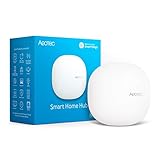
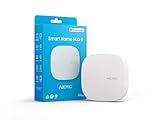
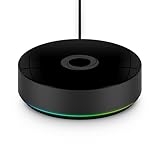


| Product | Best for | Key spec from the title |
|---|---|---|
| Home Assistant Green | Tinkerers who want deep automation | Official Home Assistant hardware, advanced automation |
| Echo Hub 8-inch | Wall-mounted control panel | 8-inch screen, customizable control, thousands of compatible devices |
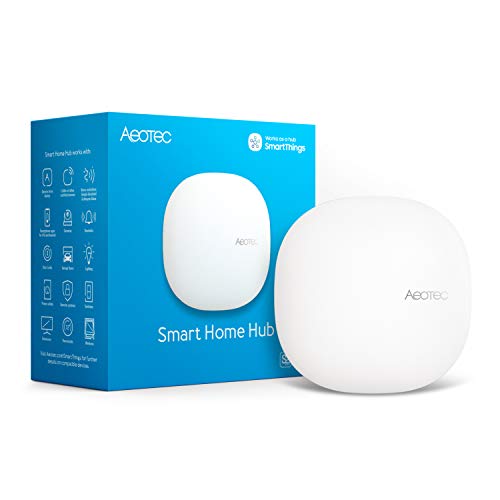
| Aeotec Smart Home Hub | Households with Z-Wave and Zigbee gear | SmartThings hub, Z-Wave, Zigbee, Matter gateway |
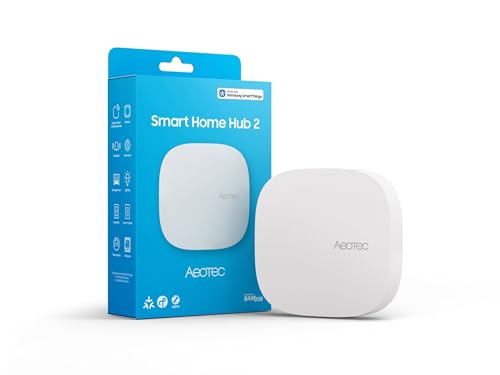
| Aeotec Smart Home Hub2 V4 | Zigbee-only homes | SmartThings hub, Zigbee, Matter gateway, no Z-Wave |
| Homey Pro | Multi-protocol power users | Z-Wave Plus, Zigbee, Wi-Fi, BLE, infrared, Matter, Thread |
| Aqara Smart Home Hub M3 | Aqara sensor owners | Matter controller, Thread border router, Zigbee, PoE |
| Hubitat Elevation C-8 Pro | Local control without subscription | Z-Wave, Zigbee, Matter, local automation |
How to Choose
List your radios and standards first
Before comparing hubs, count what you already own. Zigbee and Z-Wave sensors need a hub with those radios built in, while Matter devices talk over Wi-Fi or Thread. A hub that lists Zigbee, Z-Wave, Matter, and Thread covers nearly every device type, but fewer radios means a simpler and often cheaper unit. If you own only Wi-Fi bulbs and plugs, you may not need a hub at all, and a smart speaker or the manufacturers’ own apps could be enough for a studio apartment.
Decide between local control and cloud convenience
Local-first hubs keep automations running when the internet drops and avoid monthly fees, but they ask for more setup. Cloud-leaning platforms are quick to start, yet may stop some routines during an outage. Read the listing for words like local automation or no subscription. For doors, locks, and leak sensors, an automation that works offline is more valuable than a flashy dashboard. Think of the situation where the router restarts at night and a motion sensor still needs to turn on the hallway light.
Check ecosystem compatibility
Look for Alexa, Google Assistant, Siri, or HomeKit compatibility in the listing, depending on the speakers and phones you use. Some hubs bridge to several assistants; others favor one. If you plan to add cameras or doorbells, check for named integrations. Thread border router support is a plus for newer sensors, since it extends a low-power mesh through the house. Each border router adds redundancy, so a second one in a large home helps.
Think about wiring, placement, and where budget models cut corners
A wired Ethernet or PoE connection is more stable than Wi-Fi for a device that must stay online, and it frees the hub from competing with streaming traffic. Hubs work best near the center of the home, away from the router and large metal objects that block signals. Cheaper hubs tend to cut corners on radio coverage, processor power, and long-term app support. Ignore a long device-count claim and check how well the hub handles the specific brands you own. Community forums and the brand’s compatibility page are better evidence than a marketing line about thousands of devices.
The 7 Best Options
Home Assistant Green
This is official Home Assistant hardware with advanced automation. It is built for people who want fine-grained control over scenes, schedules, and conditions without relying on a single brand, such as a homeowner who wants the porch light, thermostat, and blinds to react to the sun, a calendar, and who is home.
- Strength: Home Assistant is known for deep customization and wide device support.
- Strength: it is official hardware, so setup is simpler than building a server from scratch.
- Trade-off: the title lists no built-in Zigbee or Z-Wave radios, so you may need an adapter.
Skip it if you want plug-and-play with minimal tinkering or if you already own Zigbee and Z-Wave devices and want them to pair directly. Expect to spend a weekend learning how automations are built.
Echo Hub 8-inch
An 8-inch screen designed as a control panel, with customizable control, Alexa+, and compatibility with thousands of devices. It acts more like a wall dashboard than a box in a closet, which suits a family where not everyone wants to open an app to dim the lights or check a camera feed from the hallway.
- Strength: a wall-mounted screen gives the whole family a simple way to control lights and cameras.
- Strength: customizable controls put your most-used scenes on the home screen.
- Trade-off: it depends on one voice-assistant ecosystem.
Skip it if you prefer a headless box or want broad local automation. A wall panel also needs a nearby outlet and a spot where it will not be bumped.
Aeotec Smart Home Hub
A SmartThings-compatible hub with Z-Wave, Zigbee, and Matter gateway support, Wi-Fi, and compatibility with Alexa and Google Assistant. It covers older and newer devices in one box, which makes it a practical bridge for someone who bought Zigbee sensors years ago and is now adding Matter lights.
- Strength: Z-Wave plus Zigbee plus Matter handles most categories.
- Strength: Alexa and Google Assistant both work with it.
- Trade-off: it still relies on the SmartThings app and cloud for many features.
Skip it if your priority is strictly offline operation, or if you dislike depending on a manufacturer’s app for setup and routines.
Aeotec Smart Home Hub2 V4
This variant works as a SmartThings hub and a Matter gateway with Zigbee support and Wi-Fi, but the title says it has no Z-Wave. It is a lower-complexity way into the SmartThings platform for households that never bought a Z-Wave product.
- Strength: suits homes that rely on Zigbee sensors and Matter devices.
- Strength: assistant compatibility with Alexa and Google Assistant.
- Trade-off: Z-Wave locks or sensors will not pair.
Skip it if any of your devices use Z-Wave, or if you suspect you might add a Z-Wave lock later. Switching hubs midstream means re-pairing every device.
Homey Pro
A multi-protocol hub covering Z-Wave Plus, Zigbee, Wi-Fi, Bluetooth LE, infrared, Matter, and Thread, with compatibility for Siri, Alexa, and other assistants. It appeals to owners with a mixed bag of brands who want one place to see and control all of it.
- Strength: it lists more radios than any other hub here.
- Strength: infrared control lets it handle older TVs and air conditioners.
- Trade-off: it sits in the premium tier, and a large radio list can be overkill for a small setup.
Skip it if you only have a few Wi-Fi devices, since you would pay for radios you never use, and a simpler hub would handle the job.
Aqara Smart Home Hub M3
A Matter controller with an infrared blaster, Thread border router, Zigbee, Bluetooth, Wi-Fi, and PoE, with support for the Apple ecosystem. It is a sensible hub for an iPhone household that wants Thread and Matter coverage, plus the option to run an Ethernet cable.
- Strength: PoE and Ethernet make it stable for a central hub.
- Strength: Thread border router and Matter controller support future-proof new devices.
- Trade-off: it shines most with Aqara sensors and no Z-Wave radio is listed.
Skip it if you own many Z-Wave devices or want a hub that is neutral across every brand rather than favoring its own sensors.
Hubitat Elevation C-8 Pro
A local-automation hub with Z-Wave, Zigbee, and Matter, Bluetooth, and compatibility with Alexa, Google, HomeKit, and Ring cameras, with no subscription. It suits homeowners who value reliability for locks, leak sensors, and lighting scenes over a glossy interface.
- Strength: local automation keeps routines running when the internet drops.
- Strength: no subscription lowers ongoing costs.
- Trade-off: the interface is more technical than mainstream apps.
Skip it if you want a polished consumer app with minimal setup. Plan on a learning curve with its rule builder and dashboards.
Which One Fits Your Situation
You want everything to work if the internet goes down
Pick the Hubitat Elevation C-8 Pro. Local automation, three radio types, and no subscription fit that goal. Back it up with a battery-powered router and modem if you want the full effect during an outage.
You are building a Matter and Thread home from scratch
The Aqara Smart Home Hub M3 works as both a Matter controller and a Thread border router, with PoE for a stable connection. Run one Ethernet cable to a central shelf and the mesh grows out from there.
You have a mix of old and new devices
Homey Pro lists the broadest radio range, and the Aeotec Smart Home Hub is a more modest choice with Z-Wave, Zigbee, and Matter.
You like to tinker
Home Assistant Green is the pick for builders who enjoy writing automations rather than tapping presets. If you later need Zigbee or Z-Wave, plan on adding a small radio adapter to extend it.
Common Mistakes
- Buying a hub before listing which radios your devices use.
- Placing the hub in a cabinet next to the router, which can hurt wireless range.
- Choosing a Zigbee-only hub and later discovering a lock needs Z-Wave.
- Assuming Matter support means every feature of every device will appear.
- Skipping updates, which often add compatibility for new devices.
Related guides
- How To Check Motherboard Vrm Temperature In Hwinfo
- How To Clean Quest 3 Lenses And Facial Interface
- Micro Sd Cards For Samsung Galaxy Phones
Frequently Asked Questions
Do I need a hub for Matter devices?
Not always. Many Matter devices work through a smart speaker or display acting as a controller, but a dedicated hub gives more consistent coverage, especially for Thread devices spread across a larger house.
What is the difference between Zigbee and Z-Wave?
Both are low-power mesh protocols for sensors and locks. They use different radios, so a hub must list the one your devices use. Many people end up with some of each, which is why multi-radio hubs are popular.
Can a smart speaker replace a hub?
For Wi-Fi and Matter devices, often yes. For Zigbee or Z-Wave gear, you usually need a hub with those radios. A speaker is a fine starting point in a small apartment, and you can add a hub when the device count grows.
Are subscriptions required?
Some platforms charge for extras like cloud recording, while local hubs advertise no subscription. Read the listing before you buy, and confirm that features you rely on, such as camera integration or voice control, are not locked behind a paid tier.
Related guides
More from Amazon
Programs that pair well with the guide above. Offers and eligibility are set by Amazon and may change.
Free shipping on eligible items, Prime Video and more. Eligible new members can start with a free trial.
Start a Prime free trialAd-free music streaming. Eligible new subscribers can start with a free trial.
Try Music Unlimited freeA Prime membership for ages 18-24 with a trial period. Eligibility is set by Amazon.
See Prime for Young AdultsAudiobooks and podcasts to listen to on the go. Eligible new members can start with a free trial.
Try Audible freeAs an Amazon Associate we earn from qualifying purchases.