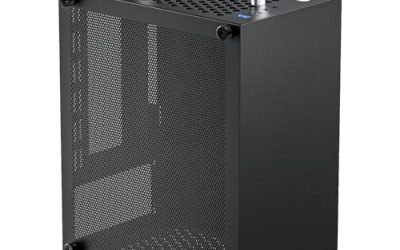
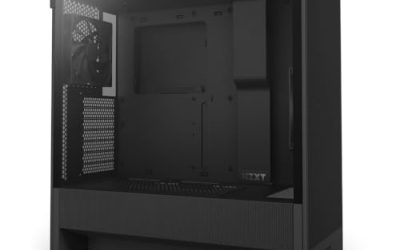
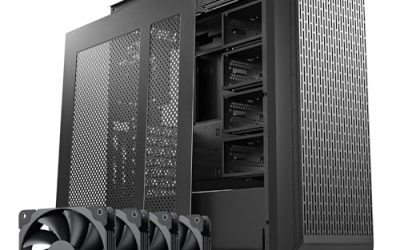
The best small form factor PC cases are the ones where your graphics card, cooler and power supply all fit with room for airflow. The Cooler Master NR200P V3 is the best all-round Mini-ITX pick, the Lian Li A4-H2OX5 is the smallest, and the Lian Li A3-mATX suits builders who need a longer card.
Our Top Picks
 Lian Li A4-H2OX5 Mini-ITX Case-SFX Layout-PCIe 5.0 Riser-Black-A4H2OX53.7012.83 x 5.51 x 9.61 inches7.56 poundsCheck on Amazon
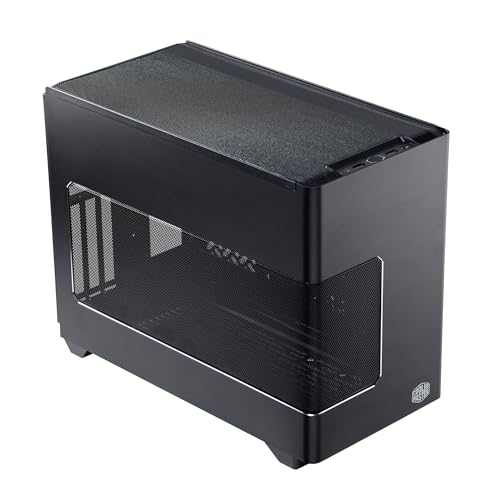


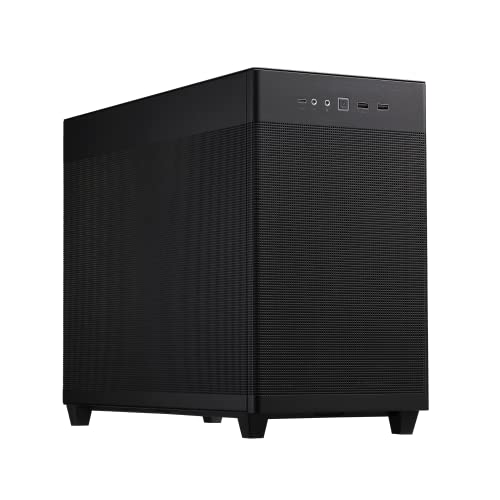

Top 3 picks at a glance
Fit First: The Three Numbers That Decide a Small Case
Most case roundups start with looks. In a small chassis, looks come last. Three measurements decide whether your parts work, and they are worth writing down before you shop.
- Maximum graphics card length and thickness. Small cases list a length limit, often in millimeters, and some also limit the card to two or three slots. A card that is too long or too thick simply will not fit.
- Power supply format. Many Mini-ITX cases need an SFX or SFX-L supply, which costs more than a standard ATX one. A few accept ATX with a bracket.
- CPU cooler height or radiator size. Air coolers have a height limit. Liquid coolers have a maximum radiator size, such as 240mm or 280mm.
Check each number against your parts’ manuals. If any one of them fails, the whole case is the wrong choice.
| Case size class | Board size | Typical volume | Main trade-off |
|---|---|---|---|
| Ultra compact Mini-ITX | Mini-ITX | Roughly 10 to 15 litres | Tight GPU, cooler and PSU limits; harder to build in |
| Compact Mini-ITX | Mini-ITX | Roughly 18 to 25 litres | Balance of airflow, parts support and size |
| Small Micro-ATX | Micro-ATX, ITX | Roughly 25 to 35 litres | Easier build, longer cards and radiators; larger footprint |
Volumes are approximate and vary by design, so check each maker’s listing.
Our Picks at a Glance
- Best all-round Mini-ITX case: Cooler Master NR200P V3.
- Smallest high-end build: Lian Li A4-H2OX5.
- Best for airflow in a compact frame: SSUPD Meshroom S V2.
- Best for a living-room or premium look: Fractal Design Terra.
- Best for long graphics cards in a small footprint: Lian Li A3-mATX.
- Best easy-to-build Micro-ATX case: ASUS Prime AP201.
- Best portable Micro-ATX case: JONSBO Z20.
- Best low-cost portable Mini-ITX case: RGEEK Metalfish T40.
Comparison Table
| Case | Board size | GPU limit listed | Cooling support listed | PSU | Budget tier |
|---|---|---|---|---|---|
| Cooler Master NR200P V3 | Mini-ITX | 361.5mm | 280mm AIO | SFX | Mid |
| Lian Li A4-H2OX5 | Mini-ITX | Triple-slot mount | 240mm AIO | SFX layout | Upper mid |
| SSUPD Meshroom S V2 | Mini-ITX | Not listed (high-end GPUs noted) | 280mm AIO | Check maker | Upper mid |
| Fractal Design Terra | Mini-ITX | Not listed | Not listed | Check maker | High |
| Lian Li A3-mATX | Micro-ATX, ITX | 415mm | 360mm AIO | Check maker | Mid |
| ASUS Prime AP201 | Micro-ATX | 338mm | 360mm radiator | Check maker | Mid |
| JONSBO Z20 | Micro-ATX | Not listed | 240mm AIO, 160mm air cooler | Check maker | Mid |
| RGEEK Metalfish T40 | Mini-ITX | 206mm | 70mm air cooler | SFX, SFX-L | Low |
The Best Small Form Factor PC Cases
1. Cooler Master NR200P V3: Best All-Round Mini-ITX Case
As an Amazon Associate we earn from qualifying purchases at no extra cost to you.

The Cooler Master NR200P V3 is a Mini-ITX case with a mesh panel for airflow, support for graphics cards up to 361.5mm and a 280mm AIO radiator, an SFX power supply, a vertical GPU mount option and a PCIe 5.0 riser listed.
- GPU room: up to 361.5mm per the listing.
- Cooling: 280mm AIO radiator support and mesh panels.
- Layout: SFX supply, vertical GPU mount and PCIe 5.0 riser listed.
Best for: a first small build that still uses a full-size graphics card.
Skip if: you need an ATX power supply or the absolute smallest footprint.
Pros: long GPU support; good airflow design; PCIe 5.0 riser; large community of builders and guides.
Cons: needs an SFX supply; building is more demanding than in a normal tower.
2. Lian Li A4-H2OX5: Smallest High-End Build

The Lian Li A4-H2OX5 is a Mini-ITX case with an SFX sandwich layout, a PCIe 5.0 riser, triple-slot GPU mounting, a 240mm AIO option and an aluminum exterior with an SPCC steel interior.
- Layout: SFX sandwich design keeps the footprint tiny.
- GPU: triple-slot mount listed.
- Materials: aluminum exterior and steel interior.
Best for: carrying a powerful PC in a bag or fitting it on a small desk.
Skip if: you want an easy first build or ample cable space.
Pros: very compact; riser included; premium materials; supports a thick GPU.
Cons: tight clearances; limited cooler options; demanding to build.
3. SSUPD Meshroom S V2: Best for Airflow in a Compact Frame

The SSUPD Meshroom S V2 is a Mini-ITX SFF case with full mesh panels, a PCIe 5.0 riser cable and a USB Type-C port. The listing notes compatibility with a 280mm AIO and high-end graphics cards such as the Radeon RX 9070 class and GeForce RTX 5090.
- Airflow: full mesh panels.
- Riser: PCIe 5.0 cable included.
- Cooling: 280mm AIO compatibility noted.
Best for: hot-running graphics cards and sustained loads where temperature matters most.
Skip if: you want a sealed, quiet, dust-resistant design; mesh lets sound and dust in.
Pros: excellent ventilation; riser included; USB-C front port; supports large cards per the listing.
Cons: exact GPU, PSU and board limits should be confirmed with the maker; more dust exposure.
4. Fractal Design Terra: Best for a Premium, Living-Room Look

The Fractal Design Terra is a Mini-ITX small form factor case with a walnut front panel, anodized aluminum panels, a PCIe 4.0 riser cable and a USB Type-C port.
- Design: walnut front with anodized aluminum.
- Riser: PCIe 4.0 included.
- Front I/O: USB Type-C.
Best for: a PC that sits next to a TV or on a shelf and should look like furniture.
Skip if: you want the most airflow for the money or the newest PCIe 5.0 riser.
Pros: premium materials; compact; modern front I/O; attractive design.
Cons: higher cost; PCIe 4.0 riser; fewer tuning options than mesh cases.
5. Lian Li A3-mATX: Best for Long Graphics Cards in a Small Footprint
The Lian Li A3-mATX supports Micro-ATX and ITX boards, graphics cards up to 415mm and a 360 AIO. The listing notes that fans are not included, a modular design and a collaboration with DAN Cases.
- GPU: up to 415mm.
- Cooling: 360mm AIO support; no fans included.
- Design: modular layout.
Best for: using a very large graphics card without moving to a full tower.
Skip if: you want fans pre-installed; budget for fans separately.
Pros: room for very long cards; large radiator support; modular; compact for its capacity.
Cons: no fans included; bigger than Mini-ITX cases.
6. ASUS Prime AP201: Best Easy-to-Build Micro-ATX Case

The ASUS Prime AP201 is a 33-litre Micro-ATX case with radiator support up to 360mm, graphics cards up to 338mm, quasi-filter mesh panels and tool-free side panels.
- Size: 33 litres.
- GPU: up to 338mm.
- Access: tool-free side panels and mesh filters.
Best for: builders who want a small case without the headaches of an ultra-compact chassis.
Skip if: you want the smallest footprint or a card longer than 338mm.
Pros: easy building; 360mm radiator support; tool-free panels; moderate cost.
Cons: larger than Mini-ITX cases; GPU limit shorter than the A3-mATX.
7. JONSBO Z20: Best Portable Micro-ATX Case

The JONSBO Z20 is a Micro-ATX mini tower with a detachable carrying handle. The listing notes support for a 240 AIO and a cooler up to 160mm in height.
- Carry: detachable handle for LAN trips.
- Cooling: 240 AIO or a 160mm air cooler.
- Size: mini tower, Micro-ATX.
Best for: carrying a PC to events or moving between rooms.
Skip if: you need to confirm a long graphics card; the listing does not give a length.
Pros: handle included; supports tall air coolers; compact tower; affordable.
Cons: GPU limits are not listed; fewer premium touches.
8. RGEEK Metalfish T40: Best Low-Cost Portable Mini-ITX Case

The RGEEK Metalfish T40 is a Mini-ITX case supporting SFX and SFX-L power supplies, a 70mm CPU cooler and a 206mm graphics card, with a detachable handle.
- GPU: up to 206mm.
- Cooler: up to 70mm height.
- Power: SFX and SFX-L.
Best for: compact, light builds with a short, low-power graphics card.
Skip if: you plan to use a modern full-size gaming card.
Pros: very low cost; portable; small; supports SFX-L.
Cons: short GPU limit; low cooler height; limited airflow for demanding parts.
How to Plan a Compact Build Around the Case
With a small case, the order in which you choose parts matters. Pick the case first, then let its limits steer every other choice. Doing it the other way around is how people end up with a graphics card that sits 5mm too long.
- Pick the case and write down its limits. Note board size, GPU length and slot count, cooler height or radiator size, and power supply format.
- Choose the graphics card next. It is the biggest part and the most common cause of fit problems. Look for models marked as compact or two-slot if the case is tight.
- Choose the cooler. A low-profile air cooler is the safest option in the smallest cases; a 240mm or 280mm liquid cooler is a good fit in cases that list those sizes.
- Choose the power supply. Match the case’s supported format, then choose wattage from your processor and graphics card requirements.
- Choose the motherboard. Confirm the size, then check the layout for rear ports, M.2 slots and fan headers you will actually use.
- Pick storage and memory last. Low-profile memory avoids cooler clashes in cases with tight clearances.
Matching Parts to the Case You Pick
| If you choose | Plan your parts like this |
|---|---|
| Cooler Master NR200P V3 | SFX power supply, graphics card within 361.5mm, 280mm liquid cooler or a low-profile air cooler |
| Lian Li A4-H2OX5 | SFX supply, compact or low-profile cooler, 240mm liquid option, triple-slot card at most |
| SSUPD Meshroom S V2 | Confirm supply format and card size with the maker, 280mm liquid cooler supported per listing |
| Fractal Design Terra | Check the maker’s limits for card length and cooler height before buying parts |
| Lian Li A3-mATX | Micro-ATX or ITX board, card up to 415mm, 360mm liquid cooler, buy fans separately |
| ASUS Prime AP201 | Micro-ATX board, card up to 338mm, radiator up to 360mm |
| JONSBO Z20 | Micro-ATX board, 240mm liquid or air cooler up to 160mm, confirm card length |
| RGEEK Metalfish T40 | SFX or SFX-L supply, card up to 206mm, cooler up to 70mm |
Keeping a Small Case Cool and Quiet
- Let air in and out. Do not push a small case against a wall or into a cabinet. The mesh panels need a few centimeters of clearance.
- Use fewer, larger fans. A single large fan at low speed is quieter than several small fans pushing hard.
- Manage cables. Loose cables block airflow. Short, neatly tied cables help more than people expect.
- Set a fan curve. A gentle curve in the BIOS avoids sudden fan noise while keeping parts safe.
- Clean the filters. Small cases clog quickly. A monthly dusting keeps temperatures steady.
- Consider undervolting. Lowering the graphics card’s voltage and power limit reduces heat with a small change in speed. Follow the maker’s guidance.
Common Mistakes When Buying a Small Case
- Trusting the case’s looks over its numbers. Check millimeters and slot counts, not photos.
- Forgetting the power supply format. An ATX supply will not fit in an SFX-only case.
- Ignoring cable space. Mini-ITX cases are cramped; short, flexible cables make the build easier.
- Buying the smallest case for a hot, high-power graphics card. Size and thermal headroom trade off, so move up one size if in doubt.
- Skipping the riser details. Some cases include a riser; others expect you to buy one. Confirm what is in the box.
Small Case or Mid-Tower: An Honest Comparison
A small case is a trade, not an upgrade. You give up some easy things in exchange for a footprint that fits places a tower cannot. Weigh both sides before you commit.
| Factor | Small form factor case | Mid-tower |
|---|---|---|
| Desk or shelf footprint | Much smaller; can sit on a desk or travel in a bag | Needs floor or a large desk space |
| Part choice | Limited by length, height and supply format | Wide choice; nearly any part fits |
| Build difficulty | Higher; cables and clearances are tight | Easy and forgiving |
| Temperatures and noise | Harder to keep cool and quiet with powerful parts | More airflow and room for fans |
| Upgrading later | Often needs the same size class of parts | Simple; plenty of room to swap parts |
| Cost of parts | SFX supplies and special coolers cost more | Standard parts cost less |
| Portability | Many models have handles and light frames | Heavy and bulky to move |
If you never move the PC and have the space, a mid-tower is usually the better value. If the desk is small, the PC travels, or it lives in a living room, a small case earns its premium.
Who Should Skip a Small Case
- Players who upgrade often. Swapping parts in tight cases takes time and sometimes forces other parts to change too.
- People who run the hottest graphics cards. A high-power card in a small case can be loud. Check maker guidance, or choose a larger Micro-ATX case.
- First-time builders on a tight budget. SFX supplies and specialty coolers add cost, and a mistake is expensive.
- Anyone who needs many drives. Small cases offer limited storage bays. Plan on M.2 SSDs.
Which Size Class Fits Which Player?
A quick guide to matching a size class to your situation. Use it with the buying guide above to narrow the list to two or three cases.
- Student with a small desk and a mid-range graphics card: a compact Mini-ITX case such as the NR200P V3 gives the best balance.
- Traveler or LAN-party player: a handled case such as the JONSBO Z20 or RGEEK Metalfish T40, with parts that match its limits.
- Living-room gaming PC: a quiet, good-looking case such as the Fractal Design Terra, paired with efficient parts.
- Builder with a long, thick graphics card: the Lian Li A3-mATX or ASUS Prime AP201.
- Enthusiast chasing the smallest high-end PC: the Lian Li A4-H2OX5, with careful part planning.
Also Consider
- JOYJOM aluminum Mini ITX case with PCIe 3.0 riser: a low-cost aluminum option; check the listing for supported card lengths and power supply type.
- Cooler Master NR200 (original): the earlier NR200 design, still a solid pick if you find it with the sizes you need.
- JONSBO C6-ITX: a compact Mini-ITX handled mesh case for simple, small builds.
How We Chose These Small Cases
This list is research-based. We did not use the cases. We compared maker listings and specifications for board size, maximum graphics card length, cooler and radiator support, power supply format, airflow design and front I/O, then grouped the cases by the kind of build they suit.
Only new, current listings from established brands were considered. No brand has more than two picks, renewed and used units were skipped, and cases with unclear listings were left out. When a limit was not listed, we say “not listed” and point to the maker. We do not quote temperature or noise figures, since they depend on the parts you install.
Small Form Factor Case Buying Guide
Mini-ITX or Micro-ATX?
Mini-ITX cases are the smallest but demand careful part selection. Micro-ATX cases are larger and easier to build in. If this is your first small build, a Micro-ATX case such as the ASUS Prime AP201 is the lower-stress choice.
Graphics card length, thickness and orientation
Compare the case’s listed GPU length with your card’s length, then confirm slot thickness. Some cases mount the card on a riser cable, either vertically or flat. Riser generation matters little for most games but matters for the latest high-end cards.
| Card type | Typical case need |
|---|---|
| Short, two-fan card | Almost any small case, including budget models |
| Mid-length card | Compact Mini-ITX cases with 300mm or more |
| Long, thick card | Cases listing 340mm or more and triple-slot support |
Power supply format
Mini-ITX cases often need SFX or SFX-L supplies. They cost more per watt than ATX but are smaller. Check the case’s supported formats and confirm the wattage your parts need.
CPU cooling: air or liquid?
Choose an air cooler only if the height limit allows it. Liquid coolers need a radiator mount of a supported size. In a compact case, a low-profile air cooler is the simplest, quietest and most reliable.
Airflow, noise and dust
Mesh panels improve airflow but let in dust and sound. Solid panels are quieter but trap heat. Choose according to where the PC lives: a bedroom desk benefits from quiet, a LAN bag from airflow.
Ease of building
Small cases require more planning than towers. Route cables early, install the cooler and power supply before the graphics card and keep the manual open. Tool-free panels save time.
One more practical tip: before ordering, search the maker’s support page for your exact graphics card model and the case name together. Builders often post confirmed pairings, and the maker’s compatibility list is the quickest way to avoid a return.
What about case fans and dust filters?
Check whether fans and filters are included, since some cases, such as the Lian Li A3-mATX, ship without fans. Budget for fans if needed, and choose cases with removable filters for easy cleaning.
Should I buy a riser cable separately?
Only if the case does not include one. Several picks above list a PCIe 4.0 or 5.0 riser in the box, so confirm the contents on the listing first.
Frequently Asked Questions
What is the best small form factor PC case?
The Cooler Master NR200P V3 is the best all-round pick, with support for graphics cards up to 361.5mm and a 280mm radiator. Smaller or cheaper options suit narrower needs.
Can a small case fit a full-size graphics card?
Yes, if the case’s GPU length and thickness limits match your card. The NR200P V3 and A3-mATX list room for long cards; cheaper portable cases do not.
Do small form factor cases run hot?
They can, because there is less space for airflow. Mesh panels, short cables and a low-profile cooler help. Check maker guidance for your parts.
Do I need an SFX power supply?
For most Mini-ITX cases, yes. Some Micro-ATX cases accept standard ATX supplies. Check the case’s supported power supply formats before buying.
Is Mini-ITX harder to build in than Micro-ATX?
Yes. Mini-ITX cases have less space for cables and tools. Micro-ATX is easier, especially for a first build.
Is a small case worth the extra cost?
Only if size or portability matters to you. A larger case costs less, runs cooler and is easier to upgrade, so choose small only when you value the footprint.
Can I use a PCIe 5.0 graphics card with a PCIe 4.0 riser?
Yes. The riser runs at its own speed, and most games show little difference. Check the maker’s notes for the specific card.
Which Small Form Factor Case Should You Buy?
- Choose the Cooler Master NR200P V3 for the best balance of size, GPU room and cooling.
- Choose the Lian Li A4-H2OX5 when size is the top priority.
- Choose the SSUPD Meshroom S V2 for a hot-running card in a compact frame.
- Choose the Fractal Design Terra for a premium look.
- Choose the Lian Li A3-mATX or ASUS Prime AP201 for a larger but easier build.
- Choose the JONSBO Z20 or RGEEK Metalfish T40 for a low-cost, portable PC.
Measure your parts first, then match them to the case. A case that fits comfortably will always beat one that merely looks small.
Sources
- Cooler Master, Lian Li, SSUPD and Fractal Design case product pages
- ASUS, JONSBO and RGEEK case product pages
- Maker compatibility lists for graphics cards and CPU coolers
- Retail product listings for each case
Last updated: November 2026
Related guides
More from Amazon
Programs that pair well with the guide above. Offers and eligibility are set by Amazon and may change.
Free shipping on eligible items, Prime Video and more. Eligible new members can start with a free trial.
Start a Prime free trialAd-free music streaming. Eligible new subscribers can start with a free trial.
Try Music Unlimited freeA Prime membership for ages 18-24 with a trial period. Eligibility is set by Amazon.
See Prime for Young AdultsAudiobooks and podcasts to listen to on the go. Eligible new members can start with a free trial.
Try Audible freeAs an Amazon Associate we earn from qualifying purchases.