A case with good airflow does two jobs at once: it keeps a hot graphics card and processor from throttling, and it lets the fans run slower, which means less noise during long sessions. The keyword points at a specific design family, a mid-tower with a mesh or perforated front panel, fans included in the box, and room for a radiator or extra fans later. The glass side panel is almost standard, so the real decision sits in the front intake, the fan count and how much space the case gives a long graphics card.
This guide is for builders who want a mid-tower that breathes well without paying for a boutique chassis. It compares seven cases from the brief, judged only on what the titles state: fan counts, radiator support, graphics card length limits, panel type and front ports. A 2026 build usually pairs a hot processor with a long, thick graphics card, so mesh fronts, three-fan intake and generous GPU clearance matter more than color or RGB style. The sections below explain what to check on a spec sheet and where cheaper cases save money.
Our Top Picks
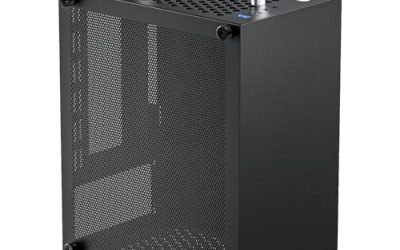
 MONTECH AIR 903 MAX High-Airflow E-ATX Mid-Tower PCAir 903 Max Black18.82 x 9.05 x 19.41 inches20.2 poundsCheck on Amazon


Top 3 picks at a glance
Quick Picks
As an Amazon Associate we earn from qualifying purchases at no extra cost to you.


| Product | Best for | Key spec from the title |
|---|---|---|
| NZXT H5 Flow | Compact, clean builds | Compact ATX mid-tower, 2 120mm fans, 360mm front radiator |
| MONTECH AIR 903 MAX | Large GPUs and radiators | E-ATX, 4 fans, 400mm GPU, 360mm top and front |
| CORSAIR 4000D RS ARGB Frame | Easy fan upgrades | 3 pre-installed fans, InfiniRail mounting |
| MSI MAG Forge 321R Airflow | ARGB on a moderate plan | ARGB 120mm fans, up to 360mm radiator |
| GAMDIAS ATX Mid Tower | Fan-heavy value builds | 4 x 120mm ARGB fans, up to 6 x 120mm, 340mm GPU |
| MONTECH X3 Mesh | Compact-length graphics cards | 6 fixed RGB fans, 305mm GPU, 240mm radiator |
| DARKROCK EC2 | Newer long graphics cards | Supports 50 Series cards, up to 8 x 120mm fans |
How to Choose
Start with the front panel and intake fans
Airflow begins at the front. A wide mesh or perforated panel lets fans pull air with little resistance, while a solid front with narrow side slits starves them. Count the included fans: two 120mm intake fans are a minimum, three are better for a hot graphics card, and a rear exhaust fan finishes the path. If the listing shows only a rear fan or none at all, plan on buying extra, because empty fan mounts do nothing for temperatures.
Check graphics card length and radiator support
Modern graphics cards can be long and thick. Compare the stated maximum card length against your card’s published length, and leave a few millimeters of margin for cables and a front radiator. If you plan an all-in-one liquid cooler, confirm the case lists support for the size you want, such as 240mm or 360mm, and in which positions. Top and front mounting are not always both available, and fans under a radiator reduce the room for tall memory.
Look at fan mounts, filters and cable space
Dust filters on the intake and top panels keep the interior cleaner, and removable filters make maintenance easy. Cases with generous cable routing space behind the motherboard tray let you tidy cables so they do not block airflow. Mounting rails and reversible fan brackets, such as those on modular frames, make it simpler to relocate fans as your build changes. Ignore the number of RGB zones, since they say nothing about airflow.
Know where budget cases cut corners
Lower-cost cases often use thinner steel, fixed fans that cannot be replaced easily, and tight cable routing. Glass panels can arrive with sharp edges or loose thumbscrews, so handle them carefully. Pre-installed fans in this class can be noisy at full speed, which you can reduce through the motherboard’s fan curve. Read the listing for the front ports, since USB-C and USB 3.0 availability varies, and confirm the motherboard form factor before ordering. A case that looks roomy in photos can still feel cramped once a thick card, a radiator and a bundle of cables share the same space.
The 7 Best Options
NZXT H5 Flow
The H5 Flow is a compact ATX mid-tower with two included 120mm fans, support for a 360mm front radiator, and a tempered glass side panel. It is aimed at builders who want a restrained look in a case that does not take over a desk. The Flow name signals a perforated front intended to feed the fans.
- Strength: two included 120mm fans start the airflow path.
- Strength: 360mm front radiator support leaves room for an all-in-one cooler.
- Trade-off: the compact body gives less room for oversized graphics cards and thick radiators.
Skip it if you plan on a very long graphics card or want a large number of fans out of the box. Check the listing for the exact card length limit.
MONTECH AIR 903 MAX
This high-airflow case supports E-ATX boards and ships with four fans. The title lists clearance for a 400mm graphics card and radiators of 360mm at both the top and the front, along with a USB-C port and a vertical GPU mount. It targets enthusiasts with large components who want room to grow without switching cases.
- Strength: 400mm GPU clearance and 360mm radiator support in two positions.
- Strength: four fans included, plus a vertical GPU mounting option.
- Trade-off: a larger case takes up more desk or floor space.
Skip it if your desk is tight, if you build compact systems, or if you do not need E-ATX support. Buyers with a mainstream board and a mid-length card may be paying for space they never fill, and a smaller case would be easier to place.
CORSAIR 4000D RS ARGB Frame
This modular mid-tower arrives with three pre-installed fans and the InfiniRail fan mounting system, which lets you slide fans along a rail rather than hunting for screw holes. The listing describes it as high airflow and fully modular, and it fits multiple 360mm radiators. A non-ARGB version of the same frame is also on the market.
- Strength: three fans pre-installed with simple rail-based mounting.
- Strength: fits multiple 360mm radiators according to the title.
- Trade-off: the frame style is a design choice that not every buyer likes.
Skip it if you prefer a plain closed look or want a graphics card length figure confirmed in the title. The frame design also exposes more of the interior, so a messy cable run will show, and anyone who dislikes tidying wiring may prefer a solid-sided option.
MSI MAG Forge 321R Airflow
MSI positions this as a premium mid-tower with a tempered glass side panel, ARGB 120mm fans and liquid cooling support up to a 360mm radiator. It suits a gaming PC built around the MSI ecosystem, where colors and lighting software match the motherboard. The Airflow name points to a mesh-focused front.
- Strength: ARGB 120mm fans are included for lighting and intake.
- Strength: 360mm radiator support for liquid coolers.
- Trade-off: the title does not state a graphics card length limit, so check the listing.
Skip it if you want an exact clearance figure in the title or prefer a lighting-free build. Builders pairing it with non-MSI parts should also confirm the lighting header type, since ARGB connectors are not interchangeable with every motherboard and controller.
GAMDIAS ATX Mid Tower
This value-oriented case includes four built-in 120mm ARGB fans, a front mesh for airflow and room for up to six 120mm fans in total. The listing supports graphics cards up to 340mm. It suits a gamer who wants a pile of fans already installed without buying extras.
- Strength: four ARGB fans are already installed.
- Strength: up to six 120mm fan positions for later upgrades.
- Trade-off: 340mm is shorter than some current graphics cards.
Skip it if you own a long, thick graphics card or want maximum radiator flexibility. The built-in fans are convenient but may be hard to replace with different models later, so confirm whether they are standard 120mm units on a simple header before counting on upgrades.
MONTECH X3 Mesh
The X3 Mesh is an ATX mid-tower with six fixed RGB fans, a swivel tempered glass panel, support for 305mm graphics cards and a 240mm radiator. Mesh across the front prioritizes airflow. It fits a compact-card build where the fan count is the main draw.
- Strength: six fans are already included.
- Strength: mesh front intended for airflow.
- Trade-off: 305mm GPU support and 240mm radiator limit are tighter than larger cases.
Skip it if your graphics card exceeds 305mm or you want a 360mm radiator. Because the fans are fixed, anyone who plans to swap them for quieter models should check the listing for how they are attached, and a larger case may be the safer route for a high-end card.
DARKROCK EC2
The DARKROCK EC2 is an ATX mid-tower with a Type-C ready front panel, tempered glass and room for up to eight 120mm fans. The title says it supports 50 Series graphics cards, which is useful if you are buying a current card. It is a fan-friendly option for builders who want to fill every mount.
- Strength: up to eight 120mm fans fit in the case.
- Strength: explicit mention of support for 50 Series graphics cards.
- Trade-off: the title gives no included fan count, so check what ships in the box.
Skip it if you want a stated fan count or a well-known brand with a long support history. A buyer who values clear published clearance numbers for every component should also look at cases whose titles spell out graphics card and radiator limits in more detail.
Which One Fits Your Situation
You own a very large graphics card
MONTECH AIR 903 MAX lists 400mm of clearance, while DARKROCK EC2 calls out 50 Series support. Check your card’s length against whatever the listing states.
You want a smaller case with a clean look
NZXT H5 Flow keeps a compact footprint with a 360mm front radiator option, which suits desks without much floor space.
You like to rearrange fans and radiators
CORSAIR 4000D RS ARGB Frame uses InfiniRail mounting, making it simple to move fans when the build evolves.
You want the most fans for the least effort
MONTECH X3 Mesh includes six fans and GAMDIAS includes four ARGB fans, so both reduce the shopping list after the case arrives.
Common Mistakes
- Buying a case with a solid front panel and expecting good intake.
- Forgetting to compare graphics card length against the stated clearance.
- Counting fan mounts as fans: only fans in the box move air.
- Mounting a thick radiator without checking memory height clearance.
- Leaving dust filters uncleaned until temperatures rise.
Related guides
- How To Check Motherboard Vrm Temperature In Hwinfo
- How To Clean Quest 3 Lenses And Facial Interface
- Prebuilt Gaming Desktops Under 1000 Dollars
Frequently Asked Questions
How many fans does an airflow case need?
Two to three intake fans and one exhaust fan make a solid baseline for a gaming PC. Add top exhaust fans if the graphics card runs hot.
Is a mesh front always better for cooling?
Mesh generally allows more airflow than a solid panel, though it may let more noise and dust through. Look for removable dust filters on the intake.
Can an airflow case still be quiet?
Yes, if the motherboard fan curve slows the fans at idle. Quality fans and open intake let fans spin slower for the same cooling.
Do all mid-tower cases accept 360mm radiators?
No. Check the listing for supported radiator sizes and positions, and compare memory height clearance when mounting at the top.
Related guides
More from Amazon
Programs that pair well with the guide above. Offers and eligibility are set by Amazon and may change.
Free shipping on eligible items, Prime Video and more. Eligible new members can start with a free trial.
Start a Prime free trialAd-free music streaming. Eligible new subscribers can start with a free trial.
Try Music Unlimited freeA Prime membership for ages 18-24 with a trial period. Eligibility is set by Amazon.
See Prime for Young AdultsAudiobooks and podcasts to listen to on the go. Eligible new members can start with a free trial.
Try Audible freeAs an Amazon Associate we earn from qualifying purchases.