The best 75 inch TV under $1,000 for most buyers is the TCL QM6K when available in the $700–$900 range; choose the Hisense U7N for stronger HDR and gaming, or the TCL Q6 if keeping the price closer to $500 matters most.
As an Amazon Associate we earn from qualifying purchases at no extra cost to you.

Our Top Picks
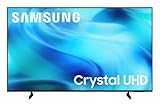
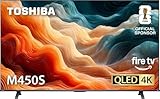
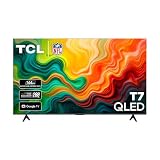
 Samsung 75-Inch Class U8000H Series Crystal UHD75 Inch11 x 65.7 x 39.7 inches48.6 PoundsCheck on Amazon
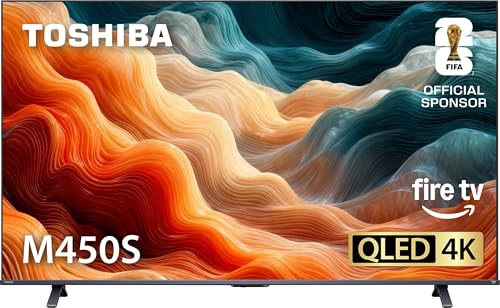

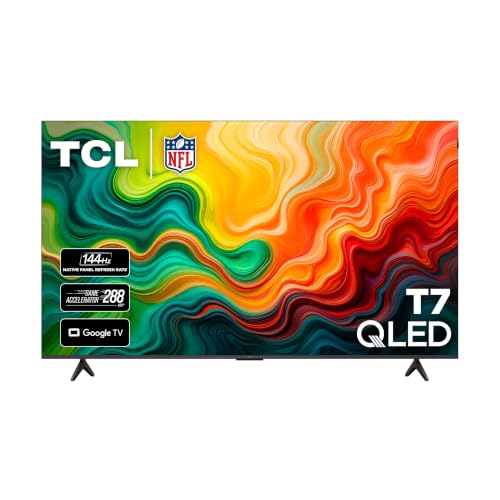
Top 3 picks at a glance
Best 75-Inch TVs Under $1,000 at a Glance
| Model | Typical 75-inch price | HDR and picture strength | Gaming features | Best for |
|---|---|---|---|---|
| TCL QM6K | $700–$900 | Mini-LED contrast, Dolby Vision, strong brightness for the class | Up to 144Hz on compatible inputs, VRR, ALLM | Best overall balance |
| Hisense U7N | $750–$1,000 | High brightness, local dimming, Dolby Vision and HDR10+ | Up to 144Hz, VRR, ALLM, gaming mode | Bright-room viewing and HDR gaming |
| TCL Q6 | $450–$650 | Quantum-dot color, but weaker black levels and HDR impact | 4K 60Hz; higher refresh is limited depending on input and mode | Large-screen value |
| Hisense U6N | $550–$750 | Mini-LED local dimming and better contrast than basic LED models | 4K 60Hz, VRR support aimed mainly at casual gaming | Movies and streaming on a budget |
| Samsung QN85D | $900–$1,000 when discounted | Bright Mini-LED picture, excellent upscaling, no Dolby Vision | 4K 120Hz, VRR, ALLM, HDMI 2.1 features | Console gaming and sports |
Our Top Pick: TCL QM6K
The TCL QM6K is the easiest recommendation when its 75-inch version falls below $1,000. Its Mini-LED backlight gives it a meaningful advantage over ordinary edge-lit televisions: bright highlights can stand out while dark parts of the image remain darker. Quantum-dot color also helps HDR movies, animated films, and modern games look more saturated without requiring an OLED-sized budget.
It is particularly attractive for mixed use. The TV supports Dolby Vision for compatible streaming content, has a high-refresh gaming mode, and includes variable refresh rate support. The trade-off is that its local dimming is not as precise as a more expensive Mini-LED or OLED television. Subtitles, stars, and other bright objects on a dark background can still produce some haloing.
Choose the QM6K if:
- You want a 75-inch screen for movies, streaming, sports, and gaming.
- You can spend roughly $700–$900 but do not want to approach four figures.
- You want 120Hz-or-faster gaming capability rather than a basic 60Hz panel.
- Your room has moderate ambient light and you want better HDR than an entry-level QLED.
Best for HDR and Bright Rooms: Hisense U7N
The Hisense U7N is the stronger alternative when HDR brightness is your priority. Its Mini-LED backlight and local dimming produce more convincing highlights in games and HDR films than most budget 75-inch TVs. It is also a good fit for a living room with daylight, where a dim television can make HDR content look flat.
The U7N supports Dolby Vision and HDR10+, and its gaming specification is unusually strong for this price category: 4K at up to 144Hz on supported connections, variable refresh rate, and automatic low-latency features. That makes it a better match for a gaming PC with a modern graphics card than a 60Hz model.
The compromise is processing consistency. Lower-quality cable channels and heavily compressed streams may not look as clean as they do on Samsung’s higher-end processors. Its viewing angles are also typical of VA-based LCD televisions: contrast is best when you sit near the center of the screen.
Best Low-Cost Choice: TCL Q6
If the goal is simply to get the largest screen possible for around $500, the TCL Q6 is a sensible choice. Its quantum-dot layer delivers more vivid color than many basic LED televisions, and its Google TV interface provides broad access to common streaming services.
However, do not buy it expecting premium HDR. The Q6 lacks the powerful full-array or Mini-LED backlight needed for intense highlight brightness and deep, controlled shadows. HDR content can look colorful but not dramatically brighter than standard dynamic range. Its gaming features are also more limited than those of the QM6K or U7N, especially if you own a PlayStation 5, Xbox Series X, or gaming PC and want 4K at 120Hz.
Best Movie Value: Hisense U6N
The Hisense U6N occupies the middle ground between the Q6 and the more expensive performance models. Mini-LED backlighting and local dimming give it better black-level control for films and series, while Dolby Vision support helps compatible streaming content retain its intended highlights and shadow detail.
It is a better movie television than gaming television. Its 4K refresh rate is generally limited to 60Hz, so fast competitive games will not feel as fluid as they do on a 120Hz-or-faster set. For turn-based games, role-playing games, and console gaming at a normal living-room distance, that limitation may not matter.
When a Discounted Samsung QN85D Makes Sense
The Samsung QN85D becomes compelling if its 75-inch price drops to about $1,000 or slightly below. Its Mini-LED backlight, strong motion handling, and effective upscaling make it attractive for sports, cable television, and mixed-quality streaming sources. It also supports 4K at 120Hz and variable refresh rate for current consoles and PCs.
The major format omission is Dolby Vision. Samsung uses HDR10, HDR10+, and related formats instead. This does not make the TV incompatible with HDR, but Dolby Vision content will play using another available HDR format. Samsung’s Tizen interface and processing are also reasons to choose it over a cheaper rival, while its price is the reason it may not be the best value every week.
How to Match the TV to Your Room
| Viewing distance | How a 75-inch TV feels | What to prioritize |
|---|---|---|
| 6–7 feet | Very immersive; lower-quality broadcasts reveal flaws | Good upscaling, clean motion, and a high-quality streaming source |
| 8–10 feet | Balanced size for movies, sports, and games | HDR brightness, local dimming, and 120Hz gaming if needed |
| 11–13 feet | Comfortable but less cinematic | Brightness, readable subtitles, and a wide seating layout |
A 75-inch television is approximately 65.4 inches wide and 36.8 inches tall before adding its stand. Leave extra width for the feet and enough clearance for ventilation. For wall mounting, check the VESA pattern and put the screen center near seated eye level rather than mounting it as high as possible above furniture.
Gaming Features That Actually Matter
For a PlayStation 5 or Xbox Series X, prioritize HDMI 2.1, 4K at 120Hz, variable refresh rate, and automatic low-latency mode. A television advertised as “120 motion rate” is not necessarily a native 120Hz panel; look for an explicit 4K 120Hz or 4K 144Hz input specification.
For a PC, calculate the connection requirement before buying. Uncompressed 4K at 120Hz uses approximately:
3,840 × 2,160 × 120 × 24 bits = about 23.9 gigabits per second for RGB 4:4:4 video before blanking and protocol overhead. In practice, use a certified Ultra High Speed HDMI cable and an HDMI 2.1 port rated for at least 40Gbps. A 4K 144Hz signal needs still more headroom, so the graphics card, cable, and TV input must all support the target mode.
After connecting a PC, set the input to the TV’s enhanced or high-bandwidth HDMI mode, select 4K resolution, choose 120Hz or 144Hz in the operating system, and enable VRR. If the image becomes unstable, drop from 144Hz to 120Hz before changing resolution; 4K 120Hz is usually the more reliable compromise for long cable runs.
Picture Settings Worth Changing
- Picture mode: Use Movie, Cinema, Filmmaker, or a similarly accurate mode for films. Standard and Vivid modes usually exaggerate color and edge sharpness.
- Local dimming: Set it to High for HDR movies and games if blooming is acceptable. Use Medium if subtitles or bright interface elements produce distracting halos.
- Motion smoothing: Turn it off for films if you dislike the soap-opera effect. For sports, a low setting can improve clarity.
- Sharpness: Keep it near the neutral midpoint or lower. Excessive sharpness creates outlines around text and faces.
- Game mode: Enable it for console or PC gaming because lower input latency is more useful than extra image processing.
Which 75-Inch TV Should You Buy?
- Pick the TCL QM6K for the best overall mix of price, HDR, size, and modern gaming support.
- Pick the Hisense U7N if your room is bright or HDR impact matters more than processing refinement.
- Pick the TCL Q6 if your hard limit is around $600 and you mainly want a big screen for streaming.
- Pick the Hisense U6N for movie-focused viewing with better contrast than entry-level LED models.
- Pick the Samsung QN85D when a discount brings it under $1,000 and you value upscaling, sports, and 4K 120Hz gaming.
Before purchasing, compare the actual 75-inch price rather than assuming the smaller sizes scale evenly, and confirm the number of HDMI 2.1 ports you need. A television with excellent HDR is less useful if a soundbar, console, and gaming PC exhaust its high-bandwidth inputs.
Frequently asked questions
Does the TCL QM6K support Dolby Vision?
Yes, the TCL QM6K supports Dolby Vision for compatible streaming content. It also uses a Mini-LED backlight and quantum-dot color, supports a high-refresh gaming mode, and includes variable refresh rate support. Its local dimming is not as precise as that of more expensive Mini-LED or OLED televisions, so bright objects on dark backgrounds can still produce some haloing.
Will a 75-inch TV fit comfortably in a typical living room?
Yes, a 75-inch TV can work well in a typical living room, especially from 8–10 feet away, where its size is balanced for movies, sports, and games. The screen is approximately 65.4 inches wide and 36.8 inches tall before adding the stand. Leave extra width for the feet and adequate ventilation.
Which TV is better for a gaming PC, the TCL QM6K or Hisense U7N?
The Hisense U7N is the better match for a gaming PC when its higher refresh capability and HDR brightness are priorities. It supports up to 144Hz on supported connections, variable refresh rate, and automatic low-latency features. The TCL QM6K also supports up to 144Hz on compatible inputs, VRR, and ALLM, making it a strong alternative for mixed use.
Does the Samsung QN85D support Dolby Vision?
No, the Samsung QN85D does not support Dolby Vision. It uses HDR10, HDR10+, and related formats instead, so Dolby Vision content will play using another available HDR format. The television remains suitable for HDR viewing and also supports 4K at 120Hz, variable refresh rate, and current console and PC gaming features.
How many HDMI 2.1 ports do I need for my devices?
You need enough HDMI 2.1 ports for every device that requires high-bandwidth features, such as a soundbar, console, or gaming PC. The article advises confirming the number of HDMI 2.1 ports before purchasing because these devices can exhaust a television’s high-bandwidth inputs. Check the TV’s port specifications rather than assuming every HDMI port supports the same features.