Our Top Picks
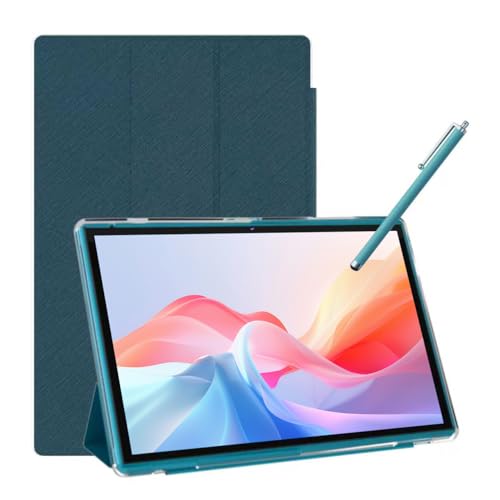 Android Tablet 10 Inch Tablet With Case Stylus8GB+32GB With Case9.6 x 6.7 x 0.3 InchesCheck on Amazon


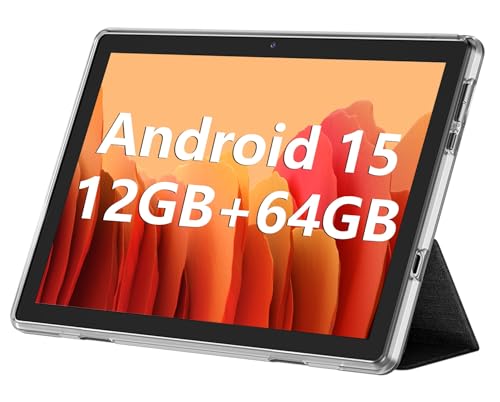

Top 3 picks at a glance
Quick Comparison
The table below maps every tablet in this roundup to the job it does best, the specs that actually matter for office and field work, and a price band. Prices move constantly, so treat the tiers as a guide: budget means an entry-level outlay, mid-range means a modest step up for better memory or a bundled keyboard, and premium means the top of this particular group.
| Product | Best for | Key specs | Price tier |
|---|---|---|---|
| TABWEE 11″ Android 16 with Keyboard, Gemini AI 3.5, 24GB+128GB | Overall pick — multitasking, split-screen office work, AI-assisted drafting | 11″ display, Android 16, 24GB memory class, 128GB storage, bundled keyboard, Gemini AI 3.5 integration | Premium |
| Jeazans 10.1″ Android 16 with Keyboard, 24+64GB, 1TB expansion | Travel and hot-desking with a keyboard in the box | 10.1″ display, Android 16, 24GB memory class, 64GB storage, microSD to 1TB, bundled keyboard | Premium |
| COOPERS 10″ Android 15, 32GB ROM, 1TB expand, quad-core, 6000mAh | Budget second device for email, forms, and light browsing | 10″ display, Android 15, 32GB storage, microSD to 1TB, quad-core CPU, 6000mAh battery | Budget |
| ECOPAD 10.1″ Android 15, 12GB(4+8) RAM, 64GB ROM, 1280×800 IPS | Mid-range all-rounder for notes, PDFs, and video calls | 10.1″ 1280×800 IPS, Android 15, 12GB total memory (4GB + 8GB virtual), 64GB storage, microSD to 1TB | Mid-range |
| NOVOJOY 7″ Android 14, 32GB storage, 8GB RAM, quad-core, with case | Pocketable handheld for field data capture and scanning | 7″ display, Android 14, 8GB RAM, 32GB storage, quad-core CPU, bundled case | Budget |
| NOVOJOY 10″ Android 15 with Case & Stylus, 8GB RAM, 32GB ROM, 1TB expand, 6000mAh | Pen-first work: signing, annotating, site sketches | 10″ display, Android 15, 8GB RAM, 32GB storage, microSD to 1TB, 6000mAh battery, case and stylus included | Mid-range |
| ATOZEE 10.1″ Android 15 with Case & Stylus, 8GB RAM, 32GB ROM, 1TB expand | Lowest-cost pen-and-keyboard-friendly starter kit | 10.1″ display, Android 15, 8GB RAM, 32GB storage, microSD to 1TB, case and stylus included | Budget |
How We Chose
This roundup is built from published specifications and listing details, not from time spent with the hardware. Nothing here comes from a lab bench; it comes from reading what each configuration claims, what the Android platform supports, and what office, travel, and field work actually demand from a tablet.
The criteria were:
- Category fit. A business tablet has to survive a workday, accept external input, and run the multitasking that office apps assume. Devices that cannot do split-screen comfortably or lack keyboard support were ranked down, not excluded, because they still have a role as secondary field devices.
- Specs that change outcomes. Memory class, storage ceiling, screen resolution, battery capacity in mAh, and OS version. A tablet on Android 15 or 16 receives current security patches; a tablet on Android 14 is generally further along its support window, which matters for anything holding company data.
- Use-case mapping. Travel, office, and field work place different demands on a device — screen size and weight for travel, keyboard and multitasking for the office, durability and pen input for the field.
- Upgrade path. Expandable storage matters more than most buyers expect: a microSD slot rated to 1TB lets a cheap 32GB tablet hold years of documents, photos, and offline maps without ever touching internal capacity. Bundled accessories — a keyboard, a case, a stylus — change the true entry cost, because buying them separately often erases the saving on a budget model.
Where a spec was ambiguous or virtual-memory figures were listed (for example “12GB (4+8) RAM”), we describe it as the listing does and explain what that number realistically means in the sections below. Where a detail was not stated, we say so rather than guessing.
1. TABWEE 11″ Android 16 with Keyboard — Best for Multitasking Office Work
As an Amazon Associate we earn from qualifying purchases at no extra cost to you.

The TABWEE 11-inch tablet is the pick when a tablet is replacing, not supplementing, a laptop for part of the week. The combination of the largest screen in this group, the newest Android version here, a 24GB memory class, and a keyboard included in the box puts it ahead for split-screen document work, browser tabs alongside email, and AI-assisted drafting through the integrated Gemini AI 3.5 features.
Who it suits
Anyone who spends the day alternating between a document, a spreadsheet, and a browser window. The 11-inch diagonal is the tipping point where two apps side by side stop feeling cramped — roughly 40 percent more usable panel area than a 10.1-inch tablet at the same aspect ratio. If your work involves reading contracts while writing a summary, or cross-referencing a PDF against a web dashboard, that extra area is the difference between constant app-switching and actual productivity.
Key specs
- Display: 11-inch class, the largest panel in this roundup
- OS: Android 16 — the newest platform here, which generally means the longest remaining window of security and feature updates
- Memory: 24GB memory class — comfortably above what Android productivity workloads require, and the headroom that keeps background apps alive when you return to them
- Storage: 128GB internal — several times the capacity of the budget models, and enough to hold offline document caches without housekeeping
- Input: bundled keyboard for laptop-style typing
- Software features: Gemini AI 3.5 integration for summarising, drafting, and search-style queries
Strengths
The memory and storage figures are the headline. On Android, 24GB of memory means the system keeps far more applications resident. In practice, that is the difference between switching back to a browser and finding a page reloaded from scratch versus finding it exactly where you left it. For a work device, that behaviour compounds across a day: ten to twenty avoided reloads is twenty minutes of your life back.
Android 16 is also a meaningful advantage over Android 14 and 15 devices in the same list. Platform-level improvements to window management, desktop-style taskbars, and external display handling arrive with newer releases, and the security patch pipeline generally runs longer. For a device that will hold client files or connect to a corporate account, that matters more than a marginal CPU bump.
Gemini AI 3.5 integration is worth taking seriously as a work feature, not a gimmick. Summarising a long thread, drafting a reply, and answering a question about a document are all tasks that previously meant switching to a phone or a browser tab. Having them on-device in a keyboard-attached form factor is the closest this list gets to a genuine laptop substitute.
Pros
- Largest screen and newest Android version in this roundup
- 24GB memory class handles heavy app switching without reloads
- 128GB internal storage avoids constant storage management
- Keyboard included — the tablet is usable as a laptop the moment it arrives
- AI assistance built into the platform workflow
Cons
- Premium tier: the highest outlay here
- An 11-inch tablet plus keyboard is genuinely heavier and bulkier to carry than a 7- or 10-inch device
- More capability than a user who only reads email and opens PDFs will ever use
How it compares
Against the Jeazans 10.1-inch Android 16 model, the TABWEE wins on screen area, internal storage (128GB versus 64GB) and overall multitasking headroom. The Jeazans counters with a smaller, lighter footprint and 1TB microSD expansion, so if your work is mostly cloud-hosted and you value portability over panel size, the Jeazans is the better travel companion. Against the ECOPAD, the gap is wider: the ECOPAD is a fine mid-range device, but its 12GB total memory is well below the TABWEE’s class, and its Android 15 platform is a generation behind. Choose the TABWEE if the tablet is a primary work surface; choose the ECOPAD if it is a secondary one.
2. Jeazans 10.1″ Android 16 with Keyboard — Best for Travel and Hot-Desking

The Jeazans 10.1-inch tablet is the travel pick: current-generation Android 16 software, a 24GB memory class, a keyboard in the box, and a 1TB microSD ceiling that lets a modest 64GB of internal storage stretch to hold an entire project archive offline. It is the tablet to take when the workspace changes every day and the bag has to stay light.
Who it suits
Consultants, sales staff, and anyone who works from cafés, client offices, and hotel rooms. The 10.1-inch size fits standard tablet sleeves and small messenger bags, and it is small enough to type on comfortably while seated in a train or plane seat where an 11-inch device gets awkward. If your day involves a laptop at home and a tablet on the road, this is the profile it fits.
Key specs
- Display: 10.1-inch
- OS: Android 16 — same platform generation as the TABWEE
- Memory: 24GB memory class
- Storage: 64GB internal, microSD expansion rated to 1TB
- Input: bundled keyboard
Strengths
The memory figure is the surprise here. A 10.1-inch tablet at a 24GB memory class is unusually generous for the size, and it means the multitasking experience is much closer to the larger TABWEE than the price and dimensions would suggest. Running a video call in a floating window while annotating a document is realistic rather than aspirational.
The 1TB expansion ceiling is the practical workhorse feature. Internal storage of 64GB fills faster than people expect once offline maps, cached documents, and a couple of large PDF bundles are involved. A microSD card changes the maths completely: a 256GB or 512GB card costs a fraction of what the same capacity would cost in internal storage, and it can be swapped between devices or archived when a project ends. For travel work, where connectivity is unreliable, being able to carry the entire reference library locally is a genuine advantage.
Android 16 also means you get the current window-management behaviour and the longest remaining update runway in this size class.
Pros
- Android 16 with a 24GB memory class — rare at 10.1 inches
- microSD expansion to 1TB makes 64GB internal storage a non-issue
- Keyboard included, so it works as a laptop substitute on arrival
- 10.1-inch size travels better than an 11-inch tablet
Cons
- Premium tier despite the smaller screen and smaller internal storage
- 64GB internal is half the TABWEE’s 128GB before expansion
- 10.1-inch split-screen is noticeably tighter than 11-inch for two full apps
How it compares
This is the closest call in the roundup. The Jeazans and the TABWEE share a platform generation and a memory class; they differ in screen size and internal storage. The TABWEE gives you more panel and more built-in storage; the Jeazans gives you a smaller, lighter body and a 1TB expansion path. If you fly twice a month and type on your lap, take the Jeazans. If you work at a desk most days and occasionally travel, take the TABWEE. Against the ECOPAD — the mid-range alternative — the Jeazans is a clear step up in memory and platform version, and worth the extra if the device is a primary tool rather than a spare.
3. COOPERS 10″ Android 15, 6000mAh — Best Budget Device for Email and Forms

The COOPERS 10-inch tablet is the sensible entry point: Android 15, 32GB of storage expandable to 1TB, a quad-core processor, and a 6000mAh battery. It is the device to buy when the job is email, web forms, PDF reading, and video calls — and nothing more demanding than that.
Who it suits
Small businesses equipping a few staff members, warehouse and reception desks that need a screen for lookups and check-ins, and anyone who wants a second device for reading and light correspondence without committing a laptop-sized budget. It is also a reasonable first tablet for a user who is not certain they will use one daily.
Key specs
- Display: 10-inch class
- OS: Android 15
- Processor: quad-core
- Storage: 32GB, microSD expansion to 1TB
- Battery: 6000mAh
Strengths
The 6000mAh battery is the standout number in this class, and it is worth understanding what it buys. A 6000mAh cell in a 10-inch chassis is a generous capacity for the workload this device is built for. In a browser-and-email pattern of use, that translates into multi-day standby and a full working day of intermittent use without hunting for a charger. For a shared device on a front desk, that means it can sit idle overnight and still be ready in the morning.
Android 15 is a current-enough platform for this price band, and 1TB of expansion means the 32GB of internal storage is only a ceiling if you let it be. Drop in a 128GB card and the device holds years of documents, forms, and reference PDFs.
The quad-core processor sets the honest boundary: this is a device for reading, filling in, and communicating, not for editing large spreadsheets with live formulas across multiple windows.
Pros
- 6000mAh battery is strong for the class
- Android 15 keeps the platform reasonably current
- 1TB microSD expansion offsets the modest 32GB internal storage
- Budget tier makes fleet purchases realistic
Cons
- No keyboard or stylus in the box — accessories are an extra cost
- 32GB internal storage fills quickly once offline apps and caches are installed
- Quad-core performance rules out heavy multitasking or large-document editing
How it compares
Against the ATOZEE 10.1-inch Android 15 tablet, the COOPERS competes on battery — the 6000mAh figure versus an unspecified capacity — while the ATOZEE bundles a case and stylus, which the COOPERS does not. If pen input matters to your workflow, the ATOZEE is the better buy at the same rough tier; if not, the COOPERS’ larger stated battery gives it the edge for all-day desk use. Against the ECOPAD, the COOPERS is the more limited device: the ECOPAD carries a 12GB memory class that handles background apps far better. Choose the COOPERS for reading-and-replying work; step up to the ECOPAD if you need to keep several apps alive.
4. ECOPAD 10.1″ Android 15, 12GB(4+8) RAM — Best Mid-Range All-Rounder

The ECOPAD 10.1-inch tablet is the balanced choice: a 1280×800 IPS panel, Android 15, a 12GB total memory figure (listed as 4GB physical plus 8GB virtual), 64GB of storage, and a 1TB microSD ceiling. It is the device that does everything competently without sitting at the top of the price ladder.
Who it suits
Home-office workers, students, and small teams that want one tablet to cover notes, PDFs, video calls, and light document editing. It suits a buyer who wants the flexibility of expandable storage and a decent screen without paying premium prices for capability they will not use.
Key specs
- Display: 10.1-inch IPS, 1280×800 resolution
- OS: Android 15
- Memory: 12GB total, listed as 4GB physical plus 8GB virtual expansion
- Storage: 64GB internal, microSD to 1TB
Understanding the “12GB (4+8)” figure
This is the most misread spec in the roundup, so it is worth spelling out. Virtual memory expansion uses a portion of internal storage as a swap-like extension of physical RAM. It genuinely helps keep a few more background processes alive, but it is slower than physical memory and it consumes storage. Read “12GB (4+8)” as a 4GB physical memory device with a helpful, configurable boost — not as a 12GB machine. The practical consequence: this tablet handles mail, browser, documents, and a video call at once, but it is not in the same class as the 24GB TABWEE or Jeazans for aggressive multitasking. If the virtual memory can be adjusted in settings, keep it moderate; allocating too much hurts available storage, and the gain past a certain point is negligible.
Strengths
The 1280×800 IPS panel is a solid working resolution at 10.1 inches for documents, tables, and web pages. IPS matters more than raw pixel count in this price band because it holds colour and contrast when viewed off-axis — useful when two people review a document on the same screen.
64GB of internal storage is double what the budget models offer, and combined with the 1TB expansion ceiling it comfortably covers a working document library. Android 15 keeps the platform current, and the memory arrangement, while not class-leading, is enough to keep the tablet responsive in normal office use.
Pros
- 1280×800 IPS panel with good off-angle viewing
- 64GB internal storage — double the budget tier
- Android 15 with a current update path
- 1TB microSD expansion
- Mid-range pricing for near-premium practical capability
Cons
- 4GB of physical memory is the real limit; the “12GB” headline is partly virtual
- No keyboard or stylus bundled
- No stated battery capacity, so runtime claims are hard to verify from the listing
How it compares
Against the Jeazans 10.1-inch Android 16 tablet, the ECOPAD gives up a platform generation and a large slice of memory headroom, but it also costs less and offers the same 1TB expansion. It is the right answer if your workload is browsing, notes, and calls rather than a rolling set of open documents. Against the COOPERS, the ECOPAD is the clear upgrade: more internal storage, better memory behaviour, and a higher-resolution IPS panel. If your budget stretches to one tier above entry level, this is where it should go.
5. NOVOJOY 7″ Android 14 with Case — Best Handheld for Field Work

The NOVOJOY 7-inch tablet is the only genuinely pocketable device in this roundup. Android 14, 8GB of RAM, 32GB of storage, and a quad-core processor, supplied with a case. It exists for situations where a 10-inch tablet is too big to hold one-handed and too fragile to carry around a site.
Who it suits
Field technicians, delivery and inspection staff, stock-takers, and anyone completing checklists or capturing data while standing, walking, or wearing gloves. A 7-inch tablet is the difference between a device that lives in a bag and a device that lives in a hand or a jacket pocket.
Key specs
- Display: 7-inch
- OS: Android 14
- Memory: 8GB RAM
- Storage: 32GB
- Processor: quad-core
- Included: protective case
Strengths
Size is the entire argument. One-handed grip, pocket carriage, and the ability to hold the device and write with the other hand are things no 10-inch tablet does well. For form-filling, photo capture, barcode-style lookups, and checklists, that ergonomics advantage outweighs every spec deficit.
8GB of RAM is generous for a 7-inch device and keeps the interface responsive during the app-switching that field work involves. The bundled case matters more than it sounds: it is the difference between a device with a scratch-resistance plan and one without.
Android 14 is an older platform than the Android 15 and 16 devices here, which is the main compromise. It remains a widely supported version with a large app ecosystem, but it has less remaining update runway, so treat this as a device for a defined task rather than a five-year all-rounder.
Pros
- Pocketable size — nothing else here comes close for handheld use
- 8GB RAM for a 7-inch device
- Case included as standard
- Budget tier, so a fleet of them is affordable
- Ideal for single-task field apps and forms
Cons
- Android 14 — the oldest platform in this roundup
- 7-inch screen is cramped for documents, split-screen, or spreadsheets
- 32GB storage with no stated expansion ceiling
- No keyboard support in practice — typing long text on a 7-inch screen is painful
How it compares
This device is not competing with the 10-inch tablets; it is filling a gap none of them can. Against the ATOZEE and the NOVOJOY 10-inch Android 15 model, the 7-inch gives up screen area, storage, and platform recency in exchange for portability. Buy it as a dedicated field tool that syncs to a larger device or the cloud, not as a general-purpose business tablet. If your field work also involves signing or sketching, the 10-inch NOVOJOY below is the better single-device answer.
6. NOVOJOY 10″ Android 15 with Case & Stylus, 6000mAh — Best for Pen-First Work
The NOVOJOY 10-inch Android 15 tablet is the pen-first option: a stylus and case in the box, 8GB of RAM, 32GB of storage expandable to 1TB, and a 6000mAh battery. It is aimed squarely at people who sign, annotate, mark up, or sketch as part of the job.
Who it suits
Site managers annotating drawings, sales staff capturing signatures, trainers marking up documents, and anyone whose work involves drawing on a screen rather than only typing. It also suits a buyer who wants the accessories included rather than purchased separately.
Key specs
- Display: 10-inch class
- OS: Android 15
- Memory: 8GB RAM
- Storage: 32GB internal, microSD to 1TB
- Battery: 6000mAh
- Included: case and stylus
Strengths
The included stylus turns the tablet into an input device with a different capability set from the keyboard-first models. Signature capture, annotation over a PDF, quick diagrams, and handwritten notes are all faster with a pen than with a keyboard, and none of the other 10-inch tablets in this list bundle one at this tier.
The 6000mAh battery matches the COOPERS for stated capacity and is well matched to annotation work, which is light on the processor compared with video or gaming. The 1TB expansion ceiling means marked-up document archives do not compete with internal storage.
Android 15 keeps the platform within one generation of the best here, which is a reasonable position for a mid-range device.
Pros
- Stylus and case included — the accessory cost is already paid
- 6000mAh battery suited to all-day annotation work
- 1TB microSD expansion
- Android 15 platform
- 10-inch screen gives the pen room to work
Cons
- 8GB of RAM is modest next to the 24GB premium models
- 32GB internal storage requires an immediate microSD card for real work
- No keyboard included, so long-form typing needs a separate purchase
How it compares
Against the ATOZEE 10.1-inch Android 15 tablet — the other stylus-bundled device — the two are closely matched on RAM, storage, and platform. The distinguishing factor is the 6000mAh battery figure, which the NOVOJOY states explicitly and the ATOZEE does not. If battery certainty matters, that tips it. Against the ECOPAD, the NOVOJOY trades memory headroom for pen input and a stated battery capacity: choose the ECOPAD if you juggle many apps, and the NOVOJOY if you write and draw by hand.
7. ATOZEE 10.1″ Android 15 with Case & Stylus — Best Starter Kit for Pen and Keyboard
The ATOZEE 10.1-inch tablet is the lowest-cost way to get a 10-inch Android 15 screen with a case and stylus included. With 8GB of RAM, 32GB of storage, and 1TB expansion, it is a complete starter setup rather than a bare tablet.
Who it suits
First-time tablet buyers, small businesses trying one device before committing to a fleet, and anyone who needs document review plus occasional annotation on a tight budget. The included accessories mean the out-of-box experience is complete.
Key specs
- Display: 10.1-inch
- OS: Android 15
- Memory: 8GB RAM
- Storage: 32GB internal, microSD to 1TB
- Included: case and stylus
Strengths
The value proposition is the bundle. A case protects a device that will travel in bags, and a stylus enables annotation and signature capture. Buying those separately on a budget tablet frequently costs a meaningful fraction of the tablet itself, so including them changes the effective price considerably.
Android 15 gives the device a current platform with a reasonable update runway, and the 1TB expansion ceiling means the 32GB internal figure is workable with a card installed. 8GB of RAM is adequate for a browser, mail, a document viewer, and a notes app running together — the typical office pattern for a secondary device.
Pros
- Budget tier with case and stylus included
- 10.1-inch screen at the lowest price point in this size class here
- Android 15 platform
- 1TB microSD expansion
- Complete out-of-box setup — nothing essential to buy separately
Cons
- 32GB internal storage is the tightest here and needs a card immediately
- No keyboard included
- No stated battery capacity
- 8GB RAM limits heavy multitasking
How it compares
Against the COOPERS, the ATOZEE wins on bundled accessories but loses on stated battery capacity. For a buyer who values the case and pen, the ATOZEE is the better entry package; for a buyer who wants a desk-bound device and cares about runtime, the COOPERS’ 6000mAh is the stronger claim. Against the NOVOJOY 10-inch Android 15 tablet, the ATOZEE is the budget counterpart to a mid-range device with similar specs and an explicit 6000mAh figure. This is the tablet to buy when the priority is getting everything in one box at the lowest price.
How to Choose
The right business tablet is determined by four numbers and two habits. The numbers are screen diagonal, memory class, storage ceiling, and battery capacity. The habits are whether you type or write, and whether you work at a desk or move between places. Work through the following in order and the choice usually makes itself.
Start with how you work, not with the spec list
- Office, desk-based, document-heavy: screen size and memory dominate. An 11-inch panel and a 24GB memory class (TABWEE) handle split-screen work that a 10-inch, 4GB-physical device cannot. If you regularly run two apps side by side, this is the tier to buy.
- Travel, hot-desking, client sites: portability and storage expansion dominate. A 10.1-inch Android 16 device with a keyboard and 1TB microSD support (Jeazans) carries a whole project library and fits a seat-back table.
- Field work, standing up, one-handed: size and ruggedness dominate. A 7-inch device (NOVOJOY) with a case is the only form factor that works in a hand rather than on a surface.
- Signing, annotating, sketching: bundled stylus dominates. Choose a device that includes one — NOVOJOY 10-inch or ATOZEE — rather than paying separately.
Screen size: the arithmetic behind the choice
Screen diagonals understate the difference between sizes because area scales with the square of the diagonal at a fixed aspect ratio. Moving from 10.1 inches to 11 inches on the same 16:10 ratio increases usable area by roughly 19 percent — not the 9 percent the diagonal alone suggests.
| Diagonal | Typical aspect | Approx. area (relative) | Practical consequence |
|---|---|---|---|
| 7 inch | 16:10 | 1.0x (baseline) | One-handed hold; single app only; no meaningful split-screen |
| 10.1 inch | 16:10 | ≈2.08x | Full document pages readable; split-screen possible but tight |
| 11 inch | 16:10 | ≈2.47x | Comfortable two-app split; best for long editing sessions |
Read this as: a 10.1-inch tablet has roughly twice the usable area of a 7-inch one at the same aspect ratio, and an 11-inch has about 19 percent more again. That is why the 7-inch device is a specialist tool and the 11-inch is the only one in this roundup that genuinely substitutes for a laptop panel.
Memory: physical versus virtual
Only some listings state physical memory clearly. The ECOPAD’s “12GB (4+8)” format means 4GB of physical RAM plus 8GB of virtual expansion drawn from storage. Virtual expansion helps, but it is slow relative to physical RAM and it consumes storage capacity. A device with 8GB physical (NOVOJOY, ATOZEE) will generally feel more consistent under load than one with 4GB physical plus virtual expansion, even though the headline numbers look similar or reversed.
For reference, a rough working guide to what a business user actually needs:
- Email, browser, one document at a time: 4-8GB physical is adequate.
- Two apps side by side, a video call, background sync: 8GB physical is the comfortable floor.
- Aggressive switching, many browser tabs, AI assistance running in the background: a 24GB memory class is the tier where apps stop reloading when you return to them.
Storage: internal, expansion, and the real cost
The internal storage figures in this roundup range from 32GB to 128GB, but nearly every device supports microSD expansion up to 1TB. That changes the buying decision. A 32GB tablet plus a large microSD card can hold more offline data than a 128GB tablet with none.
Two caveats. First, some apps and caches cannot be moved to the card, so internal storage still matters for apps themselves — 32GB is workable but asks for discipline. Second, removable storage is removable: a card can be lost or corrupted, so anything critical should sync to a cloud service or a company server, with the card as the working copy rather than the archive.
A simple sizing rule: allow roughly 8-16GB of internal space for the operating system and core apps, then add the apps and data you need. If your documents live in the cloud, 32GB internal plus a large card is entirely serviceable. If you carry large offline media or map data, start at 64GB internal.
Battery: the runtime calculation
Only three devices here state a capacity: 6000mAh on the COOPERS, the NOVOJOY 10-inch, and (by stated class) the field devices. You can estimate runtime from capacity if you also know power draw, and power draw for a light business workload is dominated by the screen.
A worked example: a 10-inch tablet screen at a moderate brightness setting typically draws on the order of 2-3W, with the processor, radios, and background sync adding roughly 1-2W depending on activity. That puts a light office workload at approximately 3-5W of average system power for a 10-inch device.
Runtime (hours) ≈ Battery capacity (Wh) ÷ Average power (W). Converting mAh to Wh requires the cell voltage; for a typical tablet battery at roughly 3.8-3.85V nominal, 6000mAh is about 22.8-23.1Wh. At 3-5W average draw, that predicts roughly 4.5 to 7.5 hours of active light use — a full working day for intermittent use, and about a day and a half if the device also idles screen-off for long stretches.
| Battery capacity | Approx. energy (at ~3.85V) | Est. runtime at 3W | Est. runtime at 5W |
|---|---|---|---|
| 6000mAh (COOPERS, NOVOJOY 10″) | ≈23.1Wh | ≈7.7 hours | ≈4.6 hours |
| 5000mAh (typical mid-size tablet) | ≈19.3Wh | ≈6.4 hours | ≈3.9 hours |
| 4000mAh (typical 7-8 inch tablet) | ≈15.4Wh | ≈5.1 hours | ≈3.1 hours |
Two things move these numbers sharply. Screen brightness is the largest single lever — dropping from maximum to around 50 percent can cut system draw substantially, which is why a device that spec-sheet-matches another can last hours longer in practice. And video calling is heavier than reading: a persistent camera plus radio uplink pushes average draw toward the top of the range above, so a “full-day” tablet may need a mid-afternoon top-up if you take several long calls.
Practical settings that pay off, with the reasoning: set auto-brightness on and cap the maximum a little below full; set the screen timeout short (one minute) because a business user wakes the screen dozens of times a day; disable background sync for apps you do not need constantly (it saves both power and data); and on long travel days keep a power bank with enough capacity to add a full charge — for a 23Wh battery, a 20Wh-plus power bank gives roughly one useful top-up allowing for conversion losses. None of these require the device in hand to reason about; they follow from the workload and the capacity figures above.
Keyboard, stylus, and the accessory maths
Two devices here bundle a keyboard (TABWEE and Jeazans); two bundle a stylus and case (NOVOJOY 10-inch and ATOZEE); one bundles a case alone (NOVOJOY 7-inch); the rest ship bare. Bundled accessories change the effective price more than the sticker suggests, so compare like for like:
| Work pattern | Accessory you need | Bundled by | If not bundled |
|---|---|---|---|
| Long-form typing, email, documents | Keyboard | TABWEE, Jeazans | Add a Bluetooth keyboard; budget for it at purchase |
| Signatures, annotation, sketches | Stylus | NOVOJOY 10″, ATOZEE | Add a capacitive stylus; check compatibility with the screen layer |
| Field carry, shared desk device | Case / protective shell | NOVOJOY 7″, NOVOJOY 10″, ATOZEE | Add a case; treat it as a mandatory cost, not an optional one |
If your work is keyboard-first, the two premium models already include the accessory you need and the effective gap to the budget tier narrows. If your work is pen-first, the mid-range and budget models with a bundled stylus are the value buys here.
Security and OS version: how much runway you get
Business use means the device holds credentials, email, and documents, so platform version is a security decision as much as a features one. The devices here span Android 14, 15, and 16. Newer major versions generally receive security patches for longer and pick up platform-level protections and window-management improvements as they arrive. Where you have a choice and the device will hold work data:
- Prefer the newest platform you can afford — Android 16 (TABWEE, Jeazans) has the longest likely support runway in this group.
- Android 15 (COOPERS, ECOPAD, NOVOJOY 10-inch, ATOZEE) remains a current and well-supported platform; a good middle ground.
- Android 14 (NOVOJOY 7-inch) is best treated as a task-specific device with a defined lifespan rather than a long-term general-purpose machine.
On any of them, the practical security baseline is the same: enable a screen lock with a strong PIN or biometric, turn on device encryption if it is offered, keep the OS and apps updated, install work apps only from the official store, and use a managed profile or work-container app so company data can be wiped independently of personal data. The Android platform itself provides app sandboxing and permission controls on all three versions, so the difference is chiefly the length of the update runway rather than the presence or absence of basic protections.
Multitasking: what to expect at each tier
Android supports split-screen and floating windows, but whether it is usable depends on memory and screen area together. A rough map of the tiers in this roundup:
- 7-inch, 8GB: single-app focus; split-screen is technically available but cramped. Best used for one task at a time.
- 10.1-inch, 4GB physical + virtual, 8GB physical: two apps side by side is workable for reading and reference; heavy tab counts or large spreadsheets will reload when you switch back.
- 10.1-11-inch, 24GB class: two apps side by side with background apps staying resident; the tier where multitasking stops being a compromise.
A short decision matrix
| If your situation is… | Prioritise | Look at |
|---|---|---|
| Tablet is a primary work surface at a desk | Screen area + memory class + storage | TABWEE 11″ (premium), Jeazans 10.1″ (premium) |
| Frequent travel, small bag, cloud documents | Size + keyboard + microSD | Jeazans 10.1″, ECOPAD 10.1″ |
| Signing, annotating, sketching | Bundled stylus + battery | NOVOJOY 10″, ATOZEE 10.1″ |
| Field work, standing, one-handed | Size + case + weight | NOVOJOY 7″ |
| Budget fleet: email, forms, lookups | Battery + lowest outlay + expansion | COOPERS 10″, ATOZEE 10.1″ |
Frequently Asked Questions
Is a tablet enough to replace a laptop for business?
For a defined slice of work — email, documents, note-taking, video calls, and web apps — a tablet with a keyboard is genuinely sufficient, which is why the two premium models here bundle one. The limits appear with desktop-class software that has no Android equivalent, heavy spreadsheet modelling, and any workflow that depends on specific desktop utilities. Most people land on a hybrid: a tablet for meetings, travel, and reading, and a laptop for the heavier work. If you must pick one device, prioritise screen size and memory class, because those are what make split-screen workload tolerable.
How much RAM does a business tablet actually need?
4-8GB of physical memory covers email, browsing, and single-document work. 8GB physical is the comfortable floor for two apps side by side with background sync running. A 24GB memory class is where apps stop reloading when you switch back to them, which is the difference most people feel as “fast” versus “sluggish.” Be careful with virtual memory figures: a listing that says “12GB (4+8)” is describing 4GB of physical RAM plus 8GB of expansion from storage, and that expansion is slower than physical RAM.
Does internal storage matter if I can add a microSD card?
It matters less than it used to, but it still matters. Almost every tablet here accepts cards up to 1TB, which lets a 32GB device hold a huge document and media library. However, the operating system, core apps, and many caches must live on internal storage, so a 32GB tablet needs an immediate card and some discipline about which apps you install. If your work involves large offline files or maps, start at 64GB internal. Treat the card as the working copy and sync anything critical to the cloud, because removable storage can be lost.
Can I use these tablets for video calls and online meetings?
Yes — every device in this roundup runs the major meeting apps from the Android store. The practical constraint is not compatibility but battery and screen size. Video calling is one of the heavier workloads because the camera and radio run continuously, so expect it to consume battery noticeably faster than reading. On a 6000mAh device, plan on a mid-afternoon top-up if you have several long calls. For anything beyond a short call, a 10-inch or larger screen is much more comfortable than a 7-inch one.
Are tablets running older Android versions still safe for work data?
They provide the same fundamental protections — app sandboxing, permissions, and (on supported hardware) device encryption — but an older major version generally has a shorter remaining window of security updates. Android 15 and 16 devices in this roundup have the longest likely runway; an Android 14 device is better treated as a task-specific tool with a defined lifespan. Whichever version you run, the baseline practices matter most: screen lock, encryption, updates enabled, apps from the official store only, and a work profile that lets you wipe company data without touching personal data.
What size tablet is best for field work?
If you work standing up or one-handed, a 7-inch tablet is the only size that genuinely fits — it can be held in one hand while the other hand works, and it fits a jacket pocket. If your field work happens on a surface, at a vehicle, or involves annotating drawings and capturing signatures, a 10-inch or 10.1-inch device gives the pen room to work. The trade-off is real: a 10.1-inch screen has roughly twice the usable area of a 7-inch one at the same aspect ratio, but it cannot be held the same way.
How long should I expect the battery to last on a light business workload?
Work outward from capacity. A 6000mAh cell is roughly 23Wh at typical tablet voltages. A light workload on a 10-inch device averages somewhere in the 3-5W range depending on brightness and radio activity, which implies around 4.5 to 7.5 hours of active use, and considerably longer if the device spends much of the day with the screen off. The biggest single lever you control is screen brightness, followed by shortening the screen timeout and trimming background sync. Video calling pushes consumption toward the top of that range.
Do I need the newest Android version for business use?
Not strictly, but version determines how long your security update runway is. Android 16 devices here have the longest likely support life, Android 15 devices are a solid current platform, and Android 14 sits further along its support window. If the tablet will hold client data or connect to a company account and you intend to keep it for several years, the newer platform is the more economical choice over its life even if it costs more up front. If the device is a short-life field tool, platform recency matters less than size, ruggedness, and battery.
The Short Version
If you want one recommendation by situation: for desk-based multitasking and document work, choose the TABWEE 11-inch Android 16 tablet — the largest screen, newest platform, 24GB memory class, and a bundled keyboard make it the closest thing here to a laptop replacement. For travel and hot-desking, choose the Jeazans 10.1-inch Android 16 tablet, which matches the platform and memory class in a smaller body with 1TB expansion. For signing, annotating, and sketching, choose the NOVOJOY 10-inch Android 15 tablet with its bundled stylus and 6000mAh battery, or the ATOZEE 10.1-inch tablet if you want the same bundle at the lowest outlay. For one-handed field work, the NOVOJOY 7-inch tablet is the only genuinely pocketable option. And for a budget fleet handling email, forms, and lookups, the COOPERS 10-inch tablet’s 6000mAh battery and 1TB expansion make it the sensible volume buy, with the ECOPAD 10.1-inch as the mid-range step up when you need more memory headroom and internal storage.