
Setting up a virtual reality room in your home is a thrilling design project, but it requires balancing cutting-edge technology with physical space planning. Unlike traditional gaming consoles that sit neatly under a media console, a VR setup—especially one configured for roomscale play—demands physical movement. If you prefer the reliable, high-speed performance of a wired connection over wireless Air Link, choosing the right physical cord is essential.
When designing a functional and safe VR layout, the cable connecting your Meta Quest 3, 3S, or 2 to your gaming PC is your literal lifeline. A cord that is too short limits your movement, breaks immersion, and poses a serious safety hazard to your PC, your furniture, and yourself. As we look ahead to the highly integrated smart homes of 2026, creating clean, trip-free layouts for home entertainment is more important than ever.
As an Amazon Associate we earn from qualifying purchases at no extra cost to you.


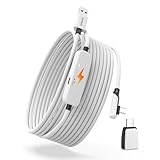
Our Top Picks


Top 3 picks at a glance
The Short Answer
If you are wondering what length link cable is needed for quest roomscale, the short answer is that you need a cable that is at least 16 feet (5 meters) long. However, for the absolute best experience in larger rooms, a 20-foot (6-meter) cable is highly recommended.
Meta defines the minimum space for roomscale VR as a 6.5-foot by 6.5-foot (2-meter by 2-meter) play area. To move freely within this boundary without pulling on your PC tower, the cable must cover the horizontal distance of your room, the vertical distance from the floor to your headset (typically 5 to 6 feet when standing), plus an extra safety buffer of slack. High-quality third-party options, such as heavy-duty PVC or braided cables, typically cost between around $22 and around $26, making them an affordable way to secure the exact length you need for your floor plan.
Standard Sizes
To help you map out your space, here is a breakdown of standard VR link cable lengths converted into both imperial and metric measurements, along with their practical limitations inside a room.
| Cable Length (Feet) | Cable Length (Meters) | Length in Inches | Length in Centimeters | Best Room Use Case |
|---|---|---|---|---|
| 10 Feet | 3.0 Meters | 120 Inches | 304.8 Centimeters | Strictly seated or stationary play directly next to a desk. |
| 13 Feet | 4.0 Meters | 156 Inches | 396.2 Centimeters | Limited standing play in small bedrooms with the PC very close by. |
| 16 Feet | 5.0 Meters | 192 Inches | 487.7 Centimeters | The standard minimum for a basic 6.5′ x 6.5′ roomscale boundary. |
| 20 Feet | 6.0 Meters | 240 Inches | 609.6 Centimeters | Ideal for large living rooms, finished basements, and ceiling pulley systems. |
How to Measure Your Space
Before purchasing a link cable, take a few minutes to measure your physical space. This prevents you from buying a cord that restricts your movement or, conversely, leaves too much heavy cable pooling on the floor to trip over.
- Step 1: Define Your Play Boundary. Clear your floor space to establish your safe zone. Ensure you have at least a 6.5-foot by 6.5-foot clear area, free of coffee tables, rugs, or low-hanging light fixtures.
- Step 2: Locate Your PC Anchor Point. Identify exactly where your gaming PC sits. Is it on top of a desk, on the floor, or tucked into a media cabinet? Measure the distance from the PC’s USB port to the edge of your play boundary.
- Step 3: Calculate the Diagonal Reach. Measure from your PC port to the furthest corner of your designated play boundary. This is the maximum horizontal distance your cable must stretch when you turn your back to the PC.
- Step 4: Account for Stand-up Height (The Z-Axis). Do not just measure along the floor. The cable must travel from your PC up to your head. Add your standing height (usually 5 to 6 feet) to your horizontal measurements.
- Step 5: Add a Slack Buffer. Add at least 3 to 4 feet of extra length to your final calculation. This “slack factor” ensures that when you crouch, duck, or dodge, the cable does not yank violently on your headset strap or your PC’s motherboard ports.
By Room or Use Case
Every home layout is different. Depending on where you set up your VR space, your physical requirements will change.
Small Bedrooms and Dedicated Nooks
If your VR space is set up in a compact bedroom or a dedicated home office corner where the play area is adjacent to your desk, a 16-foot (5-meter) cable is usually perfect. At this length, you can comfortably cover a standard 6.5-foot square boundary. Utilizing a 16-foot USB 3.0 to USB-C cable (typically priced around $24) keeps the cord light and manageable, preventing excess slack from bunching up around your feet in a tight room.
Standard Living Rooms and Finished Basements
For open-concept living rooms, family rooms, or large basement play zones where your boundary is 10 feet by 10 feet or larger, you must step up to a 20-foot (6-meter) cable. A 20-foot cable (available in configurations like USB 3.0 to USB-C or with specialized Type-A to C adapters for around $22 to around $25) gives you the freedom to move laterally without feeling the constant, immersion-breaking pull of a taut wire.
Ceiling-Pulley Management Systems
If you want a professional-looking room that keeps cables off the floor entirely, a ceiling pulley system is the ultimate design solution. However, routing a cable up a wall, across the ceiling, and down to the center of your head requires significantly more length. For any ceiling-mounted setup, a 20-foot cable is mandatory. A 16-foot cable will simply not have enough slack to reach the ceiling and drop down comfortably to a standing user.
Common Sizing Mistakes
When integrating VR equipment into a home, several common layout and purchasing mistakes can disrupt your space:
- Ignoring the Z-Axis: Many users measure their floor space but forget that they are standing. A 10-foot cable seems long on the floor, but once it climbs 5.5 feet up to your head, you only have 4.5 feet of horizontal movement left.
- Underestimating Cable Weight and Drag: Extremely long cables can become heavy. A standard 20-foot high-quality copper link cable weighs between 10 and 14 ounces. If you do not secure the cable to your headset strap with a hook-and-loop fastener, that weight will pull down on the back of your head, causing neck strain.
- Neglecting Power Delivery and Signal Loss: Cheap, unbranded long cables often suffer from signal degradation. To maintain a stable 5 Gbps data transfer speed and deliver steady power (typically around 5V/3A or up to 15W) to keep your Quest battery charged while playing, you need a high-quality USB 3.0 cable with proper shielding.
FAQ
Can I use a standard phone charging cable for Quest Roomscale?
No. Standard phone charging cables are typically only 3 to 6 feet long, which is far too short for roomscale play. Additionally, most standard charging cables are built using USB 2.0 architecture, which limits data transfer speeds to 480 Mbps. For PC VR link play, you require a USB 3.0 or higher cable capable of at least 5 Gbps bandwidth to prevent severe lag and visual compression.
Does a longer link cable reduce VR performance or cause latency?
With high-quality copper construction and proper shielding, a 16-foot or 20-foot cable will not cause noticeable latency or performance drops. However, going beyond 20 feet with standard passive copper cables can result in signal degradation and disconnects. If you need to span a distance longer than 20 feet, you must use an active optical fiber cable or an active repeater cable, which can significantly increase costs.
How do I stop my 20-foot link cable from tangling during roomscale play?
To prevent tangling, we recommend using a coiled overhead suspension system or laying down a textured rug that defines the center of your play space, helping you stay oriented. Additionally, make a habit of untwisting the cable after every gaming session. You can also use software utilities that track your physical rotations in VR and remind you to spin in the opposite direction to untangle the cord.
Is a 16-foot cable long enough if my PC is sitting on the floor?
Yes, a 16-foot cable is generally long enough if your PC is on the floor, provided your play area starts immediately next to the PC. However, because the cable starts at floor level, it will drape along the ground before climbing up to your headset. If your play boundary is set several feet away from your computer desk, you should opt for a 20-foot cable to compensate for the distance lost on the floor.
Related guides
- Best Free MMOs on Steam: Subscription Limits, Pay-to-Win and Time Cost (2026)
- Best Free Horror Games on Steam: How to Pick One That Fits Your PC and Your Nerves (2026)
- Black Frame Insertion vs VRR: Which Smoothness Feature Should You Use?
- Best Webcams for Streaming: 11 Listings Compared by Resolution, Focus and Light (2026)








