
Integrating high-end virtual reality into your home is as much an interior design challenge as it is a technological one. While a standalone Meta Quest headset offers wire-free convenience, unlocking high-fidelity PCVR gaming requires a physical tether to a powerful computer. Suddenly, your carefully curated living room or home office is bisected by a 16-foot cable.
This is where the real decision lies for homeowners and renters alike. It is not just a question of data transfer speeds; it is about physical footprint, safety, aesthetics, and daily usability. Choosing between an active copper link cable and an optical fiber link cable dictates how your VR setup interacts with your living space. Do you want a robust, heavy-duty cord that can withstand being stepped on by children or pets, or do you prefer an ultra-lightweight, near-invisible fiber optic strand that drapes elegantly but requires delicate handling? Choosing the wrong cable can lead to cluttered floors, tripping hazards, damaged ports, or costly replacements.
As an Amazon Associate we earn from qualifying purchases at no extra cost to you.

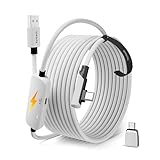

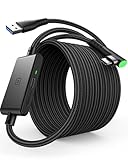
Our Top Picks


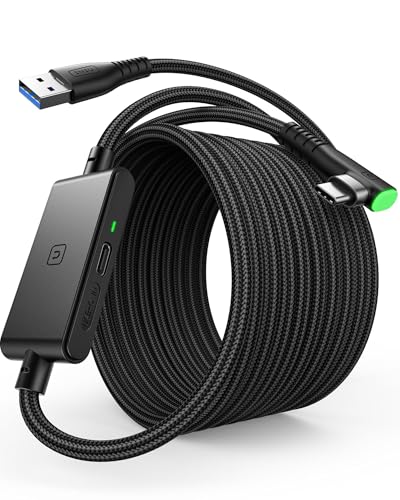
Top 3 picks at a glance
Quick Verdict
For most busy, multi-use households, an active copper link cable is the most practical and cost-effective choice. It offers unmatched physical durability, excellent power delivery to keep your headset charged, and a price tag that is easy to digest. However, if you have a dedicated, minimalist VR room, use a ceiling-mounted pulley system, or prioritize absolute comfort and weightlessness above all else, an optical link cable is well worth the premium investment.
Side by Side
To help you visualize how these two cable technologies integrate into your home, here is a detailed breakdown of their physical and functional characteristics:
| Feature | Active Link Cable (Copper) | Optical Link Cable (Fiber Optic) |
|---|---|---|
| Comfort & Weight | Heavier (typically 250 to 350 grams); noticeable tug on the headset. | Ultra-lightweight (typically 70 to 100 grams); feels almost wireless. |
| Durability & Bend Radius | Highly resilient; can tolerate tight bends (under 15mm) and heavy foot traffic. | Fragile; internal glass fibers can fracture if bent past a 20mm radius. |
| Price Range | around $15 to around $30 | around $70 to around $100 |
| Power Delivery & Charging | Excellent; can deliver 10W to 18W+ of power to actively charge the Quest during play. | Limited; hybrid optical cables carry minimal power and rarely charge the headset during intense play. |
| Storage & Maintenance | Easy to coil and store in a drawer; highly resistant to kinks. | Requires careful, wide coiling; must be kept away from heavy objects and pets. |
| Visual Footprint | Thicker profile (approx. 5mm to 6mm); highly visible on floors. | Ultra-thin profile (approx. 3.5mm to 4mm); blends easily into baseboards. |
| Resale & Longevity | High physical longevity; easy to resell as a durable accessory. | High technological longevity but prone to sudden physical failure if mistreated. |
| Best For | High-traffic family rooms, budget setups, and long play sessions requiring power. | Dedicated VR rooms, ceiling pulley systems, and premium, immersive experiences. |
Where Active Link Cable Wins
Active copper link cables are the workhorses of the VR world. They utilize traditional copper wiring paired with active signal boosters (equalizers) built into the connectors to ensure data speeds do not degrade over long 16-foot runs. Here is where they excel in a home environment:
- Superior Power Delivery: Copper is an excellent conductor of electricity. Active cables excel at keeping your Meta Quest battery topped up while you play. Many options on the market, such as the INIU 16ft VR Link Cable with Separate Charging Port, USB 3.0 to USB C Cable (around $21), feature dedicated secondary inputs that inject up to 18W of power directly into the line. This prevents the headset from slowly draining during resource-heavy PCVR sessions.
- Rugged Physical Durability: In a lively household, cables get stepped on, run over by office chairs, and yanked by pets. Active copper cables are built to survive this chaos. Many options, like the AMVR 16FT VR Charging Link Cable, USB 3.0 Nylon Braided with A to C Adapter (around $25), feature heavy-duty nylon braiding that resists abrasion, pet chewing, and sharp kinks.
- Unbeatable Value: Active copper cables are highly accessible. Reliable, high-speed options like the Syntech 16FT VR Link Cable with USB 3.0 to C Adapter for Meta Quest 3S/3/2 (around $21) or the straightforward Syntech Link Cable 16FT, USB 3.0 to USB Cable for Meta Quest 3/3S/2, Pico 4 (around $16) offer high-speed data transmission at a fraction of the cost of fiber optics.
Where Optical Link Cable Meta Quest Wins
Optical link cables represent the premium tier of VR tethering. By converting electrical data into light signals and transmitting them through microscopically thin glass or plastic fibers, these cables achieve incredible data bandwidth with zero electromagnetic interference. Here is why they are favored by VR purists:
- Featherlight Ergonomics: The biggest drawback of wired VR is the constant feeling of a cable dragging down the left side of your headset. Optical cables are incredibly thin (often just 3.5mm in diameter) and weigh less than half of what a standard copper cable weighs. This dramatic weight reduction reduces neck fatigue and makes the cable feel practically invisible during fast-paced physical games.
- Zero Signal Interference: Because the data is transmitted via light, optical cables are completely immune to electromagnetic interference (EMI). If your play space is cluttered with wireless routers, smart home hubs, or heavy appliances, an optical cable ensures a flawless, latency-free visual stream without any artifacting.
- Elegant Home Integration: If you prefer to route your cables permanently along baseboards, under rugs, or through a ceiling-mounted pulley system, the thin profile of an optical cable makes it incredibly easy to hide. It drapes naturally without the rigid, stubborn memory retention common in thick copper cords.
Cost Over 5 Years
When calculating the true cost of ownership for your home VR setup, looking at the initial purchase price is only half the story. You must also factor in durability, replacement rates, and power consumption over a five-year horizon.
With an active copper cable, your five-year cost is highly predictable. Because these cables are highly resilient, a single $20 to $25 purchase can easily last the entire five years, even in a busy household. Even if a family pet manages to chew through a braided nylon cable, replacing it is inexpensive. Over five years, you will likely spend between $20 and $50 on copper cabling.
With an optical link cable, the financial equation is more volatile. The initial buy-in is steep, often ranging from $70 to $100. If you treat the cable with care—storing it on a wide, dedicated hook and ensuring it is never stepped on—that single cable can last five years, bringing your cost to around $80. However, if a family member accidentally steps on the cable while wearing hard-soled shoes, or if it gets pinched in a closet door, the internal glass fibers will fracture instantly. Because optical cables cannot be spliced or repaired, you will be forced to buy a brand-new replacement. In a high-activity home, you could easily go through two or three optical cables over five years, pushing your total investment closer to $160 to $240.
Which One for Your Home
Every home has its own unique layout, traffic patterns, and aesthetic standards. Here is how to choose the right cable based on your specific living situation:
Small Apartment
In a small apartment or studio, your living room likely serves as your office, workout space, and entertainment center. Space is at a premium, and clutter must be kept to an absolute minimum. An active copper cable is ideal here because of its versatility and easy storage. You can coil it tightly to tuck it into a small media drawer without worrying about damaging internal components. Since your play area is likely close to your PC, the extra weight of the copper cable is less of an issue, and its lower price point leaves more room in your budget for space-saving furniture.
Family with Kids or Pets
If your home is filled with high-energy children, curious cats, or dogs that love to chase moving objects, avoid optical cables entirely. A single misplaced footstep or a playful bite can instantly ruin a delicate fiber optic line. Opt instead for a highly durable, braided copper cable like the AMVR 16FT VR Charging Link Cable. Its rugged construction can handle being stepped on, tripped over, and lightly chewed, keeping your VR setup safe and your budget intact.
Rental
As a renter, you cannot drill holes into your walls or ceilings to install elaborate cable management pulleys. You need a setup that can be deployed quickly and packed away cleanly. An active copper cable with an integrated charging solution, such as the INIU 16ft VR Link Cable, is perfect for rentals. It allows you to plug directly into any standard wall outlet near your play space to keep your headset charged, eliminating the need to run long, hazardous extension cords across your rental’s floorboards.
Long-Term Home
If you own your home and have dedicated a specific room, loft, or basement to be a permanent home theater or VR studio, an optical link cable is the ultimate choice. With a permanent space, you can install a discreet, ceiling-mounted retractable pulley system. The featherlight weight of an optical cable works beautifully with pulleys, offering a near-wireless feel with zero physical drag. Because the cable remains suspended in the air, it is completely protected from foot traffic, pets, and vacuum cleaners, allowing you to enjoy pristine visual fidelity and maximum comfort for years to come.
FAQ
Does an optical link cable charge the Meta Quest better than an active copper cable?
No. In fact, active copper cables are significantly better at charging the Meta Quest. Copper is highly efficient at transmitting electrical current. Hybrid optical cables do contain thin copper strands alongside the glass fibers to carry power, but they struggle to deliver enough wattage to charge the headset during intense play. If keeping your headset charged indefinitely is your priority, an active copper cable with a dedicated power injection port is the superior choice.
Can I run an active copper cable on a ceiling pulley system?
Yes, you can, but it is less comfortable than using an optical cable. Active copper cables are noticeably thicker and heavier. When suspended from a ceiling pulley system, the weight of the copper cable can pull back on your headset, creating a distracting tugging sensation during gameplay. For ceiling-mounted setups, the ultra-lightweight profile of an optical cable is highly recommended.
How do I store an optical link cable without damaging the fiber optics?
To prevent the internal glass fibers of an optical cable from fracturing, you must store it using the “over-under” coiling method, keeping the loops wide (at least 6 to 8 inches in diameter). Never fold the cable sharply, tie it in tight knots, or use tight plastic zip-ties. Instead, secure the coiled cable with loose hook-and-loop velcro straps and hang it on a dedicated wall hook or store it flat in a rigid protective case.
Will I notice a graphical difference between active and optical cables in 2026?
From a pure data transmission standpoint, both high-quality active copper cables and optical cables can easily saturated the maximum USB 3.0 bandwidth (up to 5 Gbps) required by the Meta Quest link protocol. Looking ahead to 2026, as headset resolutions and refresh rates continue to push the limits of compression, both cable types will perform identically in terms of visual clarity and latency, provided they are rated for USB 3.0 or higher. The only difference you will notice is the physical comfort and weight of the cable on your head.
Related guides
- Best Free MMOs on Steam: Subscription Limits, Pay-to-Win and Time Cost (2026)
- Best Free Horror Games on Steam: How to Pick One That Fits Your PC and Your Nerves (2026)
- Black Frame Insertion vs VRR: Which Smoothness Feature Should You Use?
- Best Webcams for Streaming: 11 Listings Compared by Resolution, Focus and Light (2026)








