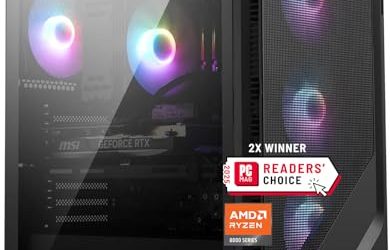
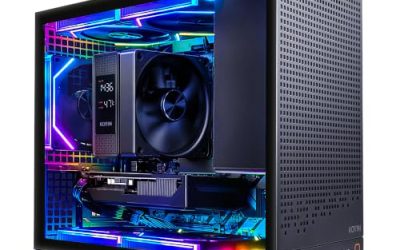
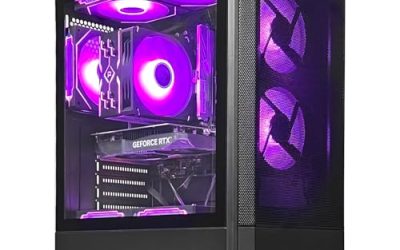
A budget cap of under 1000 dollars sounds generous until you start reading spec sheets. In that range, a prebuilt can pair a respectable six-core processor with a modern entry graphics card and a fast SSD, or it can bundle a decade-old processor with a flashy case and a long list of RGB fans. The difference is rarely visible in the photos, which is why the graphics card, memory, and storage lines in the title matter far more than the marketing copy around them.
This guide is for first-time PC gamers, parents shopping for a family machine, and anyone replacing a console-sized budget with something more flexible. Seven prebuilt towers are compared using only the specs in each product title. Because several brands are small and lesser-known, confirm warranty terms, return windows, and the exact component models on the listing before ordering. For 2026, the sweet spot in this tier is a recent six-core processor, 16GB of RAM or more, an NVMe SSD, and the best graphics card the budget allows.
Our Top Picks

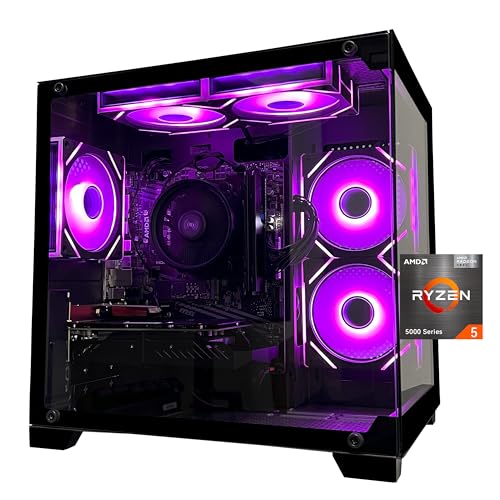

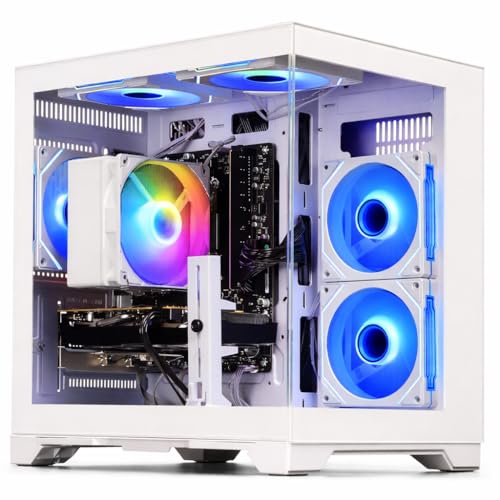


Top 3 picks at a glance
Quick Picks
As an Amazon Associate we earn from qualifying purchases at no extra cost to you.




| Product | Best for | Key spec from the title |
|---|---|---|
| Olialia Gaming PC | Strongest listed graphics | RTX 3060 Ti, Ryzen 5 5500, 16GB, 600W |
| SKYESEV Prebuilt | Memory-heavy multitasking | Ryzen 5 5600, RTX 3050 6GB, 32GB DDR4, 1TB NVMe |
| ZYNEEX Prebuilt | Balanced 1080p play | Ryzen 5 5500, RTX 3050 6GB, 16GB, 1TB NVMe |
| Volt X3 V1.2 | Used-parts style value | Ryzen 5 2600, GTX 1070 8GB, 512GB NVMe |
| WIWB Gaming PC | Entry esports | Ryzen 7 4700LE, RX 6500XT 4GB, 16GB DDR4 |
| Qehi Desktop | Larger video memory, older chip | Core i7, RX 580 8GB, 16GB RAM, WiFi 6 |
| LXZ Gaming PC | Light games and daily use | Ryzen 5 5600GT, integrated graphics, 1TB NVMe |
How to Choose
Put the graphics card first
For 1080p gaming, the graphics card does most of the work. A card in the RTX 3060 Ti class handles most current games at high settings, an RTX 3050 6GB handles medium settings in newer titles and high in esports games, and 4GB cards such as the RX 6500 XT run out of memory quickly in modern releases. Integrated graphics suit older titles, indie games, and cloud streaming, but not demanding recent releases.
Memory and storage thresholds
Sixteen gigabytes of DDR4 is the minimum for modern games, while 32GB helps if you stream or multitask. For storage, 512GB fills quickly after a few big installs, so 1TB NVMe is a more comfortable baseline. Check that the SSD is NVMe, not a slower SATA drive, and look for an open second slot if you want to add storage later.
Processor generation and platform
Ryzen 5 5500 and 5600 are older, mature chips that still handle 1080p gaming well. A Ryzen 5 2600 or an older Intel Core i7 will hold back newer graphics cards and lack some modern features. Look at the platform: DDR4 boards are common at this tier, and an AM4 platform may offer upgrade paths, but confirm the motherboard model on the listing.
Know where budget prebuilts cut corners
Low-cost systems often use a basic power supply, minimal cooling, and an unbranded motherboard. A listed 600W power supply is a good detail, but brand and efficiency tier matter too. Be skeptical of titles that stack many buzzwords and unfamiliar brands, and check whether Windows is genuinely licensed. Read the warranty terms and customer service access, because small sellers vary widely.
The 7 Best Options
Olialia Gaming PC with RTX 3060 Ti
Olialia lists an RTX 3060 Ti, a Ryzen 5 5500, 16GB of RAM, a 512GB SSD, WiFi 6, a 600W power supply, Windows 11, and a panoramic tower with RGB lighting. The 3060 Ti is the strongest graphics card named in this group.
- Strength: RTX 3060 Ti graphics for stronger 1080p and some 1440p play.
- Strength: a 600W power supply and Windows 11 are named in the title.
- Trade-off: a 512GB SSD fills quickly, so plan for extra storage.
Skip it if you want a larger drive from day one or a well-known retail brand. It suits players who want the most graphics power under the cap and are comfortable adding an SSD later. Confirm warranty terms and the power supply brand on the listing before you order.
SKYESEV Prebuilt Gaming Desktop
SKYESEV pairs a Ryzen 5 5600 with an RTX 3050 6GB, 32GB of DDR4 3200MHz memory, a 1TB NVMe SSD, ARGB air cooling, and Wi-Fi. The memory and storage amounts are the highest here, which helps with multitasking and larger libraries.
- Strength: 32GB of RAM and a 1TB NVMe SSD.
- Strength: Ryzen 5 5600 is a step above the 5500 in the same family.
- Trade-off: the RTX 3050 6GB is an entry-level graphics card and limits settings in demanding games.
Skip it if you want the most graphics power for the money. It fits players who stream, run many browser tabs, or keep a big library installed and are happy with medium settings at 1080p. Because the title does not name the motherboard or the power supply, read the listing for those parts, and check how many memory slots are free if you ever want to expand beyond what ships in the box.
ZYNEEX Prebuilt Gaming Desktop PC
ZYNEEX lists a Ryzen 5 5500, RTX 3050 6GB, 16GB DDR4 3200MHz, a 1TB NVMe SSD, ARGB air cooling, and Wi-Fi in a tower. It is a balanced build for budget-minded 1080p play with enough storage to start.
- Strength: 1TB NVMe storage with an RTX 3050 6GB.
- Strength: 16GB of DDR4 3200MHz memory.
- Trade-off: the same graphics limits as other 3050 6GB systems.
Skip it if you want more than 16GB of RAM from the start. It suits a first gaming PC for a student or teenager who plays popular online games and wants a straightforward, upgradeable setup. Since the memory is a single 16GB total in the title, check whether a second stick can be added later, and confirm the power supply wattage and brand on the listing. A six-core Ryzen chip paired with 1TB of storage makes this a sensible all-rounder for schoolwork and weekend gaming sessions.
Volt X3 V1.2 Gaming PC
Volt X3 lists a Ryzen 5 2600 at 3.9GHz, an NVIDIA GTX 1070 8GB, 16GB DDR4, a 512GB NVMe SSD, four ARGB fans, and wireless WiFi plus Bluetooth. The 8GB card is the main draw.
- Strength: 8GB of video memory on a GTX 1070.
- Strength: Wi-Fi and Bluetooth included.
- Trade-off: both processor and card are older, with fewer modern features.
Skip it if you want newer upscaling or ray tracing support. It suits players on a tight allowance who mostly run older games, esports titles, and emulators, and who want 8GB of video memory without stepping up to a newer card. Check the listing for the power supply details and whether Windows is licensed, because used-style builds sometimes cut corners there. A first-generation Ryzen processor is also a reminder to read the motherboard and BIOS information before planning any upgrade.
WIWB Gaming PC Desktop
WIWB lists a Ryzen 7 4700LE, an RX 6500 XT 4GB, 16GB of DDR4, a 512GB SSD, and WiFi 6, aimed at 1080p gaming, streaming, esports, and schoolwork.
- Strength: eight-core class processor for multitasking.
- Strength: dedicated graphics in a low-cost system.
- Trade-off: the 4GB graphics card limits texture settings.
Skip it if you want to play recent releases at high settings. It suits esports players and students who do schoolwork, streaming, and casual gaming on one machine. The eight-core class chip helps with background tasks such as video calls or recording, but the 4GB card means you should plan on lowering texture quality in recent releases. Look at the listing for cooling, power supply, and warranty details, as the title leaves them out, and consider whether a stronger graphics card elsewhere in this guide would serve you longer.
Qehi Desktop Computer with RX 580
Qehi lists a Core i7 with speeds up to 4.2GHz, 16GB of RAM, a 512GB SSD, an RX 580 8GB graphics card, RGB lighting, and WiFi 6 in a prebuilt tower.
- Strength: 8GB of video memory.
- Strength: WiFi 6 and RGB styling.
- Trade-off: the processor generation is not stated, and the graphics card is old.
Skip it if you want modern efficiency or upscaling. It suits budget gamers who accept older hardware for the sake of video memory. Because the title does not give the processor generation, ask the seller or check the listing for the exact model and the platform, since an older chip can limit the card and make future upgrades awkward. Power use and fan noise can also be higher with older graphics hardware, so leave room for airflow around the tower and confirm the warranty.
LXZ Gaming PC Desktop
LXZ lists a Ryzen 5 5600GT with integrated graphics, 16GB of DDR4, a 1TB NVMe SSD, WiFi, and RGB cooling fans.
- Strength: 1TB NVMe storage and a six-core processor.
- Strength: no graphics card means room to add one later.
- Trade-off: integrated graphics only play lighter games.
Skip it if you want to play recent releases right away. It suits users who will upgrade the graphics card later, such as a student who starts with online games, homework, and video streaming and adds a dedicated card when savings allow. Before planning that upgrade, check the listing for the power supply capacity, available PCIe slot, and case clearance, because a basic supply may need replacing. The Ryzen 5 5600GT is a capable chip for light gaming on its own, but expect lower settings in demanding games.
Which One Fits Your Situation
Best graphics under the cap
The Olialia Gaming PC with the RTX 3060 Ti is the strongest on paper, and it is the one to pick if you play recent releases and want high settings at 1080p without stepping outside the cap.
Streaming and multitasking
The SKYESEV with 32GB of RAM and a 1TB SSD handles more at once, which matters when a game, a browser, and a chat app run together.
First PC with room to grow
The LXZ system with integrated graphics lets you add a card later, so the first months can be spent on lighter games while you save for the upgrade.
Older games on a tiny allowance
The Volt X3 with its GTX 1070 8GB covers older libraries and esports favorites, though the older parts mean you should check the warranty carefully.
Common Mistakes
- Choosing by RGB count or case design instead of graphics card and memory.
- Forgetting that 512GB fills quickly.
- Ignoring warranty and return terms from small sellers.
- Assuming any card with 8GB is faster than a newer 6GB card.
- Skipping a power supply check before adding a graphics card later.
Related guides
- How To Check Motherboard Vrm Temperature In Hwinfo
- How To Clean Quest 3 Lenses And Facial Interface
- Micro Sd Cards For Samsung Galaxy Phones
Frequently Asked Questions
Can a prebuilt gaming desktop under 1000 dollars run new games?
Yes at medium settings with a card like the RTX 3050 or 3060 Ti. Older cards struggle in newer releases.
Is integrated graphics enough for gaming?
It is fine for older titles and lighter games. Newer games need a dedicated card.
How much RAM does a budget gaming PC need?
Sixteen gigabytes is the minimum, and 32GB helps with multitasking.
Is a prebuilt desktop upgradeable later?
Often yes, but check the power supply, case space, and motherboard slots on the listing.
Related guides
More from Amazon
Programs that pair well with the guide above. Offers and eligibility are set by Amazon and may change.
Free shipping on eligible items, Prime Video and more. Eligible new members can start with a free trial.
Start a Prime free trialAd-free music streaming. Eligible new subscribers can start with a free trial.
Try Music Unlimited freeA Prime membership for ages 18-24 with a trial period. Eligibility is set by Amazon.
See Prime for Young AdultsAudiobooks and podcasts to listen to on the go. Eligible new members can start with a free trial.
Try Audible freeAs an Amazon Associate we earn from qualifying purchases.