A compact gaming desktop is a promise: tower-class frame rates without a tower-sized footprint. The catch is that “compact” covers everything from a 3-liter mini PC you can slide behind a monitor to a 15-liter prebuilt that is still a real desktop. Before comparing graphics cards, decide how much desk or shelf space you can actually give up, because that single number rules out half the market.
This guide is for players with a small apartment, a dorm desk, or a living-room TV who want one box that handles current games, and for anyone replacing an aging tower. The seven systems below span premium mini machines to entry-level options for esports and 1080p play. Each assessment relies only on the specs in the product title, so verify ports, dimensions, cooling, and warranty on the listing. Prices change often, so tiers stay vague on purpose; the 2026 market is crowded with both mini PCs and slim towers.
Our Top Picks
 ROG NUC 16 Gaming Mini PCRTX 5080|32GB RAM|1TB SSD11.12 x 7.46 x 2.22 inches7.05 poundsCheck on Amazon


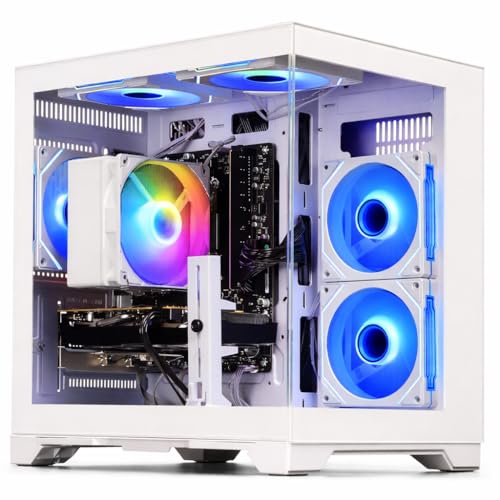

Top 3 picks at a glance
Quick Picks
As an Amazon Associate we earn from qualifying purchases at no extra cost to you.




| Product | Best for | Key spec from the title |
|---|---|---|
| msi Codex Z2 | Balanced mid-range desktop | Ryzen 7 8700F, RTX 5070, 32GB DDR5, 2TB SSD |
| ROG NUC 16 | Smallest premium build | Core Ultra 9 290HX Plus, RTX 5080, 3L chassis |
| Acer Nitro 85 | Wi-Fi 7 tower-style system | Core Ultra 7 265F, RTX 5070, Wi-Fi 7 |
| MINISFORUM G1 Pro | Powerful mini with fast networking | Ryzen 9 8945HX, RTX 5060 8GB, 5GbE, Wi-Fi 7 |
| HP Victus 15L | Budget 1080p play | Core i5-14400F, GTX 1660S 6GB, 15L |
| ACEMAGICIAN S3A | Integrated-graphics mini PC | Ryzen 7 H 255, Radeon 780M, 512GB SSD |
| WIWB Gaming PC | Entry-level esports | Ryzen 7, RX 6500XT 4GB, 16GB RAM |
How to Choose
Decide on size before power
Compact desktops fall into rough bands: under 5 liters for true mini PCs, around 10 to 20 liters for small towers, and larger slim cases above that. A small chassis limits the graphics card, the cooler, and sometimes the power supply, so a machine with a modest GPU and a tiny case can feel quieter and more reliable than a high-wattage part squeezed into the same space. Measure the shelf or desk spot, then compare the dimensions on the listing, not just the liters in the title.
Match the GPU to your monitor
For 1080p play, a card in the GTX 1660 Super or RX 6500 XT class handles esports titles but struggles with newer releases at high settings. For 1440p, an RTX 5070 class card is the sensible entry point, with an RTX 5080 reserved for high refresh rates or 4K. Also check the VRAM figure in the title; 8GB is workable today but gives less headroom than 12GB or 16GB for texture-heavy games.
Look at memory, storage, and upgrade paths
Sixteen gigabytes of RAM is the practical floor for modern games, and 32GB helps if you stream or keep browsers open while playing. A 1TB SSD fills up fast with current installs, so 2TB is more comfortable. Mini PCs often have soldered or limited-capacity components, so read whether memory and storage can be replaced later. Slim towers usually keep standard upgrade routes.
Know where budget systems cut corners
Cheaper compact PCs tend to ship with older processors, small SSDs, and basic power supplies. Be wary of listings that use “gaming” in the title yet list integrated graphics only, or that pair a modern processor with a very old graphics card. Check the return window, the warranty length, and whether Windows is activated, because these details matter more than RGB lighting.
The 7 Best Options
msi Codex Z2 Gaming Desktop
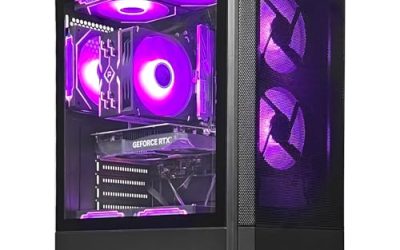
The msi Codex Z2 pairs an AMD Ryzen 7 8700F with an RTX 5070, 32GB of DDR5 memory, and a 2TB SSD. That combination is the most balanced spec sheet in this roundup, with enough memory and storage that a buyer is not forced into immediate upgrades. It suits players who want one clean machine for 1440p gaming and general home use.
- Strength: RTX 5070 graphics with 32GB of DDR5 RAM.
- Strength: 2TB of SSD storage out of the box, with USB Type-C and VR-ready listed.
- Trade-off: the title does not state the chassis volume, so confirm the footprint on the listing.
Skip it if desk space is extremely tight and you need a mini PC measured in liters, or if you plan to replace the video card within a year and want to verify the power supply headroom first.
ROG NUC 16 Gaming Mini PC
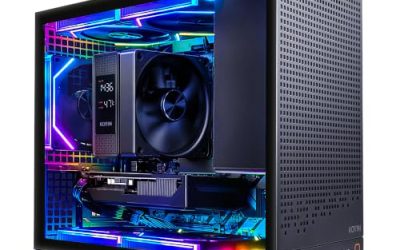
The ROG NUC 16 is the only 3-liter machine here, built around an Intel Core Ultra 9 290HX Plus and an RTX 5080 with 32GB of DDR5-6400 memory and a 1TB SSD. It is aimed at players who want flagship graphics in a case that fits on a shelf next to the TV.
- Strength: RTX 5080 class graphics in a 3L chassis with a triple-fan cooling layout.
- Strength: fast DDR5-6400 memory and Windows 11 preinstalled.
- Trade-off: a compact form factor concentrates heat, so expect some fan noise under load and check the listing for cooling details.
Skip it if you want the lowest cost per frame, because a premium mini design charges for its size, or if you want a roomy case for later add-in cards.
Acer Nitro 85 Gaming Desktop
Acer’s Nitro 85 offers an Intel Core Ultra 7 265F, an RTX 5070, 16GB of DDR5 memory, a 1TB Gen 4 SSD, and Wi-Fi 7. It targets players who want a modern platform and fast wireless networking without the premium of a mini PC.
- Strength: RTX 5070 paired with a current-generation Core Ultra processor.
- Strength: Wi-Fi 7 and a Gen 4 SSD named in the title.
- Trade-off: only 16GB of RAM, and the title does not give the case volume, so confirm that it is small enough for your space.
Skip it if you need a true mini footprint or plan to run memory-hungry apps next to your games. It suits players who want a name-brand tower-style system with a current processor platform and Wi-Fi 7 for a router upgrade down the line, and who are comfortable adding memory later if the listing confirms free slots.
MINISFORUM G1 Pro Gaming Mini PC
The G1 Pro combines a Ryzen 9 8945HX (16 cores, 32 threads), an RTX 5060 with 8GB of GDDR7, 32GB of DDR5, and a 1TB SSD in a mini chassis. The title also lists 5GbE, Wi-Fi 7, quad 4K output, and a 245W compute figure on the listing.
- Strength: a high core count for streaming or creative work alongside games.
- Strength: quad 4K outputs and 5GbE for desk setups with several screens or wired networks.
- Trade-off: the 8GB graphics memory gives less headroom than 12GB or 16GB cards at higher resolutions.
Skip it if your priority is the strongest possible graphics card for 1440p or 4K, since the GPU here is a step below the 5070 class. It is a good fit for a creator who edits video in the morning and games at night, or for a multi-monitor desk where the extra display outputs and fast wired networking matter more than raw frame rates.
HP Victus Prebuilt Gaming Desktop (15L)
HP’s Victus pairs an Intel Core i5-14400F with a GTX 1660 Super 6GB, 16GB of RAM, and a 1TB SSD in a 15-liter case, with nine USB ports and a Wi-Fi adapter. It is a straightforward 1080p machine for esports and older titles.
- Strength: 1TB SSD and 9 USB ports named in the title.
- Strength: 15L chassis keeps it manageable on a desk.
- Trade-off: the GTX 1660 Super is an older card and will struggle with newer demanding games at high settings.
Skip it if you want ray tracing, DLSS-class features, or high settings in recent releases. It makes the most sense as a first gaming desktop for a student or a family machine that mostly runs esports titles, older libraries, and homework, where the 15L tower fits under a desk and the extra USB ports cover a keyboard, mouse, headset, and controller without a hub. Confirm the power supply and warranty terms on the listing before committing.
ACEMAGICIAN S3A Gaming Mini PC
The ACEMAGICIAN S3A relies on a Ryzen 7 H 255 with Radeon 780M integrated graphics, 16GB of RAM, and a 512GB PCIe 4.0 SSD. It is a very small box for light gaming, emulation, and everyday work.
- Strength: a small footprint with a PCIe 4.0 SSD named in the title.
- Strength: eight cores and 16 threads for multitasking.
- Trade-off: integrated graphics limit it to lighter or older games, and 512GB fills quickly.
Skip it if you expect modern titles at high settings, since the title does not list a discrete graphics card. It is better viewed as a compact home-office machine that can also run lighter games, retro emulators, and streaming apps on a bedroom TV. Because small boxes like this often limit memory and storage expansion, check the listing for how much of the RAM and SSD can be replaced later before you buy.
WIWB Gaming PC Desktop
WIWB lists a Ryzen 7 4700LE with a Radeon RX 6500 XT 4GB, 16GB of DDR4, a 512GB SSD, and Wi-Fi 6, aimed at 1080p play, streaming, esports, and school or home use.
- Strength: dedicated graphics and 16GB of RAM at a budget tier.
- Strength: Wi-Fi 6 and an SSD for quick boot times.
- Trade-off: only 4GB of video memory, which limits texture settings in newer games.
Skip it if you want future-proofing for newer releases or higher resolutions. It suits someone building a first gaming setup on a tight allowance who mainly plays competitive shooters and online favorites at 1080p and needs a box that also handles schoolwork and video calls. Treat the processor name carefully, since lesser-known chip variants can differ from retail parts, and read the listing for power supply and warranty details before ordering.
Which One Fits Your Situation
Living-room TV setup
The ROG NUC 16 is the cleanest fit, because the 3L chassis disappears next to a console-sized shelf and the RTX 5080 handles high-resolution displays.
One desktop for gaming and streaming
The MINISFORUM G1 Pro offers 16 cores and 32 threads along with quad 4K outputs, which suits players who capture or edit while they play.
Mid-range 1440p without complexity
The msi Codex Z2 delivers an RTX 5070, 32GB of RAM, and 2TB of storage, so it needs the fewest upgrades.
Tight budget and 1080p only
The HP Victus gives a recognizable brand, 15L size, and a 1TB SSD, while the WIWB is an alternative if you want an RX 6500 XT and a Ryzen 7.
Common Mistakes
- Buying by liters alone and ignoring ventilation space, which can push noise and temperatures up.
- Assuming a “gaming” label means discrete graphics; read the GPU line carefully.
- Choosing 8GB of video memory for high resolutions and then running into texture limits.
- Skipping storage planning on a 512GB drive that fills after a few big installs.
- Ignoring return policy and warranty terms on little-known brands.
Related guides
- How To Check Motherboard Vrm Temperature In Hwinfo
- How To Clean Quest 3 Lenses And Facial Interface
- Prebuilt Gaming Desktops Under 1000 Dollars
Frequently Asked Questions
Can a mini PC really replace a gaming tower?
For many players, yes, as long as the graphics card matches the resolution you play at. The trade-offs are higher fan noise and limited upgrades.
How much RAM does a compact gaming desktop need?
Sixteen gigabytes is the practical floor for current games. Thirty-two gigabytes is more comfortable if you stream, edit, or keep many apps open.
Is integrated graphics enough for gaming?
It covers esports, older titles, and emulation at lower settings. Newer games at higher settings need a discrete graphics card.
Should the graphics card or processor come first?
For gaming, the graphics card usually has the larger effect on frame rates. Pick a processor that does not hold it back, then spend the rest on memory and storage.
Related guides
More from Amazon
Programs that pair well with the guide above. Offers and eligibility are set by Amazon and may change.
Free shipping on eligible items, Prime Video and more. Eligible new members can start with a free trial.
Start a Prime free trialAd-free music streaming. Eligible new subscribers can start with a free trial.
Try Music Unlimited freeA Prime membership for ages 18-24 with a trial period. Eligibility is set by Amazon.
See Prime for Young AdultsAudiobooks and podcasts to listen to on the go. Eligible new members can start with a free trial.
Try Audible freeAs an Amazon Associate we earn from qualifying purchases.