Deploying virtual reality across corporate, medical, or industrial teams requires moving past consumer-grade setups and investing in robust enterprise infrastructure. In 2026, multi-user tracking has become the backbone of collaborative simulation training, allowing multiple trainees and instructors to inhabit the exact same virtual space simultaneously without spatial drift or tracking occlusion. However, evaluating these complex systems involves balancing spatial precision, hardware durability, and software compatibility to ensure your investment drives measurable operational improvements rather than logistical headaches.
Making the wrong choice in enterprise VR deployment often leads to costly hardware upgrades, frustrated trainees, and security vulnerabilities that stall adoption. Whether you are training surgical teams, emergency responders, or heavy machinery operators, understanding the core specifications that govern multi-user tracking will protect your budget. This guide breaks down the critical factors you need to evaluate, helping you separate essential enterprise features from costly marketing gimmicks.
As an Amazon Associate we earn from qualifying purchases at no extra cost to you.

Evaluating Tracking Technologies: Lighthouses Versus Inside-Out Systems
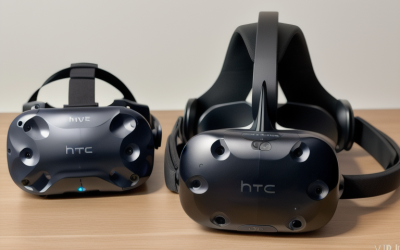
The foundation of any multi-user VR training system is how it tracks spatial positioning. External base stations, often referred to as lighthouses, project infrared sweeps across a room to offer sub-millimeter accuracy ideal for high-precision tasks like aerospace assembly or delicate medical procedures. These setups excel when multiple users operate in a dedicated, permanent training room, though they require careful calibration and stable mounting infrastructure to prevent accidental misalignment.
Conversely, inside-out tracking relies on cameras built directly into the headset to map the physical environment. While early iterations struggled with multi-user occlusions in crowded rooms, modern enterprise architectures leverage server-assisted spatial anchors to synchronize multiple headsets effortlessly. If your training program requires frequent relocation between different corporate sites or temporary conference rooms, inside-out systems provide the operational agility you need without sacrificing collaborative positioning accuracy.
Mapping the Spatial Footprint and User Density
Before purchasing hardware, you must carefully calculate your physical training space and the maximum number of concurrent users. Multi-user tracking demands robust network bandwidth and clear line-of-sight parameters, depending on your chosen tracking architecture. Overcrowding a tracking volume leads to dropped frames, controller jitter, and dangerous spatial discrepancies where virtual objects do not align with physical training props.
Always build your hardware selection around your peak operational capacity rather than average daily usage. If your simulation requires six trainees and two instructors moving dynamically within a shared zone, your tracking solution must support overlapping tracking fields without interference. Neglecting room-scale limitations at the procurement stage is the primary reason enterprise VR pilots fail to scale beyond initial testing phases.
Prioritizing Low Latency and High Refresh Rates
In high-stakes enterprise training, latency is more than an annoyance—it is a safety hazard that induces simulator sickness and degrades procedural muscle memory. Motion-to-photon latency must remain imperceptible, requiring headsets and tracking systems that maintain high, stable refresh rates. When multiple users share a synchronized environment, network lag can cause severe avatar jitter, making collaborative tasks like joint lifting or synchronized machinery operation nearly impossible.
Ensure that the hardware you select supports enterprise-tier Wi-Fi standards or dedicated tethered processing nodes. Wireless streaming in multi-user environments puts immense pressure on local routers, making Quality of Service configurations and dedicated network spectrum allocation non-negotiable elements of your deployment strategy to prevent packet loss during active simulations.
Software Compatibility and Enterprise Ecosystem Integration
Hardware is only as valuable as the training software running on it. When evaluating multi-user VR systems, verify that the platform supports industry-standard development engines, openXR standards, and your existing enterprise resource planning or learning management systems. Proprietary walled gardens can severely restrict your ability to update training modules or integrate custom simulation software built by third-party vendors.
Furthermore, look for systems that offer robust remote management portals. IT administrators need the ability to push software updates, monitor battery levels, and manage user permissions across dozens of headsets simultaneously without physically handling every single device in the fleet, thereby minimizing administrative overhead.
Hardware Durability, Hygiene, and Ergonomics
Consumer headsets are built for single users who handle their personal devices with care. Enterprise hardware, by contrast, faces heavy daily rotation across dozens of different users, making durability and hygiene critical purchasing criteria. Look for modular headstraps, easily replaceable facial interfaces, and medical-grade materials that can withstand frequent sanitization between successive training sessions.
Ergonomics directly impact training duration and information retention. If a headset is poorly balanced or overly heavy, trainees will experience physical fatigue that cuts learning sessions short. Always test the weight distribution and adjustability mechanisms with a diverse group of users to ensure the hardware accommodates varying head shapes comfortably.
Security, Data Privacy, and Offline Deployment
Enterprise training data often involves sensitive intellectual property, proprietary manufacturing processes, or regulated medical information. Many multi-user tracking platforms rely on cloud-connected servers to anchor spatial data, which can introduce compliance risks if your organization operates under strict data residency or security mandates.
Prioritize systems that offer robust local-network or offline deployment modes. Your IT security team will need strict control over telemetry data, firmware updates, and user authentication protocols. Ensuring enterprise-grade encryption from day one prevents costly data breaches and satisfies regulatory audits before deployment begins.
Calculating the True Total Cost of Ownership
The upfront price of headsets and tracking accessories represents only a fraction of your actual expenditure. A comprehensive total cost of ownership calculation must account for commercial licensing fees, enterprise support contracts, replacement consumables like cushions and controllers, and the staff hours required for ongoing system maintenance and calibration.
Investing in higher-end enterprise systems often yields a lower total cost over a three-to-five-year lifecycle compared to consumer alternatives that break down under commercial use. Factor in vendor warranties and dedicated customer support response times when weighing competing hardware proposals to protect your long-term operational budget.
Related Guides
To explore specific hardware configurations and compare top-tier deployment options, read our Best Enterprise VR Systems with Multi User Tracking for Training roundup for detailed benchmark analysis.
FAQ
How many users can typically share a single tracking space?
The number of concurrent users depends entirely on your tracking architecture, room dimensions, and network capacity. While smaller room-scale setups comfortably handle two to four users, expansive enterprise deployments with specialized server setups can support ten or more simultaneous participants.
Can consumer-grade VR headsets be used for multi-user enterprise training?
While consumer hardware can technically run enterprise software, they generally lack the spatial synchronization tools, commercial licensing, and durability required for multi-user business environments. Using consumer gear often leads to tracking drift and compliance complications.
What is the difference between local and cloud-based spatial mapping?
Local spatial mapping stores tracking data directly on the device or local server, offering enhanced security and offline functionality. Cloud-based mapping synchronizes spatial coordinates via remote servers, which simplifies multi-location management but requires a constant internet connection.
How often do multi-user tracking systems require recalibration?
Recalibration frequency depends heavily on your tracking technology and physical environment. External lighthouse systems may require occasional checks if base stations are bumped, whereas advanced inside-out tracking systems continuously update spatial anchors automatically.