Navigating the PlayStation 5 ecosystem in 2026 can feel overwhelming given the sheer volume of available add-ons, peripherals, and hardware upgrades. Whether you are looking to enhance your competitive edge in multiplayer shooters, improve your audio immersion during narrative adventures, or simply keep your entertainment center organized, knowing what to look for is half the battle. Many buyers fall into the trap of purchasing gear based purely on aesthetic appeal or flashy marketing terms, only to find that the product fails to meet their practical daily gaming needs or lacks long-term durability.
To make smart purchasing decisions, you need to understand the core technical specifications and ergonomic factors that actually impact your gaming experience. This guide cuts through the marketing noise, breaking down what truly matters when evaluating controllers, headsets, storage expansions, and power solutions. By focusing on compatibility, build quality, and essential features rather than gimmicks, you can invest your hard-earned money into accessories that genuinely elevate your console setup.
As an Amazon Associate we earn from qualifying purchases at no extra cost to you.

Prioritizing Official Versus Licensed Third-Party Hardware
When shopping for console add-ons, the first major decision is whether to buy first-party Sony products or licensed third-party alternatives. Official gear guarantees seamless software integration, automatic firmware updates through the console, and complete assurance of physical compatibility. Sony designs its proprietary peripherals to match the console’s architectural language, ensuring zero latency issues and optimal power distribution.
However, licensed third-party manufacturers often introduce features that Sony completely omits, such as advanced modular controller layouts, specialized grip textures, or alternative charging mechanisms. The golden rule here is to verify licensing credentials. Always look for official certification labels to ensure the peripheral communicates properly with the console’s operating system without triggering security blocks or performance throttling during heavy gaming sessions.
Evaluating Headsets for Spatial Audio and Comfort
Audio is half of the modern gaming experience, and selecting the right headset requires looking past flashy branding to examine core acoustic specifications. The console relies heavily on spatial audio processing, meaning your headset should support multi-channel virtual surround standards to accurately position directional cues like footsteps and gunfire in three-dimensional space.
Comfort and build quality are equally critical for long gaming marathons. Pay close attention to the clamping force, headband adjustability, and ear cup materials. Breathable mesh fabrics prevent heat buildup during extended play, while memory foam padding distributes weight evenly across the crown of your head. Connectivity also matters; decide whether you prefer the uncompressed reliability of a dedicated USB wireless dongle or the zero-latency purity of a wired 3.5mm connection plugged directly into your controller.
Navigating Storage Upgrades and Read Speeds
Internal storage fills up rapidly with modern game file sizes, making an M.2 NVMe solid-state drive one of the most practical investments you can make. However, you cannot simply buy any computer drive off the shelf. Sony enforces strict technical requirements regarding read speeds, dimensions, and thermal management to ensure games stream assets without stuttering or loading delays.
When selecting a compatible drive, verify that it meets or exceeds the minimum recommended read speed specifications. Crucially, your drive must feature an effective heatsink to dissipate heat efficiently within the console’s tight internal expansion slot. If you purchase a bare drive without a pre-attached heatsink, you must buy a compatible third-party cover with an integrated thermal pad before installation to prevent thermal throttling and potential hardware failure over time.
Power Management and Charging Dock Reliability
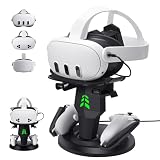
Dealing with dead controller batteries mid-match is frustrating, making a reliable charging solution an absolute must-have accessory. Dual charging docks keep your peripherals powered up and neatly displayed, but design differences significantly impact their daily utility. Look for docks that utilize custom contact pins or intelligent drop-in designs rather than forcing you to fiddle awkwardly with delicate USB-C cables every time you dock your hardware.
Consider your charging habits and household footprint. Smart charging circuits are essential because they prevent overcharging, thereby preserving the long-term health and maximum capacity of your controller batteries. Additionally, ensure the base has a weighted or rubberized bottom so the unit stays firmly planted on your entertainment center when you grab a controller in a rush.
Assessing Controller Customization and Pro Features
Standard gamepads work wonderfully for casual play, but competitive gamers and enthusiasts often benefit from upgraded controllers featuring modular components. When evaluating pro-style controllers, look for adjustable trigger stops that shorten travel distance for faster shooting responses, as well as mappable back buttons or paddles that allow you to execute complex inputs without taking your thumbs off the analog sticks.
Another crucial factor is stick drift resistance. Premium controllers frequently feature modular thumbstick modules that can be easily swapped out if mechanical wear occurs, saving you the expense of replacing the entire gamepad. Always weigh these performance-enhancing features against your actual play style to ensure you are paying for functionality you will genuinely use.
Understanding Cooling Stands and Airflow Dynamics
Many third-party manufacturers market elaborate vertical cooling stands equipped with integrated micro-fans, charging ports, and game storage slots. While these accessories can help organize your entertainment space, it is important to understand how the console’s internal thermal architecture works. The system is engineered with a powerful internal cooling fan and specific intake pathways designed to expel heat naturally.
If you choose to purchase a cooling stand, ensure that the auxiliary fans do not disrupt or counteract the console’s natural airflow direction. Poorly designed external fans can sometimes create dead air pockets or push dust deeper into the console’s intake vents. Prioritize stands that offer stable vertical mounting and secure anchoring mechanisms over unverified cooling gimmicks.
Related Guides
For more specific product recommendations, check out our curated roundup of the Best Ps5 Accessories. If you also game on Microsoft’s console, take a look at our guide covering the Best Xbox Series S Accessories to find top-tier gear for every platform.
FAQ
Do I need to buy official Sony accessories for full compatibility?
Not necessarily, but you should always choose peripherals that carry official licensing verification. Licensed third-party gear is guaranteed to work seamlessly without triggering system errors or connection drops during gameplay updates.
What is the most important spec to check when buying an M.2 SSD?
Read speed is the most critical metric, alongside physical dimensions that fit within the console’s expansion bay. You must also ensure the drive includes a compatible heatsink to prevent overheating during intense data-streaming operations.
Why do some charging docks require a wall adapter instead of USB console power?
Wall-powered docks provide stable, higher amperage output required to rapidly charge multiple heavy-duty batteries simultaneously. Drawing power from the console’s USB ports can sometimes limit charging speed or cause power distribution conflicts.
How can I prevent analog stick wear on my controllers?
Using protective grip caps can reduce physical friction, while storing your controllers in a clean, dust-free environment prevents debris from entering the internal sensor mechanisms. For long-term durability, consider pro controllers with modular, replaceable thumbstick components.