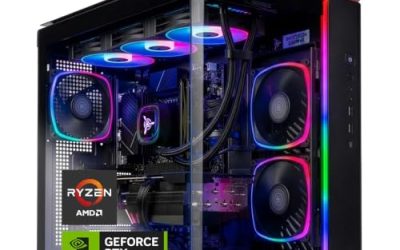
A gaming PC bundle with a monitor promises something very tempting: open the boxes, plug in a few cables, and you are playing the same evening. The catch is that every bundle is a budget split between at least four parts, the computer, the screen, the input devices, and sometimes extras like speakers, and the way that money is divided decides how the setup feels. A bundle with a great graphics card but a tiny office-grade screen wastes the card. A bundle with two flashy monitors but a modest card leaves the monitors short of frames.
This guide is for first-time PC gamers, parents buying a combined setup, and anyone who wants one purchase to cover the whole desk. It reviews six distinct bundles from the listing set, from a Ryzen 3 PRO entry kit to a Ryzen 7 5800X system with a 32GB memory kit, judging each only by what its title states. The aim is to show where each bundle puts its money, so you can match the split to the games you play in 2026 and the screen you want to look at.
Our Top Picks
 SAAV CORE Prebuilt Gaming PC Bundle Desktop Tower3050 | Ryzen 5 | 16GB12 x 14 x 14 InchesCheck on Amazon


Top 3 picks at a glance
Quick Picks
As an Amazon Associate we earn from qualifying purchases at no extra cost to you.


| Product | Best for | Key spec from the title |
|---|---|---|
| SAAV CORE Ryzen 5 5500 and RTX 3050 | A two-screen entry desk | Ryzen 5 5500, RTX 3050 6GB, dual curved 24in monitors, 16GB DDR4, 512GB NVMe |
| HP Desktop Phoenix Ryzen 3 PRO Bundle | Family desk with speakers and everyday use | Ryzen 3 PRO, 16GB RAM, 512GB SSD, 24 inch curve monitor, soundbar |
| Gigatech Gaming Titan 3 | Newest graphics tier in the lineup | Ryzen 5 5500, RTX 5060, 16GB DDR4, 1TB PCIe M.2 |
| Gigatech Gaming Apollo 7 | Entry RTX 50 series bundle | Ryzen 5 5500, RTX 5050, 16GB DDR4, 512GB PCIe M.2 |
| SAAV CORE Ryzen 7 5800X and RX 9060 XT | Heavier multitasking plus gaming | Ryzen 7 5800X, RX 9060 XT 8GB, 32GB DDR4, 1TB NVMe, 27in curved |
| HP G3 Carbon Black with GTX 1650 | Light esports and older titles | Core i5, GTX 1650, 16GB RAM, 512GB SSD, 24 inch curved monitor |
The 6 Best Options
SAAV CORE Ryzen 5 5500 with RTX 3050
This SAAV bundle puts a Ryzen 5 5500 beside a GeForce RTX 3050 with 6GB of GDDR6, then adds not one but two curved 24-inch monitors, 16GB of DDR4 memory, and a 512GB NVMe SSD. It is built for the buyer who wants a multi-screen desk from day one, with games on one screen and chat, a browser, or a stream on the other. The listing also mentions WiFi, which spares you a separate adapter. For a bedroom or dorm desk, where space is limited and the setup needs to look complete, that combination of two screens and a compact tower reads as a finished station rather than a pile of parts. It also gives a natural place to learn how multi-monitor layouts work in Windows before spending on anything larger.
The money in this bundle visibly goes into screens, so the graphics card does the heavy lifting on one display while the second serves as a companion. That is a fine plan for esports titles and older games, where a 3050-class card keeps frame rates healthy, and a less convincing plan for the latest demanding releases.
- Two curved 24-inch monitors give a complete dual-screen desk in one purchase, with no extra shopping
- NVMe storage keeps boot and load times short
- 16GB of memory is a sensible baseline for gaming and background apps
- 6GB of video memory limits settings in newer, texture-heavy games
- DDR4 and a Ryzen 5 5500 mark an older platform with a narrower upgrade path
Skip it if you want one big, fast screen rather than two modest ones, or if you play the newest releases at high settings. Compared with the HP Phoenix next, this bundle is clearly gaming-first, with a dedicated graphics card instead of an everyday-use focus, so it asks you to accept a plainer set of accessories in exchange.
HP Desktop Phoenix Ryzen 3 PRO Bundle
The HP Phoenix is the odd one out: a computer bundle with a Ryzen 3 PRO, 16GB of RAM, a 512GB SSD, Windows 11, a 24-inch curved monitor, RGB keyboard and mouse, a soundbar, and a USB WiFi Bluetooth adapter. The title does not name a graphics card, which tells you the bundle leans toward homework, streaming, and light play rather than demanding games. For a family that wants one shared desk, the accessories are the selling point.
It is worth including because many shoppers searching for a bundle actually need this kind of everything-in-the-box kit, and it is better to see the difference between it and a true gaming bundle than to confuse the two.
- The soundbar and wireless adapter reduce the number of extra purchases
- 16GB of RAM and a 512GB SSD suit general computing comfortably
- Windows 11 is included in the listing
- No dedicated graphics card is named in the title, so demanding games are not the target
- Accessories bundled this way are usually basic in quality
Skip it if frame rates in modern 3D games are the priority. Next to the Gigatech Titan 3, it costs less in graphics terms but cannot play at the same level, so it is for everyday use with occasional casual games. A parent shopping for a teenager who mostly does homework and watches videos, with the occasional round of a light game, would find that the extra accessories add real convenience at the first unboxing, since the soundbar and adapter remove two separate shopping trips.
Gigatech Gaming Titan 3
The Titan 3 combines a Ryzen 5 5500 with an RTX 5060, 16GB of DDR4 memory, a 1TB PCIe M.2 SSD, Windows 11, WiFi, RGB lighting, and a keyboard and mouse. It is a monitor bundle by name, and the graphics card is the highlight: an RTX 5060 is a current-generation part, which brings newer features and driver support than the older 30-series cards.
The trade is visible in the spec line. Pairing a new graphics card with a Ryzen 5 5500 and DDR4 means the processor platform is a step behind, so in some games the card will wait on the CPU. For many players the card remains the more important part, particularly at higher resolutions.
- RTX 5060 is a current graphics generation with newer features than the 30-series and 16-series cards in this list
- 1TB of NVMe storage leaves more room for a game library than a 512GB drive
- Keyboard, mouse, WiFi, and Windows 11 are all included
- 16GB of DDR4 and the 5500 processor limit headroom in processor-heavy titles
- The monitor details are not visible in the title, so check the listing for size, resolution, and refresh rate
Skip it if you need to see the monitor specs before buying or want a high-end processor. Against the Apollo 7, the Titan 3 gives you a higher-tier graphics card and double the storage. If you plan to keep this system for several years, that terabyte is more valuable than it first appears, because large game installs and patches add up quickly and re-downloading them is slow.
Gigatech Gaming Apollo 7
The Apollo 7 follows the same recipe as the Titan 3 with a Ryzen 5 5500, 16GB of DDR4, Windows 11, WiFi, RGB, and a keyboard and mouse, but swaps in an RTX 5050 and a 512GB PCIe M.2 SSD. It is the lighter, lower-cost sibling that still gives you a current-generation graphics architecture.
That makes it appealing for players who care about modern features and driver support but do not need the highest settings in every game. The smaller SSD is the first thing you will notice, since modern games can be very large. A sensible habit with this bundle is to keep only the games you are currently playing installed, and to plan a second NVMe drive for the future when the library grows.
- A current-generation RTX 50 series card at the entry tier, which brings recent driver support
- Same platform as the Titan 3, so upgrade paths are similar
- Wireless networking and Windows 11 included
- 512GB fills fast with a few large games installed
- The RTX 5050 sits below the 5060 in capability
Skip it if you plan to install many large games or want maximum graphics power. Compared with the SAAV Ryzen 7 bundle next, it focuses on a newer graphics architecture, while the SAAV leans on a stronger processor and more memory. Players who mostly want the newest graphics features will lean toward the Gigatech; players who record, stream, or leave many programs open will see more benefit from the eight-core system.
SAAV CORE Ryzen 7 5800X with RX 9060 XT
This is the heavyweight in terms of overall system balance. The title lists a Ryzen 7 5800X, a Radeon RX 9060 XT with 8GB of GDDR6, 32GB of DDR4 memory, a 1TB NVMe SSD, WiFi 6, Windows, and a curved 27-inch monitor setup, which the title words as dual. An eight-core class processor and 32GB of memory suit people who stream, run browser tabs, and play at the same time.
- 32GB of memory and an eight-core class processor handle multitasking well
- A current-generation Radeon card with 8GB of GDDR6
- 1TB of NVMe storage and WiFi 6 are listed
- Memory is DDR4, so the platform is previous-generation
- 8GB of video memory can limit settings in the most demanding games
Skip it if you only play lighter games and want to save, because the extra memory and processor will go unused. Against the HP G3 that follows, it is a far stronger gaming machine, and the one to buy if you also create content or stream. It is also the bundle that looks most likely to remain useful if you later replace only the graphics card, because the processor and memory will not hold a newer card back as quickly as the smaller configurations.
HP G3 Carbon Black with GTX 1650
The HP G3 lists a Core i5, 16GB of RAM, a 512GB SSD, Windows 11, a GTX 1650 graphics card, a 24-inch curved monitor, an RGB keyboard and mouse, and extra accessories. The GTX 1650 is an older, entry-level graphics card, so this bundle is best for esports titles, older games, and general use rather than the newest releases.
- A recognizable brand and a complete desk setup in one box, with a curved 24-inch screen
- Core i5 and 16GB of RAM suit gaming plus everyday tasks
- 24-inch curved monitor and RGB peripherals included
- GTX 1650 is dated and lacks ray tracing hardware
- 512GB fills quickly once games are installed
Skip it if you want modern graphics features or high settings in recent games. As the final pick, it is the entry point for light gaming and the bundle most like the HP Phoenix, but with a real graphics card. It is the right fit for a player who mainly enjoys competitive titles with modest requirements and wants a name-brand box with a complete desk setup, without any wish to chase the highest settings.
Who Needs a Gaming PC Bundle with a Monitor?
Bundles suit people who want to remove decisions. Picking a case, power supply, motherboard, and monitor separately takes research, and a bundle gives you a working baseline immediately.
The appeal is strongest for people for whom the setup itself is the barrier. A bundle turns a long research project into a single delivery, and a system that arrives configured, with Windows installed and drivers in place, lets you spend the first evening playing instead of troubleshooting.
First-time PC gamers
If you are moving from a console and have never chosen a monitor refresh rate or graphics card tier, a bundle makes the first step simple. You get something that works, and you learn what you want to change later. Over a few months you will notice which part limits you, whether it is storage space, screen quality, or frame rates, and that knowledge makes your next upgrade much more accurate.
Parents and gift buyers
A complete desk is an easy gift, and having the keyboard, mouse, and monitor included means nothing is missing on the first day.
Who should build instead
If you already own a monitor, keyboard, and mouse, or if you want a particular case or parts, a bundle spends money on duplicates. In that case, buying a tower alone or building from parts is smarter. Competitive players who care about a very high refresh rate should also lean toward choosing their own monitor, since bundled screens rarely match a dedicated gaming display.
How to Choose
Begin with the graphics card
The graphics card sets the ceiling for frame rates. For 1080p gaming, a card in the RTX 3050 or GTX 1650 class suits esports and older titles, while RTX 5050, RTX 5060, and RX 9060 XT cards handle newer games at higher settings. Look for at least 6GB of video memory, and prefer 8GB if you plan to keep the system for several years.
It helps to think of the bundle as a chain. Frame rates come from the graphics card, the processor, and the memory working together, and the slowest link sets the pace. A strong card paired with a weak processor wastes money, and so does the reverse, which is why balanced configurations are usually the safest choice.
Check the processor and platform
A Ryzen 5 5500 or Core i5 is a sensible base for 1080p. The Ryzen 7 5800X offers more headroom for streaming and heavy multitasking. DDR4 platforms are older but fully capable, though their upgrade paths are narrower than newer platforms, so do not pay a premium for a DDR4 system when the bundle is marked up far above comparable ones.
Check also whether the processor in the listing is a recent model or an older one carried over from a previous generation. Older chips can still be perfectly good at 1080p, but they limit later upgrades and may lack newer features such as faster memory support, so the discount on a bundle should reflect that age.
Memory and storage
Sixteen gigabytes of RAM is the working minimum for gaming, and 32GB is useful for streaming and content creation, where capture software and a browser run beside the game. For storage, a 1TB NVMe SSD is much more comfortable than 512GB, since many modern games take tens of gigabytes each. Check for an open M.2 slot or extra drive bay for expansion.
A quick way to size storage is to count the games you play. Add roughly 100GB for the operating system and basics, then the size of each game, then a margin for updates. Most modern players land somewhere between 500GB and 1TB, which is why the larger drives in this list age better.
Evaluate the monitor honestly
Look for size, resolution, refresh rate, and panel type. A 24-inch 1080p screen at 144Hz or higher is a good match for mid-range cards. Curved screens are a style choice and are not necessarily better. If the listing only says “monitor” without specs, assume the screen is a basic one and judge the bundle mostly by the PC.
Resolution deserves a plain statement: 1080p suits the graphics cards in this list, and 1440p asks more of every part. A 27-inch screen at 1440p looks sharper, but it needs a stronger card to keep frame rates smooth, so a bundle pairing a large high-resolution screen with an entry card can disappoint.
Power supply and cooling
The title may list a power supply wattage or a fan count. Reputable units with 80 Plus certification and adequate wattage protect the system. Generic power supplies are a common place for bundles to cut costs, so favor listings that name the rating. Case airflow matters too; a tower with several intake and exhaust fans keeps temperatures down during long sessions, and that is one place where the fan counts in titles can be genuinely useful.
Where bundles cut corners
Peripherals are usually basic, with cheap keyboards and mice, thin speakers, and monitors with limited color accuracy. RGB fans can inflate the title without improving performance. Pay attention to the processor, graphics card, memory, and storage, then treat the extras as a bonus. A useful exercise is to imagine the bundle without the monitor and ask whether the tower alone would still be a good choice; if the answer is yes, the screen is a pleasant extra, and if not, the bundle may be leaning on its accessories.
Bundle Versus Buying Separately: What Changes?
| Factor | Bundle with monitor | PC and monitor bought separately |
|---|---|---|
| Convenience | One order, everything arrives together | Several orders and shipments |
| Monitor quality | Often basic, sometimes unspecified | You choose size, refresh rate, and panel |
| Peripherals | Included but typically entry-level | Choose to your taste |
| Warranty | May be split between parts | Separate warranties per product |
| Upgrade flexibility | Same as the tower inside | Same, plus a better monitor choice |
| Cost for the same parts | Often lower for a complete desk | Can be lower if you reuse a monitor |
The comparison is not about one being right and the other wrong; it is about what you already own. Add up the value of the pieces you would have to buy anyway, and the bundle comes into focus as either a sensible package or a way of paying for things you do not need.
When the bundle wins
It wins when you need everything: a monitor, keyboard, mouse, and Windows. In that case the combined cost usually beats purchasing each piece, and setup is faster.
When separate parts win
Choosing parts yourself costs time but gives control. It wins when you already own a good monitor or when you want a high-refresh display. A better screen often improves the experience more than a bundled one. If you choose this route, set aside a share of the budget for a good monitor and let the tower take the rest. Many players find that moving from 60Hz to a high-refresh display is the single most noticeable upgrade in everyday play, even more than a graphics card step.
Setup, Compatibility and Upgrade Tips
What to check before buying
Check that the monitor has the connection the PC offers, such as HDMI or DisplayPort, and that the cables are included. Confirm the Windows edition, the warranty terms for each part, and the return window. A bundle sometimes has one warranty for the tower and another, shorter one for the monitor, so read both before you decide which part to complain about if something fails. If the bundle has two monitors, confirm that the graphics card has two outputs of the right type. Check the space on your desk as well: two 24-inch screens, a tower, and a soundbar take a surprising amount of room, and a curved screen sits deeper than a flat one.
What to upgrade first
The easiest upgrade is storage: add a second NVMe drive or a larger SSD if the included one is 512GB. Memory comes second, with 16GB moving to 32GB. A graphics card upgrade is the largest step and requires a power supply with enough wattage and connectors. If you do reach that point, measure the case before ordering, because compact prebuilt cases can limit card length and thickness.
Common compatibility traps
Some prebuilt cases are cramped and limit large graphics cards. Cable length is another small trap: a monitor placed far from the tower may need a longer cable than the one in the box, and an adapter between connector types can limit the refresh rate. Proprietary power supplies and motherboards limit upgrades. Set the monitor’s refresh rate in Windows and the graphics driver, because a monitor can sit at 60Hz by default even if it supports more. Also install the latest graphics driver on the first day, update Windows, and remove unneeded preinstalled software so that the system runs cleanly. Finally, register the products for warranty and keep serial numbers handy.
Which One Fits Your Situation
You want a dual-screen setup for gaming and chat
The SAAV CORE Ryzen 5 5500 with RTX 3050 gives you two curved 24-inch monitors and a capable graphics card, which suits a player who likes to keep a guide, chat, or music player visible while gaming.
You want the newest graphics generation without overspending
The Gigatech Gaming Apollo 7 brings the RTX 5050 and a full set of accessories at an entry tier, so a newcomer gets modern graphics features without stretching the budget toward the higher models.
You stream, game, and keep many tabs open
The SAAV CORE Ryzen 7 5800X with RX 9060 XT offers 32GB of memory and an eight-core class processor, so background programs are less likely to interrupt a game.
You need a shared desk for family use and light games
The HP Desktop Phoenix Ryzen 3 PRO Bundle includes a soundbar, a monitor, and a wireless adapter for everyday computing, and a few light games fit comfortably alongside homework and video calls.
Common Mistakes
- Judging a bundle by the number of monitors instead of the graphics card
- Assuming a bundled monitor is high refresh without checking
- Buying 512GB of storage and running out of space within months
- Ignoring the power supply rating
- Paying extra for RGB and accessories that add little
- Choosing an everyday computer bundle when you want to play modern games and then blaming the games for the low frame rates
Related guides
- How To Clean Quest 3 Lenses And Facial Interface
- Vr Facial Interfaces For Glasses Wearers
- Micro Sd Cards For Samsung Galaxy Phones
Frequently Asked Questions
Is a bundle cheaper than buying separately?
Often, if you need every piece. If you already own a monitor or peripherals, buying only the tower is more efficient, because you avoid paying for duplicates that will sit in a closet.
How much graphics memory do I need?
Six gigabytes works for 1080p at moderate settings, and eight gigabytes is safer for recent games. More is better if you want to keep the system for years, since texture sizes in new releases keep growing.
Are bundled monitors good for gaming?
They are usually adequate rather than excellent. Check the refresh rate and resolution in the listing, and upgrade the monitor later if it falls short, which is easy because any modern monitor connects through a standard cable.
Can I upgrade a prebuilt gaming PC?
Usually yes, for storage, memory, and the graphics card. Check the power supply and case size before choosing parts, and keep the receipt and original packaging for warranty claims.
Is 16GB of RAM enough for gaming?
It is enough for most games and background apps. Streamers and creators benefit from 32GB, and the SAAV Ryzen 7 bundle in this list is the one that already includes it.
What is the difference between the RTX 5050 and RTX 5060?
The RTX 5060 sits above the RTX 5050 in the same family, so it offers more performance at the same resolution. Check the listing for memory size and clock details, and compare the full bundle rather than the card alone, since processor and memory also shape results.
Final Words
The best gaming PC bundle with a monitor is the one that puts its money where your games actually need it. Begin with the graphics card, make sure memory and storage are comfortable, and treat the monitor and accessories as a convenience rather than a performance feature. For dual screens, the SAAV RTX 3050 bundle fits. For a current graphics generation, the Gigatech models lead. For heavier multitasking, the Ryzen 7 system stands out. Always read the full listing to confirm monitor specs and warranty terms, and if two bundles look close, favor the one with more video memory and storage, because those are the limits you will hit first.