Once the budget reaches under 3000 dollars, the question stops being whether a gaming PC can run your games and becomes how much of the money should go to one component. Very few buyers need the most expensive card and the most expensive processor at the same time, yet the listings in this range are full of combinations that quietly push you toward both. The smarter approach is to decide the resolution and refresh rate you actually play at, pick the graphics tier that serves it, and then judge the processor, memory, power supply and cooling as supporting actors.
This guide is for players building around a 1440p high-refresh or 4K monitor in 2026, for upgraders leaving a five-year-old tower behind, and for buyers who want a ready-made machine with an AIO cooler and an ATX 3 power supply instead of a parts-list weekend. It reviews six prebuilts using only what each listing title states. Use it to narrow the field, then read the product page for the motherboard, case and warranty before ordering.
Our Top Picks
 HELLOLAND White Gaming Desktop PC1977.27 cubic inches13.58 x 10.63 x 14.76 inches26 poundsCheck on Amazon

Top 3 picks at a glance
Quick Picks
As an Amazon Associate we earn from qualifying purchases at no extra cost to you.




| Product | Best for | Key spec taken from the title |
|---|---|---|
| Skytech Ryzen 7 9850X3D, RTX 5080 | Top-tier graphics and storage | RTX 5080, 32GB, 2TB SSD, DDR5 6000, 850W Gold ATX 3 |
| Skytech Ryzen 7 9800X3D, RTX 5070 Ti | High-end value balance | RTX 5070 Ti, 32GB, 1TB Gen4 NVMe, 360 ARGB AIO |
| Skytech Ryzen 7 9850X3D, RX 9070 XT | Radeon fans who want a big drive | RX 9070 XT, 32GB, 2TB Gen4 NVMe, DDR5 5600 |
| Skytech Core i5 14400F, RTX 5060 | Lowest-tier entry in the group | RTX 5060, 16GB, 1TB SSD, DDR5 6000, 750W Gold |
| HELLOLAND White Ryzen 7 5700X | White-themed build with big memory | RTX 5060 8GB, 32GB DDR4, 1TB PCIe SSD, 240mm AIO |
| KOTIN RTX 5070 with smart display | Cooling features and a status screen | RTX 5070 12GB, Ryzen 7 9700X, 360mm liquid cooler, 850W Gold |
The 6 Best Options
Skytech Ryzen 7 9850X3D with RTX 5080
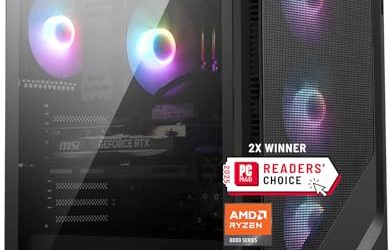
This is the flagship of the group on paper. The title lists a Ryzen 7 9850X3D, a GeForce RTX 5080, 32GB of RAM, a 2TB NVMe SSD, DDR5 at 6000, an 850W Gold ATX 3 power supply and a 360 ARGB AIO cooler, with Windows 11 installed. The X3D designation points to a processor family built around a large stacked cache that benefits games, and the RTX 5080 is a top-tier graphics model, so this machine is aimed at players who want high frame rates at 1440p or a credible 4K experience.
- RTX 5080 graphics are the strongest card named anywhere in this guide
- An 850W Gold ATX 3 supply is the type of unit a high-end card is meant to run on
- 2TB of NVMe storage and DDR5 at 6000 round out a platform without obvious weak points
- It sits near the top of the budget, leaving little room for a new monitor or peripherals
- A 360 AIO adds a pump and radiator that a simple air cooler would not have
Skip it if you play at 1080p or esports titles, where the price premium over the cards below buys little visible benefit. Against the 5070 Ti build that follows, you are paying for the larger card tier and double the storage, so the question is whether your monitor can use that extra graphics power. A buyer on a 4K display will answer yes more often than one on a 1440p panel. The listing also gives the machine a tidy, matched look, with an AIO cooler, ARGB lighting and a Gold-tier supply all working toward the same goal. Windows 11 is installed, so setup is a matter of plugging in and updating drivers.
Skytech Ryzen 7 9800X3D with RTX 5070 Ti
The 5070 Ti build is the sweet spot of the list for many buyers. Its title names a Ryzen 7 9800X3D, a GeForce RTX 5070 Ti, 32GB of RAM, a 1TB Gen4 NVMe SSD, DDR5 at 6000, an 850W Gold ATX 3 power supply and a 360 ARGB AIO. It shares the platform of the flagship but steps one tier down on the graphics card, which usually leaves a larger share of the budget for the monitor.
- The same 850W Gold ATX 3 power supply and 360 AIO as the flagship
- The 9800X3D is a gaming-focused processor with the large cache of its family
- Gen4 NVMe storage is named, a sensible interface for game installs
- 1TB of storage fills quickly with modern game installs and may call for a second drive
- The graphics card is a notch below the RTX 5080 for buyers who truly want 4K at high settings
Skip it if you already know you want the strongest card available. A 2TB version of the same machine also appears in the seller’s range, so storage-hungry buyers can step up without changing the core hardware. The Gen4 NVMe interface keeps game loading quick, and DDR5 at 6000 is a well-matched speed for this processor family. Compared with the Core i5 build that follows, this one doubles the memory capacity and moves to a far stronger graphics and processor class. That jump is where most of the extra spending goes, and it is visible in high-refresh 1440p play. The 9800X3D also leaves thermal room for the 360 AIO to work quietly under load.
Skytech Core i5 14400F with RTX 5060
The Archangel 5 Series build is the entry point. The title mentions an Intel Core i5 14400F, a GeForce RTX 5060, 16GB of RAM, a 1TB NVMe SSD, DDR5 at 6000, a 750W Gold power supply and Wi-Fi 5, with Windows 11 on board. Everything in this listing is a tier or two below the others, which makes it a candidate for a buyer who wants to keep a lot of the budget ceiling in reserve for a monitor and accessories. Intel’s F-series chips lack integrated graphics, so the RTX card does all the display work, and the Archangel 5 Series name points to a long-running line from the same maker as the flagships.
- DDR5 at 6000 and an NVMe SSD give a modern platform at a modest tier
- 750W Gold power supply leaves a comfortable margin for the card
- The most conservative choice for a player on a 1080p monitor
- 16GB of RAM is the minimum for gaming and will be the first upgrade
- The RTX 5060 is the weakest graphics card in the group and is not a 4K choice
Skip it if the point of a 3000-dollar budget is to buy a lasting high-end build. It is a different class of machine from the flagships, and the HELLOLAND below is the closest alternative for buyers who want more memory in a similarly priced tower. Wi-Fi 5 is the older wireless standard, so a wired connection is advisable for competitive play.
Skytech Ryzen 7 9850X3D with Radeon RX 9070 XT
The RX 9070 XT build is the Radeon alternative. The listing names a Ryzen 7 9850X3D, a Radeon RX 9070 XT, 32GB of RAM, a 2TB Gen4 NVMe SSD, DDR5 at 5600, an 850W Gold ATX 3 power supply and a 360 ARGB AIO. It shares the processor and much of the platform of the RTX 5080 build but swaps in an AMD graphics card, and the memory speed listed is slightly lower.
- 2TB of Gen4 NVMe storage is the largest drive among the picks
- The same 850W Gold ATX 3 supply and 360 AIO as the Nvidia builds
- A Radeon alternative for buyers who prefer AMD drivers and features
- Memory is listed at DDR5 5600, a step below the 6000 on the other Skytech builds
- Nvidia-specific features such as DLSS are not available on a Radeon card
Skip it if your favorite games depend on Nvidia-only features. Against the RTX 5070 Ti build, it flips the usual trade-off: more storage and an AMD card in exchange for the slightly slower memory and the loss of Nvidia software. The comparison section below goes into that decision. Radeon cards are also popular with buyers who prefer to avoid proprietary features, and the 2TB drive makes this the most storage-ready build in the group. Because the title lists DDR5 5600 rather than 6000, buyers who care about every last bit of memory speed should note the difference, though it is small in everyday play.
HELLOLAND White Ryzen 7 5700X with RTX 5060
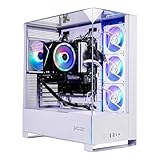
HELLOLAND is the stylish, lean option. The title lists a white gaming desktop with an AMD Ryzen 7 5700X at 3.4GHz, a GeForce RTX 5060 8GB, 32GB of DDR4 RAM, a 1TB PCIe SSD, a 240mm AIO liquid cooler, WiFi and Bluetooth. The white case suits a desk setup built around a themed aesthetic, and 32GB of memory is unusual in a build at this tier. The 3.4GHz figure in the title is the processor base speed, so real clocks in games will be higher. Buyers who stream or keep many browser tabs open beside a game will appreciate the memory more than the graphics card.
- 32GB of DDR4 offers breathing room for multitasking
- A 240mm AIO cooler is named, which is uncommon at this tier
- The white theme suits matched desk setups and streaming backdrops
- The platform is DDR4 and an older Ryzen 5000-series processor, so upgrade paths are limited
- The RTX 5060 with 8GB is not a good match for a 3000-dollar ceiling aimed at 4K
Skip it if you want a machine that will carry heavy new games at high resolution. It is the value outlier of the group, and compared with the KOTIN below it trades platform longevity and graphics strength for aesthetics and a lower cost. The Ryzen 7 5700X is an older AM4 processor, so there is no path to the newest generations without replacing the motherboard and memory. For a player whose monitor is 1080p and whose priority is a matching white setup, none of that is a deal-breaker.
KOTIN RTX 5070 with Ryzen 7 9700X and Smart Display
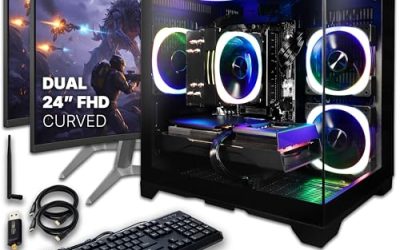
The KOTIN build is the feature-rich mid-range choice. The title lists an RTX 5070 with 12GB, a Ryzen 7 9700X, 32GB of DDR5, a 1TB SSD, an 11.3in smart display, an 850W 80+ Gold power supply, a 360mm liquid cooler and WiFi 7. It combines a mainstream-tier graphics card with a current processor and a strong cooling and power setup. The 1440 reference at the end of the title is cut off, so the full resolution claim needs to be read on the product page before it counts for anything.
- 12GB RTX 5070 graphics in a balanced current-generation platform
- 360mm liquid cooler and 850W Gold supply are both stated
- WiFi 7 and a status display add convenience features
- The smart display is a feature that does not improve frame rates
- 1TB of storage is on the small side for large game libraries
Skip it if you want the strongest graphics card or an established brand. It sits between the entry builds and the Skytech flagships, which makes it a reasonable compromise for buyers who want solid cooling without paying for the top tier. The 850W Gold supply gives the card ample room, and the 360mm cooler suits a processor that works hard in busy games. The smart display shows system information at a glance, which some buyers love and others ignore, so judge it as a bonus rather than a reason to buy.
Why Spend Up to 3000 Dollars on a Gaming PC
High-refresh 1440p and 4K need real graphics power
Graphics cards in this class are meant for monitors that ask a lot: 144Hz or faster at 1440p, or 4K with upscaling switched on. Lower-tier cards manage 1080p easily, but pushing more pixels or more frames per second is where the extra spending becomes visible on screen. If your monitor tops out at 1080p and 60Hz, most of this budget is wasted, and the entry builds in this list are the honest answer.
You buy a platform, not just a card
Four of the six builds here pair DDR5 memory with an ATX 3 or Gold-tier power supply and an all-in-one liquid cooler. Together those give a foundation that stays relevant across a graphics upgrade or two. A buyer who keeps a machine for five years benefits more from that groundwork than from a marginal bump in frame rate today, which is why the platform details matter as much as the card name.
Games and creative work both benefit
The X3D processors in the Skytech listings are aimed at gaming, while 32GB of memory and a 2TB drive help video editing, streaming and large libraries. A player who also streams or edits clips can often skip a second computer at this level, provided the cooling and power supply are up to a long session.
How to Choose
Graphics card tier for your monitor
Match the card to the screen. An RTX 5060 suits 1080p, an RTX 5070 or Radeon RX 9070 XT class card suits high-refresh 1440p, and an RTX 5080 is the logical pick for 4K. Spending beyond what the monitor can display is the most common waste at this budget. If you plan to buy a new monitor next year, buy the card for that monitor rather than the one on your desk today, and make sure the video memory fits the textures you expect to use. Titles that name the exact card and its generation are easier to trust than ones that say only gaming graphics, and a card named without its memory size deserves a follow-up question.
Processor choice and core count
For games, the X3D models are the headline option because their large stacked cache helps frame consistency. A Core i5 or a non-X3D Ryzen is perfectly fine for a mid-range build, but pairing a top graphics card with a weak processor can leave performance unused, especially at lower resolutions where the processor sets the ceiling. Eight cores is plenty for play; more cores matter for editing and streaming. The 9850X3D and 9800X3D names indicate close siblings in the same family, so the choice between them should not outweigh the graphics card or storage in your decision.
Memory capacity and speed
Thirty-two gigabytes is the sensible target at this budget, and DDR5 at 6000 is a commonly chosen speed for current Ryzen platforms. A 16GB build is workable but will want an upgrade soon. DDR4 still works for gaming, but it sits on an older platform, so it is a sign that the builder prioritized cost over longevity. Check that the kit is two sticks rather than one, because paired memory runs faster. Ignore tiny differences between 5600 and 6000, which are rarely noticeable in play and matter less than total capacity.
Storage capacity and interface
Gen4 NVMe is the standard at this tier and plenty quick for game loading. One terabyte fills quickly with modern installs, so 2TB is more comfortable, and a second drive is an easy later addition if the motherboard has a free slot. Ignore sequential speed claims beyond the interface, since game load times barely change above the Gen4 class. Cheaper prebuilts sometimes cut corners with a drive that slows once its cache is full, so a named Gen4 NVMe interface is a reassuring detail.
Power supply and ATX 3 compatibility
A 750W Gold supply suits a mid-range card, while an 850W Gold ATX 3 unit is the right class for RTX 5070 Ti and RTX 5080 cards. ATX 3 supplies are designed for the power connector on newer graphics cards, which reduces adapter clutter inside the case. Budget builds sometimes cut corners on the supply, so a stated wattage and tier is one of the most reassuring details in a title. Avoid titles that hide the supply entirely, since a card of this class needs a unit that can hold its peak draw without strain.
Cooling, case and warranty
A 360mm AIO is a good fit for high-end X3D processors, while a 240mm unit works for mid-range chips. Check the case airflow and the warranty length, and remember that an AIO pump is a part with a finite life, so a clear warranty for that component matters. Ignore lighting counts and decorative displays when deciding between two otherwise equal machines.
Radeon RX 9070 XT or GeForce RTX 5070 Ti
These two cards sit in similar territory in this guide, and the titles let you compare the surrounding builds side by side. The decision usually comes down to software preference and what else is in the box.
| Factor | Skytech RX 9070 XT | Skytech RTX 5070 Ti |
|---|---|---|
| Processor | Ryzen 7 9850X3D | Ryzen 7 9800X3D |
| Storage | 2TB Gen4 NVMe | 1TB Gen4 NVMe |
| Memory speed | DDR5 5600 | DDR5 6000 |
| Power and cooling | 850W Gold ATX 3, 360 AIO | 850W Gold ATX 3, 360 AIO |
When the Radeon wins
Choose the Radeon build if you want a bigger drive in the box and prefer AMD graphics software. It pairs the newest X3D processor in this list with double the storage, which means the second drive you would otherwise buy is already installed. It also suits players who care about open driver features and do not rely on Nvidia-specific tools. The lower memory speed in the listing is a minor trade for the larger drive.
When the GeForce wins
Choose the GeForce build if you value Nvidia features such as DLSS and its ray tracing support, or if your favorite games are tuned for Nvidia hardware. The faster memory speed is a small extra, and the 9800X3D remains a strong gaming processor. If you stream, the Nvidia hardware encoder is a familiar tool for many broadcasters.
Setup, Compatibility and Upgrade Tips
What to check before buying
Confirm the motherboard chipset, the number of M.2 slots and the number of free memory slots, because titles rarely state them. Check that the case supports the AIO radiator size and has dust filters on the intakes. If the listing mentions a branded case, look for photos of the interior to see how much room cables have, and read how the seller handles shipping damage on a heavy tower. A tower with a heavy graphics card should ship with the card supported, so look for a mention of anti-sag support or careful packing in the product details.
What to upgrade first
On 1TB builds, add a second NVMe drive before anything else, since storage fills sooner than any other resource. On the 16GB build, double the memory next. Leave the graphics card alone until a new monitor or a demanding game exposes its limit, and spend the savings on a good display, a comfortable chair and a quality headset.
Common compatibility traps
DDR5 and DDR4 are not interchangeable, so memory bought for one platform will not fit the other. Newer graphics cards use a specific power connector, so check that the supply includes the right cable before planning a card swap. Wi-Fi 5 is slow next to newer standards, so a cable is the better choice for competitive play. Windows activation and driver updates should be handled on first boot. Also keep the radiator orientation in mind if you ever open the case, because an AIO tube should not sit above the pump head.
Which One Fits Your Situation
A 4K player who wants maximum settings
The Skytech RTX 5080 build with the Ryzen 7 9850X3D is the answer. It pairs a top-tier card with an 850W Gold ATX 3 supply and a 2TB drive, so it can run a 4K monitor without needing early upgrades.
A 1440p high-refresh gamer who wants a balanced build
The Skytech RTX 5070 Ti with the Ryzen 7 9800X3D is the sweet spot. It leaves money in the budget for a quality monitor, and its storage can be doubled later with a second drive.
An AMD fan with a big library
The Skytech RX 9070 XT build gives 2TB of storage and an X3D processor, which suits someone who installs many large games and prefers Radeon graphics.
A themed-desk builder with a lean budget
The HELLOLAND White build offers 32GB of memory and a 240mm AIO in a white case, which suits a matched setup where appearance counts and the monitor is modest. Expect to accept the older DDR4 platform and a modest card.
Common Mistakes
- Buying a top graphics card for a 1080p monitor, where most of its capability goes unused.
- Ignoring the power supply type and wattage when a listing leaves them out, then discovering the unit is marginal for the card.
- Assuming 16GB of RAM will stay enough for years of new releases, when 32GB is already the common choice in this range.
- Forgetting the monitor, keyboard and headset when planning where the budget will go.
- Relying on Wi-Fi 5 for competitive play when an Ethernet cable is steadier.
- Overlooking the warranty terms on an AIO pump, which is a moving part that can fail after a few years of daily use.
Related guides
- How To Clean Quest 3 Lenses And Facial Interface
- Vr Facial Interfaces For Glasses Wearers
- Micro Sd Cards For Samsung Galaxy Phones
Frequently Asked Questions
Is an RTX 5080 worth it for 1440p?
It can be, especially at very high refresh rates, though many players will be happy with an RTX 5070 Ti at that resolution. The extra capability is most visible on a 4K display.
What does X3D mean on a Ryzen processor?
X3D refers to models with a large stacked cache that tends to help games. They are the headline processors in the Skytech builds here, and they are chosen mainly for play rather than for editing.
Is 32GB of RAM necessary for gaming?
Not strictly, but it gives headroom for multitasking, streaming and future games. The 16GB build will work today and is the first one to need an upgrade, and a dual-channel pair of sticks makes that upgrade simple.
Do I need an ATX 3 power supply?
It is recommended for high-end modern cards because it is designed for their power connector. Mid-range cards can run on a good Gold unit without it.
Is liquid cooling reliable in a prebuilt?
Sealed AIO coolers are common in prebuilts and generally dependable, though the pump has a finite life. Read the warranty terms so you know what is covered.
Should I get a Radeon or a GeForce card?
It depends on the features you value and the games you play. Nvidia offers DLSS and a familiar hardware encoder, while the Radeon build here includes a larger drive. Both are capable at the resolutions this budget targets.
Final Words
The best gaming PC under 3000 dollars is the one matched to your monitor, not the one with the biggest card. Choose an RTX 5080 build for 4K, an RTX 5070 Ti or Radeon RX 9070 XT build for high-refresh 1440p, and a leaner machine when a monitor upgrade matters more. Confirm the power supply, cooling and warranty on the product page before you order, and keep some budget aside for the screen and peripherals that complete the setup. A balanced machine you can upgrade will serve you longer than one built around a single headline part.