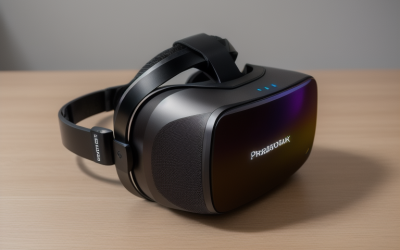
The safest way to clean Quest 3 lenses is a dry, clean microfiber cloth with light pressure, while the facial interface can usually be wiped with a slightly damp cloth once it is detached or the headset is powered off. Most cleaning damage comes from rough materials, harsh liquids and sun exposure rather than from dirt itself. This guide is written by the Editorial team from published specifications, manufacturer documentation and general care knowledge, so it focuses on cautious steps and tells you where to check the official instructions for your exact headset.
What you need before you start
Gather everything first so you are not hunting for a cloth with the headset lying face-down. The list is short.
- A clean, dry microfiber cloth that has never been used with polish or fabric softener.
- A second cloth, lightly dampened with water, for the facial interface and exterior.
- A soft, dry brush or a clean makeup brush for dust around the edges.
- Cotton swabs for tight corners around the nose gap, used dry or barely damp.
- A clean, flat, well-lit surface, ideally covered with a towel.
Skip paper towels, tissues, kitchen cloths and clothing. Their fibers can be coarse enough to leave fine scratches on coated optics, and they shed lint that ends up trapped in the lens ring.
Prepare the headset
Power the headset off completely and, if it is charging, unplug the cable. Take the controllers out of the picture so they are not knocked around. Move to a spot out of direct sun, because bright light makes smudges easier to see but also exposes the lenses to the very thing you want to avoid.
Look at the lenses at an angle under good light before touching anything. Loose grit is the main risk. If you can see dust or crumbs, remove them first with a gentle puff from a soft brush or a hand blower, not with a hard wipe that drags particles across the surface.
Cleaning the lenses step by step
- Hold the headset steady and rest it on a soft towel with the lenses facing up.
- Use the soft brush to flick off dry dust and lint from the lens and the surrounding frame.
- Fold the clean microfiber cloth so you have a flat, unused face.
- Wipe with very light pressure, moving from the center outward in short strokes or small circles.
- Switch to a fresh part of the cloth as soon as it picks up residue so you do not smear oils back over the glass.
- Check again at an angle under light, and repeat only if marks remain.
Fingerprints and oily smears usually lift with several gentle passes. Avoid fast scrubbing. If a mark will not budge, resist the urge to add liquid. Check the manufacturer’s current support pages for approved lens-cleaning products, because coatings differ between models and generations.
Cleaning the facial interface
The facial interface is the part that touches your skin, so it collects sweat, skin oils and sometimes makeup. Depending on the version and accessories you use, it may be a foam-backed fabric piece that detaches from the headset, or it may be covered with a silicone or fabric sleeve. Check the manual for the exact removal method rather than pulling hard.
Once it is off or safely accessible, wipe the surface with a cloth that is only slightly damp, because soaking foam is difficult to dry and can leave a musty smell. For stained areas, a very mild soap solution on the cloth, followed by a wipe with plain water, is a common approach, but confirm that the manufacturer allows it for your part. Let everything dry fully in open air before reattaching, and keep it away from radiators and direct sun. Removable washable covers usually follow their own care label, so read it before washing.
If the interface has a sleeve or cover, remove that first and clean it separately, because skin oils collect between the cover and the foam. Keep a spare cover on hand if you can, so one is always dry and ready while the other is being washed or aired out.
Exterior, cameras and straps
The outside of the headset has tracking cameras and sensors that matter for passthrough and positioning. Use the dry microfiber cloth on those windows, using the same light pressure as on the lenses. Never push a swab into vents or openings.
Head straps and fabric parts can often be wiped with a slightly damp cloth. Keep moisture away from charging ports, speaker grilles and the connectors where the facial interface attaches. Liquid inside the case is the type of damage that no wipe can fix, so apply less liquid than you think you need.
Worked example: a simple cleaning schedule
These are planning assumptions, not manufacturer requirements. Adjust them to how you actually use the headset.
| Usage pattern | After each session | Deeper clean |
|---|---|---|
| Occasional seated play, one user | Quick dry wipe of lenses if smudged | About once a month |
| Daily play, one user | Wipe facial interface, check lenses | Every one to two weeks |
| Fitness or active titles | Wipe interface after every session, let it air | Weekly, plus a spare or washable cover |
| Shared household headset | Wipe contact surfaces between users | Weekly, with a cover per person if possible |
The aim is consistency. Ten seconds after a sweaty session prevents the sticky buildup that tempts people to scrub aggressively later.
Mistakes that damage a headset
The same few errors appear again and again, and every one is avoidable.
- Leaving the headset near a sunny window, where sunlight can focus through the lenses onto the display.
- Using household glass cleaner, solvent or strong disinfectant on lens coatings.
- Spraying liquid directly on the headset instead of onto a cloth.
- Wiping with a gritty cloth or after dropping the cloth on a table.
- Reattaching the facial interface while it is still damp.
- Pressing hard on the lens to remove a spot, which can flex the surrounding parts.
If you do find a scratch, a cleaner will not remove it. Light surface marks may only be visible when the screen is bright, but deep ones can distract. At that point, contact the manufacturer about service options instead of trying polish.
Cleaning the controllers and keeping hands clean
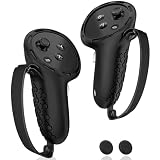
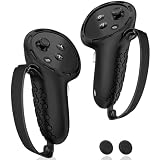
Controllers pick up oil and sweat just as quickly as the facial interface. Wipe the grips and straps with a slightly damp cloth, keep the sensor ring and buttons from getting soaked, and dry them before storing. Washing your hands before a session is the simplest way to keep fingerprints off the lenses, because lens smudges usually come from touching the headset while adjusting the fit.
Storage and when to stop
Store the headset in its case or under a cloth cover, away from windows and heat sources, with the lenses protected. Keeping it out of dust is the single most effective way to reduce how often it needs cleaning.
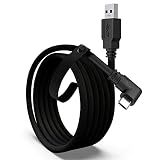
Stop cleaning and seek manufacturer support if liquid has entered the headset, a lens is cracked or loose, the display shows spots that do not wipe away, or the foam is breaking down. Charging and connection issues are a separate topic; if your headset is spotless but the PC link misbehaves, the guide to a Quest Link cable that will not connect walks through the usual causes.
Related guides
- Vr Facial Interfaces For Glasses Wearers
- How Long Does A Ps5 Controller Battery Last
- Retro Gaming Controllers Nintendo Switch Pc
Frequently asked questions
What is the safest way to clean Quest 3 lenses?
Power the headset off, then wipe each lens with a clean, dry microfiber cloth using light, gentle strokes from the center outward. Avoid pressing hard, avoid paper towels or rough fabric, and do not spray liquid onto the lens. For stubborn marks, check Meta’s current support guidance before using any cleaning product.
Can you use alcohol wipes on the lenses?
It is best not to assume so. Lens coatings can react badly to some chemicals, and manufacturers often limit liquid cleaners to specific parts such as removable covers. Read the official care instructions for your headset first. If they do not clearly approve a product for the lenses, stick to a dry microfiber cloth.
How often should the facial interface be cleaned?
There is no single schedule. A light wipe after sweaty or shared sessions is a sensible habit, with a deeper clean whenever the foam or cover looks grimy or smells stale. Players who share a headset or exercise in VR often wipe after every session, while occasional users may only need a monthly routine.
Is it okay to leave the headset in sunlight?
No. Direct sunlight can strike the lenses and focus onto the display panels behind them, which may cause permanent damage. Store the headset away from windows, keep the lens covers or the carry case closed when not in use, and avoid leaving it on a sunny table or in a hot car.
When should you replace the facial interface?
Consider a replacement if the foam is crumbling, permanently compressed, torn or stained in a way that wiping does not fix, or if the headset no longer sits comfortably. Many users also swap in a washable cover or a spare interface for hygiene. Check which replacement parts the manufacturer lists as compatible with your model.