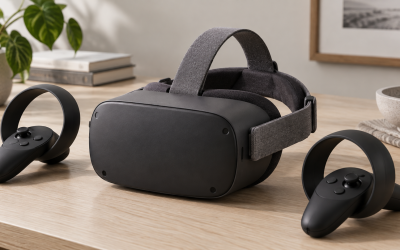
PCVR unlocks the most visually impressive virtual reality, but only if the computer behind it can keep up. VR is far more demanding than flat-screen gaming because it renders two high-resolution views at a high, steady frame rate, and falling short does not just look bad, it can make you queasy. This guide breaks down the graphics card, processor, memory, and connectivity you actually need, with realistic ranges rather than a single magic build.
Why VR is so demanding
A flat game renders one image; VR renders two, one per eye, each at high resolution, and must hold a frame rate of at least 72 to 90 frames per second without dropping. Miss that target and reprojection artifacts or stutter creep in, which quickly causes discomfort. That combination of double rendering and a hard frame-rate floor is why the graphics card is the single most important part of a PCVR machine.
The key components
| Component | Practical minimum | Comfortable target |
|---|---|---|
| Graphics card | Modern mid-range, ~8 GB VRAM | Upper mid-range or better, 12 GB+ VRAM |
| Processor | Recent 6-core CPU | 6 to 8 fast cores |
| Memory | 16 GB RAM | 16 to 32 GB RAM |
| Storage | SSD for the OS and games | NVMe SSD, 1 TB+ |
| Ports | USB and video out for the headset | Spare USB 3.0 and DisplayPort |
Graphics card: the heart of PCVR
Your GPU determines whether VR runs smoothly. As a rule of thumb, a card comfortable with 1440p high-refresh flat gaming is roughly the entry point for good PCVR, and more powerful cards let you raise resolution and supersampling for a crisper image. Aim for at least 8 GB of video memory, with 12 GB or more giving headroom for demanding sim titles at high settings.
CPU, RAM, and storage
A modern six-core processor handles most VR games, since the GPU does the heavy lifting, though sims and physics-rich titles appreciate faster cores. 16 GB of RAM is the practical floor, and 32 GB helps if you run streaming software alongside. An SSD, ideally NVMe, cuts load times and keeps large VR games responsive; mechanical hard drives feel sluggish here.
Connectivity you must not forget
Check the physical connections. Tethered headsets need the right video output, often DisplayPort, plus a spare USB 3.0 port. Wireless PCVR leans on your network, so a Wi-Fi 6 router with the PC wired to it makes streaming smooth. It is frustrating to buy a capable GPU and then discover you lack the right port for your headset.
Building sensibly
Spend the largest slice of your budget on the graphics card, pair it with a competent modern CPU and 16 GB or more of RAM, put everything on an SSD, and confirm your ports and network. That balance delivers smooth, comfortable PCVR without overspending on parts that VR barely uses.
Upgrading an existing PC for VR
Many people come to PCVR with a computer they already own, and the question becomes what to upgrade rather than what to build from scratch. Start by identifying the weakest link, which for VR is almost always the graphics card; a GPU upgrade to a modern mid-range or better card with ample video memory usually delivers the biggest jump in smoothness. Before buying, confirm your power supply can feed the new card and that your case has room, since a strong GPU draws real wattage and physical space. If your processor is several generations old, it may bottleneck fast sims, but for many VR games a competent six-core chip is enough, so prioritize the GPU first. Bumping memory to at least sixteen gigabytes and moving games to an SSD are inexpensive, high-impact steps if you have not already. Do not overlook connectivity: check that you have the right video output for a tethered headset and a spare USB port, or a strong Wi-Fi 6 router for wireless streaming. Upgrading strategically, GPU first and the rest as needed, often gets an existing machine to smooth, comfortable PCVR for far less than a full rebuild.
FAQ
Can I run PCVR on a mid-range graphics card?
Yes, a modern mid-range card with around 8 GB of video memory handles many VR titles well. More powerful cards mainly let you raise resolution and detail, which matters most for demanding sims and the sharpest possible image.
How much RAM do I need for PCVR?
16 GB is the practical minimum for smooth VR. Stepping up to 32 GB helps if you run streaming or recording software alongside your games, but the graphics card remains the far bigger factor in performance.
Bottom line
PCVR needs a computer that can render two high-resolution views at a steady 72 to 90 frames per second, and the graphics card is the make-or-break part. Target at least a modern mid-range GPU with 8 GB of VRAM, a recent six-core CPU, 16 GB or more of RAM, an SSD, and the right ports or a strong Wi-Fi 6 network. Balance the build around the GPU and PCVR runs beautifully.