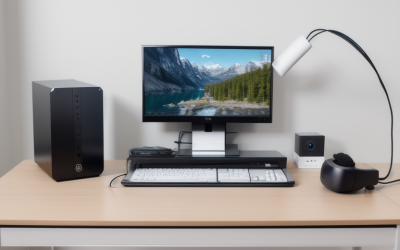
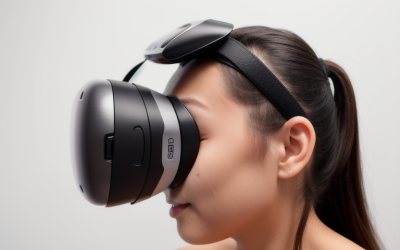
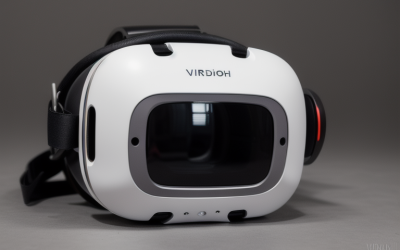
Setting up a dedicated wireless Virtual Reality space in a modern home is as much a spatial puzzle as a technological one. Whether converting a spare bedroom into a dedicated room-scale studio, carving out an 8×8-foot play boundary in the living room, or organizing a desk nook in an open-plan apartment, physical surroundings dictate wireless performance. Concrete walls, glass partitions, media consoles, and everyday household clutter can disrupt wireless signals, causing micro-stutters and frame drops during Air Link or Virtual Desktop sessions that break immersion and trigger motion sickness.
To maintain flawless tracking and high-bitrate video streaming from your gaming rig to your headset, selecting the best vr router for wireless pcvr requires evaluating both network protocols and physical placement. As home editors evaluating technology through the lens of interior layout and residential usability in 2026, we compared hardware that blends into home environments while providing unobstructed line-of-sight connectivity, clean cable management, and reliable high-bandwidth performance.
As an Amazon Associate we earn from qualifying purchases at no extra cost to you.






Our Top Picks
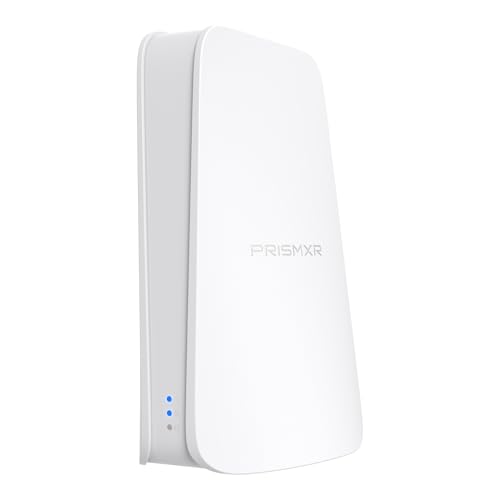
 ASUS RT-AX1800S Dual Band WiFi 6 Extendable RouterRouter9.06 x 5.28 x 2.2 Inches0.82 poundsCheck on Amazon



Top 3 picks at a glance
Quick Picks
| Product | Best For | Price |
|---|---|---|
| PC-VR Streaming Air Link WiFi6 VR Router | Dedicated Budget Bridge | Check on Amazon |
| Minions WiFi 6E Router (Kevin) | Interference-Free 6GHz Band | Check on Amazon |
| ASUS RT-AX1800S Dual Band WiFi 6 Router | Whole-Home Mesh Integration | Check on Amazon |
| GL.iNet GL-SFT1200 Opal Travel Router | Compact & Portable Setups | Check on Amazon |
| TP-Link Archer BE230 (BE3600) | Entry-Level Wi-Fi 7 Upgrade | Check on Amazon |
| NETGEAR Nighthawk R6700AX | Mid-Sized Living Rooms | Check on Amazon |
| TP-Link BE6500 (BE400) | High-Capacity Multi-Device Homes | Check on Amazon |
| Roam 6 AX1500 Portable VR Router | USB-Powered Direct Connection | Check on Amazon |
How We Compared
Selecting networking hardware for home-based wireless PCVR requires a unique balance of physical design and radio-frequency management. Unlike standard office routers tucked away inside enclosed cabinets, a VR router functions best when mounted or placed in open space, directly within line-of-sight of your playing boundary. We prioritized units with versatile mounting options, compact physical footprints, and thermal designs that prevent throttling during extended gaming sessions.
From a hardware perspective, we evaluated physical port selection, spectrum access (5GHz, 6GHz, and Wi-Fi 7 protocol improvements), and total bandwidth potential. Modern home environments often suffer from crowded 2.4GHz and 5GHz channels due to neighboring Wi-Fi networks, smart appliances, and mobile devices. We focused on routers that allow dedicated access-point operation, ensuring your PC-to-headset link remains isolated from standard home network traffic without cluttering your living space with excessive cabling or oversized equipment.
The 8 Best Picks
PC-VR Streaming Air Link WiFi6 VR Router Compatible with Meta Quest 3S/3/2
Designed specifically for standalone headsets like the Meta Quest 2, 3, and 3S, this dedicated Wi-Fi 6 bridge provides an isolated wireless channel directly from your PC. Its ultra-compact chassis easily rests on a desk monitor riser or mounts to a nearby wall, taking up minimal physical footprint in your room. By creating a direct, dedicated pipeline, it keeps high-bitrate video streams free from household network congestion.
- Pros: Compact physical footprint minimizes desk clutter; tailored for seamless Meta Quest Air Link setups.
- Cons: Limited multi-port expansion for general household networking needs.
Skip this option if you need a primary home router to serve multiple television screens and smart devices simultaneously.
Minions WiFi 6E Router, AXE5400 Tri-Band 2.4GHz, 5GHz & 6GHz, 2.5GbE WAN, Wireless PCVR and Gaming, Mesh System, WiFi Extender, WPA3, Gigabit LAN (Kevin)
Combining a playful character design with serious hardware, the Minions AXE5400 (Kevin) router introduces the 6GHz spectrum to eliminate residential signal clutter. Operating on Wi-Fi 6E, it opens an uncrowded frequency lane that prevents stutter in dense apartment buildings. The inclusion of a 2.5GbE WAN port ensures high-speed ethernet backhaul from your gaming PC, while its unique upright body footprint makes it a conversation piece on open shelving.
- Pros: Dedicated 6GHz band avoids neighborhood signal overlap; fast 2.5GbE WAN port for high-speed wired inputs.
- Cons: Novelty exterior styling may not align with understated living room aesthetics.
Skip this router if you prefer hidden, minimalist networking gear that blends into neutral shelving.
ASUS RT-AX1800S Dual Band WiFi 6 Extendable Router
The ASUS RT-AX1800S offers a balanced blend of reliable Wi-Fi 6 connectivity, built-in security, and expansion flexibility. With subscription-free network protection, parental controls, and native AiMesh support, this router functions equally well as a primary network hub or as a dedicated VR access point wired directly to your gaming computer. Its slender horizontal profile fits neatly into standard media consoles.
- Pros: Built-in AiMesh technology allows easy home expansion; robust built-in security features.
- Cons: AX1800 bandwidth ceiling offers less headroom for ultra-high VR bitrates compared to 6E models.
Skip this model if you live in a dense apartment complex where the 5GHz spectrum is heavily congested.
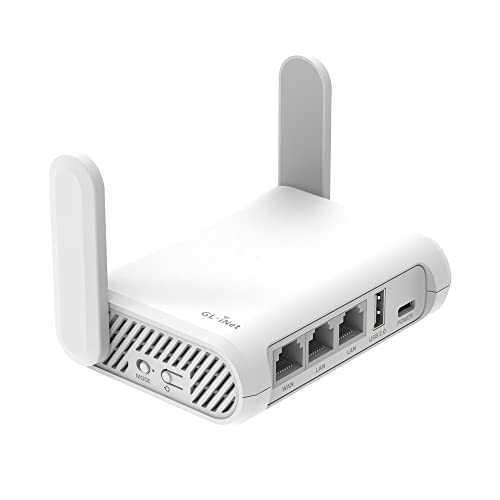
GL.iNet GL-SFT1200 Opal Travel Router
For gamers operating in micro-apartments, dorms, or temporary living setups, the GL.iNet Opal travel router delivers functional wireless connectivity in a pocket-sized form factor. Weighing under a quarter of a pound, it easily mounts behind a desktop tower or rests on a small floating shelf. While its AC1200 Wi-Fi 5 speeds are modest, it serves as a lightweight dedicated bridge for casual PCVR play.
- Pros: Pocket-sized form factor is easily hidden; highly accessible around $39 price point.
- Cons: AC1200 wireless standard caps maximum stream bitrates compared to Wi-Fi 6 models.
Skip this unit if you intend to push high-bitrate 10-bit HEVC encoding on demanding simulation games.
TP-Link Dual-Band BE3600 Wi-Fi 7 Router, Archer BE230
Bringing next-generation Wi-Fi 7 architecture into an approachable price point, the TP-Link Archer BE230 features a clean, matte-black housing designed for open display. Wi-Fi 7 protocol improvements enhance airtime efficiency and lower latency across supported devices. It operates as an excellent primary hub for modern households, managing high-throughput gaming streams while serving multi-room home automation.
- Pros: Affordable gateway into Wi-Fi 7 technology; sleek, low-profile physical design for open shelving.
- Cons: Dual-band setup lacks access to the pristine 6GHz wireless band.
Skip this model if your local 5GHz wireless band is saturated by nearby residential networks.
NETGEAR Nighthawk WiFi 6 Router R6700AX
Built for larger playspaces, the NETGEAR Nighthawk R6700AX provides up to 1,500 square feet of coverage and speeds up to 1.8 Gbps. Its angular chassis and multi-antenna array are designed for effective passive cooling during prolonged gaming sessions. Placed centrally in a living room or basement recreation space, it maintains a strong, continuous 5GHz link even across larger room-scale movement zones.
- Pros: Broad 1,500 sq ft physical coverage; durable housing with strong thermal ventilation.
- Cons: Wider horizontal footprint takes up significant shelf space near your rig.
Skip this router if you require an ultra-compact unit that mounts directly onto your PC tower.
TP-Link BE6500 Dual-Band WiFi 7 Router (BE400)
The TP-Link BE6500 (BE400) is built for high-demand households where PCVR streaming happens alongside 4K video playback and smart home activity. Utilizing Wi-Fi 7 throughput enhancements, this robust router processes multi-device traffic without sacrificing signal stability to your VR headset. Its sturdy upright geometry ensures efficient airflow while occupying minimal tabletop area.
- Pros: Exceptional BE6500 data capacity handles multi-device stress effortlessly; excellent thermal management.
- Cons: Higher price tag of around $160 compared to dedicated entry-level bridges.
Skip this model if you only need an inexpensive, single-purpose access point exclusively for PCVR streaming.
Roam 6 AX1500 Portable Wi-Fi 6 Travel Router Dual-Band USB C 3.0
Eliminating bulky AC power adapters entirely, the Roam 6 AX1500 draws power directly via a USB-C 3.0 connection from your PC or power bank. This dongle-style form factor creates an instant, short-range Wi-Fi 6 bubble directly adjacent to your play space. It simplifies cable management significantly, making it an ideal companion for small home offices and portable gaming setups.
- Pros: Powered directly via USB-C 3.0 to eliminate power bricks; extremely portable and tidy setup.
- Cons: Shorter overall transmission range compared to full-sized residential routers.
Skip this device if your VR play boundary is located in a different room than your host computer.
Buying Guide
1. Line-of-Sight Placement and Room Layout
Wireless PCVR streaming relies on high-frequency signals (5GHz and 6GHz) that do not penetrate physical obstacles easily. Solid core doors, plaster, concrete walls, and large metal appliances degrade signal strength, introducing micro-stutters. Position your router at least 3 to 5 feet off the floor, away from metal cabinets, and within direct line-of-sight of your active play boundary.
2. Spectrum Isolation: Wi-Fi 6, 6E, and Wi-Fi 7
Standard Wi-Fi 6 operates across 2.4GHz and 5GHz bands, which are often shared with smartphones, tablets, and smart TVs. Wi-Fi 6E introduces the 6GHz spectrum, offering wide, uncrowded channels ideal for densely populated housing. Wi-Fi 7 further refines data management across bands, reducing packet queue times even on dual-band configurations.
3. Dedicated Access Point vs. Main Household Router
For optimal wireless PCVR performance, consider configuring a secondary router as a dedicated Access Point (AP). Connecting your gaming PC directly to this secondary router via an Ethernet cable—and linking only your VR headset to its 5GHz or 6GHz wireless channel—ensures your gaming stream never competes with general household internet traffic.
Our Verdict
For gamers seeking a simple, low-profile solution dedicated exclusively to wireless VR, the PC-VR Streaming Air Link WiFi6 VR Router (around $49) delivers isolated performance without cluttering your room. If you live in a congested apartment where local 5GHz signals overlap, the Minions WiFi 6E Router (around $62) offers essential 6GHz spectrum access at an accessible price point. Households planning for long-term multi-device performance will find the TP-Link BE6500 (around $160) to be a powerful central hub that handles heavy room-scale streaming alongside full household network demands.
FAQ
Why is line-of-sight so important for wireless PCVR?
High-frequency 5GHz and 6GHz bands carry large amounts of data quickly, but physical objects like walls, glass, and metal furniture absorb or reflect the signal. Direct line-of-sight between your router and headset minimizes dropped packets and keeps latency low.
Should I set up my VR router as an Access Point (AP)?
Yes. Setting up a secondary router in Access Point mode allows it to handle the high-speed wireless connection between your PC and VR headset, leaving your main household router free to manage general internet traffic.
Does Wi-Fi 6E make a noticeable difference over Wi-Fi 6 for VR?
Wi-Fi 6E opens up the uncrowded 6GHz frequency band. In homes or apartment buildings with heavy 5GHz wireless congestion, Wi-Fi 6E provides a cleaner channel that significantly reduces sudden latency spikes during play.
Can I power a VR router directly from my PC?
Certain compact travel routers, such as the Roam 6 AX1500, can be powered via a USB-C 3.0 port on your computer. However, standard full-sized residential routers require a dedicated AC wall outlet to support their higher power consumption and antenna arrays.