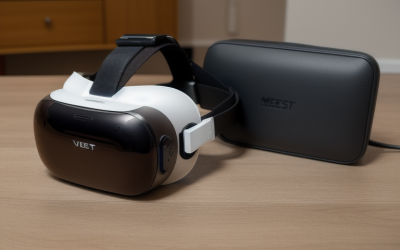
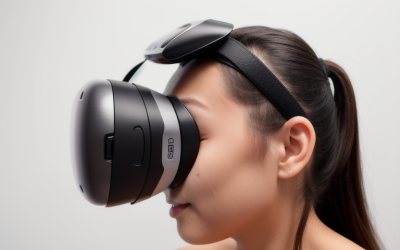
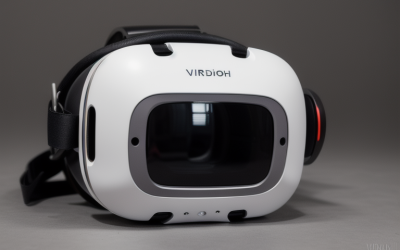
Sharing a VR headset between family members, friends, or arcade customers is one of the fastest ways to spread skin oils, sweat, acne bacteria, and common viruses. The facial interface — the foam or silicone pad that presses against your face — absorbs all of it. Learning how to disinfect a VR facial interface between users properly protects everyone’s skin, prevents breakouts, and keeps the headset’s fabric and electronics from being damaged by the wrong cleaning method. Done badly, disinfection can crack faux-leather foam, dissolve adhesives, seep liquid into the headset’s sensors, or leave chemical residue that irritates the next wearer’s face. Here’s the safe, reliable routine.
What You Need
| Item | Why | Optional? |
|---|---|---|
| 70% isopropyl alcohol wipes (or 70% solution on a lint-free cloth) | Kills bacteria and viruses without the harshness of higher concentrations, which evaporate too fast to disinfect effectively | No |
| Lint-free microfiber cloths (2–3) | Wipe away residue without scratching lenses or leaving fibers stuck to foam | No |
| Mild soap (dish or gentle hand soap) and water | Removes skin oils and sweat that alcohol alone doesn’t lift well | No |
| UV-C sanitizing box (roughly $50–$150, sized for headsets) | Hands-free disinfection between sessions without liquids touching the device | Yes |
| Spare facial interfaces | Swapping a fresh pad in takes 20 seconds while the used one dries | Yes, but strongly recommended for groups |
| Disposable face covers or cotton mask liners | One barrier per user in shared or commercial settings | Yes |
| Soft-bristled brush or compressed air | Clears crumbs, hair, and dust from the interface grooves | Yes |
If your household or event has multiple headsets in rotation, upgrading to a breathable replacement interface can also reduce the cleaning burden. Open-style facial interfaces like the VR Open Facial Interface for Meta Quest 3S (around $16) sit lighter against the face and allow airflow, so sweat doesn’t soak into foam as quickly — and budget options like the VR Open Facial Interface for Meta Quest 3S Replacement Accessories with soft foam (around $9) make it practical to keep one clean pad per user and rotate them.
Step-by-Step
Step 1: Power down and remove the interface (1–2 minutes)
Turn the headset fully off and unplug any cables. Pop the facial interface off — on Meta Quest models and most modern headsets, it slides or twists out of its magnetic or slot mount. Removing it lets you clean every crease where foam meets plastic, and keeps liquid away from the headset’s lenses and sensors.
Step 2: Wipe away loose debris (30 seconds)
Brush or blow away dust, eyelash residue, hair, and crumbs from the foam, silicone, and plastic frame. Skipping this step grinds grit into the material when you wipe.
Step 3: Wash with mild soapy water if the material allows (2–3 minutes)
Silicone and most plastic frames can be washed under lukewarm running water with a drop of mild soap, then rinsed. Use your fingertips, not a scrub pad. Fabric-covered foam interfaces should never be soaked — instead, dampen a microfiber cloth lightly with soapy water and wipe the surface only. Skin oils and salt from sweat are what alcohol struggles with; soap handles them better.
Step 4: Disinfect with 70% isopropyl alcohol (1–2 minutes)
Wipe every surface that touches skin — foam face side, silicone skirt, and plastic frame edges — with a 70% alcohol wipe. Keep the wipe damp, not dripping, and never let liquid pool or run into fabric backing, electronics, or speaker cutouts. One firm pass over each surface, then let it sit until visibly dry; the wet contact time is what does the disinfecting.
Step 5: Air-dry completely (5–15 minutes)
Lay the interface flat, foam side up, in a well-ventilated spot away from direct heat or sunlight. Foam traps moisture deep inside; putting a damp interface back on a headset can cause skin irritation, fogging, and mildew smell. If you have a spare interface, install it now and let the cleaned one finish drying.
Step 6: Wipe the headset contact points (1 minute)
Before reinstalling, lightly wipe the headset’s plastic mounting area around the interface with a fresh alcohol wipe — sweat wicks past the pad onto it. Never wipe the lenses with alcohol; use a dry microfiber cloth only.
Step 7: Reinstall and log the session (1 minute)
Click the interface back into place until it sits flush. In shared or commercial settings, keep a simple wipe-down log so nobody skips a turn.
Total time: roughly 10–20 minutes per interface, most of it drying time.
Mistakes to Avoid
Using 90%+ alcohol or bleach. High-concentration alcohol and chlorine bleach dry out, crack, and discolor foam and faux leather within weeks. Stick to 70%.
Spraying liquid directly onto the interface or headset. Spray or dispense onto a cloth instead. Liquid that wicks into foam backing or the headset’s sensor ports causes fogging and permanent damage.
As an Amazon Associate we earn from qualifying purchases at no extra cost to you.


Soaking fabric-covered foam. Once saturated, foam takes hours to dry internally and becomes a bacteria breeding ground.
Wiping VR lenses with alcohol or glass cleaner. Most headset lenses have coatings that alcohol can strip. Dry microfiber only, in gentle circles.
Sanding or machine-washing foam. It deforms the shape and ruins the face seal.
Sanitizing while the headset is on or charging. Power down and unplug first — active electronics plus liquid is a bad combination.
Skipping the dry time. A damp interface pressed against the next user’s face reintroduces a warm, moist environment — exactly what you just cleaned away.
How Often
Two or more users in a day: disinfect between every user, no exceptions. That’s the standard in arcades and at demo booths, and it’s the right call at home parties too.
One user, daily wear: a quick alcohol wipe of the contact surface after each session, plus a full clean (soap wash if the material allows, disinfect, dry) once a week.
Sweaty sessions or workout apps: full clean immediately after, since salt and moisture degrade foam fast.
Storage gaps: clean before storing for more than a week, and again before the next use.
If you’re disinfecting between users more than a few times a week, cheaper replacement interfaces (around $9–around $16 for Quest 3S-compatible open-style pads) pay for themselves quickly — rotate pads rather than repeatedly soaking a single one, and each pad lasts noticeably longer.
When to Call a Pro or Replace
Replace the interface if the foam is crumbling, torn, flattened so it no longer seals against your face, permanently smells of sweat or mildew, or if the faux leather is peeling onto skin. Interfaces cost $10–$30 for most major headsets, so replacement is almost always more sensible than rehab.
Replace or service the headset if liquid got into the sensor area, lenses show fogging inside the glass, or you notice a musty smell coming from the headset body itself. At that point contact the manufacturer’s support line — moisture inside the optics housing isn’t a user repair.
Call a pro (or your IT/AV vendor) for commercial deployments of 5+ headsets, where a documented sanitization protocol and UV-C cabinets sized for fleet use (roughly $150–$400) are worth the investment.
FAQ
Can I use alcohol wipes on the foam itself?
Yes, if the foam is silicone or vinyl-coated. Bare open-cell foam absorbs liquid and stays damp internally, so wipe quickly with minimal moisture and allow extended dry time — or better, replace bare foam pads with silicone versions for shared use.
Do UV-C sanitizers actually work for VR headsets?
Quality UV-C boxes reduce microbial load on exposed surfaces without any liquid risk, which makes them convenient for high-turnover settings. They can’t reach surfaces shadowed by foam folds, so use them as a supplement to wiping, not a replacement.
What’s the fastest safe routine for back-to-back users?
Keep two interfaces per headset. Swap pads between users (20 seconds), then alcohol-wipe the swapped pad’s contact surface and let it air-dry while the next person plays. Full wash-and-disinfect at the end of the day.
Can I put the facial interface in the dishwasher or washing machine?
No. Dishwasher heat and detergent deform plastic frames and destroy foam; washing machines tear fabric covers off their backing. Hand-wash silicone parts in lukewarm soapy water only, and check the manufacturer’s guidance before wetting anything fabric-backed.
A clean facial interface takes about ten minutes of actual work and a few minutes of patience. Build the habit, keep a spare pad in rotation, and every user gets a headset that smells fresh and feels like it’s theirs alone.