
Our Top Picks
 Modway Render 46" Mid-Century Modern Wall Mount Media46 Inch46 x 15.5 x 14.5 inches46 poundsCheck on Amazon
 Modway Render 60" Mid-Century Modern Wall Mount Media60 inches60 x 15.5 x 14.5 inches56 poundsCheck on Amazon


Top 3 picks at a glance
The Short Answer
For most wall-mounted consoles and floating media shelves, the ideal height clearance is 12 to 18 inches from the floor to the bottom of the unit, and 7 to 10 inches of open clearance above the unit if you plan to place devices, decor, or allow for ventilation. The most comfortable viewing and use height puts the center of your TV at eye level when seated, which for most sofas means the bottom of a console should sit 20 to 24 inches off the floor. If you are mounting a low-profile floating shelf for components only, 16 to 20 inches off the floor keeps cables hidden while leaving enough room for a power strip and airflow. As a quick rule in 2026, mount lower for large TVs and higher for entryway or hallway consoles where floor clearance matters more than screen height.
A float-mounted media console is not the same as a floating shelf. A console is typically 10 to 16 inches deep and designed to hold 30 to 80 pounds, while a single-tier glass or wood shelf is 11 to 15 inches deep and rated for 15 to 35 pounds. That difference affects how high you can safely mount and how much wall clearance you need for heat dissipation. Leave at least 4 to 6 inches behind and above any device with a fan or vents, such as a game console or AV receiver.
As an Amazon Associate we earn from qualifying purchases at no extra cost to you.


Standard Sizes
Wall-mount consoles and floating shelves come in a few predictable widths and depths. Use the table below to compare the common sizes you will see when shopping, with both inches and centimeters.
| Type | Width (W x D x H) | Metric (cm) | Typical Weight Capacity | Price Range |
|---|---|---|---|---|
| 1-Tier Floating Shelf (e.g., WALI Single Tier) | 15″ W x 11″ – 12″ D x 4″ – 5″ H | 38 cm W x 28 – 30.5 cm D x 10 – 12.7 cm H | 15 – 20 lbs | $18 – $30 |
| 2-Tier Floating Glass Shelf (e.g., Mount-It! 2-Tier) | 19″ – 24″ W x 11″ – 15″ D x 18″ – 20″ H (total with poles) | 48 – 61 cm W x 28 – 38 cm D x 45.7 – 50.8 cm H | 25 – 35 lbs total (15 lbs per shelf) | $35 – $65 |
| Small Wall-Mount Console (46″ Wide) | 46″ W x 14″ – 15″ D x 10″ – 12″ H | 117 cm W x 35.5 – 38 cm D x 25.4 – 30.5 cm H | 60 – 80 lbs | $160 – $210 |
| Large Wall-Mount Console (60″ Wide) | 60″ W x 14.5″ – 15.5″ D x 11″ – 13″ H | 152 cm W x 37 – 39 cm D x 28 – 33 cm H | 75 – 100 lbs | $200 – $270 |
| Narrow Entryway Floating Console | 36″ – 42″ W x 10″ – 12″ D x 6″ – 8″ H | 91 – 107 cm W x 25.4 – 30.5 cm D x 15 – 20 cm H | 40 – 60 lbs | $90 – $180 |
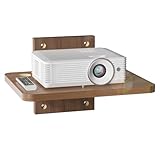
Depth is the most overlooked dimension. A wall-mount media console needs 14 to 16 inches of depth to hold a soundbar, cable box, or game console without overhang. For comparison, the Modway Render 46-inch model measures approximately 46″ W x 14.5″ D x 12″ H (117 x 37 x 30.5 cm) and the 60-inch version is approximately 60″ W x 15″ D x 12″ H (152 x 38 x 30.5 cm). A single-tier WALI-style shelf is much more compact at about 15″ W x 11.5″ D x 4.5″ H (38 x 29 x 11.4 cm), which is ideal for a DVD player, projector, or small streaming device but not for a full console setup. Always check the usable interior depth if the console has doors or drawers, as the interior is typically 1 to 1.5 inches less than the exterior depth.
Height clearance is measured two ways: floor-to-bottom and top-to-TV or top-to-shelf. For a 55 to 65-inch TV, mounting the bottom of the console 20 to 22 inches off the floor places the top of the console at 30 to 34 inches high, which leaves a comfortable 8 to 12-inch gap to the bottom of the TV when the TV is centered at 42 to 48 inches to eye level. For a 75-inch or larger TV, drop the console to 16 to 18 inches off the floor to keep the screen from feeling too high.
How to Measure Your Space
Getting the clearance right prevents blocked vents, tangled cables, and a TV that feels too high. Measure with the furniture and viewing position you actually use.
- Mark eye level seated. Sit on your sofa or primary chair and measure from the floor to your eyes. For most adults this is 36 to 44 inches. The center of the TV should land within 3 inches of that number.
- Measure floor to bottom of console. Use painter’s tape to outline the console’s bottom edge on the wall. Start with 20 inches off the floor for living rooms, 30 to 36 inches for entryways where you need floor clearance for shoes or a bench, and 18 inches for bedrooms with low platform beds.
- Check top clearance for devices. Place your tallest component (often a game console at 11 to 13 inches tall when vertical, or a center speaker at 7 to 9 inches tall) on a table and measure from its top to allow 4 to 6 inches of ventilation. Add cable height: HDMI and power plugs need 1.5 to 2 inches behind the unit.
- Confirm width and stud spacing. Measure the wall width and locate studs, which are typically 16 inches on center in the US. A 46-inch console will span at least two studs, a 60-inch console should hit three. Mark stud centers and ensure the mounting bracket or French cleat can anchor into them, not just drywall.
- Account for outlets and cord cover. Measure from the floor to your outlet, usually 12 to 18 inches. If the console will hide the outlet, the bottom of the console should sit 2 to 4 inches above it. If not, plan a 0.75 to 1.5-inch cord channel and add that depth to your wall clearance.
- Test viewing distance. Measure from the wall to your seating. For 4K viewing, ideal distance is 1 to 1.5 times the diagonal screen size. A 65-inch TV is best at 5.5 to 8 feet. If you are closer than that, mount the console and TV 2 to 3 inches lower to reduce neck strain.
By Room or Use Case
Living Room Media Console (55 to 75-inch TV)
In the main living room, prioritize viewing comfort over storage height. Mount the bottom of a 46 or 60-inch wall console 18 to 22 inches off the floor. This puts the top surface at 30 to 34 inches high, which is standard table height and keeps remotes and consoles within reach. Leave 8 to 10 inches between the top of the console and the bottom of the TV. That gap accommodates a soundbar (typically 2.5 to 4.5 inches tall) plus 4 to 5 inches of breathing room so heat does not collect under the screen. If you use a full-size AV receiver, which can be 6 to 7 inches tall and generate significant heat, leave 6 inches of open space above it and avoid enclosed cabinets unless they have vented backs. Total weight is a factor here: a loaded 60-inch console with TV, soundbar, and two consoles can approach 80 to 100 pounds, so lag bolts into studs are required.
Bedroom or Small Apartment
Bedrooms and apartments often have lower seating and tighter walls. Mount the bottom of the console 16 to 20 inches off the floor to keep the TV center at 38 to 44 inches, matching a lower eye level when watching from bed. A 36 to 46-inch floating console works better than a 60-inch in rooms under 12 feet wide, leaving at least 12 to 18 inches of wall space on each side for visual balance and to avoid blocking light switches or door swings. If you are using a single or double floating shelf instead of a console, mount the lower shelf 18 to 24 inches off the floor and space a second shelf 14 to 18 inches above the first to fit a cable box and router without stacking them.
Entryway, Hallway, or Display Console
When the console is not for a TV, height is about function and leg clearance. Mount an entryway floating console with its top at 32 to 36 inches high, which is counter height and comfortable for keys, mail, and decor. That usually means the bottom sits 26 to 30 inches off the floor. Keep depth to 10 to 12 inches in hallways under 42 inches wide so you maintain at least 30 to 32 inches of walking clearance per building code. For display-only consoles holding art, lamps, or books, allow 18 to 24 inches of clear wall above the top surface to prevent the arrangement from feeling cramped. Keep weight under 50 pounds for narrow consoles unless you can hit two studs.
Gaming Setup or Projector Shelf
Gaming and projector setups need extra ventilation and cable access. Mount a single-tier projector shelf like a 15-inch WALI-style unit 48 to 60 inches high for a rear projector throw, or 18 to 22 inches high if it is just holding a console under the TV. For stacked consoles, avoid tight stacking. Each shelf tier should have 7 to 8 inches of vertical clearance, and the area around a PlayStation 5 or Xbox Series X needs 4 to 6 inches on the vent side. These consoles draw 160 to 220 watts under load and exhaust hot air, so an enclosed console without ventilation cutouts will trap heat. Use open floating shelves or a wall console with open shelving, and leave 2 inches behind the shelf for thick HDMI 2.1 and power cables to bend without kinking.
Common Sizing Mistakes
The most common error is mounting too high. A console whose top sits above 36 inches pushes a 65-inch TV so high that the center of the screen ends up at 54 to 60 inches, well above seated eye level, which causes neck fatigue. Second is ignoring depth: buying a 10-inch deep shelf for a device that is 12 to 13 inches deep, such as many AV receivers, leaves dangerous overhang and blocks rear vents. Third is underestimating weight: drywall anchors alone typically hold only 20 to 30 pounds in 1/2-inch drywall, while a loaded media console can exceed 75 pounds. Always anchor into studs with 2.5 to 3-inch lag screws or the included French cleat rated for at least 1.5 times your expected load. Fourth is forgetting outlet placement. If the outlet will be hidden behind the console, measure its cover plate (usually 4.5 x 4.5 inches) and ensure the console’s back panel has a cutout or will clear it. Otherwise the console will not sit flush and will tilt forward. Finally, skipping ventilation gaps leads to overheating and shortened device life. Even streaming sticks benefit from 2 to 3 inches of open air above them.
FAQ
How much space should be between a wall console and the TV?
Leave 7 to 12 inches between the top of the console and the bottom of the TV. Eight inches is the sweet spot for most setups because it fits a soundbar that is 3 to 4 inches tall and still leaves 4 to 5 inches of open space. If you do not have a soundbar, 7 to 8 inches keeps the composition tight without looking crowded. For larger soundbars or a center channel speaker that is 7 to 9 inches tall, extend the gap to 10 to 12 inches.
How high should a floating console be off the floor?
For TV use, 18 to 24 inches from the floor to the bottom of the console covers most living rooms. Use 18 to 20 inches for large TVs or low seating, 20 to 22 inches for standard sofas, and 22 to 24 inches if you need to clear a floor-standing speaker or subwoofer that is 14 to 18 inches tall. For entryway or hallway consoles without a TV, 26 to 30 inches to the bottom (32 to 36 inches to the top) is more functional for storage and cleaning underneath. Leave at least 12 inches of open floor clearance if you want to use a robot vacuum under the unit.
Can I mount a console on drywall without studs?
You should not mount a full console that will hold more than 30 pounds without hitting studs. Toggle bolts in 1/2-inch drywall are rated for about 30 to 50 pounds in shear, but they can pull out under dynamic load when drawers are opened or devices are shifted. A single small floating shelf for a 5 to 10-pound streaming device can be mounted with heavy-duty anchors if studs are not available, but any 46 or 60-inch console, which weighs 35 to 55 pounds empty and 60 to 100 pounds loaded, must be secured into at least two studs. Use a stud finder and confirm with a small pilot hole before drilling the final lag.
What size console do I need for my TV?
The console should be at least as wide as the TV’s width, ideally 6 to 12 inches wider overall for balance. A 55-inch TV is about 48 inches wide, so a 46 to 60-inch console both work, with the 60-inch giving 6 inches of overhang per side. A 65-inch TV is about 57 inches wide, so choose a 60-inch console. A 75-inch TV is about 66 inches wide and looks best with a 60 to 72-inch console; if you are limited to 60 inches, center the TV and keep side decor minimal. For depth, allow 14 to 16 inches for media components, and for height clearance, keep the total assembly (floor to top of TV) under 68 to 72 inches in an 8-foot room to avoid a top-heavy look.
Related guides
- Best Free MMOs on Steam: Subscription Limits, Pay-to-Win and Time Cost (2026)
- Best Free Horror Games on Steam: How to Pick One That Fits Your PC and Your Nerves (2026)
- Black Frame Insertion vs VRR: Which Smoothness Feature Should You Use?
- Best Webcams for Streaming: 11 Listings Compared by Resolution, Focus and Light (2026)








