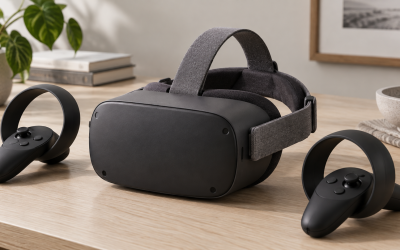
You do not need a home gym to enjoy room-scale VR, but a cramped space does demand smart setup so you do not punch a wall or trip over furniture. Whether you have a modest bedroom, a corner of a living room, or a tight office, a few adjustments make small-space VR both safe and genuinely fun. This guide covers minimum dimensions, boundary setup, and practical tweaks that keep you and your gear intact.
How much space you actually need
Standing and seated experiences need very little, while full room-scale wants more. The good news is that most games are playable in surprisingly tight areas if you use teleport movement.
| Play style | Minimum area | Comfortable area |
|---|---|---|
| Seated | Chair plus arm room | 1 x 1 m clear zone |
| Standing, stationary | 1 x 1 m | 1.5 x 1.5 m |
| Room-scale | 1.5 x 1.5 m | 2 x 2 m or larger |
Many headsets list a recommended minimum of roughly 2 by 2 meters for full room-scale, but you can enjoy plenty of standing games in a 1.5 meter square if you set your boundary honestly.
Set an honest boundary
Every modern headset lets you draw a guardian or play area boundary on the floor. In a small room, resist the temptation to draw it too generously. Leave a buffer of at least an arm’s length from walls, shelves, and the TV, because your arms swing wider than you think. A conservative boundary that flashes a warning early is far better than a bruised knuckle.
Clear the danger zone
Before playing, sweep the area for hazards: move the coffee table, coil up cables, and note anything overhead like a ceiling fan or low light fixture. Rugs with edges are a trip risk, and pets wandering in are a real hazard since you cannot see them. A quick 30-second clean-up each session prevents the vast majority of accidents.
Small-space friendly settings
Favor games and comfort modes built for tight areas. Teleport movement lets you traverse huge worlds while barely stepping. Snap turning avoids winding up in your own cable. If you must move physically, face the largest open direction. A textured mat under your feet can mark the center of your space so you drift back to it by feel without looking down.
Managing the cable in tight quarters
If you play tethered PCVR, a cable in a small room tangles quickly. Route it up and over your shoulder from behind, and consider a simple hook or bungee to keep slack off the floor. Wireless play sidesteps this entirely and is often worth it in confined spaces.
Making a shared room work
Many people play VR in a room that serves other purposes, which adds a few practical wrinkles worth planning for. If the space doubles as a living room or office, decide on a repeatable layout you can set up in under a minute: which way you face, where furniture slides to, and where the boundary sits. Marking the center of your play area with a textured mat or a small rug gives you a tactile reference so you can recenter by feel without lifting the headset. If others share the space, save your boundary and settings so you are not redrawing them each session, and communicate a simple rule that people and pets stay out while the headset is on, since you genuinely cannot see them. Lighting matters too: most tracking works best in even, moderate light, so avoid direct sunlight and very dark rooms. Finally, think vertically as well as horizontally, checking for ceiling fans, hanging lights, and shelves at arm height, because overhead and side hazards cause many small-room accidents. A little routine turns a modest shared room into a safe, dependable VR space.
FAQ
What is the smallest room that works for VR?
Seated and standing stationary games work in about a 1 by 1 meter clear zone. For room-scale, aim for at least 1.5 by 1.5 meters, using teleport movement to cover larger virtual distances safely.
How far should my boundary be from the walls?
Leave at least an arm’s length, and ideally a bit more, between your boundary and any wall or furniture. Your arms and controllers swing wider than your body, so a generous buffer prevents most impacts.
Bottom line
Small-room VR is perfectly safe with a little discipline: know that standing games need only about a meter square, draw a conservative boundary with an arm’s-length buffer, clear hazards before each session, and lean on teleport and snap turning. Manage or ditch the cable, and a tight space becomes a comfortable portal to huge virtual worlds.