If you want a wireless mechanical keyboard that works for both typing and gaming, the Keychron Q1 Max (75 percent) and Q3 Max (tenkeyless) suit enthusiasts who like a heavy aluminum build, the Logitech G915 X Lightspeed TKL suits competitive players who want a low-profile board with a dedicated 2.4 GHz link, and the Keychron K2 line suits buyers on a tighter budget. Players who want magnetic switches with adjustable actuation should look at the wireless Keychron K2 HE, because the Wooting 80HE, which many outlets rank as the best gaming keyboard, is wired-only according to reviewers.
As an Amazon Associate we earn from qualifying purchases at no extra cost to you.


Our Top Picks
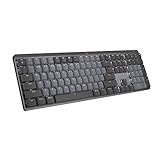
 Logitech MX Mechanical Wireless Illuminated Keyboard TactileFull Size17.9 x 5.9 x 2.1 inches2.55 poundsCheck on Amazon


Top 3 picks at a glance
What wireless really means for gaming
Three connection types appear on these boards. Bluetooth is convenient for laptops and tablets but adds latency and is not the mode competitive players use. A 2.4 GHz USB receiver, branded Lightspeed by Logitech, gives a low-latency link designed for gaming. Wired USB-C is the fallback for charging or for the lowest possible latency. A keyboard that offers all three, as most boards below do, is the most flexible choice for a desk that has both a PC and a laptop.
At a glance: wireless mechanical keyboards compared
| Keyboard | Layout | Connections | Best for | Limits |
|---|---|---|---|---|
| Keychron Q1 Max | 75 percent | 2.4 GHz, Bluetooth, USB-C wired | Typing feel, aluminum case, gasket mount, custom keymaps | Heavy; premium tier; not a low-profile board |
| Keychron Q3 Max | Tenkeyless | 2.4 GHz, Bluetooth, USB-C wired | Full-size row of function keys without a numpad | Weight and desk footprint |
| Keychron K2 (version 2) | 75 percent | Bluetooth, USB-C wired | Budget wireless option, Mac and Windows layouts | PC Gamer lists it as the budget pick, so expect a lighter build and Bluetooth-only wireless |
| Keychron K2 HE | 75 percent | Wireless with Hall effect switches | Adjustable actuation and Rapid Trigger without a cable | Magnetic switches limit switch swapping to compatible types |
| Logitech G915 X Lightspeed TKL | Tenkeyless, low profile | Lightspeed 2.4 GHz, Bluetooth | Competitive play, slim profile, battery life | PC Gamer scored it 70 percent; some owners dislike the G Hub software |
| Wooting 80HE | 80 percent | Wired only | Best-reviewed gaming board, Hall effect switches | No wireless, which defeats the purpose here |
Keychron Q1 Max and Q3 Max: for people who care how it feels
The Q Max series is where Keychron places its aluminum, gasket-mounted boards with 2.4 GHz and Bluetooth. Rekobyte calls the Q1 Max the best 75 percent board it listed, and The Gear Audit names it a top overall pick for 2026. PC Gamer picks the Q3 Max as the best tenkeyless wireless keyboard. The boards support remapping through the QMK and VIA ecosystem, according to Keychron, so key layouts and macros can be edited on a computer without proprietary software. The trade-off is weight: aluminum cases are solid on a desk but awkward to carry.
Logitech G915 X Lightspeed TKL: low profile for competitive play
The G915 X is a low-profile mechanical board with Logitech’s Lightspeed receiver, which reviewers say holds up in fast-paced games. Rekobyte calls it the most polished prebuilt of its group, and PC Gamer praised the snappy keystroke and long battery life. It also scored the board modestly and noted that the pricing sits at the premium end. WolfofDesk would not choose it over a Hall effect board for competitive play but recommends it as a thin wireless alternative. If you dislike heavy software suites, note that the lighting and macro tools depend on Logitech’s G Hub.
Keychron K2 and K2 HE: two different budgets
PC Gamer lists the K2 (version 2) as its best budget wireless pick. It uses a compact 75 percent layout with Bluetooth and a wired option, which works well for a laptop and a desktop. The K2 HE is the gaming-oriented sibling: Rekobyte describes it as the best wireless gaming pick, with magnetic switches, adjustable actuation and Rapid Trigger. Those features let you set how far a key must travel before it registers and let the key reset the instant it rises, which many shooter players like. Read the maker’s page for the exact wireless modes supported before buying.
Features that matter when you compare
- Switch type: Linear switches are smooth for gaming, tactile switches give feedback for typing and clicky switches are loud. Hall effect (magnetic) switches add adjustable actuation points.
- Hot-swap sockets: They let you change switches without soldering. Check whether the board accepts three-pin or five-pin switches.
- Battery life: Backlighting reduces battery life sharply on every wireless board. Makers list figures with lighting off or at low brightness, so treat the numbers as ceilings.
- Layout: Seventy-five percent keeps arrow and function keys in a compact body. Tenkeyless frees more mouse room. Full-size boards add a numpad.
- Software: Keychron boards use open QMK/VIA-style tools. Logitech uses G Hub. Pick what you will actually tolerate.
- Operating system: Most Keychron boards ship with switchable Mac and Windows keycaps and layouts.
Trade-offs by budget tier
Budget tier
The Keychron K2 (version 2) and similar compact boards give you Bluetooth and a wired mode with decent switches. Expect plastic or lighter frames and simpler stabilizers, and expect Bluetooth latency rather than a gaming receiver.
Mid-range tier
This is where the K2 HE and other wireless Hall effect boards sit, along with several 75 percent hot-swap boards with 2.4 GHz receivers. If you play shooters or rhythm games, this tier delivers the biggest practical gain.
Premium tier
The Keychron Q Max boards and the Logitech G915 X belong here. You pay for metal construction, gasket mounts, low-profile engineering or polished software and receivers.
Pick X if… decision table
| Pick this | If you… |
|---|---|
| Keychron Q1 Max | Want a heavy, great-sounding 75 percent board for typing and casual gaming |
| Keychron Q3 Max | Want a tenkeyless layout with the same build quality |
| Logitech G915 X Lightspeed TKL | Prefer low-profile keys and a gaming-grade wireless receiver |
| Keychron K2 HE | Want Rapid Trigger and adjustable actuation without a cable |
| Keychron K2 (version 2) | Need affordable, compact wireless for a laptop and a desktop |
| Wooting 80HE | Do not mind a cable and want the best-reviewed competitive board |
Alternatives
- Wired Hall effect boards: If you can accept a cable at your desk, the Wooting 80HE and similar boards lead the gaming lists from PC Gamer and RTINGS.
- Other wireless 75 percent boards: Several brands sell 2.4 GHz 75 percent boards that review well. Compare them for receiver support and battery capacity, which the maker lists.
- Low-profile Logitech and Keychron boards: They suit travelers who want a slim wireless keyboard.
Switches, keycaps and sound
Switch choice shapes the experience more than almost any other feature. Linear switches have a smooth press with no bump and are popular with gamers. Tactile switches have a bump at the actuation point, which many typists prefer. Clicky switches are audible and may annoy people nearby. Boards with a gasket mount or foam layers sound deeper and softer, which is a selling point of the Keychron Q Max series. Low-profile boards, such as the Logitech G915 X, have shorter travel, which some people find faster and others find less satisfying for long typing sessions.
Keycap material also matters. PBT plastic resists shine and feels grainy, while ABS is smoother and can become glossy over time. Many wireless boards ship with PBT or double-shot keycaps, but the maker’s page states the material. If you plan to replace caps later, look at the stem type and the layout, since 75 percent and tenkeyless boards use mostly standard sizes but some bottom-row keys vary.
Using wireless reliably and safely
Keep the 2.4 GHz receiver close to the keyboard, ideally on a short extension cable on the desk rather than at the back of a case, because metal and distance reduce signal quality. Interference from crowded wireless networks and other devices can cause occasional dropouts, so reposition the receiver before blaming the keyboard. Charge with the supplied cable or a reputable USB power source. Lithium batteries inside keyboards should not be punctured or exposed to high heat, and if a battery swells, stop using the device and follow the maker’s disposal guidance.
Firmware updates matter too. Keychron and Logitech both publish updates that can improve wireless stability and add features, and the process normally involves the maker’s app or a web tool. Follow the maker’s instructions closely, because interrupting a firmware update can leave a keyboard unresponsive.
Frequently Asked Questions
Is a wireless mechanical keyboard good enough for competitive gaming?
A board with a dedicated 2.4 GHz receiver, such as Logitech’s Lightspeed models, is built for that use, and reviewers report that latency holds up. Bluetooth modes are best saved for work and casual play. If every millisecond matters to you, a wired board remains the safest option.
How long does the battery last?
Makers publish figures that vary from days to months depending on backlighting. With RGB on and bright, expect to charge far more often. Turning lighting down or off is the most effective way to extend battery life.
What is a Hall effect keyboard?
It uses magnets and sensors rather than metal contacts, so the keyboard can read how far each key is pressed. That allows adjustable actuation and Rapid Trigger. The Wooting 80HE and Keychron K2 HE use this approach.
Which layout should I choose?
Seventy-five percent boards keep arrow and function keys in a small body and suit most desks. Tenkeyless boards remove the numpad for mouse room. Full-size boards are better if you use a numpad for spreadsheets.
Can I use one keyboard with a PC and a laptop?
Yes. Most of these boards remember several Bluetooth devices and offer a separate 2.4 GHz receiver, so you can switch with a key combination. Check the maker’s manual for the exact pairing procedure.
Do wireless keyboards work in BIOS?
Bluetooth often does not work before the operating system loads. A 2.4 GHz receiver or a wired USB-C connection normally does, so keep the cable handy when you build or repair a PC.