“Headset” can mean two very different things to a podcaster. Some people want a single device with a mic arm attached, so they can record a remote interview from a laptop with one cable. Others want closed-back studio headphones to monitor their voice and edit, paired with a separate microphone. The decision behind this keyword is which of those workflows you actually have, because the products on this list split along that line: one is a true headset with a built-in gooseneck mic, several are monitor headphones, and a few are bundles that pair a microphone with headphones.
This guide is for new podcasters, solo hosts recording on a desk, co-hosts who need to hear each other without bleed, and editors who spend hours listening for clicks and breaths. Closed-back designs matter because sound leaking out of open cups gets picked up by a nearby microphone. Comfort matters just as much, since an episode edit can run hours. The notes below rely only on the listed specs, so features not named in a listing are treated as unknown, and one karaoke-style streaming headset was left out because it targets live singing rather than podcast monitoring.
Our Top Picks
Top 3 picks at a glance
Quick Picks
As an Amazon Associate we earn from qualifying purchases at no extra cost to you.


| Product | Best for | Key spec from the title |
|---|---|---|
| VOLUBLES Podcasting Headset | Remote interviews, one cable | 3.5mm and USB-A, single-ear, gooseneck mic arm, mute and volume |
| AOC Wired Studio Headphones | Monitoring and mixing | 32 ohm, 50mm drivers, detachable cables, 6.35mm adapter |
| FIFINE XLR/USB Mic and Headphones Set | Complete starter kit | XLR/USB mic with mute button, RGB, studio monitor headphones |
| FIFINE Gaming Mic and Headset Kit | Streamers who also podcast | Dynamic XLR/USB mic, boom arm, 7.1 surround headset |
| SUUNTOK MR810 | Closed-back editing | Closed back, studio monitor, 3m cable |
| FIFINE USB Mic and Headset Kit | Plug-and-play streaming | USB mic kit, over-ear wired headset, 7.1 surround |
| SENECESLI Over Ear Headphones | DJ and recording work | 40mm drivers, 90 degree rotating earcups |
How to Choose
Headset versus headphones plus microphone
A headset with an attached mic arm, like the VOLUBLES, is convenient for calls and remote guests because the microphone sits in a fixed position near your mouth. Studio headphones have no built-in mic, so you pair them with a separate microphone. Bundles such as the FIFINE kits include both pieces. If your goal is the highest voice quality on a desk, a separate dynamic microphone usually beats an attached boom, while a headset wins for portability.
Closed back, impedance, and drivers
Closed-back cups keep sound inside, which prevents bleed into the microphone. Impedance figures matter for what you plug into: the AOC lists 32 ohm, a low value that suits laptops, interfaces, and portable devices without needing a dedicated amplifier. Driver size, such as 40mm or 50mm, hints at the scale of the sound but is not a quality ranking. For voice work, a clear midrange is more important than heavy bass.
Connections: USB, XLR, 3.5mm, and 6.35mm
USB is plug-and-play and suits beginners. XLR connects to an audio interface or mixer and allows an upgrade path later. The 3.5mm plug fits laptops and phones, while a 6.35mm adapter, included with the AOC, fits studio gear. Detachable cables, also on the AOC, are a practical advantage because cables wear out first. A 3m cable like the SUUNTOK’s gives freedom around a desk but can tangle.
Comfort, controls, and build
Long editing sessions reward padded, adjustable headbands and earcups that rotate, as on the SENECESLI. Mute and volume controls on the cable or mic, as on the VOLUBLES and the FIFINE microphone, are valuable during a live recording. Be wary of lighting and branding that add cost but not clarity; RGB looks good on camera and does nothing for audio quality. Also think about how you will hold the microphone relative to your mouth: a boom arm or gooseneck keeps distance consistent, which does more for clean audio than any spec on the box.
The 7 Best Options
VOLUBLES Podcasting Headset
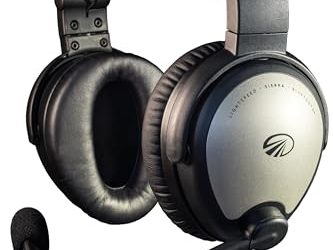
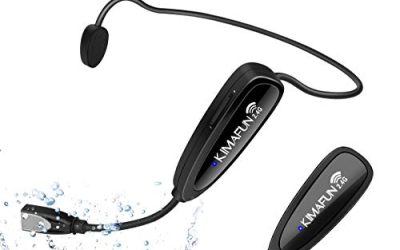
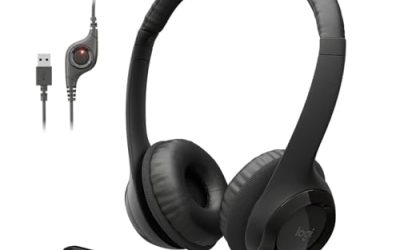
This is the only listing here that is a true communication headset: a single-ear design with a gooseneck mic arm, 3.5mm and USB-A connections, a USB 3 A-to-C adapter, and mute and volume controls. It suits remote hosts who take calls and record interviews from a laptop and want to keep one ear free to hear the room.
- Strength: mic arm is built in, so there is nothing else to buy.
- Strength: both 3.5mm and USB-A with an A-to-C adapter cover most computers.
- Trade-off: single-ear listening is poor for critical editing or music.
Skip it if you need to hear detailed stereo while editing. A headset like this is for capturing voices and conversations, not for mixing. It also pairs well as a second, travel-friendly rig for hosts who record the main show on a desk setup but need something that fits in a laptop bag for conference interviews.
AOC Wired Studio Headphones
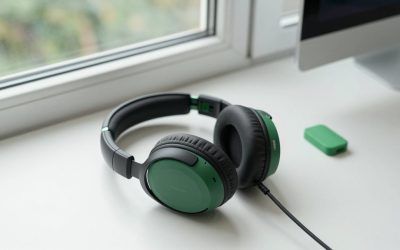
These are over-ear monitor headphones with 32 ohm impedance, 50mm drivers, detachable cables, and a 6.35mm adapter, aimed at recording, mixing, and podcasting. They suit editors who want accurate listening and a connection that works with audio interfaces and laptops alike.
- Strength: detachable cables and a 6.35mm adapter add flexibility.
- Strength: 50mm drivers and a low 32 ohm rating suit varied sources.
- Trade-off: no microphone is mentioned in the title.
Skip it if you want an all-in-one headset. You will need a separate microphone for recording your voice. The detachable cable is the quiet advantage here: when a cable frays, you swap it rather than retire the whole pair, which matters for gear used daily for hours at a time.
FIFINE XLR/USB Mic and Headphones Set
A bundle of a computer recording microphone with a mute button and RGB lighting, plus over-ear wired studio monitor headphones. The XLR/USB combination gives a beginner a plug-in start with room to grow into an interface later.
- Strength: microphone and headphones arrive together.
- Strength: dual XLR and USB connections give an upgrade path.
- Trade-off: bundles can compromise on the headphone half of the pair.
Skip it if you already own a microphone. The mute button is handy mid-recording, but the lighting is cosmetic only. A first-time host recording interviews at a desk gets the whole signal chain in one box, which removes the guesswork of matching a microphone to headphones, and lets you spend your learning time on pacing and editing instead.
FIFINE Gaming Mic and Headset Kit
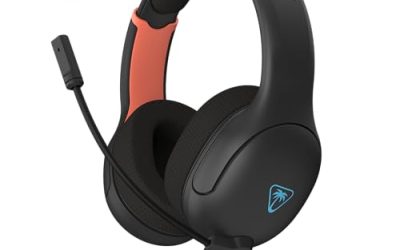
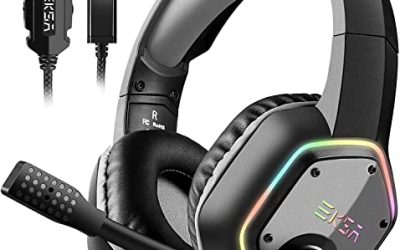
A kit built for streamers that pairs a dynamic XLR/USB RGB microphone with a boom arm and a PC over-ear headset with 7.1 surround sound, compatible with PS5 and Xbox. It suits a creator who streams games and records podcasts on the same desk.
- Strength: boom arm keeps the microphone positioned and off the desk.
- Strength: dynamic mic, a type often chosen for voice, in a complete kit.
- Trade-off: 7.1 surround is a gaming feature that podcasting does not need.
Skip it if you only record voice and want neutral monitoring. Gaming-style tuning can color how your edit sounds. If you go this route, do a final listen on a pair of ordinary earbuds or a phone speaker, because your audience will likely hear the episode that way rather than through exaggerated surround processing.
SUUNTOK MR810
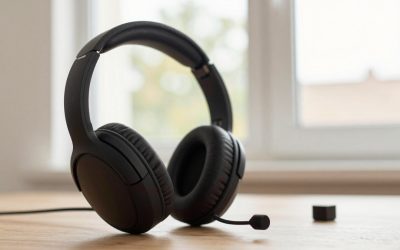
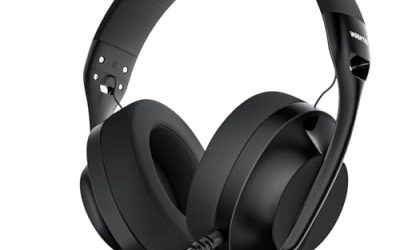
Over-ear wired headphones with a closed-back studio monitor design, flexible professional stereo, and a 3m cable. The closed-back build is the relevant feature for podcasters since it limits sound leakage into a nearby mic.
- Strength: closed back reduces bleed during recording.
- Strength: a long 3m cable gives room to move around a desk or small studio.
- Trade-off: the title does not mention a detachable cable or microphone.
Skip it if you want a built-in mic. Pair it with a separate microphone for voice capture. Co-hosts sharing a table will appreciate that closed cups keep one person’s monitor feed from spilling into the other’s microphone, and the long cable lets you sit back from the desk while listening.
FIFINE USB Mic and Headset Kit
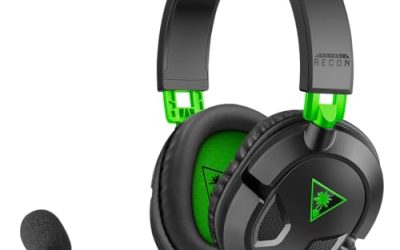
A gaming USB microphone kit with a PC over-ear wired headset, RGB lighting, and 7.1 surround sound, aimed at streaming, recording, and podcasting. This is the plug-and-play option for someone who wants to start recording today.
- Strength: USB setup needs no interface or amplifier.
- Strength: headset and microphone arrive together.
- Trade-off: gaming styling and surround branding are more about looks than voice work.
Skip it if you prefer to build a studio-style setup with an XLR interface. It is a stepping stone, not a final destination. If the show grows, the same headset can stay as a backup while you move the recording chain to a dedicated microphone and interface, so the first purchase is not wasted.
SENECESLI Over Ear Headphones
Wired over-ear headphones with 40mm drivers, a 60-hour playback claim in the title, and earcups that rotate 90 degrees. They are aimed at DJ mixing, recording, and podcasting, and the rotating cups help with one-ear monitoring during a live session.
- Strength: 90 degree rotating earcups for single-ear monitoring.
- Strength: aimed explicitly at recording and podcasting use.
- Trade-off: 40mm drivers are smaller than the 50mm in other options.
Skip it if you want a microphone included. The playback hours claim on a wired model is unusual, so read the full listing for details before treating it as a battery-powered model. Buyers who mix music and record voice, such as radio-style hosts, may like the rotating cups for cueing tracks with one ear while keeping the other on the room.
Which One Fits Your Situation
You record remote interviews from a laptop
The VOLUBLES Podcasting Headset keeps the microphone close, with USB-A and 3.5mm options and a mute control for awkward moments.
You edit for hours
The AOC Wired Studio Headphones give you a monitor-style design with detachable cables, and the SUUNTOK MR810 adds a closed-back build and a long cable.
You are starting from zero in 2026
The FIFINE XLR/USB Mic and Headphones Set covers microphone and monitoring in one purchase, with an upgrade path through XLR.
You stream and podcast on the same desk
The FIFINE Gaming Mic and Headset Kit adds a boom arm and gaming features, while the SENECESLI rotating earcups help during live sessions.
Common Mistakes
- Buying open-back headphones, which leak sound into the microphone.
- Assuming monitor headphones include a microphone when the listing never mentions one.
- Choosing surround sound for podcasting when neutral stereo helps editing more.
- Ignoring cable type, then needing an adapter for the interface you own.
- Judging by lighting and branding instead of comfort and closed-back isolation.
Related guides
- How To Clean Quest 3 Lenses And Facial Interface
- Vr Facial Interfaces For Glasses Wearers
- Micro Sd Cards For Samsung Galaxy Phones
Frequently Asked Questions
Do I need a separate microphone?
If you buy studio headphones, yes. Only the headset and kit listings include a microphone, and kit mics vary in quality.
Should I pick USB or XLR?
USB is simpler and needs no extra gear. XLR is better if you plan to add an audio interface or mixer, since it opens up more upgrade options.
Why does closed back matter?
Closed-back cups keep your monitor feed from leaking into the mic. That prevents echo and tinny bleed in your recording.
Is 32 ohm impedance good for laptops?
Yes, low impedance headphones are easier to drive and work with laptops and interfaces without a dedicated amplifier.