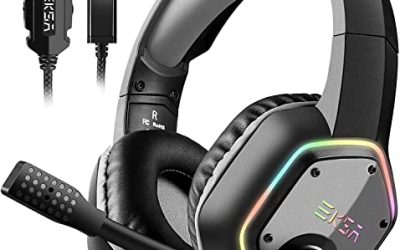
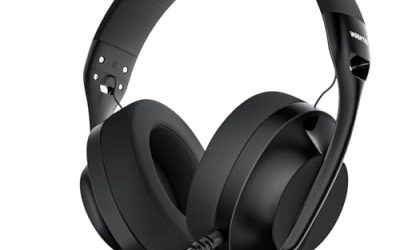
Most people who search for cheap headsets for PC are not building a gaming rig. They are trying to survive video calls, online classes and the occasional movie without a tangle of earbuds, or they are buying a second headset for a kid, a spare desk or an office. At the budget tier, what matters is a microphone people can actually hear, a connection that works the first time and ear pads that do not hurt after an hour, rather than a long list of sound-enhancement badges.
This guide splits the field into simple USB office headsets, wired gaming-style headsets that cost a little more in flash than in substance, and a wireless model for people who hate cables. Eight listings are compared for 2026 shopping using only what their titles state: connection type, weight, microphone design, controls and surround claims. Where the title says little, the review says so, and the advice points to checks you can make before ordering.
Our Top Picks
 Logitech H390 Wired Headset PC/Laptop Stereo Headphones1 Pack3.23 x 8.35 x 10.24 inches0.44 poundsCheck on Amazon



Top 3 picks at a glance
Quick Picks
As an Amazon Associate we earn from qualifying purchases at no extra cost to you.





| Product | Best for | Key spec from the title |
|---|---|---|
| Logitech H390 | Calls and classes | USB-A, stereo, in-line controls |
| 321Wasay USB Headset | Basic spare headset | USB, wired, microphone |
| BENGOO G9000 | Gaming on a tight budget | 7.1 surround, noise cancelling mic, LED |
| Ozeino Wired Gaming Headset | Over-ear comfort and chat | 7.1 surround, noise canceling mic |
| Basics On-Ear Wired Computer Headset | Office use, foldable storage | 3.5mm or USB-A, foldable, adjustable mic |
| Lenovo USB-A Wired Headset | All-day calls | 140g, AI noise canceling via app, replaceable earcups |
| IMYB A36 Gaming Headset | Gaming with style | RGB, wired, over-ear, noise cancelling |
| 20ms Wireless Gaming Headset | Cable-free budget play | 2.4GHz, Bluetooth 5.4, 60-hour battery |
How to Choose
USB versus 3.5mm connection
A USB-A headset carries its own sound card, so it usually works on any desktop or laptop with a free port and avoids the noisy onboard audio of cheap motherboards. A 3.5mm headset needs a headphone jack, and a split plug may require an adapter. The Basics listing offers both a 3.5mm connection and an in-line USB-A option, which is handy if you move between computers. If you use a laptop with a single port, check what is free.
Microphone design matters more than sound enhancement
For calls, a boom microphone positioned near your mouth beats a tiny inline mic. The Lenovo listing names a double-sided boom mic and AI noise canceling via an app, while the gaming-style models advertise noise cancelling mics. Treat noise cancelling claims as a way to reduce background keyboard and fan noise, not to erase them. A flip-up or adjustable boom helps you keep the mic out of the way between calls.
Weight, comfort and controls
Over a workday, weight matters. The Lenovo title quotes 140g, a useful number, while many gaming headsets feel heavier. On-ear pads, such as on the Basics model, press on the ear and can tire sooner than over-ear pads that surround it. In-line controls for volume and mute, named on several listings, are worth having because you can silence a mic quickly during a call. Replaceable earcups, as on the Lenovo, extend the life of a budget headset.
What to ignore and where budget models cut corners
Ignore 7.1 surround and RGB lighting unless you play games; both add little to calls. Budget headsets tend to trim driver quality, cable durability and microphone clarity, and generic brands may offer thin warranty support. A wireless model brings battery life and pairing steps along with the freedom, and the 60-hour figure on the wireless listing is a best-case maximum. Prioritize fit and mic clarity before extras.
The 8 Best Options
Logitech H390 Wired USB Headset
A familiar, no-fuss pick for school, work and video calls. The title lists a wired USB-A connection, stereo headphones, a microphone and in-line controls, and points to compatibility with PCs and laptops, which suits students and remote workers who just need something that plugs in and works.
- USB-A connection avoids the need for a headphone jack or an extra sound card.
- In-line controls handle volume and mute without hunting through menus.
- Trade-off: it is a basic stereo headset, so expect no surround, no lighting and plain styling.
Skip it if you want wireless freedom, strong bass or a gaming look. It is aimed at productivity users, so music lovers and competitive gamers will likely prefer other listings. If you want a headset that doubles as a travel companion for a laptop, check the cable length and consider a model that folds.
321Wasay Computer USB Headset with Mic
A bare-bones choice for anyone who needs a spare headset in a drawer or an office. The title lists a wired USB connection, a microphone and compatibility with PCs and laptops.
- USB connection keeps setup simple on desktops and laptops.
- A slender black design suits a plain office desk.
- Trade-off: the title gives no weight, driver size or control details.
Skip it if you want a known brand, replaceable parts or detailed specs before buying. Because little is stated, it makes sense mainly as a low-stakes backup. Think of it as the headset you keep in a meeting room or a classroom drawer, where a lost or broken unit is an easy replacement instead of a loss.
BENGOO G9000 Stereo Gaming Headset
For buyers who want a gaming-style headset at a low tier that also works on a PC. The title lists noise cancelling, over-ear pads, LED light and 7.1 surround sound, and names PS4, Xbox One and PS5.
- Over-ear pads and a noise cancelling mic suit gaming chat and calls.
- LED lighting adds style for a gaming desk.
- Trade-off: it targets controllers first, so check the connector type for your PC before ordering.
Skip it if you want a plain, professional look or USB-only connection. Check the full listing for the PC connector, because many console headsets use a 3.5mm plug, and a desktop with separate microphone and headphone sockets may need a splitter. A short test of the mic in a call app on the first day is a good habit.
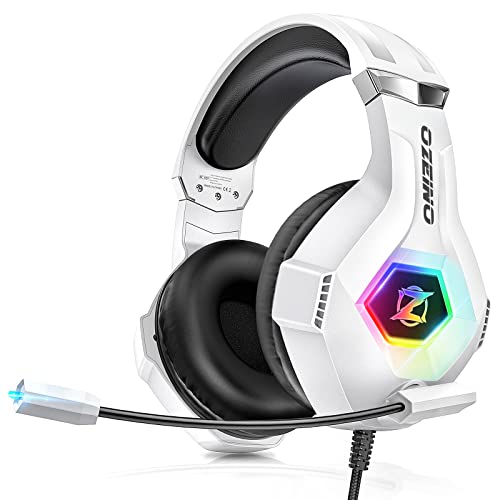
Ozeino Gaming Headset for PC, PS4, PS5, Xbox
A wired over-ear headset aimed at budget buyers who want gaming-style features. The title lists 7.1 surround, a noise canceling microphone and LED lighting.
- It names PC and several consoles, so one headset can serve different devices.
- Over-ear design offers more pad coverage than on-ear office headsets.
- Trade-off: surround and lighting are marketing extras at this tier.
Skip it if you want a discreet, light headset for calls. The title lists no weight, so comfort over long days is a question mark. Players who also use the headset on a console will appreciate the multi-platform wording, though the cable ties you to the controller or desk.
Basics On-Ear Wired Computer Headset
A practical office headset that offers a choice of connections. The title lists an adjustable microphone, a 3.5mm port or in-line control with USB-A, foldable design and clear sound, in a small to medium size.
- Both 3.5mm and USB-A connections add flexibility across computers.
- A foldable design makes it easy to store or carry.
- Trade-off: on-ear pads can press on the ears during long sessions.
Skip it if you need a bigger fit or deep bass. The small to medium sizing note suggests larger heads should confirm fit before buying. Those who like sealed, noise-blocking ear cups for noisy open offices will find on-ear pads less isolating than the over-ear designs.
Lenovo USB-A Wired Stereo Headset
The most work-focused listing in the group. The title names AI noise canceling via an app, a 140g lightweight build, replaceable earcups, a double-sided boom mic and in-line controls.
- A 140g weight is helpful for all-day wear.
- Replaceable earcups and a double-sided boom mic add practical longevity and flexibility.
- Trade-off: the AI noise canceling depends on an app, which adds a setup step.
Skip it if you want wireless freedom or surround sound for games. It is built for calls and focus, not for gaming flair. Remember to install the app if you want the AI noise feature, and expect it to need a phone or computer with enough permissions to run in the background.
IMYB A36 Gaming Headset with Mic
A wired gaming-style headset with RGB lighting for buyers who want a flashier look at a budget tier. The title lists over-ear noise cancelling and compatibility with PC, PS5, Xbox, Switch and more.
- Over-ear design and a mic cover gaming and chat.
- RGB lighting adds style to a desk setup.
- Trade-off: the title leaves out weight, driver size and connector type.
Skip it if you prefer a plain look or detailed specs. Confirm the connector on the full listing for your PC. Lighting effects can also reduce comfort if the headband adds weight, so look at buyer photos of the fit and at how the cable is attached before committing.
20ms Low-Latency Wireless Gaming Headset
The only wireless model here, for buyers who want to cut the cable. The title lists a 2.4GHz 2-in-1 USB-A and USB-C receiver, Bluetooth 5.4 and up to 60 hours of battery life.
- A 2.4GHz receiver with 20ms latency suits gaming and video calls.
- Bluetooth 5.4 lets you pair a phone as well as a computer.
- Trade-off: it needs charging, and the 60-hour figure is a best-case maximum.
Skip it if you want a never-charge wired headset or a recognized brand. Wireless budget models also tend to have weaker microphone clarity, so people who spend hours in meetings may still prefer a wired boom mic.
Which One Fits Your Situation
You work from home and take lots of calls
The Lenovo USB-A Wired Stereo Headset is the closest fit, with a 140g body, boom mic and replaceable earcups. It is the one that best protects your ears and your voice quality across a full workday of video meetings.
You want something simple and familiar
The Logitech H390 offers a USB connection, stereo sound and in-line controls with no setup.
You move between computers
The Basics On-Ear Wired Computer Headset offers 3.5mm and USB-A options and folds for travel.
You game on a budget
The BENGOO G9000 or the Ozeino Wired Gaming Headset deliver over-ear comfort and a noise cancelling mic.
Common Mistakes
- Paying for surround sound and RGB when you only take calls.
- Ignoring the connector type and ending up needing an adapter.
- Judging a headset by its microphone claims alone, without checking boom design.
- Ignoring weight and pad type for all-day use.
- Assuming wireless battery numbers apply with lights and high volume.
Related guides
- How To Clean Quest 3 Lenses And Facial Interface
- Vr Facial Interfaces For Glasses Wearers
- How Long Does A Ps5 Controller Battery Last
Frequently Asked Questions
Is USB or 3.5mm better for a cheap headset?
USB is usually the simpler choice because the headset brings its own sound processing. 3.5mm works if your computer has a good jack.
Do I need a noise cancelling mic?
It helps in noisy rooms, but a well-placed boom mic matters more. Expect noise reduction, not silence.
Are gaming headsets fine for office calls?
Yes, but they can be heavier and flashier. A plain USB headset is often more comfortable all day.
Is a wireless budget headset worth it?
It can be, if you value freedom of movement and accept charging. Expect weaker microphone quality at this tier.