Once you decide to play PC VR games on a standalone headset, you face a practical choice: connect to your gaming PC with a physical Link cable, or stream wirelessly over your network with Air Link. Both let the same headset tap into a powerful graphics card, but they feel different in daily use and suit different setups. This comparison lays out latency, image quality, convenience, and cost so you can pick the connection that fits your room and your patience.
As an Amazon Associate we earn from qualifying purchases at no extra cost to you.


Our Top Picks


Top 3 picks at a glance
How each connection works
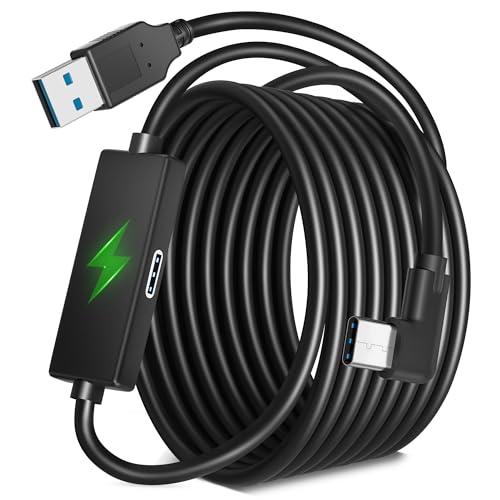
A Link cable is a long USB cable running from the PC directly to the headset. It carries a compressed video stream one way and charges the headset the other way. Air Link does the same job over Wi-Fi, sending the video wirelessly from the PC to the headset with no cable at all. The trade-offs flow from that fundamental difference: a wire is consistent but tethering, while wireless is free but depends on your network.
Side-by-side comparison
| Factor | Link cable | Air Link (wireless) |
|---|---|---|
| Latency | Lowest, very consistent | Slightly higher, depends on Wi-Fi |
| Image quality | Higher stable bitrate | Good, can dip if signal weakens |
| Freedom of movement | Limited by cable length | Full, no tether |
| Setup cost | A quality cable, roughly $20 to $80 | Needs a strong router, ideally Wi-Fi 6 |
| Charging while playing | Yes, cable powers the headset | No, battery drains |
When the cable wins
If you play fast, competitive, or visually demanding titles, the Link cable is the safer bet. It delivers the lowest, most consistent latency and a stable high bitrate, which means sharper text and fewer compression artifacts. It also keeps the headset charged, so marathon sessions never end because the battery died. The downside is obvious: a cable can tug during big room-scale movements, though a ceiling pulley or bungee management system tames that.
When Air Link wins
For room-scale games where freedom of movement is the whole point, wireless is glorious. No cable means no snagging and no getting tangled as you spin. The catch is that Air Link leans heavily on your network. A dedicated Wi-Fi 6 router, ideally with the PC wired to it and the headset on a clean 5 GHz or 6 GHz band, is close to essential for a smooth stream. On a congested home network, expect occasional stutter and a softer image.
Getting the best of either
For the cable, buy a lightweight, high-quality USB cable long enough for your space, commonly 3 to 5 meters. For wireless, connect your PC to the router with an Ethernet cable, keep the headset within line of sight of the router, and reserve the band for VR when possible. Both approaches reward a little tuning of the streaming bitrate to match what your setup can sustain.
Tuning each connection for the best result
Both connection methods reward a little setup effort, and small adjustments often matter more than the raw choice between them. For a wired link, the sweet spot is a lightweight cable long enough to reach comfortably, typically three to five meters, routed up and over your shoulder so it does not tug at your movements; a simple hook or bungee keeps slack off the floor during room-scale play. For wireless, the single biggest improvement is wiring your PC directly to the router with Ethernet, then keeping the headset on a clean, dedicated 5 GHz or 6 GHz band with a clear line of sight. Both methods expose a streaming bitrate setting, and finding the highest value your setup can sustain without stutter gives a noticeably sharper image. If you experience artifacts, back the bitrate down a step rather than blaming the hardware. Many players end up keeping both options configured, defaulting to the cable for competitive or long charging-free sessions and switching to wireless when freedom of movement matters most. Treating them as complementary tools rather than rivals gets you the strengths of each.
FAQ
Does Air Link add noticeable lag?
On a strong, dedicated Wi-Fi 6 network the added latency is small and most players adapt quickly. On a weak or crowded network it becomes noticeable, which is why a good router and a wired PC connection matter so much.
Can I use any USB cable for Link?
Not reliably. You want a high-quality cable rated for sufficient data speed and the right length, since cheap or overly long cables can drop the connection or fail to charge. Cables sold for this purpose are the safest choice.
Bottom line
Choose the Link cable for the lowest latency, the sharpest image, and endless battery, accepting the tether. Choose Air Link for total freedom in room-scale play, accepting that you need a strong Wi-Fi 6 network to keep it smooth. Many players keep both ready: cable for competitive or long sessions, wireless for relaxed room-scale fun.