Adding storage to a PS5 is simple once you understand the rules, but the requirements trip up a lot of first-time buyers who grab whatever M.2 drive is on sale. The console is picky about interface, speed, physical dimensions, and cooling, and getting any one wrong means the drive is rejected or throttled. This explainer lays out exactly what the PS5 demands and why, so you can shop with confidence and avoid an expensive return.
The four requirements that matter
Every compatible expansion drive has to satisfy four things at once: the right interface, enough speed, a supported physical size, and adequate cooling. Miss any of them and you will run into trouble.
| Requirement | Specification | Why it matters |
|---|---|---|
| Interface | M.2 NVMe, PCIe Gen4 x4 | Older SATA or Gen3 drives are too slow |
| Read speed | ~5,500 MB/s or faster | Matches the console’s streaming needs |
| Form factor | 2230 to 22110 lengths, single or double sided | Must physically fit the slot |
| Heatsink height | Within roughly 11.25 mm total | Cover must close over the drive |
| Capacity | Commonly 1 TB to 4 TB | Balance price against library size |
Speed: why 5,500 MB/s is the number
The PS5 loads games by streaming huge amounts of data on demand, which is how it eliminates long loading screens. To keep that experience intact on expansion storage, the console recommends a sequential read speed of roughly 5,500 MB/s or higher. A slower drive may still work but can produce warnings and, in demanding titles, hitches. Buying a well-reviewed Gen4 drive comfortably above that threshold is the safe play.
Size and the heatsink question
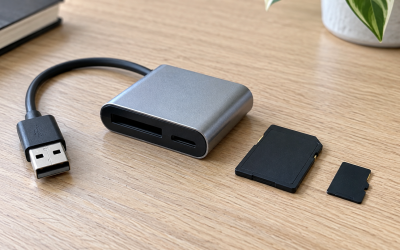
The slot accepts several M.2 lengths, but the most common consumer size is the standard 80 mm board. The bigger catch is height. With its heatsink attached, the drive must stay under the slot’s clearance so the metal cover closes flush. This is why drives sold specifically for the console ship with low-profile heatsinks. If you buy a bare drive, you must add a thin heatsink rather than a tall tower-style cooler.
Capacity: how much do you need
Current AAA games routinely occupy 50 to 150 GB each. A 1 TB drive holds a handful of big titles plus indies, while 2 TB comfortably covers a rotating library, and 4 TB suits players who hate uninstalling anything. Price per gigabyte usually improves as capacity rises, so buying one size up often costs little extra per game stored.
Cooling is not optional
Fast NVMe drives generate real heat under sustained load. Without a heatsink, thermal throttling can slow the drive or cause instability, and the console specifically calls for cooling. Treat the heatsink as a mandatory part of the purchase, not an accessory to skip.
Reading a drive’s spec sheet correctly
Shopping confidently means knowing which numbers on a drive’s box actually matter for the console. The headline figure to find is the sequential read speed, which should sit comfortably above the roughly 5,500 MB/s recommendation; ignore marketing terms and look for that concrete number. Next confirm the interface reads PCIe Gen4 and the form factor is M.2 NVMe, not a SATA M.2 drive, which shares the same slot shape but is far too slow. Then check physical dimensions, especially total height with any heatsink attached, against the slot’s clearance. Endurance ratings and write speeds are less critical for console gaming, since you are mostly reading game data, so do not overpay for the highest write numbers if read speed and cooling are covered. Capacity is the one place to think about the future: game sizes trend upward, so buying a size larger than you think you need often saves you from another upgrade sooner than expected. If a listing hides or omits the read speed or the heatsink details, treat that as a reason to choose a better-documented drive rather than gambling on compatibility.
FAQ
Can I use a PCIe Gen3 SSD in a PS5?
It is not recommended. Gen3 drives generally fall short of the roughly 5,500 MB/s read target, so the console may warn you or perform poorly. Stick with a PCIe Gen4 NVMe drive for reliable results.
What happens if my SSD has no heatsink?
The drive can overheat and throttle, hurting performance, and the console explicitly requires cooling. Either buy a drive bundled with a low-profile heatsink or add a thin one that fits within the slot’s height limit.
Bottom line
The PS5 wants a PCIe Gen4 NVMe drive reading around 5,500 MB/s or faster, in a supported M.2 length, topped with a low-profile heatsink that lets the cover close, in a capacity that matches your library, typically 1 to 4 TB. Nail those four requirements and expansion is painless. Ignore the speed or heatsink rules and you invite warnings, throttling, or an outright rejected drive.