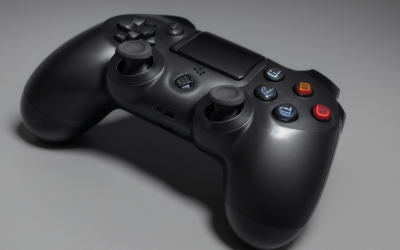
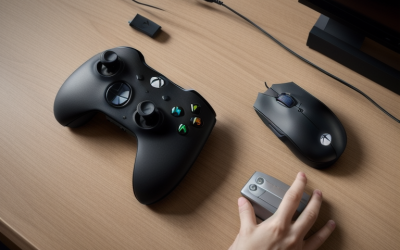
For most players, the best controller for Roblox on PC is a standard Xbox Wireless Controller or the low-cost 8BitDo Ultimate 2C. Roblox picks up Xbox-style (XInput) pads with no setup, and most experiences only use a handful of buttons. Spend more only if you play competitive shooters such as RIVALS, where a 1000Hz pad with drift-resistant sticks and back buttons actually makes a difference.
As an Amazon Associate we earn from qualifying purchases at no extra cost to you.


Our Top Picks


Top 3 picks at a glance
How controller support works in Roblox on PC
Roblox handles controllers in two layers, and knowing which layer is responsible saves you a lot of troubleshooting.
- The platform layer. Roblox’s creator documentation says the engine accepts gamepads such as Xbox and PlayStation controllers and supports haptics on both. By default, the left stick moves, the right stick turns the camera and the A button jumps, so these basics work almost everywhere.
- The experience layer. Everything beyond those basics is up to each developer, including sprinting, shooting, tools, vehicles and inventory. Developers detect your device through Roblox’s input APIs and decide what to map. Some popular experiences are built with console players in mind and play well on a pad. Smaller or older ones may be keyboard-only, and chat, building and some menus often still need the keyboard and mouse.
So if a controller works in one experience but not another, the controller is rarely to blame. Before you buy, open the experiences you play most and check whether their settings or tutorials mention a controller.
Compatibility matrix
| Controller type | Works in Roblox without extra software? | Notes |
|---|---|---|
| Xbox Wireless Controller (USB-C, Bluetooth, Xbox Wireless Adapter) | Yes | The safest choice. Prompts match what’s printed on the pad. |
| Xbox-licensed wired pads (e.g., GameSir G7 SE) | Yes | No battery, no dongle to lose. |
| 8BitDo Ultimate 2C / Ultimate 2 on the 2.4GHz dongle | Yes, on Windows | Show up as Xbox-style pads. Bluetooth on the 2C is meant for Android. |
| DualSense or DualShock 4 | Usually | Prompts may still show Xbox letters, and haptics depend on the experience. |
| Older generic DirectInput USB pads | Often not | May need third-party mapping tools. Avoid these for Roblox. |
The shortlist
Xbox Wireless Controller: best for most families
Windows supports it natively, and it connects over USB-C, Bluetooth or Microsoft’s wireless adapter. It runs on AA batteries or a rechargeable pack, which helps on a shared PC because a dead pad is a two-minute battery swap rather than a charging wait. It also works on an Xbox, so it isn’t wasted if Roblox moves to the living room. Expect to pay about $55–$80.
8BitDo Ultimate 2C Wireless: best budget pick
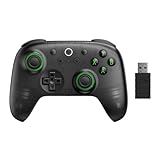
This is the one to get for kids and casual obby, simulator and roleplay players. It has Hall effect sticks with wear-resistant metal rings, which resist the stick drift that ruins cheap pads. You also get 1000Hz polling over its 2.4GHz dongle or a cable, two extra L4/R4 bumpers and a 480mAh battery rated for 19 hours on the dongle. It usually sells for $25–$35.
8BitDo Ultimate 2 Wireless: best for Roblox shooters
TMR sticks, 1000Hz over 2.4GHz or wired, two back paddles plus L4/R4, and Hall effect triggers with a switchable short tactile mode make it a strong fit for fast experiences. Competitive games like RIVALS include their own controller aim assist settings, and players report those settings are available when a pad is connected on PC. That makes stick precision and back buttons worth paying for. Typical price is $55–$75.
GameSir G7 SE: best wired option
It’s Xbox-licensed with Hall effect sticks and triggers, 1000Hz polling on PC and back buttons you can disable with latches. That’s useful for younger players who keep pressing them by accident. A cable means no charging and no lost dongle. It usually costs $35–$50.
Battery math for daily play
Roblox sessions tend to be long and spread across the week, so runtime matters more than raw latency for most households. Divide the rated runtime by your daily play time:
| Controller | Rated runtime | 1 h/day | 2 h/day | 3 h/day |
|---|---|---|---|---|
| 8BitDo Ultimate 2C (2.4GHz) | 19 h | ~19 days | ~9 days | ~6 days |
| Xbox Elite Series 2 | Up to 40 h | ~40 days | ~20 days | ~13 days |
| GameSir G7 SE (wired) | Unlimited | n/a | n/a | n/a |
Real runtime drops with heavy rumble and as the battery ages, so treat these as best-case figures. The 2C recharges in about 2 hours, so charging it overnight once a week covers a typical two-hours-a-day player.
Setup steps and fixes
- Connect the controller before you launch Roblox. The client looks for gamepads when it starts, and a pad paired after launch is sometimes missed.
- Join an experience and press Start or Menu. If the Roblox menu opens, the client sees your controller. Any remaining problem is in that experience’s own controls.
- If nothing responds, open Windows’ “Set up USB game controllers” panel. If the pad isn’t listed or its buttons don’t light up there, the problem is the connection or driver, not Roblox.
- For 8BitDo pads, set the mode switch to 2.4GHz and use the dongle. Bluetooth mode on the 2C is meant for Android and won’t behave the same on a PC.
- If Steam is running with Steam Input enabled for your controller type, close it or disable that option. Steam’s desktop controller layout can translate stick movement into mouse and keyboard input, which fights with Roblox’s own gamepad handling.
- Expect to keep a keyboard nearby for chat and trading menus, even in experiences with full controller support.
Which pick fits your player
| Player | Pick | Why |
|---|---|---|
| Young kid, obbies and simulators | 8BitDo Ultimate 2C | Hall sticks, 19 h battery, low price |
| Shared family PC that also has an Xbox | Xbox Wireless Controller | Native everywhere, swappable batteries |
| Competitive shooter player (RIVALS and similar) | 8BitDo Ultimate 2 Wireless | TMR sticks, back paddles, 1000Hz |
| Hates charging, plays at a desk | GameSir G7 SE | Wired, Xbox-licensed, lockable back buttons |
| PlayStation household | DualSense you already own | Works in most experiences, Xbox-style prompts |
Frequently asked questions
Will a controller work in every Roblox experience?
No, controller support varies by experience. Roblox provides basic gamepad functions such as moving with the left stick, turning the camera with the right stick, and jumping with the A button, but developers decide whether to support sprinting, shooting, tools, vehicles, inventory, menus, and other actions. Smaller or older experiences may be keyboard-only, so check the experience’s settings or tutorial before buying.
Can I use the 8BitDo Ultimate 2C over Bluetooth on a Windows PC?
The 8BitDo Ultimate 2C should be used with its 2.4GHz dongle or a cable on Windows. Its Bluetooth mode is meant for Android and will not behave the same way on a PC. With the 2.4GHz connection, it appears as an Xbox-style controller, which Roblox can recognize without extra software.
Will Roblox show the button labels printed on my controller?
Xbox-style controllers are the safest choice for matching Roblox prompts with the labels printed on the pad. DualSense and DualShock 4 controllers usually work, but prompts may still show Xbox letters. Haptic feedback also depends on the individual experience, so compatible controller input does not guarantee that every PlayStation feature will be used.
What should I do if Roblox does not detect my controller?
Connect the controller before launching Roblox, then join an experience and press Start or Menu. If the Roblox menu opens, the client sees the controller. If nothing responds, check Windows’ “Set up USB game controllers” panel. If the controller is missing there or its buttons do not respond, check the connection or driver rather than Roblox.
Do I still need a keyboard when playing Roblox with a controller?
Yes, keeping a keyboard nearby is useful even when an experience has full controller support. Chat, trading menus, building, and some other menus may still require keyboard and mouse input. Controller support beyond basic movement, camera control, and jumping is decided by each experience’s developer, so a gamepad may not cover every interaction.