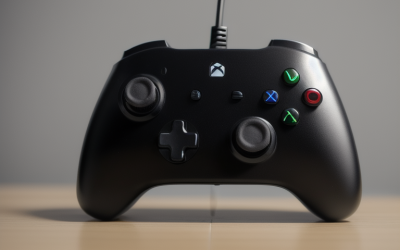
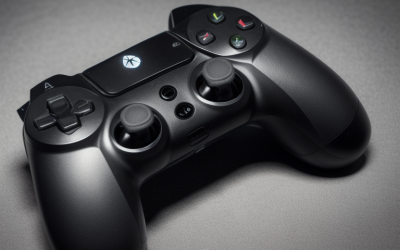
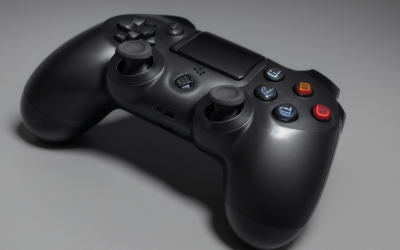
The best controller for Marvel Rivals on PC for most players is the 8Bitdo Ultimate 2C Wireless Controller: it combines Hall Effect sticks, a high polling-rate wireless connection, Windows compatibility, and a budget price tier without forcing you to use a cable. If you prefer Xbox-style plug-and-play support, choose the GameSir G7 SE; if you want a premium competitive pad with more advanced stick technology, the GameSir G7 Pro is the strongest upgrade. Players who mainly use keyboard and mouse but want a controller for heroes such as Venom, Spider-Man, or Hela should prioritize low input delay, reliable triggers, comfortable back buttons, and a layout that makes rapid camera adjustments easy.
This roundup compares twelve controllers across wired, wireless, budget, mid-range, and premium categories. The right choice depends less on maximum feature count than on how you play Marvel Rivals: competitive ranked matches favor a stable connection and precise sticks, couch gaming favors wireless range and battery convenience, and occasional play may not justify premium hardware. Because controller prices and included accessories change, the comparison uses price tiers rather than fixed prices.
Our Top Picks


Top 3 picks at a glance


Quick Comparison
| Controller | Best for | Key specs and characteristics | Price tier |
|---|---|---|---|
| RivalPlay Wired Controller | Lowest-cost wired setup | USB wired PC controller; Windows 11/10/8/7 compatibility stated in the listing; conventional gamepad design | Budget |
| HEXGAMING RIVAL Wireless Controller | Premium PlayStation-style wireless play | Wireless controller compatible with PS5; premium category; suited to players wanting a PlayStation-oriented layout | Premium |
| GameSir Nova Lite 2 | Affordable wireless Hall Effect control | Wireless PC controller; Hall Effect sticks; designed for PC and general multi-platform use | Mid-range |
| 8Bitdo Ultimate 2C Wireless | Best overall value | Wireless Windows PC and Android controller; 1000 Hz polling rate; Hall Effect joysticks | Budget |
| GameSir G7 SE | Xbox-style wired precision | Wired; Hall Effect sticks; Xbox Series X|S, Xbox One, and Windows 10/11 compatibility; plug and play | Mid-range |
| GameSir G7 Pro | Premium competitive PC play | Wired controller for Xbox and PC with wireless capability for PC and Android; TMR sticks | Premium |
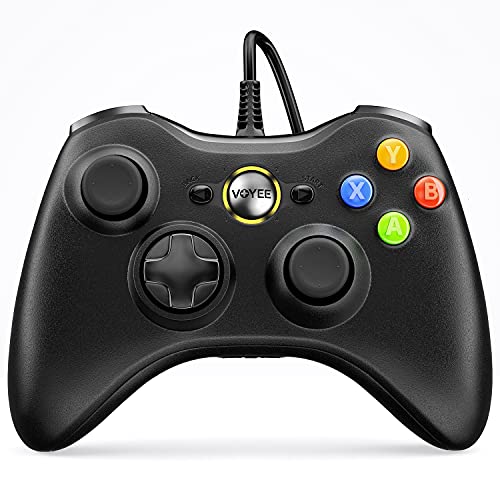
| VOYEE PC Controller | Basic Xbox 360-style replacement | Wired; compatible with Xbox 360, Xbox 360 Slim, and Windows 10/8/7; conventional controller design | Budget |
| Xbox Wireless Controller, Shock Blue | Reliable all-round Xbox layout | Xbox wireless controller; compatible with Windows through supported wireless or wired connection methods; familiar asymmetrical sticks | Mid-range |
| 8Bitdo Ultimate 2 Wireless | Feature-rich multi-platform wireless use | Wireless controller for PC, Apple, Steam, and Android; black finish; multi-device positioning | Premium |
| Logitech G F310 | Simple PC gaming on a tight budget | Wired gamepad; XInput and DirectInput support; switchable layout; blue/black finish | Budget |
| PowerA Wired Controller for Xbox Series X|S | Affordable Xbox-style wired play | Wired Xbox Series X|S controller; compatible with Xbox and PC through supported Windows use; conventional Xbox layout | Mid-range |
| FLYDIGI VADER 5S Wired Controller | Feature-focused wired control | Wired controller for Xbox Series X|S, Xbox One, and Windows; premium category; designed for advanced control features | Premium |
How We Chose
The selection is based on the requirements that matter in Marvel Rivals rather than on a single headline specification. First, the controller must have a credible PC connection method and a layout suitable for twin-stick aiming, ability use, jumping, crouching, and camera control. Second, stick technology matters because Hall Effect and TMR designs are intended to reduce the wear mechanism associated with traditional potentiometer sticks, although no stick is immune to physical damage or calibration issues. Third, wired and wireless models are judged in their proper categories: a wired pad gets credit for connection consistency, while a wireless pad must justify its extra convenience.
Compatibility is also important. Controllers that explicitly support Windows, Xbox, Steam, Android, or Apple devices offer a clearer upgrade path than models aimed at an older console generation. Finally, the price tier is considered alongside the use case. A budget controller can be the correct choice when it delivers the necessary inputs, while a premium controller is worthwhile only if its connection options, stick technology, extra controls, or multi-device support solve a real problem.
1. RivalPlay Wired Controller – Best for the Lowest-Cost PC Setup
The RivalPlay Wired Controller is aimed at players who want a basic PC gamepad without paying for wireless hardware or advanced stick technology. Its listing identifies compatibility with Windows 11, Windows 10, Windows 8, and Windows 7, making it a practical option for an older or secondary PC. For Marvel Rivals, the main attraction is simplicity: connect it, select the controller input method in the game, and begin mapping abilities.
A wired controller is particularly useful when the PC is close to the desk. It does not require charging, pairing, a battery compartment, or a separate wireless receiver. That also removes one source of troubleshooting during a ranked session. The cable can be inconvenient across a living room, but at a desk it often provides a more predictable setup than a low-cost wireless pad.
- Connection: wired USB PC controller.
- Operating-system coverage stated by the listing: Windows 11, 10, 8, and 7.
- Design class: conventional twin-stick gamepad.
- Best use: casual Marvel Rivals, backup use, and inexpensive PC gaming.
The RivalPlay makes the most sense for a player who does not need Hall Effect sticks, rear buttons, multiple device profiles, or console compatibility. Marvel Rivals has many actions to place on a controller, so remapping may be necessary depending on the hero. Before buying, check that your preferred ability layout can be reached comfortably without releasing either stick. A conventional gamepad can still work well, but the pad should be treated as a straightforward input device rather than an enthusiast controller.
Pros
- Budget-friendly route to controller play on Windows.
- Wired connection avoids battery management and wireless pairing.
- Broad Windows version compatibility is stated in the listing.
- Suitable for a spare or secondary controller.
Cons
- Less convenient than wireless models for couch gaming.
- No listed Hall Effect or TMR stick advantage.
- No stated premium remapping or rear-button feature.
- Cable placement can restrict seating distance.
Its nearest alternatives are the VOYEE PC Controller and Logitech G F310. The VOYEE is another basic wired option with Xbox 360 and Windows compatibility, while the F310 adds a more established PC-oriented design and XInput/DirectInput switching. Choose RivalPlay when the lowest-cost Windows setup is the priority; choose Logitech when older PC games and input-mode flexibility matter more.
2. HEXGAMING RIVAL Wireless Controller – Best for Premium PlayStation-Style Wireless Play
As an Amazon Associate we earn from qualifying purchases at no extra cost to you.
The HEXGAMING RIVAL Wireless Controller is the clearest choice in this list for someone who prefers a PlayStation-style controller shape and wants wireless use. Its listing identifies it as compatible with PS5, while its premium positioning makes it more appropriate for buyers who value a higher-end platform-specific experience than a generic PC pad. For Marvel Rivals, the symmetrical-stick layout may feel natural to players coming from PlayStation controllers.
Controller layout affects muscle memory more than many buying guides acknowledge. Marvel Rivals requires simultaneous camera control, movement, jumping, ability activation, and target tracking. A player accustomed to symmetrical sticks may be less accurate after switching to an Xbox-style asymmetrical arrangement, even if both controllers have similar buttons. The HEXGAMING model therefore has a strong use-case advantage for PlayStation-oriented players.
- Connection class: wireless controller.
- Compatibility stated by the listing: PS5.
- Layout class: PlayStation-oriented symmetrical-stick design.
- Price category: premium.
- Best use: wireless play for users already comfortable with PlayStation-style controls.
PC compatibility should be confirmed for the exact connection mode and software configuration before purchase, because a controller advertised primarily for PS5 may not behave identically on Windows. In Marvel Rivals, the controller should appear as a usable gamepad before entering a match. If the game does not detect it, check Windows game-controller settings, Steam Input, and whether more than one remapping layer is active.
Pros
- Wireless format supports a clean desk or living-room setup.
- PlayStation-style layout suits players with established symmetrical-stick muscle memory.
- Premium positioning makes it a candidate for buyers prioritizing build and feature class.
- Useful for people who also play on PS5.
Cons
- Its listing emphasis is PS5 compatibility, so Windows support should be verified for the intended mode.
- Premium pricing is difficult to justify if you only need a basic wired PC pad.
- Wireless controllers introduce charging and pairing considerations.
- May be less familiar to Xbox-layout players.
The nearest alternative is the wireless 8Bitdo Ultimate 2, which has broader PC, Apple, Steam, and Android positioning. Pick HEXGAMING if the PlayStation layout is the deciding factor. Pick 8Bitdo if multi-platform PC flexibility and broader device coverage matter more than matching a PS5-style control scheme.
3. GameSir Nova Lite 2 – Best for Mid-Range Wireless Hall Effect Control
The GameSir Nova Lite 2 is a balanced wireless PC controller for players who want Hall Effect sticks without moving into the most expensive category. Its listing specifically identifies Hall Effect sticks, which is meaningful for Marvel Rivals because repeated camera corrections and movement inputs can put substantial use on the thumbsticks. Hall Effect sensing is designed to measure position magnetically instead of relying on the same contact-based mechanism used by many conventional potentiometer sticks.
That does not make the controller indestructible. Springs, caps, triggers, buttons, wireless components, and the surrounding plastic can still wear. However, the stick technology addresses one of the most common reasons players replace controllers. For someone playing several evenings a week, that durability-oriented design can be more valuable than decorative features.
- Connection class: wireless.
- Platform focus: PC and general controller use.
- Stick technology: Hall Effect sticks.
- Price category: mid-range.
- Best use: regular PC play where wireless convenience and stick longevity are both important.
The Nova Lite 2 is a good fit for players who sit away from the PC or switch between desk and television. Wireless range depends on the connection environment, receiver placement, and nearby radio interference, so place any receiver where the computer has a clear path to the controller rather than behind a metal case. If the game feels delayed, compare wireless play with a wired mode if supported, then remove duplicate input software before blaming the controller.
Pros
- Hall Effect sticks are a useful durability feature for frequent play.
- Wireless operation avoids cable drag.
- Mid-range positioning balances features and cost.
- GameSir has a strong presence in the PC controller category.
Cons
- Wireless reliability depends on receiver position and local interference.
- Not every premium feature is stated in the product name.
- Hall Effect sticks do not prevent all forms of wear or damage.
- Players who always sit at a desk may gain little from wireless operation.
The closest comparison is the 8Bitdo Ultimate 2C Wireless. The 8Bitdo has a budget classification, a stated 1000 Hz polling rate, and Hall Effect joysticks, making it the stronger value choice. Choose Nova Lite 2 if its shape, software ecosystem, or availability suits you better; choose 8Bitdo if the published connection specification and lower tier are the priority.
4. 8Bitdo Ultimate 2C Wireless – Best Overall Value

The 8Bitdo Ultimate 2C Wireless is the best overall value pick for Marvel Rivals because its listed feature combination targets the exact needs of responsive PC controller play: Windows compatibility, wireless use, a 1000 Hz polling rate, and Hall Effect joysticks. It is also classified as budget, which leaves more room in the setup budget for a larger monitor, better headset, or replacement cable.
A 1000 Hz polling rate means the controller can report at a nominal interval of one millisecond under the appropriate connection conditions. That is not the same as guaranteed end-to-end input latency. Game processing, USB scheduling, wireless transmission, display response, frame pacing, and network delay all remain separate. Still, it is a useful sign that the controller is designed around responsive input rather than only basic compatibility.
- Platforms stated by the listing: Windows PC and Android.
- Connection class: wireless.
- Polling specification stated by the listing: 1000 Hz.
- Stick technology: Hall Effect joysticks.
- Price category: budget.
For Marvel Rivals, start with moderate sensitivity instead of copying a high-sensitivity setup from a mouse player. A sensible starting point is 35–50 percent horizontal and vertical look sensitivity, then increase it in small steps if turning feels slow. Keep acceleration modest while learning, because too much acceleration can make a short thumb movement produce an inconsistent camera turn. The ideal values depend on hero, aim settings, thumbstick preference, and display distance.
Pros
- Strong combination of Hall Effect sticks and budget positioning.
- Listed 1000 Hz polling rate is attractive for responsive PC play.
- Wireless operation suits both desk and couch setups.
- Windows and Android support provide a useful upgrade path.
Cons
- Wireless performance still depends on connection conditions.
- It may lack the advanced extra controls of premium competitive pads.
- Android support does not automatically guarantee identical behavior in every game.
- Polling rate alone cannot eliminate display or network latency.
Its nearest alternative is the GameSir Nova Lite 2. Both offer wireless Hall Effect control, but 8Bitdo adds the clearly stated 1000 Hz figure and a budget category. Select Nova Lite 2 if its shape or software is preferable; for the broadest value argument based on the listed specifications, the Ultimate 2C is the better pick.
5. GameSir G7 SE – Best for Xbox-Style Wired Precision

The GameSir G7 SE is the best wired recommendation for players who want an Xbox-style layout, Hall Effect sticks, and simple PC compatibility. Its listing explicitly covers Xbox Series X|S, Xbox One, and Windows 10/11, and describes the controller as plug and play. That combination makes it easier to recommend than a generic pad when Marvel Rivals is the main PC game.
Wired play is often underrated. A direct cable removes battery anxiety and avoids wireless receiver placement, while the controller remains ready whenever the PC is turned on. The trade-off is physical cable management. A cable should be long enough to reach your preferred position without pulling on the controller; if it crosses a walkway or hangs from the desk, use a clip or route it along the back of the furniture.
- Platforms: Xbox Series X|S, Xbox One, and Windows 10/11.
- Connection class: wired.
- Stick technology: Hall Effect.
- Setup: plug and play, according to the listing.
- Price category: mid-range.
The G7 SE is especially suitable for players who want a controller that feels familiar across Xbox and PC. Its Hall Effect sticks provide a better long-term proposition than a conventional budget pad, but you should still check calibration and dead zones. Begin with the smallest in-game dead zone that does not produce unwanted movement. If the stick drifts at a low setting, increase the dead zone gradually rather than jumping immediately to a very large value that reduces fine aiming precision.
Pros
- Clear Windows and Xbox compatibility.
- Hall Effect sticks support a durability-focused design.
- Wired connection is stable and does not require charging.
- Plug-and-play positioning suits users who dislike setup work.
Cons
- Cable limits seating position and can create desk clutter.
- Wired-only use is less convenient for a television setup.
- Mid-range pricing is higher than basic wired controllers.
- It may not offer the wireless flexibility of the G7 Pro.
The nearest alternative is the GameSir G7 Pro. The G7 Pro adds a premium feature class and TMR sticks, with wireless capability for PC and Android, while the G7 SE is the simpler value-focused wired model. Choose G7 SE for dependable wired play; move to G7 Pro if you need wireless flexibility or want the more advanced stick technology.
6. GameSir G7 Pro – Best Premium Competitive Controller

The GameSir G7 Pro is the premium choice for Marvel Rivals players who want a more advanced controller platform rather than a basic gamepad. Its listing identifies TMR sticks, wired use for Xbox Series X|S, Xbox One, and PC, plus wireless capability for PC and Android. This makes it the most flexible GameSir option in the roundup and a strong fit for players who rotate between competitive desk play and relaxed wireless sessions.
TMR, or tunnel magnetoresistance, is a magnetic sensing approach designed to detect stick position with low physical contact in the sensing element. Like Hall Effect technology, it is intended to reduce a common potentiometer failure pathway. The practical benefit is most relevant to players who use their controller frequently and want to delay replacement. It is not a guarantee against stick drift, because mechanical springs, dust, impact, calibration, and other components still matter.
- Platforms stated by the listing: Xbox Series X|S, Xbox One, PC, and Android.
- Connection modes: wired; wireless capability for PC and Android.
- Stick technology: TMR sticks.
- Price category: premium.
- Best use: frequent competitive play and multi-device ownership.
The G7 Pro earns its premium consideration through flexibility rather than one isolated number. A player can use a wired connection when latency consistency is the priority and wireless mode when comfort is more important. In Marvel Rivals, keep the controller wired during tournaments or ranked sessions if your wireless environment is crowded, then use wireless play for casual matches. This creates a practical upgrade path instead of requiring two separate controllers.
Pros
- TMR sticks represent an advanced stick-sensing class.
- Combines wired Xbox/PC use with wireless PC and Android capability.
- Well suited to players who play often and across multiple devices.
- Premium feature set offers more room for long-term use.
Cons
- Premium cost is unnecessary for occasional controller users.
- Wireless and wired modes may require different setup checks.
- Extra features can add configuration complexity.
- A cable remains the best choice when absolute simplicity is the goal.
The nearest alternative is the GameSir G7 SE. The SE is cheaper, wired, and built around Hall Effect sticks; the Pro is more flexible and uses TMR sticks. Choose the SE for a desk-bound Xbox-style setup. Choose the Pro when you will actually use wireless PC or Android play and want the premium stick technology.
7. VOYEE PC Controller – Best for an Xbox 360-Style Replacement

The VOYEE PC Controller is a basic wired option for players who want an Xbox 360-compatible design and Windows support. Its listing identifies compatibility with Xbox 360, Xbox 360 Slim, and Windows 10/8/7. That makes it particularly relevant as a replacement or secondary controller for an older Xbox 360 setup, while it can also serve as an inexpensive Windows gamepad.
For Marvel Rivals, the controller covers the fundamental requirements: two sticks, face buttons, triggers, and a wired connection. It is not positioned as a Hall Effect, TMR, wireless, or premium remapping controller, so buyers should choose it for basic function rather than advanced competitive features. Casual players and households that need a spare pad may find that trade-off sensible.
- Connection class: wired.
- Compatibility stated by the listing: Xbox 360, Xbox 360 Slim, and Windows 10/8/7.
- Design class: Xbox 360-style controller.
- Price category: budget.
- Best use: replacement, spare controller, or casual PC play.
Older Windows compatibility does not automatically guarantee the best experience with every modern game. If Marvel Rivals does not recognize the controller, check whether Windows sees it as an XInput device and whether another application is intercepting input. Avoid running several controller wrappers simultaneously, since duplicate virtual devices can create double inputs or make the wrong controller active.
Pros
- Budget route to an Xbox 360-style controller.
- Wired operation requires no batteries or charging.
- Useful for older Windows systems and Xbox 360 owners.
- Simple layout is easy to understand.
Cons
- No listed Hall Effect or TMR stick technology.
- Older platform emphasis gives it a shorter upgrade path.
- Wired cable limits living-room flexibility.
- Less suitable for buyers seeking premium competitive controls.
The closest alternatives are RivalPlay and Logitech F310. RivalPlay covers a broader range of Windows versions, while the F310 offers XInput and DirectInput switching. Choose VOYEE if Xbox 360 compatibility is specifically useful; choose F310 for more flexible PC input modes, or RivalPlay for a simple current Windows setup.
8. Xbox Wireless Controller, Shock Blue – Best Familiar All-Rounder
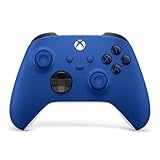
The Xbox Wireless Controller in Shock Blue is the safest familiar-layout choice for players who want a mainstream Xbox control scheme. Its asymmetrical sticks, standard Xbox button arrangement, and broad Windows ecosystem make it easy to transition into Marvel Rivals from other Xbox-compatible games. The colored finish is cosmetic, but the underlying appeal is consistency and familiarity.
Wireless Xbox controllers can be used with compatible Windows connection methods, and wired play may also be available depending on the cable and setup. Before starting a ranked session, confirm which connection mode is active and that Windows is not showing multiple controller entries. A wired connection can be preferable at a desk, while wireless use is convenient from a sofa or monitor positioned farther away.
- Controller class: Xbox wireless gamepad.
- Layout: asymmetrical Xbox-style sticks.
- Finish: Shock Blue.
- Price category: mid-range.
- Best use: familiar all-purpose Xbox and PC gaming.
The Xbox layout works well in Marvel Rivals because movement, camera, jump, crouch, and ability inputs are placed where many PC players already expect them. The main limitation compared with newer enthusiast models is that the product name does not promise Hall Effect or TMR sticks. If long-term stick durability is your highest priority, compare it against the 8Bitdo Ultimate 2C or GameSir G7 SE.
Pros
- Familiar layout with broad game support.
- Wireless operation suits desk and couch gaming.
- Strong choice for players already using Xbox accessories.
- Shock Blue finish adds a distinctive appearance.
Cons
- No Hall Effect or TMR stick specification in the product name.
- Wireless setup may require batteries, charging, or a compatible adapter depending on use.
- Mid-range pricing competes with feature-rich third-party controllers.
- No stated premium competitive feature set.
The nearest alternative is the 8Bitdo Ultimate 2C Wireless. The Xbox controller wins on familiar first-party-style layout and ecosystem comfort, while 8Bitdo wins on the listed 1000 Hz polling rate and Hall Effect joysticks. Select Xbox for familiarity and broad conventional support; select 8Bitdo for value-oriented enthusiast specifications.
9. 8Bitdo Ultimate 2 Wireless – Best for Multi-Device Wireless Use
The 8Bitdo Ultimate 2 Wireless is designed for players who want one controller to move between PC, Apple devices, Steam, and Android. That broad platform positioning gives it a useful advantage over controllers designed around one console family. For Marvel Rivals on PC, it is most attractive to players who also use cloud gaming, mobile games, or a Steam-based setup.
Multi-device support is valuable only when it reduces friction. A controller that is shared between several systems should make it easy to identify the active connection mode, and the user should keep a short note of which button combination or switch position corresponds to each device. This prevents a common problem: the controller is powered on but connected to the wrong device while Windows waits for a different input source.
- Platforms stated by the listing: PC, Apple, Steam, and Android.
- Connection class: wireless.
- Finish: black.
- Price category: premium.
- Best use: players sharing one controller across several ecosystems.
The Ultimate 2 Wireless is a better match than a narrowly targeted controller when your gaming habits extend beyond Marvel Rivals. On PC, select the input mode that gives the game the cleanest controller recognition. If Steam Input and the game’s native controller support both activate, test one at a time to prevent duplicated buttons or incorrect prompts.
Pros
- Broad PC, Apple, Steam, and Android positioning.
- Wireless format keeps the setup tidy.
- Useful for households with several gaming devices.
- Premium category is justified primarily by flexibility and feature class.
Cons
- Overkill for a player who uses only one Windows PC.
- Multi-device modes can require more setup than a basic wired pad.
- The product name does not state Hall Effect or TMR sticks.
- Wireless battery management remains part of ownership.
The closest alternative is the 8Bitdo Ultimate 2C Wireless. The 2C is the value choice with a stated 1000 Hz polling rate and Hall Effect joysticks, while the Ultimate 2 Wireless emphasizes a wider device ecosystem and premium positioning. Choose Ultimate 2 for platform breadth; choose 2C for Marvel Rivals-focused value.
10. Logitech G F310 – Best for Simple PC Compatibility

The Logitech G F310 is a straightforward wired PC gamepad for players who value a familiar, uncomplicated setup. Its most useful PC-oriented feature is the XInput and DirectInput switch, which helps it cover both modern Windows games and older software that expects a different input standard. Marvel Rivals players who also keep older PC games installed may appreciate that flexibility.
DirectInput and XInput are not interchangeable labels. XInput is generally the easier choice for modern Xbox-style PC games because it tends to provide expected button prompts and controller behavior. DirectInput can be useful for older games or applications that do not recognize XInput correctly. For Marvel Rivals, begin with XInput, then confirm that every button appears correctly before changing sensitivity or ability bindings.
- Connection class: wired.
- PC features: XInput and DirectInput switching.
- Finish: blue and black.
- Price category: budget.
- Best use: simple PC gaming across newer and older titles.
The F310 does not compete with premium controllers on wireless convenience or advanced stick sensing. Its value is compatibility breadth and low complexity. A wired connection also makes it useful as a backup when a wireless controller is charging or when troubleshooting a game that has stopped recognizing the primary pad.
Pros
- XInput/DirectInput switch supports a broad range of PC games.
- Budget price tier suits occasional players.
- Wired design eliminates charging and pairing.
- Recognizable Logitech G PC accessory positioning.
Cons
- No listed Hall Effect or TMR sticks.
- Wired cable restricts distance from the PC.
- Less suited to players seeking advanced competitive controls.
- Older-game flexibility may be irrelevant if you play only modern titles.
Compared with RivalPlay, the F310 offers a clearer input-mode advantage, while RivalPlay lists compatibility with newer and older Windows versions. Compared with VOYEE, the F310 is more PC-focused rather than primarily an Xbox 360-style replacement. Choose Logitech for mixed PC libraries; choose 8Bitdo 2C when modern Marvel Rivals performance features matter more.
11. PowerA Wired Controller for Xbox Series X|S – Best Affordable Xbox-Style Wired Pad

The PowerA Wired Controller for Xbox Series X|S is a sensible middle ground for players who want a recognizable Xbox layout without paying for wireless hardware. It is particularly suitable for PC users who sit at a desk and prefer a direct connection. The Xbox Series X|S positioning also makes it a natural choice for households that move between Xbox and Windows gaming.
Wired controllers can be more consistent than wireless models in crowded radio environments, especially when the computer is surrounded by Bluetooth devices, Wi-Fi equipment, USB 3 accessories, and metal furniture. The cable is the main compromise. Measure the distance from the rear or front USB port to your normal hand position and leave extra length for relaxed movement; a cable that is just long enough can tug during play.
- Connection class: wired.
- Platform positioning: Xbox Series X|S and PC use.
- Layout: Xbox-style gamepad.
- Price category: mid-range.
- Best use: desk-based Marvel Rivals with familiar Xbox controls.
PowerA is more appealing than a generic pad when you specifically want the Xbox ecosystem feel. It is less compelling if your main concern is stick longevity, because the product name does not state Hall Effect or TMR technology. For a player who replaces controllers infrequently and values simple wired operation, that may be perfectly acceptable.
Pros
- Familiar Xbox layout for PC and Xbox users.
- Wired connection avoids batteries and wireless pairing.
- Mid-range category provides an accessible console-style option.
- Good fit for a fixed desk setup.
Cons
- No listed Hall Effect or TMR stick specification.
- Not convenient for distant couch play.
- Less technologically ambitious than GameSir’s Hall Effect models.
- Cable management is necessary for a tidy desk.
The closest alternative is the GameSir G7 SE. Both fit Xbox-style wired play, but G7 SE adds explicitly listed Hall Effect sticks. Choose PowerA if the conventional Xbox controller experience and availability are most important; choose G7 SE if stick technology and a more enthusiast-oriented feature set justify the difference.
12. FLYDIGI VADER 5S Wired Controller – Best for Feature-Focused Wired Play

The FLYDIGI VADER 5S Wired Controller is a premium wired option for Xbox Series X|S, Xbox One, and Windows. Its broad console and PC positioning makes it suitable for players who want a wired controller with a more feature-focused design than a basic replacement pad. FLYDIGI is known in the enthusiast controller category for emphasizing extra controls and customization, although the exact features should be confirmed from the current listing before purchase.
For Marvel Rivals, extra controls can be valuable because the game asks the player to combine movement, camera aiming, jumps, abilities, and ultimate activation. Rear controls or additional assignable inputs can let a player keep both thumbsticks engaged while activating a frequently used action. The benefit depends on sensible mapping; adding buttons without learning them can create confusion rather than speed.
- Platforms stated by the listing: Xbox Series X|S, Xbox One, and Windows.
- Connection class: wired.
- Price category: premium.
- Best use: advanced wired control for players who value feature depth.
- Exact extra functions: verify in the current product listing before purchase.
A good starting mapping is to place jump or a mobility action on an extra control while leaving the ultimate on its original button until the layout becomes familiar. Test every remap in the practice range. If a rear button is easy to press accidentally, assign a less consequential action or increase hand separation before using it in ranked matches.
Pros
- Premium feature-focused positioning.
- Compatibility spans Xbox Series X|S, Xbox One, and Windows.
- Wired connection is useful for stable desk play.
- Potentially valuable for players who benefit from additional controls.
Cons
- Premium price is difficult to justify without using its advanced controls.
- Wired format limits room-to-room flexibility.
- Exact feature availability should be checked in the current listing.
- More controls require a learning period and careful mapping.
The nearest alternatives are the GameSir G7 Pro and G7 SE. G7 Pro offers TMR sticks and wireless PC/Android capability, while G7 SE provides Hall Effect sticks at a lower tier. Choose FLYDIGI when advanced wired controls are the central requirement; choose G7 Pro for wireless flexibility and TMR sticks, or G7 SE for simpler value.
How to Choose
Choosing the best controller for Marvel Rivals on PC starts with the connection, not the brand. Decide where you will play. If you sit within normal cable distance of the computer, a wired controller is usually the least complicated route. It needs no battery, avoids pairing failures, and makes troubleshooting easier. The GameSir G7 SE is the strongest wired value pick because its listing combines Windows compatibility with Hall Effect sticks. The PowerA, RivalPlay, VOYEE, and Logitech options are better when the budget is lower or you specifically want a basic Xbox 360-style or PC-oriented pad. Premium wired models such as the GameSir G7 Pro and FLYDIGI VADER 5S are justified when their advanced control features will actually be used.
Choose wireless when the cable would cross the room, restrict your posture, or make a television setup awkward. Wireless convenience is not automatically superior at a desk. A wireless controller must be charged or supplied with power, paired with the correct device, and positioned within a reliable range. Receiver placement matters: a receiver hidden behind a metal PC case may perform worse than one mounted at the front or connected through a short extension. Keep the controller away from obvious sources of physical obstruction and check that Windows sees only the intended device.
Next, decide whether stick technology is a priority. Traditional potentiometer sticks are common and can provide excellent play when calibrated correctly, but their sensing components are vulnerable to wear over time. Hall Effect sticks use magnetic sensing, while TMR sticks are another magnetic sensing class. Both are attractive for frequent Marvel Rivals players because they reduce reliance on the contact mechanism associated with conventional designs. They do not guarantee permanent drift-free operation. Mechanical springs, dust, thumbstick caps, impact, firmware, and calibration can still affect performance.
If your budget is tight, the 8Bitdo Ultimate 2C Wireless is the clearest value combination in this list. It has a stated 1000 Hz polling rate and Hall Effect joysticks while remaining in the budget tier. The 1000 Hz figure means a nominal one-millisecond reporting interval when the controller and connection operate in that mode. It does not mean the game receives a finished input one millisecond later. A practical latency chain includes:
| Stage | What it represents | Why it matters |
|---|---|---|
| Controller report | Stick or button state is sent at the controller’s report interval | A 1000 Hz mode has a nominal 1 ms interval; lower rates can add a larger waiting window |
| USB or wireless transfer | Connection carries the input to Windows | Receiver position, interference, cable quality, and connection mode can affect consistency |
| Game processing | Marvel Rivals reads the input during its update loop | Frame rate and frame pacing determine when the action is reflected in a rendered frame |
| Display response | The monitor shows the updated frame | Refresh rate and pixel response influence visible delay |
| Network response | Online match state updates over the network | Controller latency cannot remove server, routing, or ping delay |
This is why a controller’s polling specification should be treated as one useful data point, not a promise of a specific in-game advantage. A stable 125 Hz controller can still feel better than a badly configured 1000 Hz controller if the latter has connection interruptions, duplicated input software, or inappropriate dead zones.
Layout is the next decision. Xbox-style asymmetrical sticks are common among PC and console players, and the Xbox Wireless Controller, PowerA, GameSir G7 SE, GameSir G7 Pro, FLYDIGI VADER 5S, and VOYEE options fit that family. PlayStation-style symmetrical sticks are preferable if that is where your muscle memory comes from; the HEXGAMING RIVAL is the specialist option in this roundup. 8Bitdo controllers occupy their own shapes and should be judged by hand comfort rather than by brand assumptions.
Hand size changes the correct choice. A small hand may struggle if the thumb must stretch from the right stick to face buttons while the index finger operates a shoulder button. A larger hand may experience cramped fingers on a compact controller. Measure from the wrist crease to the tip of the middle finger as a rough reference, then prioritize whether your thumbs can reach both sticks without rotating the palm. This is not a strict sizing formula, but it is more useful than choosing by appearance alone. A controller that causes thumb fatigue after twenty minutes will not become better because it has a higher polling rate.
Weight and cable position also affect long sessions. Wireless models generally avoid cable drag but add battery weight and charging requirements. Wired models can be lighter in the hand but place tension on the connector if the cable is routed poorly. Put the cable behind the monitor stand or along the rear of the desk, leaving a gentle loop near the controller. Avoid tight bends directly at the plug. If you play from a sofa, estimate the distance from the PC to your hands and add approximately 20 percent extra cable length for movement and routing; a 2.5-meter route may need roughly 3 meters of usable cable rather than a cable that barely reaches.
Trigger and button layout should be judged by the heroes you play. Characters that rely on mobility, repeated jumps, rapid ability chains, or close-range camera tracking benefit from keeping the right stick available while activating another input. If the controller has extra assignable controls, map one high-frequency action first rather than moving every ability at once. A sensible progression is:
- Play several practice-range sessions with the default layout.
- Identify one action you frequently lose access to while aiming.
- Assign only that action to an extra control or convenient button.
- Use the same mapping for at least several matches before changing it.
- Only then consider moving a second action.
Dead zones need careful adjustment. A dead zone is the amount of stick movement ignored near the center. Too large a value reduces fine control; too small a value can expose drift or noise. Begin around 8–12 percent if the game expresses dead zone as a percentage, then lower it in small increments while standing still in a practice area. Stop lowering it when the character or camera begins moving without thumb input. Because games use different scales and terminology, treat these numbers as starting points, not universal settings.
Sensitivity should also be changed gradually. Start around 35–50 percent look sensitivity for a conventional controller setup, use the same value horizontally and vertically, and adjust by five-point steps. If you repeatedly fail to turn toward threats, raise sensitivity. If your crosshair overshoots nearby targets, lower it. Heroes with different movement patterns may eventually need separate profiles, but learning one stable baseline first makes the cause of an aiming problem easier to identify.
Polling rate deserves context. At 60 frames per second, a new frame appears every 16.67 milliseconds; at 120 frames per second, every 8.33 milliseconds; at 144 frames per second, approximately every 6.94 milliseconds. Increasing a controller’s report rate can reduce the maximum waiting time before an input report is available, but the game may still sample inputs according to its update loop. A 1000 Hz controller is therefore most attractive when it is also reliable, comfortable, and properly recognized by Windows.
Compatibility should be checked before buying, especially for controllers whose names emphasize Xbox, PS5, Android, Apple, or older Windows versions. Modern PC games commonly prefer XInput-style behavior. If a controller has an XInput/DirectInput switch, start with XInput for Marvel Rivals. If Steam Input is enabled, test whether the game receives one set of buttons and correct prompts. If there are doubled actions, disable one remapping layer. The fix is usually to use either the game’s native controller support or Steam Input, not both simultaneously.
Use this decision matrix when the choice still feels unclear:
| Your situation | Best match | Reason |
|---|---|---|
| You want the strongest value with wireless play | 8Bitdo Ultimate 2C Wireless | Budget tier plus listed 1000 Hz polling and Hall Effect joysticks |
| You want wired Xbox-style control and Hall Effect sticks | GameSir G7 SE | Windows/Xbox compatibility, wired setup, and Hall Effect sticks |
| You want premium wired/wireless flexibility | GameSir G7 Pro | TMR sticks plus wired Xbox/PC and wireless PC/Android positioning |
| You mainly play older PC games too | Logitech G F310 | XInput and DirectInput switching |
| You need a basic Xbox 360-style replacement | VOYEE PC Controller | Listing specifically covers Xbox 360, Xbox 360 Slim, and Windows |
| You prefer a PlayStation-style symmetrical layout | HEXGAMING RIVAL | Wireless PS5-compatible controller positioning |
| You use PC, Apple, Steam, and Android | 8Bitdo Ultimate 2 Wireless | Broad multi-platform listing |
| You want a low-cost wired backup | RivalPlay Wired Controller | Basic Windows compatibility and no battery requirement |
| You want a familiar mainstream Xbox wireless pad | Xbox Wireless Controller | Recognizable Xbox layout and broad ecosystem familiarity |
| You want advanced wired controls | FLYDIGI VADER 5S | Premium feature-focused wired positioning |
Finally, think about the upgrade path. A budget wired pad is sensible if you play Marvel Rivals occasionally or are unsure whether controller play suits you. If you expect to play for hundreds of hours, Hall Effect or TMR sticks may reduce the likelihood that stick wear becomes your next purchase. If you use several platforms, pay for multi-device support only when you will actually switch between them. The best controller is not the one with the largest specification list; it is the one whose connection, layout, durability features, and price match your real play pattern.
Frequently Asked Questions
Is a controller good for Marvel Rivals on PC?
Yes, a controller can work well for players who prefer analog movement and console-style ability layouts. Mouse and keyboard may provide finer aiming for some heroes, but comfort and familiarity often matter more over a long session.
What is the best controller for Marvel Rivals on PC overall?
The 8Bitdo Ultimate 2C Wireless is the best overall value pick in this list. Its stated 1000 Hz polling rate, Hall Effect joysticks, wireless PC support, and budget tier address the most important needs without requiring a premium purchase.
Is wired or wireless better for Marvel Rivals?
Wired is usually simpler and avoids charging, pairing, and radio-interference issues. Wireless is better when you play away from the desk or want a cleaner setup, provided the receiver or connection remains stable.
Do Hall Effect sticks prevent stick drift?
No technology guarantees that a controller will never drift. Hall Effect sticks reduce reliance on the contact-based sensing mechanism used by many conventional sticks, but springs, dust, physical damage, calibration, and other components can still cause problems.
What polling rate should a PC controller have?
A higher polling rate can reduce the maximum interval before an input report is sent, but it does not determine total latency by itself. The 8Bitdo Ultimate 2C lists 1000 Hz, which is attractive, but connection stability, game processing, frame rate, display response, and network conditions remain important.
How should I set controller dead zones in Marvel Rivals?
Start around 8–12 percent if the game uses a percentage scale, then reduce the value gradually while checking for unwanted movement. Use the smallest setting that remains stable, because an excessively large dead zone can make precise camera adjustments feel sluggish.
Why does Marvel Rivals show keyboard prompts when my controller is connected?
First confirm that Windows detects the controller and that the game is receiving input from it. Then check Steam Input or other remapping software; running multiple input layers can create conflicts, so use one mapping system at a time.
Do I need a premium controller to play competitively?
No. A budget or mid-range controller can be competitive if it has a comfortable layout, reliable connection, and correctly adjusted sensitivity and dead zones. Premium models are most worthwhile when you need TMR or Hall Effect sticks, wireless flexibility, extra controls, or multi-device support.
Final Recommendation
Choose the 8Bitdo Ultimate 2C Wireless for the best balance of price, wireless convenience, Hall Effect joysticks, and listed 1000 Hz polling. Choose the GameSir G7 SE for dependable wired Xbox-style play, the GameSir G7 Pro for premium wired and wireless flexibility, and the Logitech G F310 for a simple PC controller that also supports older input standards. Players who prefer a PlayStation-style layout should look at the HEXGAMING RIVAL, while occasional players can save money with RivalPlay, VOYEE, or another basic wired model.