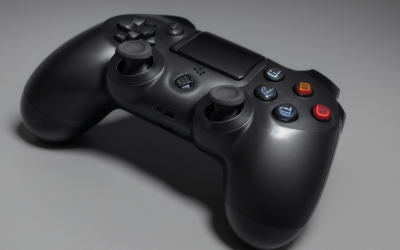
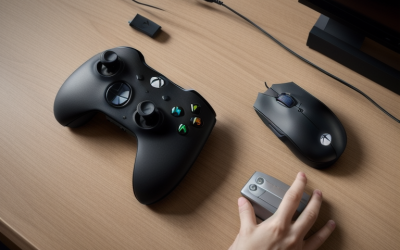
The best controller for Fortnite on PC is the PowerA Advantage Wired Controller for Xbox Series X|S because it combines Hall Effect thumbsticks, a familiar Xbox layout, low-latency wired play, and a budget-friendly design that suits competitive Fortnite without requiring batteries or wireless troubleshooting. Players who want wireless freedom should look at the 8Bitdo Ultimate 2C Wireless Controller, while the Turtle Beach Victrix Pro BFG Reloaded is the premium choice for serious players who want modular controls and extensive customization. The Xbox Wireless Controller remains the safest all-rounder for plug-and-play compatibility, and the PowerA OPS v1 is the most interesting middle-ground option for players who want a wireless PC controller built around cloud and cross-device use.
This roundup separates controllers that are genuinely useful for Fortnite from products that are better suited to a particular niche. Hall Effect sticks can reduce the risk of traditional potentiometer drift, but they do not automatically make a controller more accurate. Wireless connection type, trigger feel, rear buttons, software support, layout, comfort, and long-term compatibility matter just as much. The picks below are organized by use case and budget so you can choose the right tool for your play style rather than simply choosing the most expensive model.
Our Top Picks
 PowerA Advantage Wired Controller for Xbox Series X|S6.14 x 4.21 x 2.56 inches0.6 PoundsCheck on Amazon
 PowerA OPS v1 Wireless Controller for Cloud Gaming6.14 x 4.25 x 2.48 inches0.59 PoundsCheck on Amazon



Top 3 picks at a glance
Quick Comparison
| Controller | Best for | Key specs and features | Price tier |
|---|---|---|---|
| PowerA Advantage Wired Controller | Best overall value | Wired PC/Xbox-style controller; Hall Effect thumbsticks; Fortnite Glow design | Budget |
| PowerA OPS v1 Wireless Controller | Wireless PC and cloud gaming | Wireless and wired operation; Fortnite Edition; PC-focused design | Mid-range |
| PowerA Wireless Controller | Fortnite-themed wireless play | Wireless Xbox Series X|S controller; Fortnite Special Edition; Hall Effect feature stated in listing | Premium |
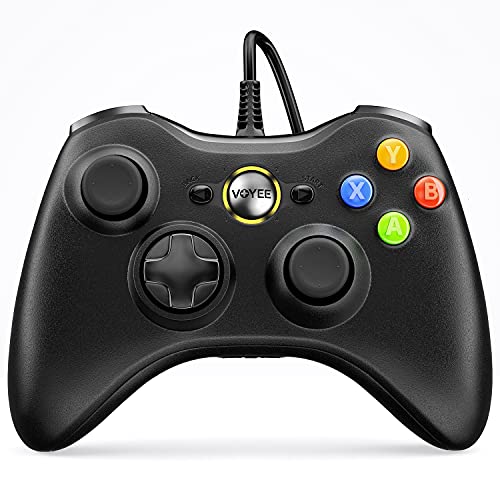
| VOYEE PC Controller | Lowest-cost wired setup | Wired controller compatible with Xbox 360, Xbox 360 Slim, and Windows 10/8/7 | Budget |
| PDP Riffmaster Wireless Guitar Controller | Fortnite Festival | Wireless guitar-style controller for Xbox Series X|S, Xbox One, and PC | Premium |
| EasySMX X05Pro | Multi-platform budget gaming | Wireless PC, Switch, Android, and iOS controller; wired mode also available by category | Budget |
| Xbox Wireless Controller | Reliable all-round compatibility | Official Xbox controller; Fortnite Special Edition; wireless and wired PC use by configuration | Premium |
| Turtle Beach Victrix Pro BFG Reloaded | Competitive customization | Wireless modular Xbox controller; Hall Effect thumbsticks; Fortnite Drift edition | Premium |
| 8Bitdo Ultimate 2C Wireless Controller | Fast wireless value | Windows PC and Android; Hall Effect joysticks; up to 1000 Hz polling rate | Budget |
| Exilapsire Wireless Controller | Basic multi-device wireless play | Wireless PC, Switch, Switch 2, iOS, and Android controller | Budget |
| EasySMX D10 | Mid-range cross-platform use | Wireless PC, Switch, and Android controller | Mid-range |
| GameSir Nova Lite 2 | Affordable Hall Effect wireless play | Wireless PC controller; Hall Effect sticks; multi-platform category support | Budget |
How We Chose
The selection is based on the information stated for each product, established characteristics of the controller category, and how each model fits a Fortnite player’s likely needs. The most important criteria are connection consistency, compatibility with Windows PC, stick technology, button placement, trigger control, comfort, software or configuration flexibility, and whether the controller has a sensible upgrade path.
Fortnite rewards quick camera adjustments, controlled movement, reliable sprint and edit inputs, and a layout that makes building or weapon swapping comfortable. A wired controller can be preferable for competitive play because it removes battery management and wireless interference. Wireless models earn consideration when they offer a clear convenience advantage, while modular controllers are judged by whether their extra hardware can improve a player’s specific setup rather than by price alone. Products with a specialized purpose, such as the PDP Riffmaster, are included but described according to that purpose instead of being presented as conventional shooter controllers.
1. PowerA Advantage Wired Controller – Best for overall value
As an Amazon Associate we earn from qualifying purchases at no extra cost to you.

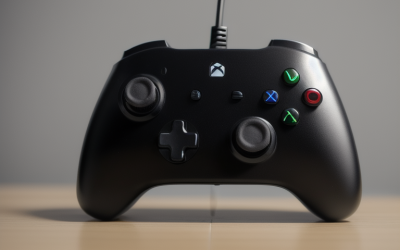
The PowerA Advantage Wired Controller is the strongest starting point for most Fortnite players on PC. Its combination of a conventional Xbox-style layout, wired connectivity, Hall Effect thumbsticks, and a Fortnite Glow design addresses the main needs of the game without charging for features that every player may not use. It is especially suitable for someone moving from keyboard and mouse to controller, a younger player who needs a simple setup, or a competitive player who prefers a direct wired connection.
Wired controllers have one practical advantage that is easy to underestimate: they remove several variables at once. There is no battery to charge, no pairing process to repeat, and no need to decide whether a wireless adapter is being used in the right mode. Connect the cable, allow Windows to recognize the device, and select the controller input in Fortnite. The cable can be inconvenient across a living room, but at a desk it is often an advantage.
- Connection: Wired PC/Xbox-style connection.
- Stick technology: Hall Effect thumbsticks, according to the product listing.
- Layout: Familiar Xbox arrangement suited to Fortnite’s default controller mapping.
- Design: Fortnite Glow edition styling.
- Best environment: Desktop or close-range PC gaming where a cable is acceptable.
Hall Effect sticks use magnetic sensing rather than the traditional contact-based sensing used by many conventional potentiometer sticks. That can reduce the mechanical wear associated with a rubbing sensor and may improve long-term resistance to drift. It is not a guarantee against every fault: physical stick wear, contamination, calibration problems, or damage can still occur. The useful point is that this controller has the right stick technology class for a budget Fortnite purchase.
Pros
- Low-complexity wired setup with no battery management.
- Hall Effect thumbsticks are a valuable feature at this tier.
- Xbox-style layout requires little adaptation for Fortnite players.
- Fortnite-specific appearance without changing the basic control layout.
- Good choice for players prioritizing consistency over wireless convenience.
Cons
- The cable limits seating distance and can catch on a desk edge.
- Wired operation is less convenient for couch gaming.
- It does not provide the modular customization of a premium controller.
- Players who need rear paddles or extensive remapping may outgrow it.
Its nearest alternative here is the 8Bitdo Ultimate 2C Wireless Controller. The 8Bitdo is the better choice if you want wireless play and a stated 1000 Hz polling option, while the PowerA is the simpler choice when you want to plug in and play with fewer wireless variables. Compared with the VOYEE, the PowerA has the more attractive modern feature combination because the listing specifically identifies Hall Effect thumbsticks and a current Fortnite-oriented design. For most buyers, it is the best balance of price, Fortnite suitability, and low maintenance.
2. PowerA OPS v1 Wireless Controller – Best for wireless PC and cloud gaming

The PowerA OPS v1 Wireless Controller is aimed at players who want a Fortnite-branded controller that can move between wireless and wired use. Its listing identifies it as a wireless PC gaming controller and a Fortnite Edition product, making it a natural fit for players who alternate between a gaming desk, a laptop, and cloud gaming devices. It is a mid-range option rather than a purely budget purchase, so its value depends on whether wireless flexibility is important to you.
The useful distinction between this model and a basic wired controller is not simply the lack of a cable. Wireless controllers change how you organize your gaming area. A PC connected to a television can be several metres from the seating position, and a wireless controller avoids routing a long cable across the room. On a desk, wireless play can also make it easier to switch between a PC and another compatible setup. The trade-off is the need to manage charging or batteries, pairing, firmware, and connection mode.
- Connection class: Wireless, with wired PC use indicated by the product listing.
- Platform focus: PC gaming and cloud gaming.
- Design: Fortnite Edition, blue finish listed in the product name.
- Layout: Conventional gamepad format for Fortnite.
- Best environment: Desk-to-couch setups and players using more than one gaming location.
For Fortnite, the main question is whether the wireless connection remains predictable in your room. Keep the receiver or controller connection path unobstructed where possible, avoid placing it behind a metal PC case or crowded USB hub, and use wired mode if you are troubleshooting. That gives this controller a practical two-mode advantage: wireless when convenience matters and cable operation when you are diagnosing input or power issues.
Pros
- Wireless convenience for PC and cloud-oriented setups.
- Wired fallback is useful for charging, troubleshooting, or competitive sessions.
- Fortnite Edition styling makes it appealing to fans of the game.
- More flexible than a controller that only works comfortably at a desk.
- Mid-range positioning can make sense for players who value convenience over the absolute lowest price.
Cons
- Wireless play introduces battery and pairing considerations.
- It may offer less competitive customization than premium modular models.
- Buyers should confirm the included wireless connection method and Windows requirements before purchase.
- Players who never use wireless may receive more value from a wired Hall Effect model.
The nearest alternatives are the EasySMX D10 and the 8Bitdo Ultimate 2C. The EasySMX D10 is a broader multi-platform wireless option, while the 8Bitdo is the more attractive budget choice for buyers focused on Hall Effect sticks and high polling. Choose the OPS v1 when the Fortnite Edition identity and PC/cloud use are more important than maximizing technical features per dollar.
3. PowerA Wireless Controller – Best for a Fortnite-themed Xbox-style setup

The PowerA Wireless Controller for Xbox Series X|S is for players who want a Fortnite Special Edition controller with wireless convenience and an Xbox-oriented design. The product listing also identifies a bonus virtual item and a Hall Effect feature, making it more than a purely cosmetic purchase. It belongs in the premium tier for this roundup, so it is best suited to someone who values the specific edition and wants a wireless gamepad rather than someone comparing features solely on price.
A controller based around the Xbox Series X|S format is a comfortable fit for Fortnite on Windows because the button arrangement matches the prompts many PC games use. That reduces the mental translation required when the game displays A, B, X, and Y. It also makes the controller a practical choice for players who use Xbox consoles as well as PC, provided the exact connection and platform requirements are checked before buying.
- Connection: Wireless controller, with wired capability dependent on the supplied connection setup.
- Compatibility focus: Xbox Series X|S and PC-style gaming.
- Stick feature: Hall Effect feature stated in the listing.
- Edition: Fortnite Special Edition.
- Included promotion: Bonus virtual item stated in the product name; availability and redemption conditions can change.
The virtual item should be treated as a bonus, not the reason to pay a premium. Digital promotions can be time-limited, region-limited, or subject to account requirements. The controller itself is what should justify the purchase. Its strongest case is for a Fortnite fan who wants the themed hardware and expects to use it wirelessly for both PC and console-style play.
Pros
- Fortnite Special Edition design with a matching gaming identity.
- Wireless freedom for desk, couch, and console-style setups.
- Hall Effect technology is an important durability-oriented feature.
- Xbox-style controls are familiar and broadly supported.
- Bonus digital content may add value for Fortnite players.
Cons
- Premium pricing is difficult to justify if you do not want the themed design.
- Wireless controllers require power and pairing management.
- Exact software and connection behavior should be confirmed for the PC configuration you use.
- It may not offer the deep physical customization of the Victrix Pro BFG Reloaded.
The closest alternative is the official Xbox Wireless Controller. The Xbox model is the safer conventional choice for broad Windows and Xbox familiarity, while this PowerA edition offers more Fortnite-specific styling and a stated Hall Effect feature. Compared with the PowerA OPS v1, this model is better for a buyer prioritizing an Xbox Series X|S-style Fortnite special edition; the OPS v1 is the more sensible value choice when PC and cloud flexibility matter more than premium branding.
4. VOYEE PC Controller – Best for the lowest-cost wired setup

The VOYEE PC Controller is a basic wired gamepad aimed at Windows users and older Xbox 360 hardware. It is best for a player who needs an inexpensive controller for Fortnite and does not need wireless connectivity, Hall Effect sticks, rear buttons, or premium materials. It can also be useful as a secondary controller for a family PC or as a low-cost way to test whether you prefer playing Fortnite with a gamepad.
The important limitation is its stated platform generation. The listing specifically identifies compatibility with Xbox 360, Xbox 360 Slim, and Windows 10/8/7. Windows 11 users should not assume that every older controller will behave identically; many are recognized through established controller standards, but driver and game support can vary. If your PC is running a current Windows installation, checking recognition in Windows’ game-controller settings before an important tournament is sensible.
- Connection: Wired.
- Listed compatibility: Xbox 360, Xbox 360 Slim, Windows 10, Windows 8, and Windows 7.
- Layout: Conventional Xbox 360-style gamepad format.
- Best use: Low-cost casual Fortnite and backup-controller duty.
- Feature class: Basic controller rather than a Hall Effect or modular competitive model.
For Fortnite, a basic controller can still provide the full foundation: left-stick movement, right-stick camera control, triggers, bumpers, face buttons, and a directional pad. The difference appears in refinement. More advanced models tend to offer better stick longevity, more connection choices, lower configuration friction, or additional controls. That does not make the VOYEE unusable; it means the buyer should have realistic expectations.
Pros
- Simple wired connection with no battery requirements.
- Low-cost route into controller-based Fortnite.
- Familiar Xbox-style layout.
- Suitable as a spare or family-room controller.
- Older Windows compatibility is clearly stated in the listing.
Cons
- Older platform support means current Windows compatibility should be verified.
- No stated Hall Effect thumbsticks or advanced competitive controls.
- Wired cable placement may be inconvenient for couch play.
- Less suitable for buyers seeking long-term upgrade features.
The nearest alternative is the PowerA Advantage Wired Controller. The VOYEE is the choice when spending as little as possible is the priority; the PowerA is the stronger long-term purchase because its listing states Hall Effect thumbsticks and a more current Xbox Series X|S-oriented product. If the price difference is small, the PowerA usually makes more sense for a main Fortnite controller.
5. PDP Riffmaster Wireless Guitar Controller – Best for Fortnite Festival

The PDP Riffmaster Wireless Guitar Controller is not a conventional Fortnite shooter controller. It is designed for rhythm and guitar gameplay, including Fortnite Festival, and is compatible with Xbox Series X|S, Xbox One, and PC according to its listing. Its correct use case is music gameplay rather than building, aiming, editing, and weapon swapping with standard sticks.
That distinction matters because search results for Fortnite controllers can mix standard gamepads with specialized Fortnite Festival hardware. The Riffmaster may be the best product on this list for someone whose main activity is playing songs in Fortnite Festival. It is not the best controller for Battle Royale, Zero Build, or Save the World, where a traditional dual-stick gamepad is essential.
- Controller type: Wireless guitar controller.
- Compatibility: Xbox Series X|S, Xbox One, and PC.
- Primary use: Fortnite Festival and compatible rhythm games.
- Secondary use: Specialized music-game input rather than general shooter play.
- Price tier: Premium in this roundup.
A guitar controller changes the meaning of “best” completely. The relevant criteria are fret-button arrangement, strum response, tilt or special controls where supported, wireless convenience, and compatibility with the particular music mode. Stick drift, trigger travel, and rear paddles are not the central buying questions because the product is not intended to replace a standard gamepad.
Pros
- Purpose-built form factor for Fortnite Festival.
- Wireless operation is convenient for living-room rhythm play.
- Listed compatibility includes modern Xbox consoles and PC.
- More appropriate than a regular gamepad for guitar-based music input.
- Distinctive specialist hardware for players who already enjoy rhythm games.
Cons
- Not suitable as the main controller for Battle Royale or Zero Build.
- Premium cost is difficult to justify for players who only play standard Fortnite modes.
- Large guitar form factor requires more storage and playing space.
- Its value depends heavily on how often you play Fortnite Festival.
The nearest alternatives in this list are all standard gamepads, particularly the Xbox Wireless Controller and PowerA Advantage. Those are dramatically better for aiming, movement, editing, and building. Choose the Riffmaster only when Fortnite Festival is the specific target; if you want one device for all Fortnite modes, buy a conventional dual-stick controller instead.
6. EasySMX X05Pro – Best for budget multi-platform play

The EasySMX X05Pro is a budget-oriented controller for players who move between PC, Switch, Android, and iOS. Its main appeal is flexibility rather than a Fortnite-specific competitive feature. It makes sense for a household where one controller may be shared between a Windows PC and mobile or console-like devices, or for a player who wants wireless convenience without committing to a premium Xbox-focused model.
Cross-platform labels should be read as a starting point, not a promise that every feature works identically everywhere. Windows may expose the controller through a familiar gamepad mode, while mobile and Switch use different pairing and button conventions. Fortnite itself may also present different input behavior depending on the operating system. Before competitive play, use the target device to verify that every button is detected and that the sticks reach their full range.
- Platforms: PC, Switch, Android, and iOS.
- Connection class: Wireless multi-platform controller, with wired operation common to this category and subject to the supplied configuration.
- Best use: Casual or cross-device Fortnite.
- Design priority: Versatility and affordability.
- Competitive position: More flexible than a single-platform budget pad, less specialized than a premium modular controller.
For PC Fortnite, the X05Pro is most attractive when you value a controller that can travel. If you play only at a desk and care about minimizing input variables, the wired PowerA Advantage is a more direct recommendation. If you play from a couch and also use Android or Switch, the EasySMX model’s broader platform focus can outweigh the benefits of a wired setup.
Pros
- Broad platform coverage for PC, Switch, Android, and iOS.
- Wireless convenience at a budget price tier.
- Useful as a shared household controller.
- More adaptable than a controller tied to one older platform.
- Reasonable fit for casual Fortnite and cross-device play.
Cons
- Multi-platform operation can require mode switching and re-pairing.
- It is not presented as a premium competitive controller.
- Exact battery, polling, and software features should be confirmed before purchase.
- Mobile compatibility may involve different button prompts or setup steps.
The nearest alternatives are the Exilapsire Wireless Controller and the GameSir Nova Lite 2. The Exilapsire emphasizes even broader device coverage, including Switch 2, while the GameSir offers the more meaningful stated stick upgrade through Hall Effect technology. Choose the X05Pro when broad device use and a budget wireless format are more important than a specific competitive feature.
7. Xbox Wireless Controller – Best for dependable all-round compatibility

The Xbox Wireless Controller is the safest conventional recommendation for a player who wants a familiar, widely supported layout and a Fortnite Special Edition design. Its strongest advantage is ecosystem familiarity: Fortnite on Windows is built around a standard modern gamepad experience, and the Xbox layout is recognized across a large range of PC games. This is the pick for someone who wants minimal experimentation.
Official hardware does not automatically make a controller the best competitive option. It may lack the modular controls or Hall Effect sticks offered by newer specialist models. Its appeal is consistency of design, recognizable button labels, and a straightforward path between Xbox and PC. For a player who also owns an Xbox console or plays many non-Fortnite PC games, that broad usefulness can be more valuable than a single advanced feature.
- Product type: Official Xbox Wireless Controller.
- Edition: Fortnite Special Edition.
- Platform fit: Xbox ecosystem and Windows PC gamepad use.
- Connection: Wireless, with wired PC operation available depending on the cable and configuration used.
- Best user: Player who values familiar controls and broad game support.
On PC, the controller can be used wirelessly when the appropriate connection method is available, or through a USB cable for a direct setup. Wired operation is particularly useful when diagnosing input problems or when battery life is low. In Fortnite, use the controller’s own layout as the starting point, then adjust sensitivity, dead zones, and build/edit controls after you have confirmed that the hardware is working correctly.
Pros
- Familiar Xbox layout with broad game support.
- Strong choice for players who use both Xbox and PC.
- Fortnite Special Edition styling.
- Wireless and wired usage options by configuration.
- Simple recommendation for players who do not need specialist controls.
Cons
- Premium-tier pricing in this comparison.
- Not a modular controller with swappable components.
- Does not offer the strongest stated Hall Effect feature set in this list.
- Wireless use still requires power and pairing management.
The closest alternative is the PowerA Wireless Controller for Xbox Series X|S. Choose the Xbox model for ecosystem familiarity and conventional compatibility; choose the PowerA if the Fortnite Special Edition design, stated Hall Effect feature, and included digital bonus are more important. Against the PowerA Advantage, the Xbox controller wins on wireless flexibility while the wired PowerA generally offers a simpler value proposition for desk-based Fortnite.
8. Turtle Beach Victrix Pro BFG Reloaded – Best for competitive customization

The Turtle Beach Victrix Pro BFG Reloaded is the premium choice for players who want a modular Xbox controller rather than a fixed traditional gamepad. The listing identifies wireless operation, modular construction, Hall Effect thumbsticks, and a Fortnite Drift edition. Those features make it the most configurable option in this roundup and the best fit for a player who already understands which control layout they want to improve.
Modularity is valuable when it solves a specific problem. A player who wants a different stick arrangement, extra rear inputs, or a more tailored hand position may benefit substantially. A new controller buyer who has never adjusted their dead zone or remapped a button may gain less, because the additional options can take time to configure. Premium hardware is not a substitute for a good layout and disciplined practice.
- Connection: Wireless modular Xbox controller.
- Stick technology: Hall Effect thumbsticks, according to the listing.
- Customization: Modular components and configurable control layout.
- Edition: Fortnite Drift.
- Best user: Competitive or enthusiast player who wants to tailor the controller.
For Fortnite, the most useful premium features are usually extra inputs and a layout that lets you keep your thumbs on the sticks during building, editing, or weapon changes. However, remapping should be done gradually. Change one control at a time, play enough matches to build muscle memory, and avoid changing sensitivity and button layout simultaneously. Otherwise, it becomes difficult to identify whether improvement or regression came from the hardware or the settings.
Pros
- Most extensive customization path in this list.
- Hall Effect thumbsticks are well suited to players concerned about drift.
- Wireless operation supports flexible desk and couch setups.
- Premium hardware is appropriate for long-term competitive use.
- Fortnite Drift edition adds a game-specific visual design.
Cons
- High price is unnecessary for casual players.
- Modular parts and configuration options can create a learning curve.
- Wireless operation adds charging and connection considerations.
- Players who prefer a simple fixed layout may find its features excessive.
The closest alternatives are the Xbox Wireless Controller and PowerA Advantage. The Xbox is easier for a conventional plug-and-play experience, while the PowerA is far less expensive for a wired Hall Effect setup. Pick the Victrix when you can identify a particular competitive need that modular hardware will address, not simply because it has the longest feature list.
9. 8Bitdo Ultimate 2C Wireless Controller – Best for fast wireless value

The 8Bitdo Ultimate 2C Wireless Controller is one of the strongest value choices for PC Fortnite when wireless use and Hall Effect sticks are both priorities. Its listing specifically states Windows PC and Android compatibility, Hall Effect joysticks, and a 1000 Hz polling rate. That combination gives it a clear identity: a budget wireless controller with a more performance-oriented specification than many basic multi-platform pads.
Polling rate describes how frequently the controller reports its state to the host. A 1000 Hz rate corresponds to a one-millisecond reporting interval in ideal conditions, but that is not the same as one millisecond of total input latency. The complete path includes the switch, firmware, connection method, USB or wireless transport, operating system, game input handling, display processing, and frame timing. Treat 1000 Hz as a useful specification, not a guarantee that every player will feel a dramatic difference.
- Platforms: Windows PC and Android.
- Stick technology: Hall Effect joysticks.
- Polling: Up to 1000 Hz, as stated in the listing.
- Connection: Wireless controller with a configuration intended for PC use.
- Best user: Player wanting wireless convenience and modern stick technology at a budget tier.
A simple calculation explains the polling claim. At 125 Hz, a report can arrive every 8 milliseconds; at 500 Hz, every 2 milliseconds; at 1000 Hz, every 1 millisecond. The maximum waiting difference between 125 Hz and 1000 Hz is therefore about 7 milliseconds before all other parts of the input pipeline are considered. That can matter to latency-sensitive players, but comfort, aim settings, and stable connection quality remain at least as important for most Fortnite users.
Pros
- Hall Effect joysticks at a budget price tier.
- Up to 1000 Hz polling is a notable PC-oriented feature.
- Wireless operation reduces desk cable clutter.
- Clear compatibility focus for Windows PC and Android.
- Strong alternative to a basic wired controller for players who prioritize freedom of movement.
Cons
- It is less broadly platform-focused than some EasySMX and Exilapsire options.
- Polling rate alone does not guarantee lower total input latency.
- Wireless power and connection management are still required.
- Players wanting extensive modular controls should look higher in the range.
The nearest alternative is the PowerA Advantage Wired Controller. The PowerA is simpler and removes wireless variables; the 8Bitdo is more convenient and has the stronger stated polling specification. Compared with the GameSir Nova Lite 2, the 8Bitdo is the better choice when the 1000 Hz PC feature is central, while the GameSir is attractive when you want Hall Effect sticks and broader wireless category flexibility.
10. Exilapsire Wireless Controller – Best for basic broad-device coverage

The Exilapsire Wireless Controller is a budget option for players who want one wireless gamepad to use across PC, Switch, Switch 2, iOS, and Android. Its appeal is breadth. It is not presented as a specialist Fortnite competitive controller, but it can suit casual players who value device coverage more than advanced stick technology or premium remapping.
When buying a controller for several platforms, remember that compatibility is partly a mode-selection problem. A controller may need to be placed in a particular pairing mode for Windows, another for Switch, and another for mobile. Button labels may not match the prompts shown in every game. These are manageable issues, but they are worth checking before assuming that a controller will behave identically across all five listed environments.
- Platforms: PC, Switch, Switch 2, iOS, and Android.
- Connection: Wireless.
- Price tier: Budget.
- Best use: Casual Fortnite and shared multi-device gaming.
- Feature class: General-purpose wireless controller rather than a stated modular or Hall Effect model.
For Fortnite on PC, the Exilapsire should be considered when convenience and compatibility breadth are more important than competitive refinement. Use the game’s controller settings to confirm that the left and right sticks reach their full range, the triggers register correctly, and every face button maps to the expected action. If a controller has a small amount of centre drift, increasing the dead zone can hide it, but excessive dead zone makes fine aim less responsive.
Pros
- Very broad listed platform coverage.
- Wireless design is convenient for mobile and living-room play.
- Budget pricing lowers the risk of trying controller Fortnite.
- Useful as a shared family controller across several devices.
- Simple choice for casual rather than tournament-focused play.
Cons
- No stated Hall Effect stick or 1000 Hz feature in the product name.
- Multi-platform pairing may require more setup than a dedicated PC controller.
- It may not provide the durability or customization of premium models.
- Competitive players should verify dead zones and connection stability carefully.
The nearest alternative is the EasySMX X05Pro. Both target broad wireless use, but the Exilapsire lists Switch 2 as well as Switch, iOS, and Android, giving it the broader stated platform range. The 8Bitdo Ultimate 2C is a better Fortnite-focused value choice if Windows PC performance features matter more than maximum device coverage.
11. EasySMX D10 – Best for mid-range cross-platform wireless use

The EasySMX D10 is a mid-range wireless gaming controller for PC, Switch, and Android. It is aimed at the player who wants more flexibility than a basic wired pad but does not specifically need a premium modular Xbox controller. Its category fit is strongest for households that play Fortnite on PC while also using a Switch or Android device.
The D10’s value depends on how often you change platforms. If Fortnite is the only game you play and the PC is within arm’s reach, a wired controller may be more economical and easier to troubleshoot. If you regularly move between devices, wireless operation becomes more useful. The controller should be treated as a general-purpose cross-platform option rather than a dedicated esports device unless its current software and feature documentation confirms otherwise.
- Platforms: PC, Switch, and Android.
- Connection: Wireless.
- Price tier: Mid-range.
- Best use: Multi-device gaming with a PC as one of the main platforms.
- Competitive profile: General-purpose wireless rather than explicitly modular.
For Fortnite, begin with a stable connection mode before adjusting sensitivity. Test the controller in a private island or low-pressure match, check the response of both sticks, and verify that the triggers do not activate before they are intentionally pressed. If the device supports different modes, write down which one works with Windows so that switching back from Android or Switch is less frustrating.
Pros
- Useful PC, Switch, and Android coverage.
- Wireless design supports flexible seating and device changes.
- Mid-range positioning may provide a better balance than the cheapest multi-platform models.
- Suitable for players who want one general controller for several systems.
- More practical for living-room play than a permanently wired pad.
Cons
- It may be unnecessary for a PC-only Fortnite player.
- Exact stick, polling, and battery specifications should be confirmed before purchase.
- Wireless modes can require re-pairing when moving between devices.
- It does not have the clearly stated modular focus of the Victrix model.
The closest alternatives are the PowerA OPS v1 and EasySMX X05Pro. The OPS v1 is more specifically oriented toward PC and cloud gaming, while the X05Pro is the cheaper broad-platform choice. Select the D10 when you want a middle-ground wireless controller for PC, Switch, and Android and do not need the Fortnite-themed design or premium customization.
12. GameSir Nova Lite 2 – Best for affordable Hall Effect wireless play

The GameSir Nova Lite 2 is a budget wireless PC controller with Hall Effect sticks and multi-platform category support. It is a sensible choice for a player who wants the main durability-oriented advantage of magnetic stick sensing without paying for a modular premium controller. The model is particularly attractive when Fortnite is one of several games played on PC and the controller needs to be useful beyond a single title.
Hall Effect is not a substitute for calibration. After connecting the controller, check for centre drift, test the full range of both sticks, and use the lowest dead zone that prevents unwanted movement. A dead zone that is too high can make small aim corrections feel sluggish. A dead zone that is too low can allow drift to appear in the crosshair or character movement. Start low, test in a safe area, and raise it in small increments only when necessary.
- Connection: Wireless PC controller.
- Stick technology: Hall Effect sticks.
- Price tier: Budget.
- Best user: PC player seeking affordable wireless hardware with modern stick technology.
- Use case: Fortnite and general gamepad gaming rather than a specialist modular setup.
The Nova Lite 2 occupies a useful middle point in this list. It is more feature-oriented than a basic wireless controller, but it does not attempt to replace the Victrix Pro BFG Reloaded’s customization system. For many players, that is a virtue: fewer parts to configure and fewer decisions to make. Confirm its current supported platforms, connection method, and software requirements before buying if you intend to use it beyond Windows PC.
Pros
- Hall Effect sticks at a budget price tier.
- Wireless PC use reduces cable clutter.
- Good fit for Fortnite and other controller-friendly PC games.
- Less complicated than a fully modular premium controller.
- Useful upgrade over a basic controller when drift resistance is a priority.
Cons
- It may not offer rear-button or modular customization comparable with premium models.
- Wireless power and pairing still need to be managed.
- Buyers should confirm the exact platform list for their devices.
- Hall Effect technology does not eliminate every possible mechanical failure.
The nearest alternatives are the 8Bitdo Ultimate 2C and PowerA Advantage. The 8Bitdo adds a stated 1000 Hz polling option and is the better pick for a PC player focused on that specification. The PowerA is the better pick for wired simplicity. Choose the Nova Lite 2 when you want a budget wireless controller with Hall Effect sticks and do not need the most specialized feature set.
How to Choose
The best controller for Fortnite on PC depends less on the logo and more on the way you play. Start by deciding whether you need a wired or wireless connection, then consider stick technology, layout, extra inputs, compatibility, comfort, and price. A good controller should remove friction from your setup rather than add a new technical problem.
1. Decide whether wired or wireless suits your room
Choose wired when your PC is close to your chair, you play competitively, or you dislike charging. A cable also makes troubleshooting easier: if the controller works when connected directly but not wirelessly, the problem is narrowed to pairing, power, receiver placement, or wireless interference. The PowerA Advantage and VOYEE are the clearest wired choices in this list.
Choose wireless when your PC is connected to a television, you sit several metres away, or you regularly switch between devices. Wireless is also more comfortable when a cable would run across a walkway. The 8Bitdo Ultimate 2C, GameSir Nova Lite 2, PowerA OPS v1, Xbox Wireless Controller, and EasySMX models fit this preference. Keep the receiver or controller away from dense metal obstructions and crowded unpowered USB hubs.
2. Understand what Hall Effect sticks do
Hall Effect sticks detect position through magnetic sensing. Traditional potentiometer sticks use physical electrical contact that can degrade with use, potentially causing drift. Hall Effect sticks can reduce that particular wear mechanism, which is why they appear on the PowerA Advantage, PowerA Wireless Controller, Victrix Pro BFG Reloaded, 8Bitdo Ultimate 2C, and GameSir Nova Lite 2.
They are not a guarantee of perfect accuracy. The stick cap, spring, housing, calibration, firmware, and physical damage still matter. If you buy a Hall Effect controller, test its centre position and full range, then choose a sensible Fortnite dead zone. A lower dead zone preserves fine movement, but a slightly higher setting can suppress mild unwanted input.
3. Use polling rate as context, not as the entire decision
The 8Bitdo Ultimate 2C lists a polling rate of up to 1000 Hz. At 1000 Hz, the controller can report once per millisecond; at 125 Hz, the interval is eight milliseconds. The theoretical interval difference is seven milliseconds, but total game latency includes many other stages. A stable wireless connection, comfortable grip, and reliable button actuation can matter more than a headline polling number.
If you want to investigate input delay, use the same connection mode, the same game settings, and the same display configuration while comparing controllers. Do not compare one controller wirelessly at 1000 Hz with another through a busy USB hub and draw a conclusion from feel alone. For most Fortnite players, a stable connection and correct dead zone are the first priorities.
4. Match the layout to your Fortnite habits
Standard Xbox-style layouts are easy to learn and work well with Fortnite’s default prompts. The left stick handles movement, the right stick handles camera control, triggers commonly handle aiming and firing, and bumpers and face buttons provide quick access to game actions. The Xbox Wireless Controller, PowerA models, VOYEE, EasySMX controllers, 8Bitdo, Exilapsire, and GameSir all follow the familiar gamepad concept.
Extra rear inputs can help if you want to jump, crouch, edit, or switch building actions without removing your thumbs from the sticks. However, a rear button is only beneficial if you can press it reliably without accidental activation. The Victrix Pro BFG Reloaded is the best fit for this kind of customization. New players should change one button at a time and keep a written record of the old layout.
5. Select the right sensitivity starting point
There is no universal best Fortnite sensitivity because thumb control, display size, stick tension, and personal preference differ. A practical starting point is to use a moderate look sensitivity, a lower aim sensitivity, and a small dead zone that does not produce drift. For example, begin around a middle-range look setting, place aim sensitivity noticeably below look sensitivity, and test a 5% dead zone before increasing it if the crosshair moves by itself. These are starting values, not competitive prescriptions.
Use a private island or a quiet area to test. Move the right stick slowly in a circle, release it, and watch whether the camera returns to centre. Move the left stick forward and diagonally, then check whether the character walks consistently. If the camera drifts, increase the right-stick dead zone one small step at a time. If aim feels heavy or fails to respond to tiny movements, the dead zone is probably too high.
6. Consider hand size and controller weight
Controller comfort is determined by grip width, handle angle, button reach, stick height, and weight distribution. A person with smaller hands may prefer a compact shape with shorter reach to the shoulder buttons. A larger player may prefer fuller handles that let the palms rest rather than pinch the grips. Weight matters more during long sessions: a heavy wireless controller can feel premium at first but become tiring if your wrists support it continuously.
Do not judge comfort only by the face buttons. Fortnite involves constant right-stick camera movement and repeated trigger, bumper, and thumb-click actions. A controller that feels good for ten minutes may be uncomfortable after two hours. If possible, prioritize a shape similar to controllers you already use successfully.
7. Check your Windows and Fortnite setup
On Windows, connect the controller before launching Fortnite, open the game’s controller settings, and confirm that movement, camera, triggers, bumpers, face buttons, and the directional pad respond. If the game ignores the controller, close conflicting remapping tools, reconnect the device, and restart the game. Some controllers expose different modes for PC, Switch, Android, or iOS; the wrong mode can cause missing inputs or incorrect button prompts.
For a wired controller, connect directly to a rear motherboard USB port when possible instead of a loose hub. For wireless models, charge the controller, remove unnecessary nearby wireless receivers, and place the receiver where it has a clear path. If a controller works in Windows but not Fortnite, check the game’s input selection and disable software that may be presenting a virtual controller over the physical one.
8. Pick by budget and upgrade path
| Situation | Recommended direction | Why |
|---|---|---|
| Lowest-cost PC setup | VOYEE or a basic wired option | No battery or wireless expense; suitable for casual play if compatibility is confirmed. |
| Best budget competitive starting point | PowerA Advantage | Wired operation and Hall Effect sticks address two common priorities. |
| Budget wireless with modern sticks | 8Bitdo Ultimate 2C or GameSir Nova Lite 2 | Wireless convenience plus Hall Effect technology. |
| Multi-device household | EasySMX X05Pro, EasySMX D10, or Exilapsire | Broad PC, mobile, or console-style platform coverage. |
| Official Xbox ecosystem choice | Xbox Wireless Controller | Familiar controls and broad conventional game support. |
| Premium competitive customization | Victrix Pro BFG Reloaded | Modular hardware and Hall Effect sticks for players with a specific customization goal. |
| Fortnite Festival only | PDP Riffmaster | Purpose-built guitar input rather than a standard shooter gamepad. |
Budget tiers are relative and can change with discounts and regional availability. Avoid paying premium money for a feature you will never use. If you only play at a desk, a wired Hall Effect controller may be better value than a themed wireless model. If you play on a television and share the controller across devices, wireless versatility can justify a higher price.
Frequently Asked Questions
What is the best controller for Fortnite on PC overall?
The PowerA Advantage Wired Controller is the best overall value pick because it combines a familiar layout, wired consistency, and Hall Effect thumbsticks. It is particularly well suited to desk-based PC players who do not need wireless operation or modular controls.
Is a wired controller better than wireless for Fortnite?
Wired is simpler and removes battery and pairing issues, which makes it attractive for competitive desk play. Wireless is better for couch gaming and flexible room layouts. Connection stability and comfort matter more than the label alone.
Are Hall Effect sticks worth it for Fortnite?
They can be worth choosing because magnetic sensing may reduce the risk of the particular wear mechanism associated with traditional potentiometer drift. They do not prevent every type of failure, so calibration, build quality, and a sensible dead zone remain important.
Does a 1000 Hz polling rate make a controller faster?
It can reduce the maximum interval between controller reports compared with lower polling rates. However, total input latency also includes the switch, firmware, connection, game, and display, so 1000 Hz is not a guarantee of a dramatic improvement in every setup.
Which controller is best for Fortnite Festival?
The PDP Riffmaster Wireless Guitar Controller is the specialist choice in this list because it is a guitar-style controller for music gameplay. It is not the right choice for Battle Royale, building, editing, or ordinary third-person aiming.
Can these controllers work with Fortnite on Windows 11?
Many modern PC controllers can work through standard Windows gamepad support, but the exact result depends on the controller mode, connection method, drivers, and Fortnite’s input detection. The VOYEE listing specifically names older Windows versions, so current Windows compatibility should be checked before relying on it.
What dead zone should I use in Fortnite?
Start with a low value, such as around 5%, and raise it only if the character or camera moves without input. The best setting is the lowest value that eliminates drift. A dead zone that is too high can make small aim adjustments feel slow.
Should I buy a premium controller for casual Fortnite?
Usually not. A budget wired Hall Effect controller or a budget wireless model is enough for casual play. Premium hardware is most worthwhile when you need modular controls, use the controller for many hours, or have a specific competitive problem that extra inputs can solve.
Final recommendation: choose the PowerA Advantage Wired Controller for the best overall budget-to-performance balance, the 8Bitdo Ultimate 2C for affordable wireless play, the Xbox Wireless Controller for familiar official Xbox compatibility, and the Victrix Pro BFG Reloaded for serious customization. Choose the PDP Riffmaster only for Fortnite Festival; for every other Fortnite mode, use a conventional dual-stick controller.