Our Top Picks
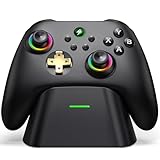
 Exilapsire Wireless Controller for PC/Switch/Switch 2/iOS/Android6.14 x 4.21 x 2.4 InchesCheck on Amazon

Best Controller for Call of Duty: Warzone on PC
The best controller for Call of Duty: Warzone on PC is the SCUF Envision Pro for players who want the most useful back-button layout and low-latency wireless play, while the Xbox Elite Wireless Controller Series 2 is the better all-round choice for battery life, comfort, and dependable Xbox-style compatibility.
For the lowest possible input delay, connect either controller by USB rather than Bluetooth. Wireless is convenient and can be competitive, but a wired connection removes another variable from a game where rapid aim corrections, slide cancels, and close-range fights can be decided by very small timing differences.
As an Amazon Associate we earn from qualifying purchases at no extra cost to you.

Quick comparison
| Controller | PC connection | Back buttons | Trigger stops | Battery claim | Best for |
|---|---|---|---|---|---|
| SCUF Envision Pro | 2.4 GHz wireless, Bluetooth, USB | 4 rear paddles plus additional remappable controls | Yes | Up to about 30 hours | Competitive wireless Warzone play |
| Xbox Elite Wireless Controller Series 2 | 2.4 GHz Xbox Wireless Adapter, Bluetooth, USB-C | 4 removable paddles | Yes | Up to about 40 hours | Battery life and familiar Xbox layout |
| DualSense Edge | Bluetooth, USB-C | 2 rear buttons | Yes | About 6 hours | PlayStation layout and adjustable sticks |
| Victrix Pro BFG Wireless | 2.4 GHz wireless, Bluetooth, USB | 4 rear buttons | Yes | About 20 hours | Modular layouts and interchangeable parts |
| Razer Wolverine V2 Chroma | Wired USB | 2 rear buttons plus extra shoulder controls | Hair-trigger stops | Not applicable | Consistently low-latency wired use |
Battery figures are manufacturer claims or commonly published specifications and vary with lighting, vibration, headset use, connection mode, and firmware. Wireless response also depends on USB receiver placement, radio interference, and the controller’s software.
SCUF Envision Pro: best competitive wireless choice
The SCUF Envision Pro is the strongest match for an aggressive Warzone player who wants more than two rear inputs. Its four rear paddles can keep jump, crouch, reload, plate, or weapon-switch commands under your fingers while your thumbs stay on the sticks. It also adds extra remappable controls around the shoulders, giving skilled players more options than a conventional Xbox or PlayStation pad.
Its adjustable instant triggers are particularly useful in Warzone. Set the stops for semi-automatic weapons, pistols, and marksman rifles when you want a short actuation. For vehicles or actions where a full analogue range matters, switch the triggers back to their normal travel.
The important compromise is software dependence. The Envision Pro is designed around Corsair’s iCUE configuration software, so take time to save a dedicated Warzone profile and verify that every rear input is being detected correctly. It is a high-value choice when you will actually use four paddles; if you only need one or two remaps, its extra controls may not justify the price, which usually sits in the premium $150–$200 range.
Xbox Elite Series 2: best for battery life and comfort
The Xbox Elite Wireless Controller Series 2 remains an excellent PC option because its layout is familiar, its paddles are removable, and its battery is rated for up to roughly 40 hours. The long runtime matters for regular Warzone sessions: assuming a realistic 30 hours after accounting for vibration and wireless conditions, a two-hour session consumes approximately 6.7% of the usable charge. That means a full charge can cover about 15 sessions of that length before recharging.
The four rear paddles are well suited to a simple competitive setup:
- Left upper paddle: jump
- Left lower paddle: crouch or slide
- Right upper paddle: reload or interact
- Right lower paddle: weapon swap or plate
Its adjustable stick-tension settings let you use a lighter left stick for movement and a firmer right stick for more controlled aiming. Start with medium tension on the right stick rather than maximum tension. Excessive resistance can make small corrections more deliberate, but it can also slow rapid turns and make your aim feel heavy.
The Elite Series 2 generally costs around $150–$180, depending on the package and sales. Its principal weakness is that stick drift can eventually affect any analogue controller, so buy from a seller with a practical warranty or return policy and avoid treating the paddles as hand rests.
DualSense Edge: best PlayStation-style option
The DualSense Edge is the logical choice if you prefer the symmetrical PlayStation stick layout or already use a DualSense controller. It offers two rear buttons, adjustable stick modules, trigger stops, and profiles that can be switched during play.
Its short trigger setting can make firing feel immediate, but the Edge’s battery is much smaller than the Elite Series 2 or Envision Pro. A published battery estimate of about six hours means a two-hour Warzone session may use roughly one-third of the available charge. Keep the USB cable nearby, particularly if you use headset audio, vibration, or higher-brightness controller features.
Two rear buttons are enough for the most important movement actions, usually jump and crouch. They are not enough to replicate a four-paddle layout without moving your thumbs. The Edge is therefore best for players who value replaceable stick modules and the PlayStation shape more than maximum rear-input capacity. Expect a premium price commonly around $180–$200.
Victrix Pro BFG: best modular design
The Victrix Pro BFG Wireless is appealing if you want to change the controller’s physical layout. It supports interchangeable modules and can be configured for an Xbox-style asymmetrical arrangement or a PlayStation-style symmetrical arrangement. Four rear buttons and trigger stops make it suitable for Warzone, while the modular design is useful for players who switch between shooters and fighting games.
Its battery life is commonly specified at about 20 hours, placing it between the DualSense Edge and the longer-lasting Elite Series 2. The extra hardware and modular mechanism also mean there are more parts to configure and more opportunities for an unfamiliar shape to slow your muscle memory. Choose it for adaptability, not because modularity automatically produces better aim.
Razer Wolverine V2 Chroma: best wired value
The Razer Wolverine V2 Chroma is a wired controller, so it avoids battery management and wireless interference entirely. Its extra rear buttons, additional shoulder controls, and trigger stops provide many of the competitive features found on more expensive wireless models.
It is a sensible choice if your PC is close enough for a cable and you want consistent response for ranked play. The trade-off is obvious: the cable can catch on a desk edge, and you lose the freedom to play from a sofa or television. Because it is wired, do not compare its battery life with the other models; the relevant question is whether cable management is acceptable in your setup.
How to choose the right Warzone controller
| Your priority | Recommended choice | Why |
|---|---|---|
| Four rear inputs and wireless play | SCUF Envision Pro | More remappable controls and a dedicated 2.4 GHz connection |
| Longest sessions between charges | Xbox Elite Series 2 | Up to about 40 hours and four removable paddles |
| Symmetrical sticks and replaceable modules | DualSense Edge | PlayStation layout and replaceable stick assemblies |
| Swappable physical layouts | Victrix Pro BFG | Modular design for different genres |
| Lowest-complexity competitive setup | Razer Wolverine V2 Chroma | Wired connection eliminates charging and wireless variables |
Recommended PC settings for competitive play
Use the controller’s 2.4 GHz receiver when available instead of Bluetooth. Place the receiver in a front or rear USB port with a clear path to the controller, and avoid hiding it behind a metal PC case or USB hub crowded with wireless devices. If you notice intermittent input, test a direct motherboard USB port before changing aim settings.
In Warzone, begin with a moderate sensitivity rather than copying a professional player’s numbers. A practical starting point is 6 horizontal and 6 vertical sensitivity, 0.80–0.90 ADS sensitivity multiplier, and a low deadzone such as 0.03. Increase the deadzone only until stick drift stops; a value that is unnecessarily high delays the start of small movements. If your aim feels too fast while tracking, reduce the ADS multiplier before lowering your general look sensitivity.
Use trigger stops for guns that benefit from rapid firing, but disable them when driving vehicles or using controls that require analogue trigger range. Map jump and crouch or slide to rear buttons first. Add reload, plate, or weapon swap only after the first two mappings feel automatic; too many changes at once can damage consistency.
Frequently asked questions
Can I use these controllers wirelessly on a PC?
Yes, the SCUF Envision Pro, Xbox Elite Wireless Controller Series 2, DualSense Edge, and Victrix Pro BFG support wireless PC connections, although the connection methods vary. The SCUF Envision Pro and Victrix Pro BFG support 2.4 GHz wireless, while Bluetooth is also available on several models. For the lowest possible input delay, the article recommends using USB.
Which controller is best if I only need two rear buttons?
The DualSense Edge or Razer Wolverine V2 Chroma may be more suitable if you only need two rear buttons. The DualSense Edge provides two rear buttons alongside adjustable stick modules and a PlayStation-style layout. The Razer Wolverine V2 Chroma is wired and adds extra shoulder controls, making it a simpler choice if cable use is acceptable.
Why might a low deadzone be useful in Warzone?
A low deadzone can help small stick movements begin sooner, which is useful for precise aiming. The article suggests starting at 0.03 and increasing the deadzone only until stick drift stops. An unnecessarily high deadzone can delay the start of small movements, so the setting should reflect the controller’s behavior rather than be copied without adjustment.
Should trigger stops always be enabled for Warzone?
No, trigger stops should be used selectively. They can make firing feel more immediate for semi-automatic weapons, pistols, and marksman rifles, but they remove some analogue trigger travel. Disable the stops for vehicles or actions that require a full analogue range. The SCUF Envision Pro, Xbox Elite Series 2, DualSense Edge, and Victrix Pro BFG include trigger-stop features.
Where should I place a wireless receiver for better controller response?
Place the wireless receiver in a front or rear USB port with a clear path to the controller. Avoid hiding it behind a metal PC case or placing it in a USB hub crowded with wireless devices. If input becomes intermittent, test a direct motherboard USB port before changing aim settings or sensitivity.
Final verdict
Choose the SCUF Envision Pro if competitive wireless performance and a four-paddle layout are your priorities. Choose the Xbox Elite Series 2 for the best balance of comfort, battery life, precision adjustments, and PC compatibility. Pick the DualSense Edge for its symmetrical layout and replaceable sticks, the Victrix Pro BFG for modularity, or the Razer Wolverine V2 Chroma when a reliable wired connection matters more than wireless freedom.